

In this section7 sections
What an inventory system is for
Most businesses start with a spreadsheet, a stock room somebody knows by heart and the habit of checking before promising anything. That works until the spreadsheet and the shelf disagree. From then on nobody is sure which number to act on, orders get promised against stock that is already gone, and someone spends every week reconciling by hand.
An inventory system fixes that by keeping one record of items, locations, quantities and every event that changed them, then applying an agreed rule for what can be promised to a customer. Reorder alerts, stock valuations and dashboards are all views of that record. If the record is wrong, the views are confidently wrong, which is why we spend most of the effort on the record itself.
This page covers the stock side: items, locations, movements, reservations, adjustments, permissions, counting and reporting. The storefront, the basket and payments belong to e-commerce website development and payment and checkout. Those systems read stock and ask questions of it, but neither should be where stock is defined.
A packaged product is often the cheaper answer, and we will say so. If you sell a few hundred lines from one location under ordinary rules, an off-the-shelf tool will do more on its first day than a custom build can justify. A custom system earns its place when the rules are genuinely yours: allocation by customer, stock committed against contracts, assembled or kitted goods, or a process no product supports without awkward workarounds.

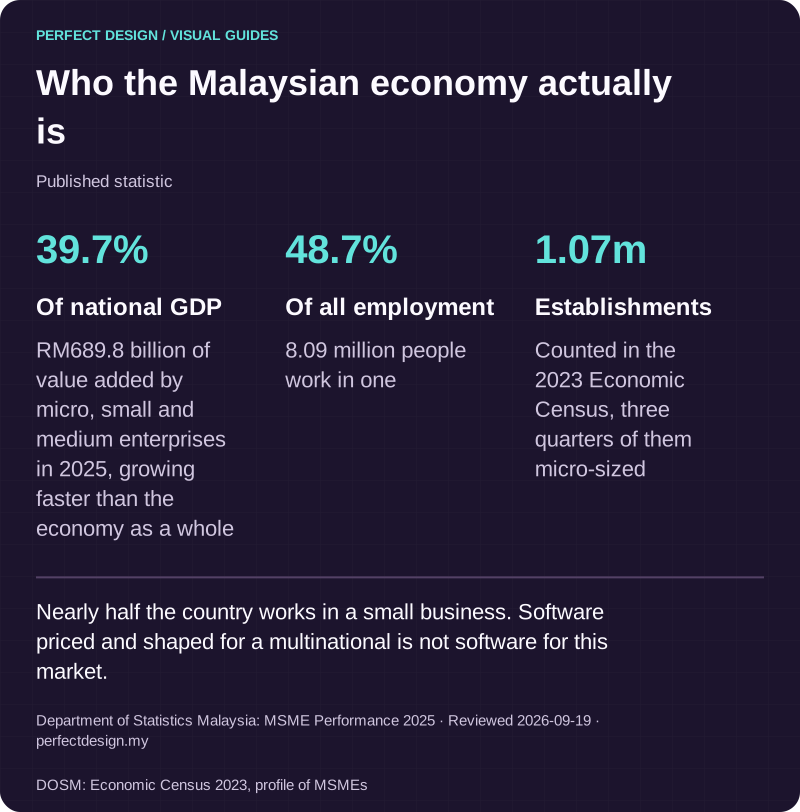
Who the Malaysian economy actually is
Published statistic. Nearly half the country works in a small business. Software priced and shaped for a multinational is not software for this market.
Source: Department of Statistics Malaysia: MSME Performance 2025. Reviewed .
Also: DOSM: Economic Census 2023, profile of MSMEs.
Read the graphic as text
- Of national GDP: 39.7%. RM689.8 billion of value added by micro, small and medium enterprises in 2025, growing faster than the economy as a whole
- Of all employment: 48.7%. 8.09 million people work in one
- Establishments: 1.07m. Counted in the 2023 Economic Census, three quarters of them micro-sized
One stock record that every system reads from
Before anything is built, we agree which system holds the stock figure. Stock tends to live in several places at once: the online shop, the point of sale, the accounting package, a warehouse sheet and somebody's memory. If two of them can both change a number, they drift apart, and reconciling them becomes a permanent job nobody was hired to do.
So there is one authoritative record, and everything else has a defined relationship with it. Other systems can read from it and send events that change it, but only one of them holds the number. That single decision removes more future trouble than any feature on the wish list.
Physical, reserved and available are three different numbers
A stock record with one quantity will mislead you. A useful system keeps at least three figures apart, and states in writing how the available figure is calculated.
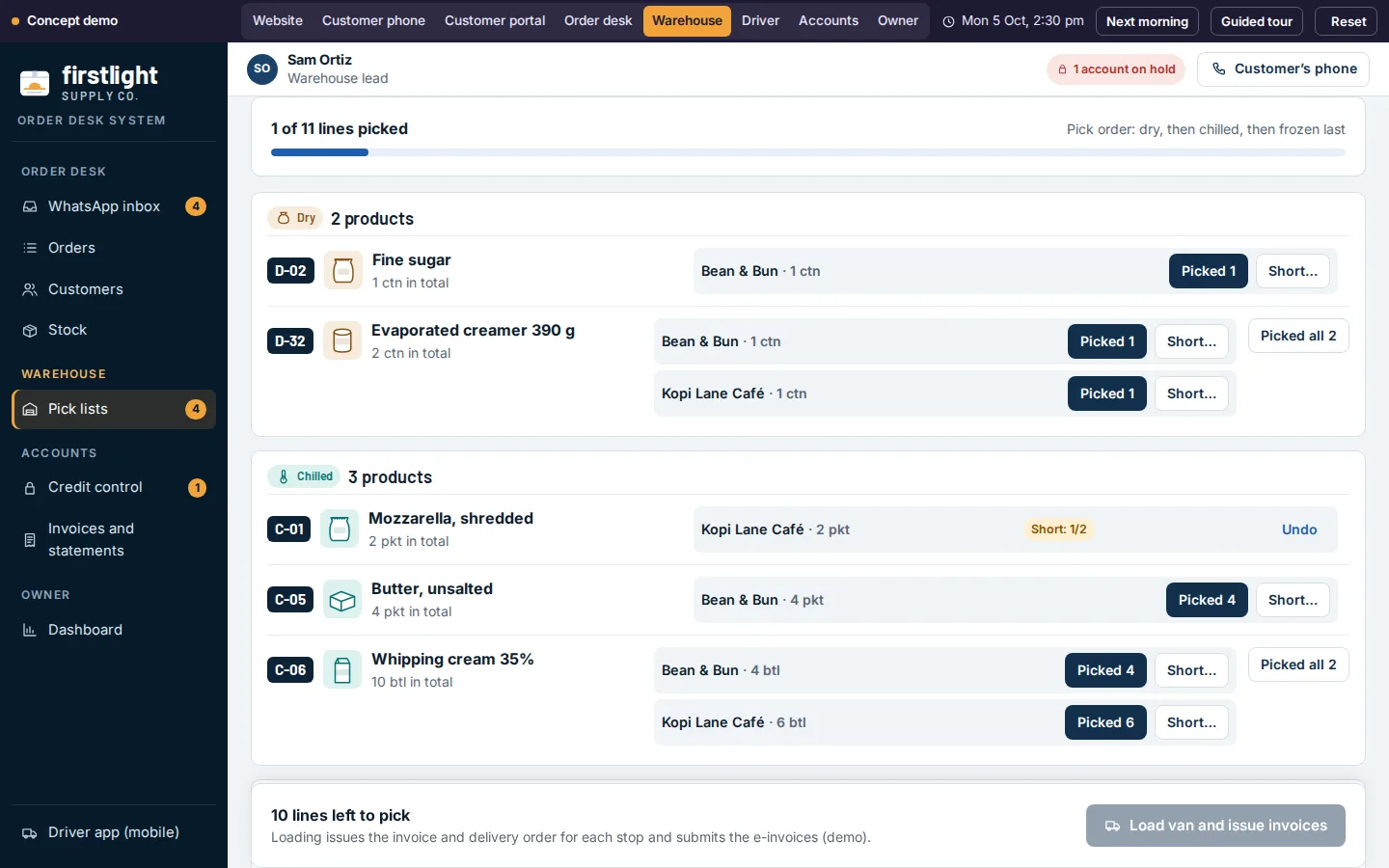
- Physical stock is what is on the shelf, by location. It changes only when goods actually move, are counted or are written off.
- Reserved stock is physical stock already spoken for: a paid order, a confirmed transfer or a quotation you honour for a fixed period. It is still in the building, but you cannot sell it twice.
- Available stock is what you are prepared to promise, and it is a policy rather than a fact. Usually physical minus reserved, sometimes minus a safety buffer, and sometimes plus goods on a purchase order with a delivery date.
- Incoming and quarantined stock stays outside the available figure until someone decides otherwise. A returned item nobody has inspected is not sellable, whatever the courier tracking says.
Two rules are agreed with you rather than assumed: whether stock may ever go negative, and what happens when two orders arrive for the last unit at the same moment. Both have sensible answers, and neither is ours to choose on your behalf.

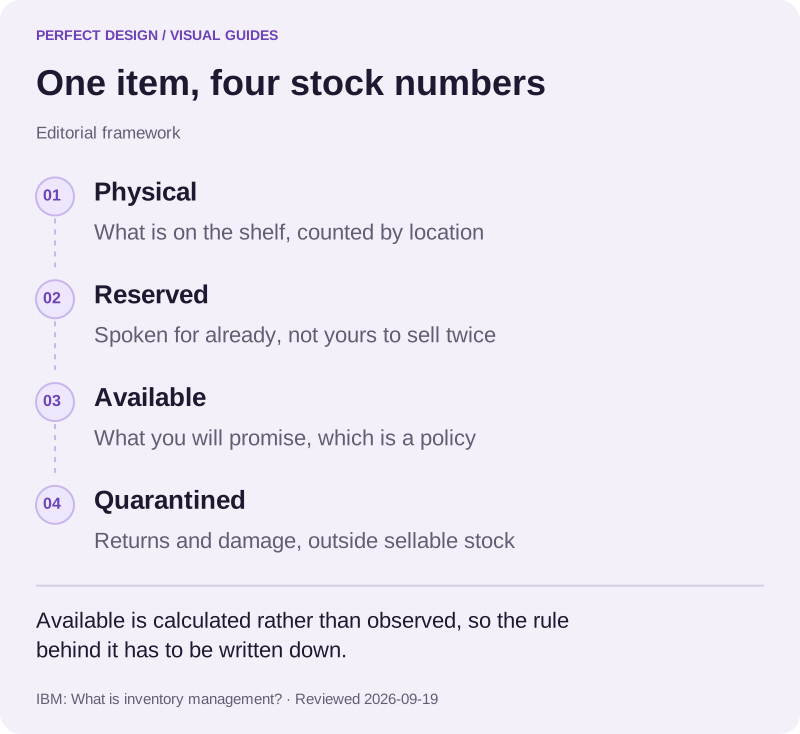
One item, four stock numbers
Editorial framework. Available is calculated rather than observed, so the rule behind it has to be written down.
Basis: IBM: What is inventory management?. Reviewed .
Read the graphic as text
- Physical. What is on the shelf, counted by location
- Reserved. Spoken for already, not yours to sell twice
- Available. What you will promise, which is a policy
- Quarantined. Returns and damage, outside sellable stock
How stock moves through the system
The clearest way to plan an inventory system is to follow one item through its life and write down what the system does at each step, who does it and what happens when the step goes wrong. The table does that for a fictional single-warehouse retailer; the roles and rules are illustrations, not a client's process.
Receive a delivery
- Who does it
- Warehouse clerk
- What the system does
- Records the item, the location and the counted quantity against the purchase order
- When it goes wrong
- A short or damaged delivery is recorded as such, never quietly rounded to the expected figure
Reserve an order
- Who does it
- The order system
- What the system does
- Reserves the quantity without assuming the goods have shipped
- When it goes wrong
- Two orders for more than is available follow an agreed rule: reject, backorder or first paid wins
Inspect a return
- Who does it
- Warehouse reviewer
- What the system does
- Decides restock or quarantine before the available figure changes
- When it goes wrong
- A damaged return stays out of sellable stock until someone approves the write-off
| Step | Who does it | What the system does | When it goes wrong |
|---|---|---|---|
| Receive a delivery | Warehouse clerk | Records the item, the location and the counted quantity against the purchase order | A short or damaged delivery is recorded as such, never quietly rounded to the expected figure |
| Reserve an order | The order system | Reserves the quantity without assuming the goods have shipped | Two orders for more than is available follow an agreed rule: reject, backorder or first paid wins |
| Inspect a return | Warehouse reviewer | Decides restock or quarantine before the available figure changes | A damaged return stays out of sellable stock until someone approves the write-off |
Transfers, picks, dispatches and quarantine decisions work the same way: each is recorded as an event with a person, a time and a reason, rather than as an edit to a number. That is what makes the history useful later, because every figure can be explained by the entries that produced it.
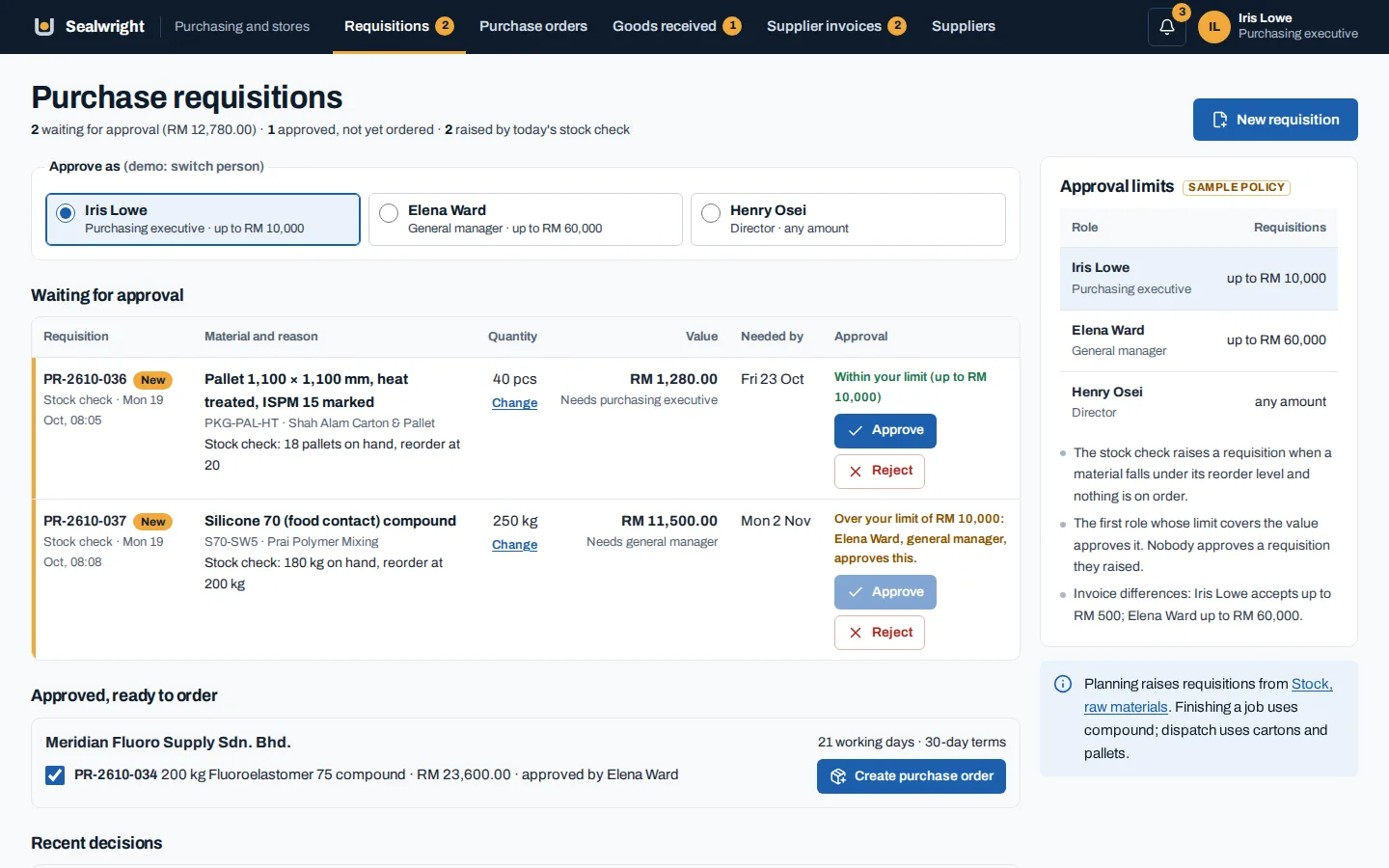
When stock has to reach an accounting package, a point of sale or a storefront, we settle four questions first: which system owns the figure, what triggers a change, which way the data flows and who investigates when the two disagree. CRM and integrations explains how we approach those connections, including what we confirm before promising one exists.

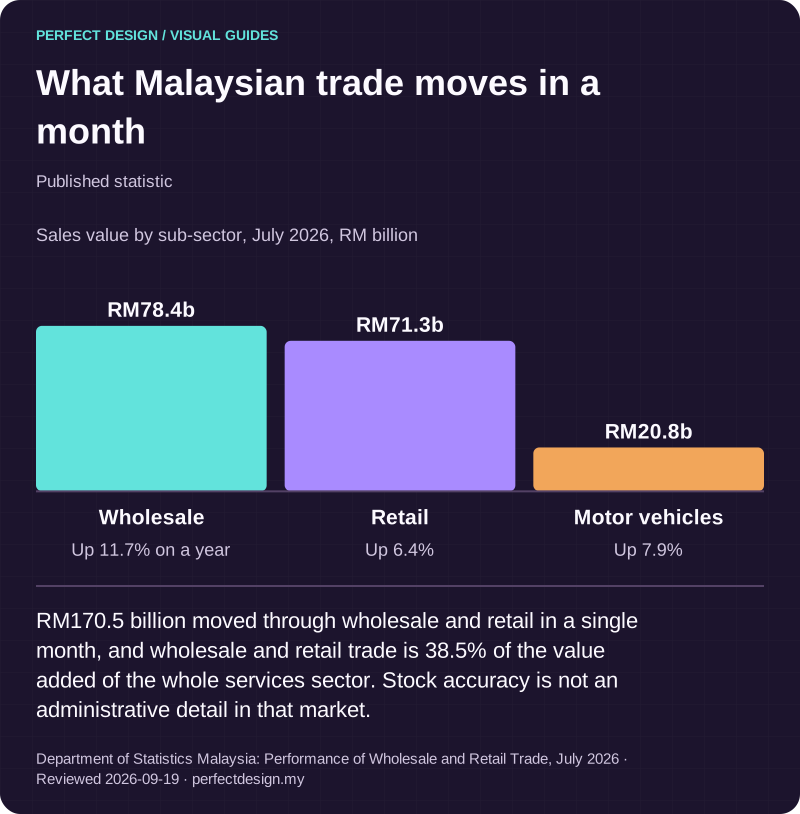
What Malaysian trade moves in a month
Published statistic. RM170.5 billion moved through wholesale and retail in a single month, and wholesale and retail trade is 38.5% of the value added of the whole services sector. Stock accuracy is not an administrative detail in that market.
Source: Department of Statistics Malaysia: Performance of Wholesale and Retail Trade, July 2026. Reviewed .
Read the graphic as text
- Wholesale: RM78.4b. Up 11.7% on a year
- Retail: RM71.3b. Up 6.4%
- Motor vehicles: RM20.8b. Up 7.9%
Chart scale: Sales value by sub-sector, July 2026, RM billion.
Who can change a stock figure
Permissions follow your business process rather than a copied role list. We name, with you, who in your operation may do each of these, and who reviews it afterwards:
- Receive goods and record a problem with a delivery
- Reserve, release or override a reservation
- Move stock between locations and confirm it arrived
- Count a location and submit the result
- Approve an adjustment, especially one that changes stock value
- Decide whether a damaged or returned item can be sold again
The pattern that works in a real warehouse is simple: everyday movements stay quick, and anything that changes value or overrides a rule needs a second person and a stated reason. Every significant change records who made it, when, the figures before and after, and why. That history turns an argument about stock into a five-minute look at the record.

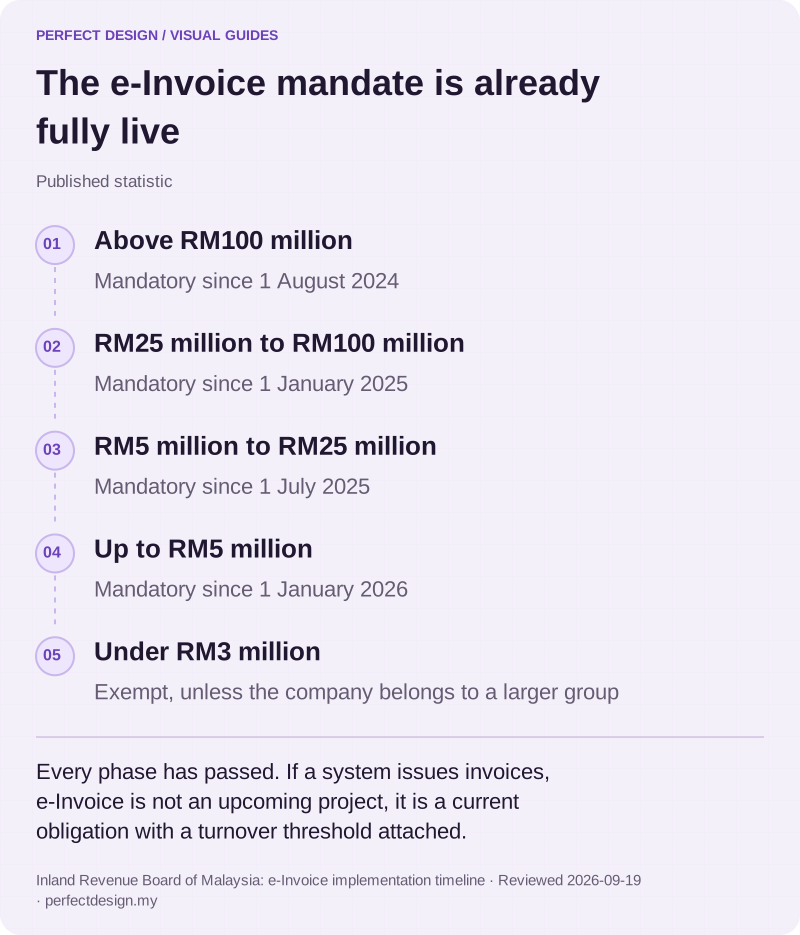
The e-Invoice mandate is already fully live
Published statistic. Every phase has passed. If a system issues invoices, e-Invoice is not an upcoming project, it is a current obligation with a turnover threshold attached.
Source: Inland Revenue Board of Malaysia: e-Invoice implementation timeline. Reviewed .
Read the graphic as text
- Above RM100 million. Mandatory since 1 August 2024
- RM25 million to RM100 million. Mandatory since 1 January 2025
- RM5 million to RM25 million. Mandatory since 1 July 2025
- Up to RM5 million. Mandatory since 1 January 2026
- Under RM3 million. Exempt, unless the company belongs to a larger group
Counting and fixing differences
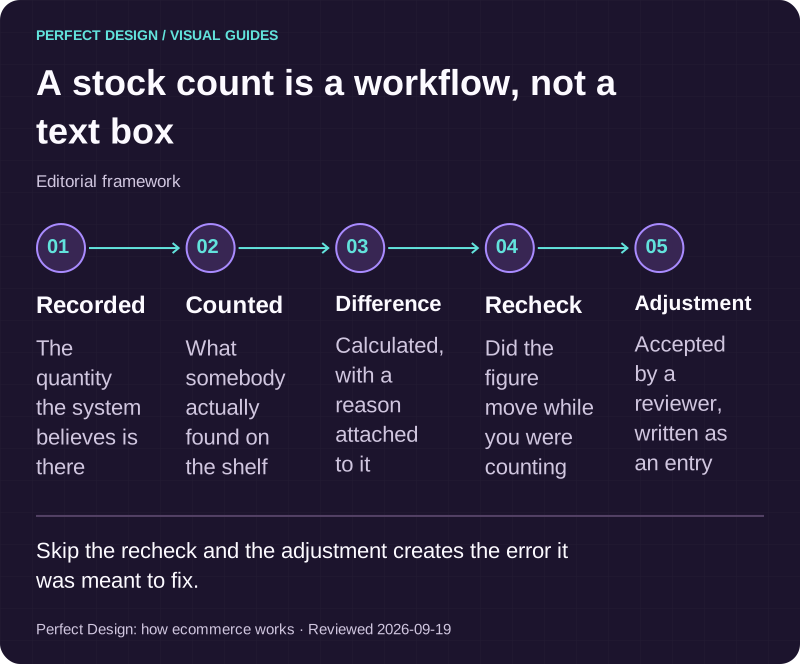
A count is a process, not a text box. The system holds a recorded quantity, somebody counts the shelf, the difference is calculated, a reviewer accepts or rejects it, and the accepted adjustment is written as its own entry with a reason. Rolling counts by location or by value are usually easier on an operation than closing for a yearly count, and they catch problems while the cause is still recent enough to find.
Reports then come from the same record: movement history by item or location, adjustments by reviewer and reason, ageing stock, items that keep disagreeing with their count and exceptions nobody has closed. We build these into the screens where someone acts on them. Admin dashboards covers the staff-side views in more detail.

A stock count is a workflow, not a text box
Editorial framework. Skip the recheck and the adjustment creates the error it was meant to fix.
Basis: Perfect Design: how ecommerce works. Reviewed .
Read the graphic as text
- Recorded. The quantity the system believes is there
- Counted. What somebody actually found on the shelf
- Difference. Calculated, with a reason attached to it
- Recheck. Did the figure move while you were counting
- Adjustment. Accepted by a reviewer, written as an entry
Stock across several locations
Once stock sits in more than one place, three questions shape the design. Does a customer buy from a specific location or from the total? Is stock in transit between branches owned by the sender, the receiver or neither? And can one branch see another's figures, or only that stock exists somewhere?
Selling against a total is convenient but risky, because every order is fulfilled from a real place. If a branch can fulfil an order, it needs a way to accept or decline it. Several locations also change how counting works: counts happen per location and the totals are calculated from them.
What to bring to the first conversation
Your item list and how it varies, your locations, the events that change stock today and who handles them, the availability rule you want to promise against, the problems that already cause arguments, and the systems that must connect along with who controls their access. That is enough to size a build honestly, and to tell you if a product would serve you better.