
HORIZON 2026
A conference platform concept: launch site, ticketing, attendee app and door check-in under one brand.
The brief
Running a conference usually means a separate website, ticketing tool, attendee app and check-in system. HORIZON puts them in one platform.
What we shipped
A launch site with a live countdown, tiered passes with checkout and QR e-tickets, an attendee area with a personal schedule, and an organiser back office with sales, attendees and door check-in.
Built for: Conference and event organisers, their attendees and their operations teams.
Inside the build
Every part, and what it does
A closer look at what was actually built — screen by screen, so you can judge the depth for yourself.
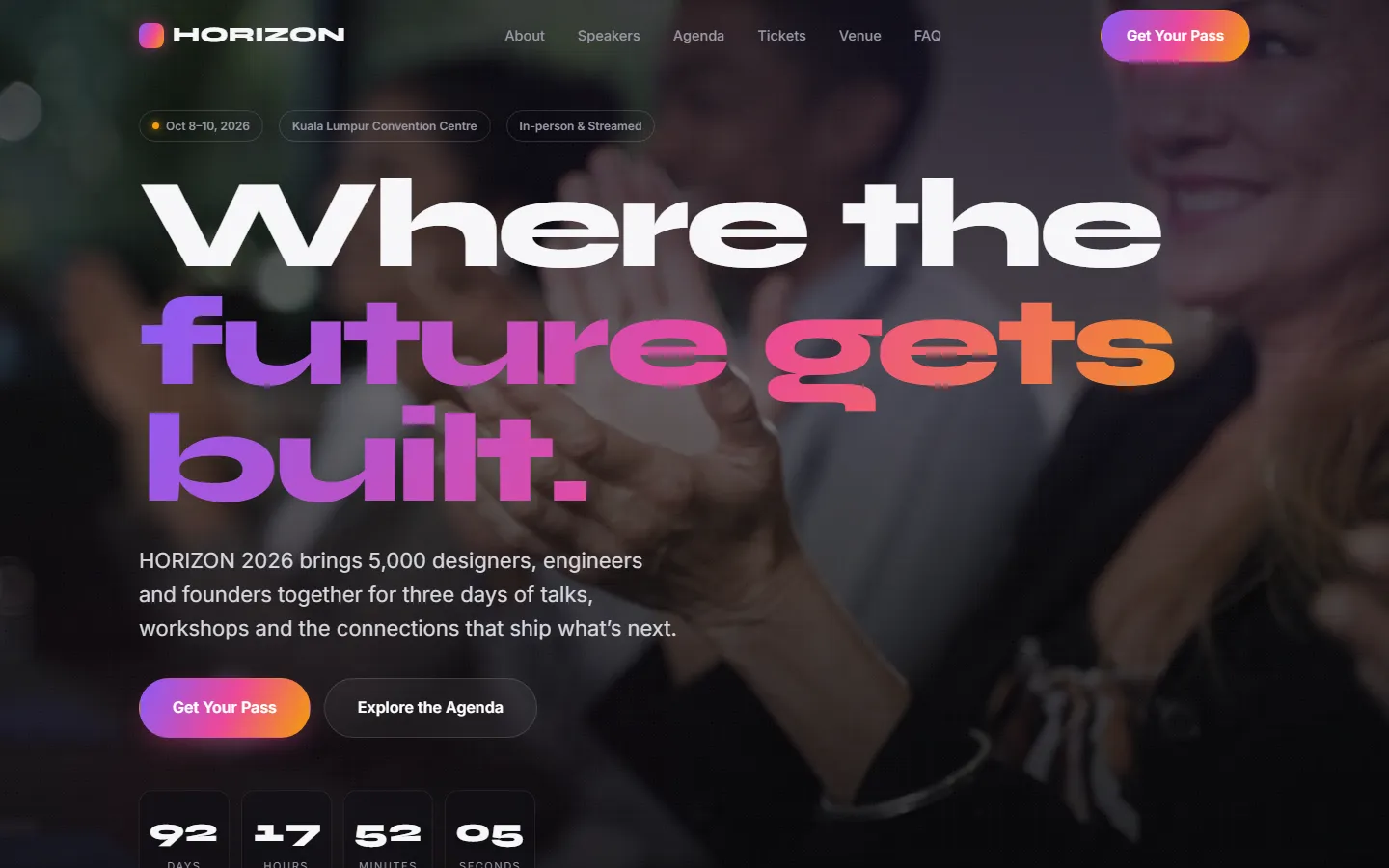
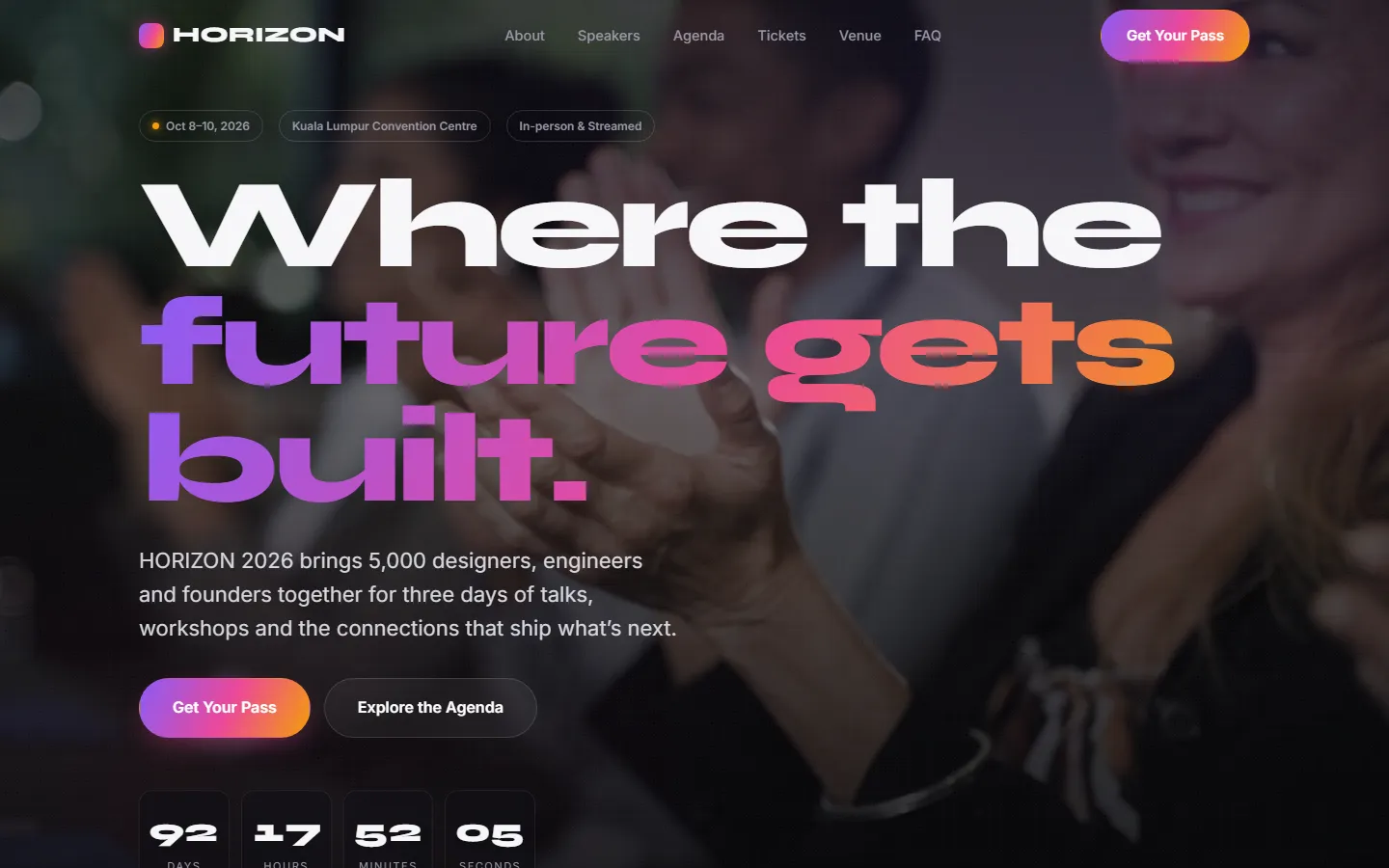
Launch site
Video hero, countdown, speakers, agenda, venue and FAQ.
- Countdown to the event
- Speakers and agenda
- Venue and FAQ
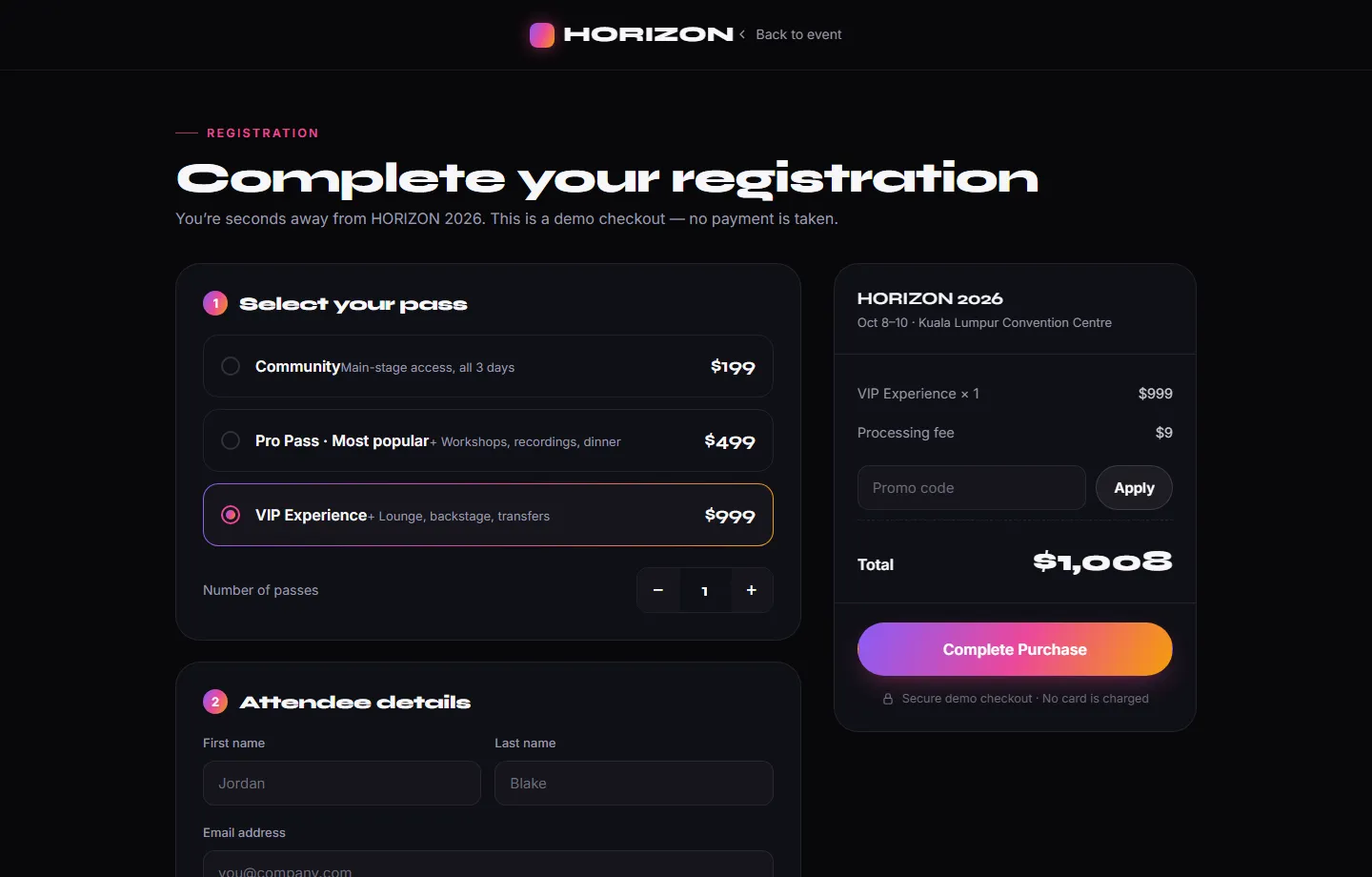
Passes and checkout
Three pass tiers, promo codes and a card step, with a live order summary.
- Three pass tiers
- Promo codes
- Live order summary
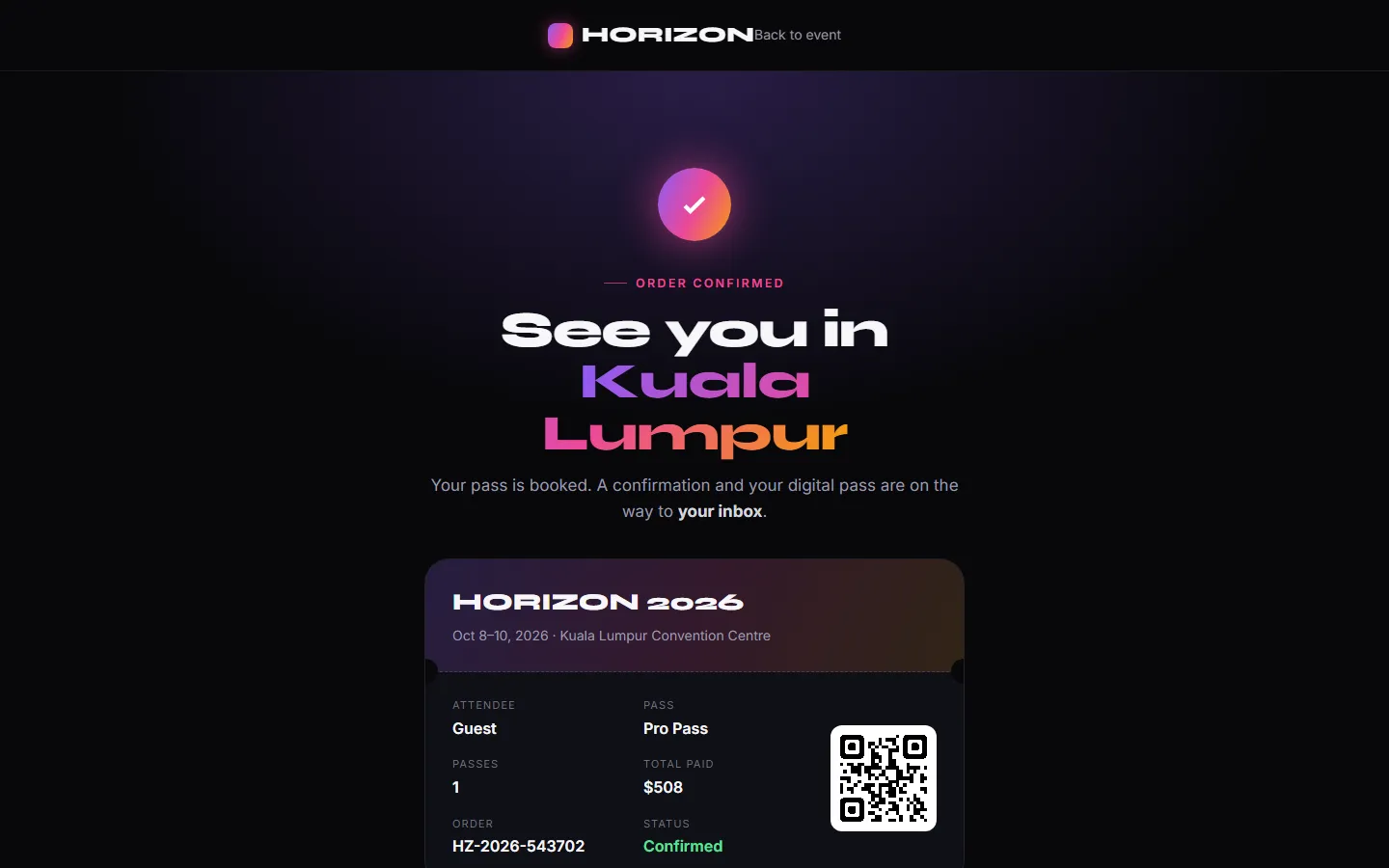
E-ticket
A branded confirmation with a QR ticket, a wallet pass and a calendar entry.
- QR e-ticket
- Add to wallet
- Add to calendar
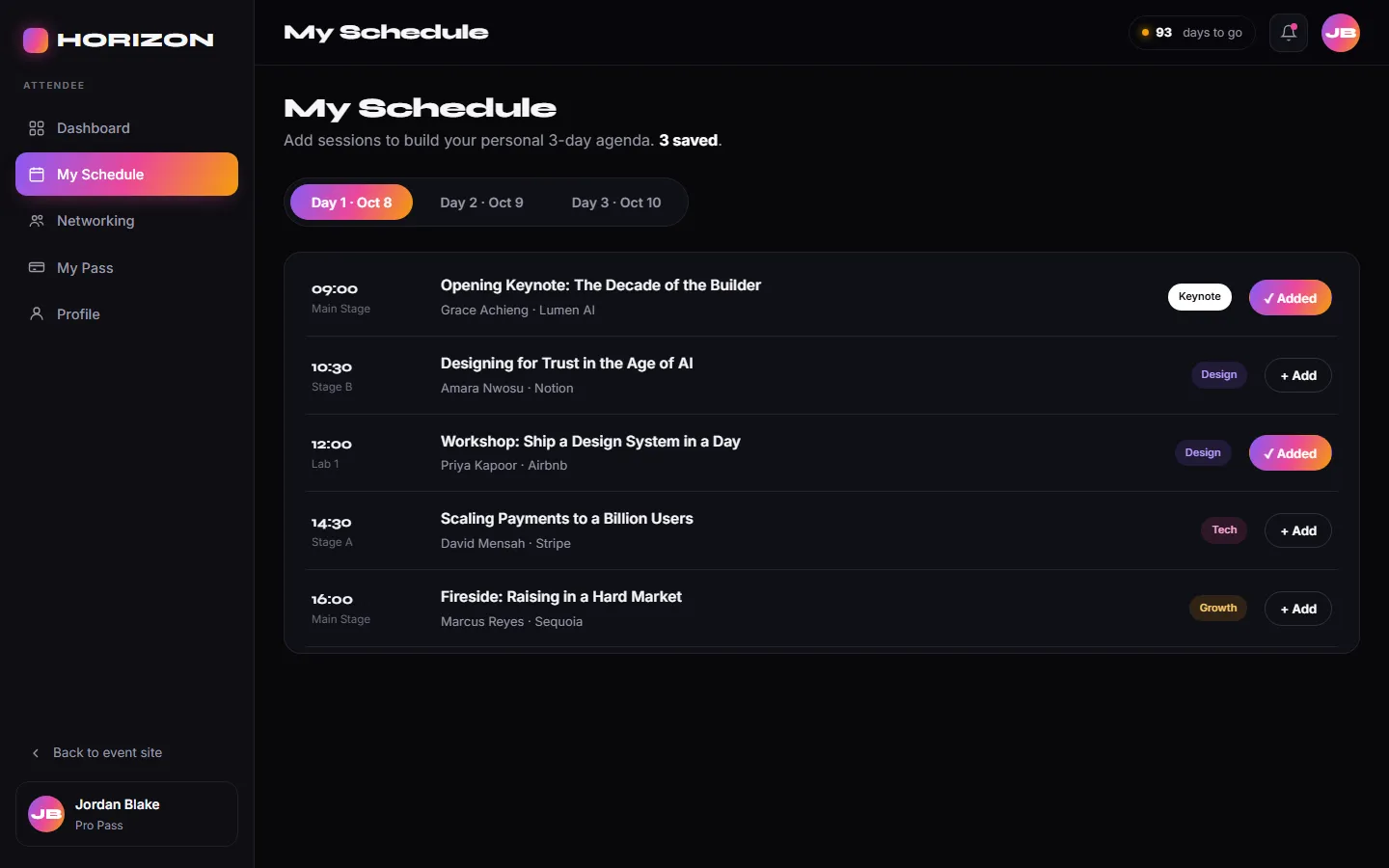
Attendee area
Pass, personal schedule, announcements and a networking directory.
- Personal schedule
- Announcements
- Networking directory
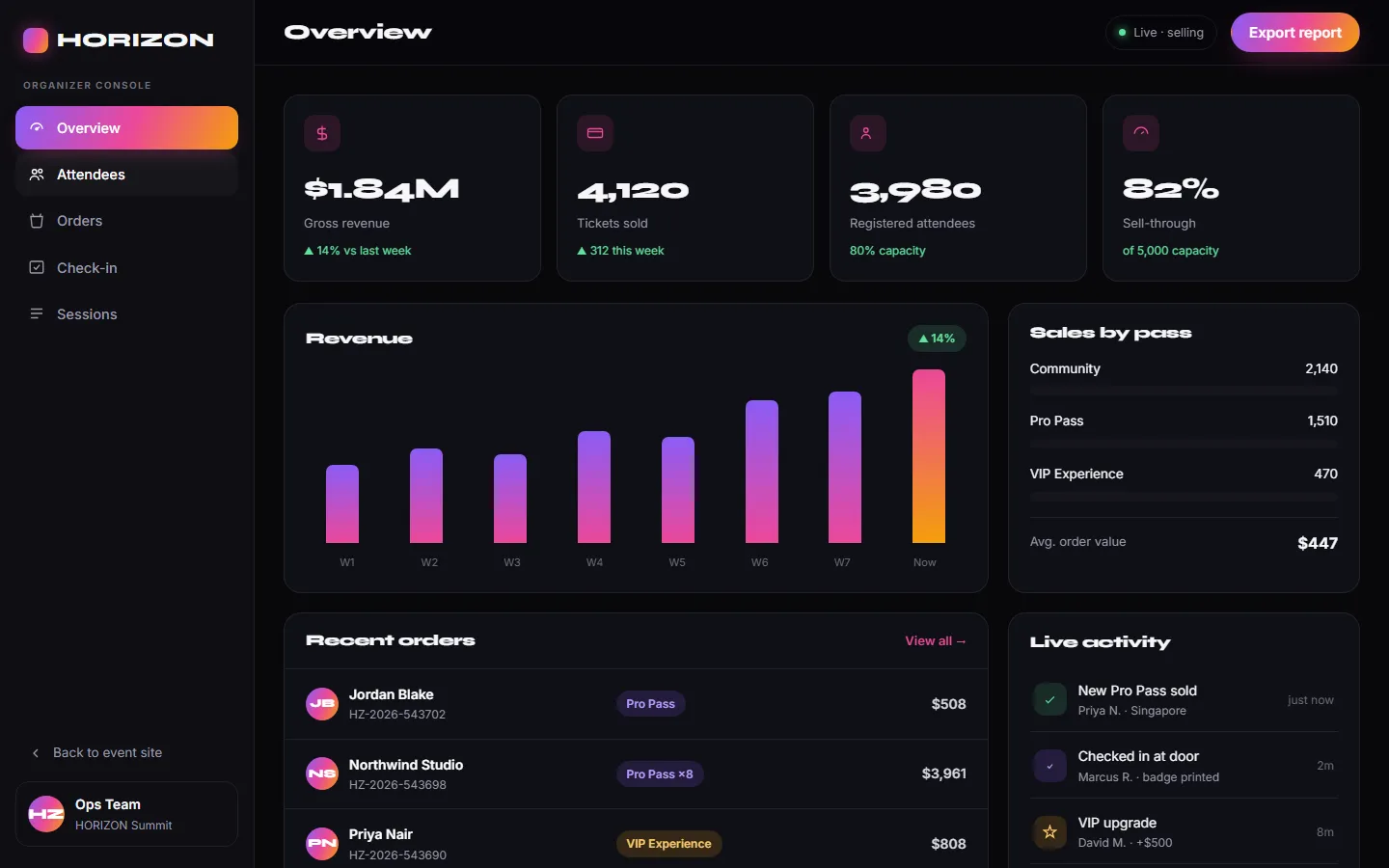
Sales overview
Revenue, tickets sold, sales by pass tier and recent orders.
- Revenue and tickets
- Sales by tier
- Recent orders
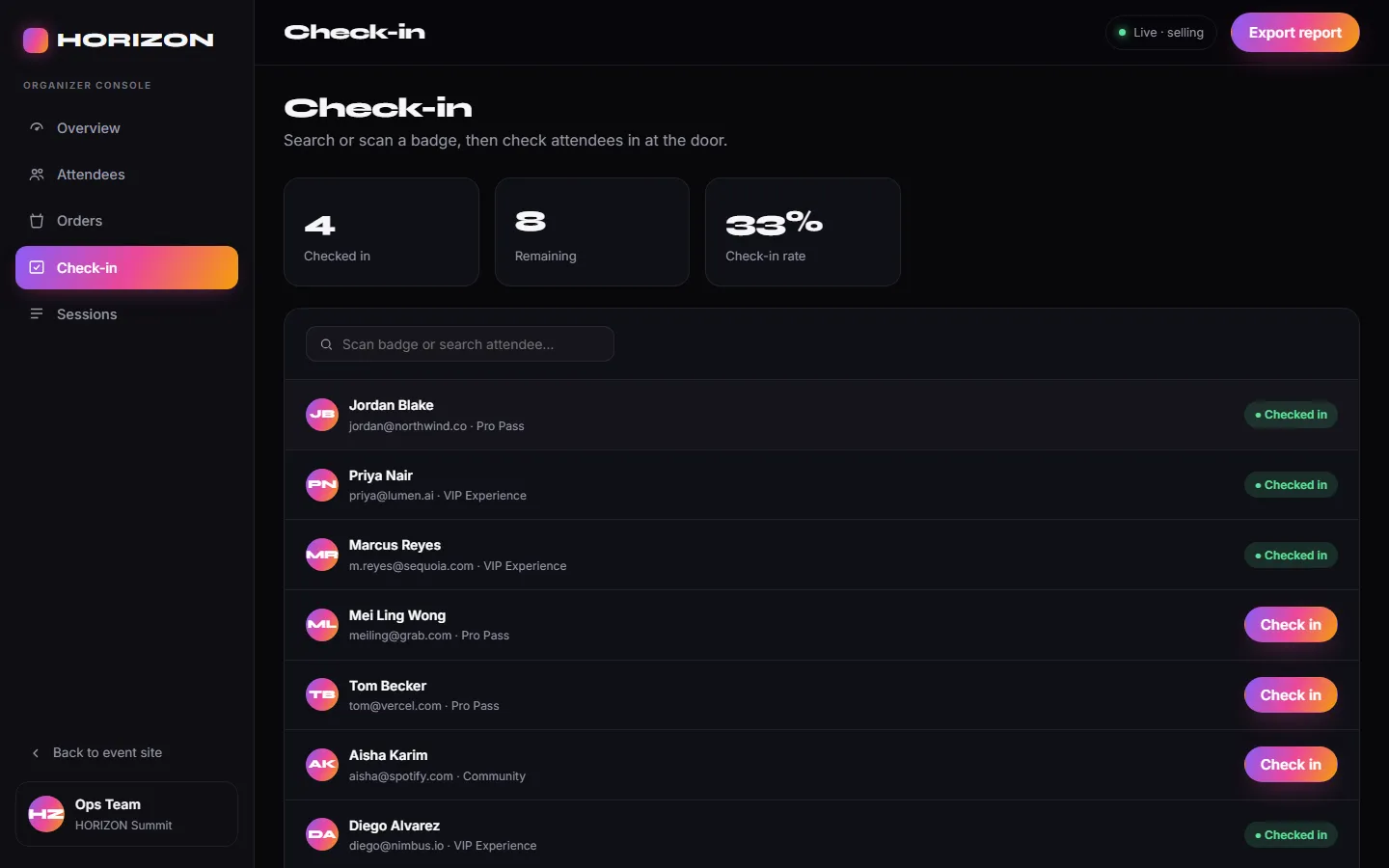
Door check-in
Search or scan a ticket and check attendees in with one tap.
- Scan or search
- One-tap check-in
- Live counts
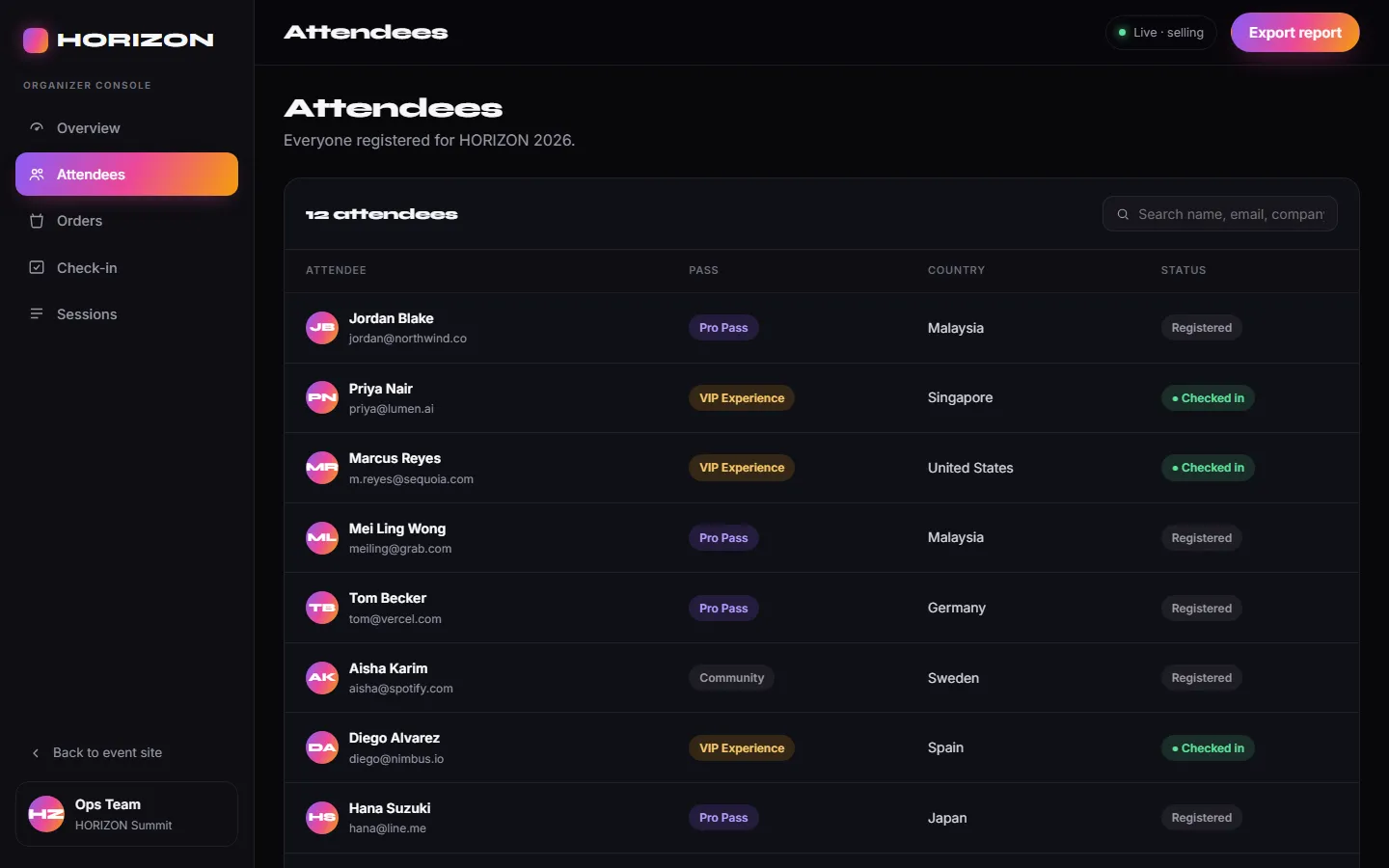
Attendees and orders
Attendee directory, order records with refunds, and session capacity.
- Attendee directory
- Orders and refunds
- Session capacity
Click through it yourself
Every screen above is interactive. No sign-up, nothing to install.
Services it proves
Where HORIZON 2026 is our example
Each of these service pages uses a part of HORIZON 2026 to show the work. Open one to see what we would build for you.
- Mobile appsShows: Attendee areaAn attendee area on the phone: pass, personal schedule, announcements and a networking directory.
- Landing pagesShows: Launch siteA launch page with one job, selling passes: countdown, speakers, agenda, venue and FAQ, leading to a three-tier checkout.
- Android appsShows: Door check-inA staff tool on the phone: search or scan a ticket and check attendees in with one tap, with live counts.
- iOS appsShows: E-ticketA ticket that goes into the phone’s wallet and calendar, with a QR code for the door.
- Cross-platform appsShows: Passes and checkoutPasses, promo codes and a live order summary from one web codebase, on phone, tablet and desktop.
- Field service & operations appsShows: Door check-inA door check-in tool for event staff: search or scan a ticket and check attendees in with one tap, with live counts.
- Community appsShows: Attendee areaAn attendee area with announcements and a networking directory.
- Event ticketingShows: E-ticketA branded confirmation with a QR ticket, a wallet pass and a calendar entry, checked in at the door on the day.
- Events & venuesShows: Door check-inA conference: passes and checkout, e-tickets, an attendee area and door check-in.
Core systems
What this build is made of
These are systems we build repeatedly — each links to every other project that contains it, so you can compare implementations before deciding what you need.
Industry: Events & venues
Unique to this build
Built specifically for this project rather than assembled from the shelf.
QR e-tickets and check-in
A ticket issued at purchase and scanned at the door.
Personal schedule builder
Attendees build their own agenda from a three-day programme.
Want a build like this for your business?
Tell us what you have in mind and we'll put together a functional prototype of your project — free.