

In this section8 sections
- 01The kitchen is the constraint, and the website has to respect it
- 02Branches, menus and how the food reaches the customer
- 03A menu is not a product catalogue
- 04When is an order actually accepted
- 05The printer, the tablet and the till
- 06Ordering direct alongside the delivery platforms
- 07Delays, unavailable items and refunds
- 08Scope, ownership and acceptance
The kitchen is the constraint, and the website has to respect it
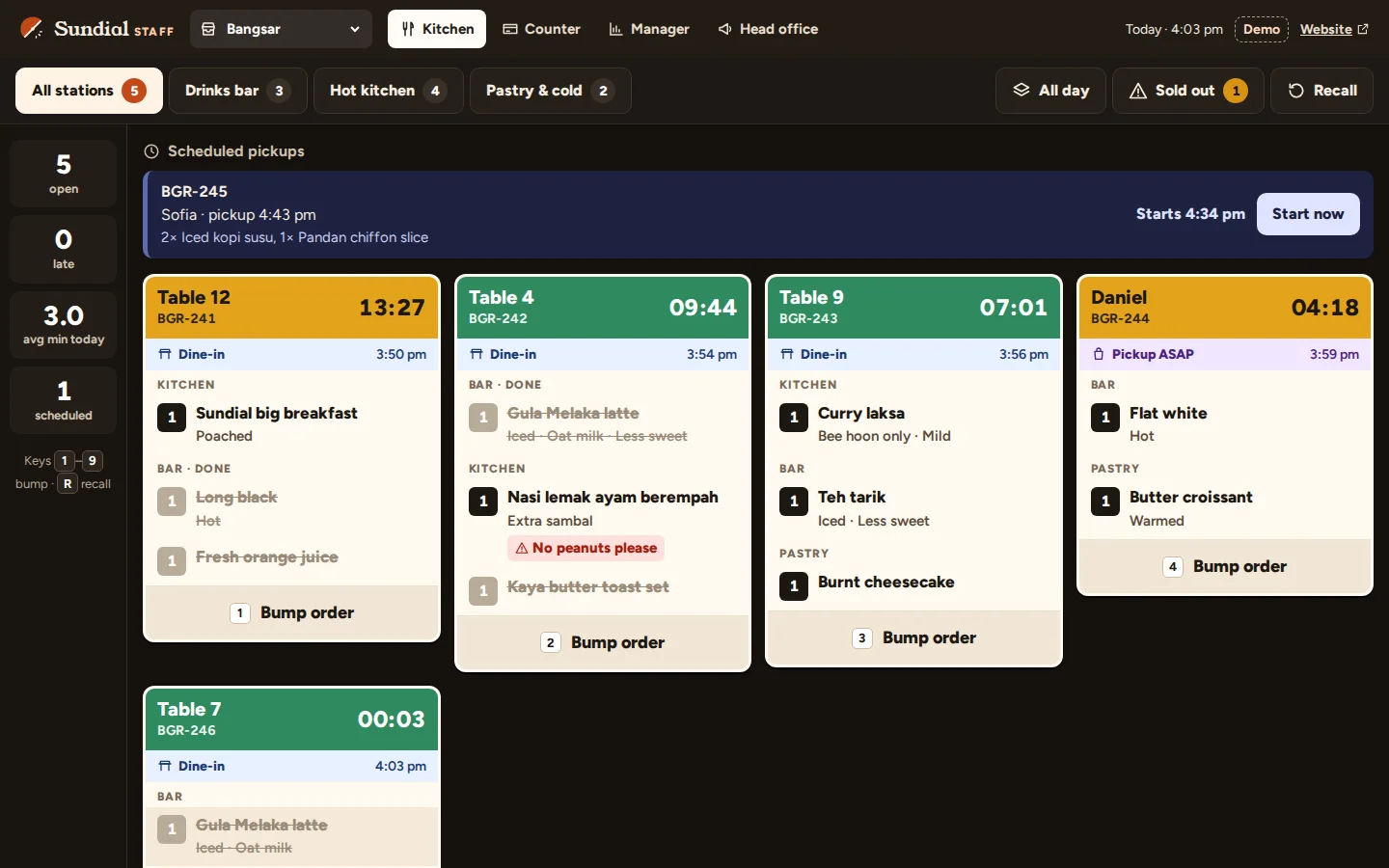
A kitchen produces a certain number of covers in a given fifteen minutes. That number falls when three large orders land together, and it has nothing to do with how many people are browsing your menu. A site that accepts whatever is sent to it is not neutral. It is a machine for promising food the pass cannot deliver, and the complaint arrives at your counter.
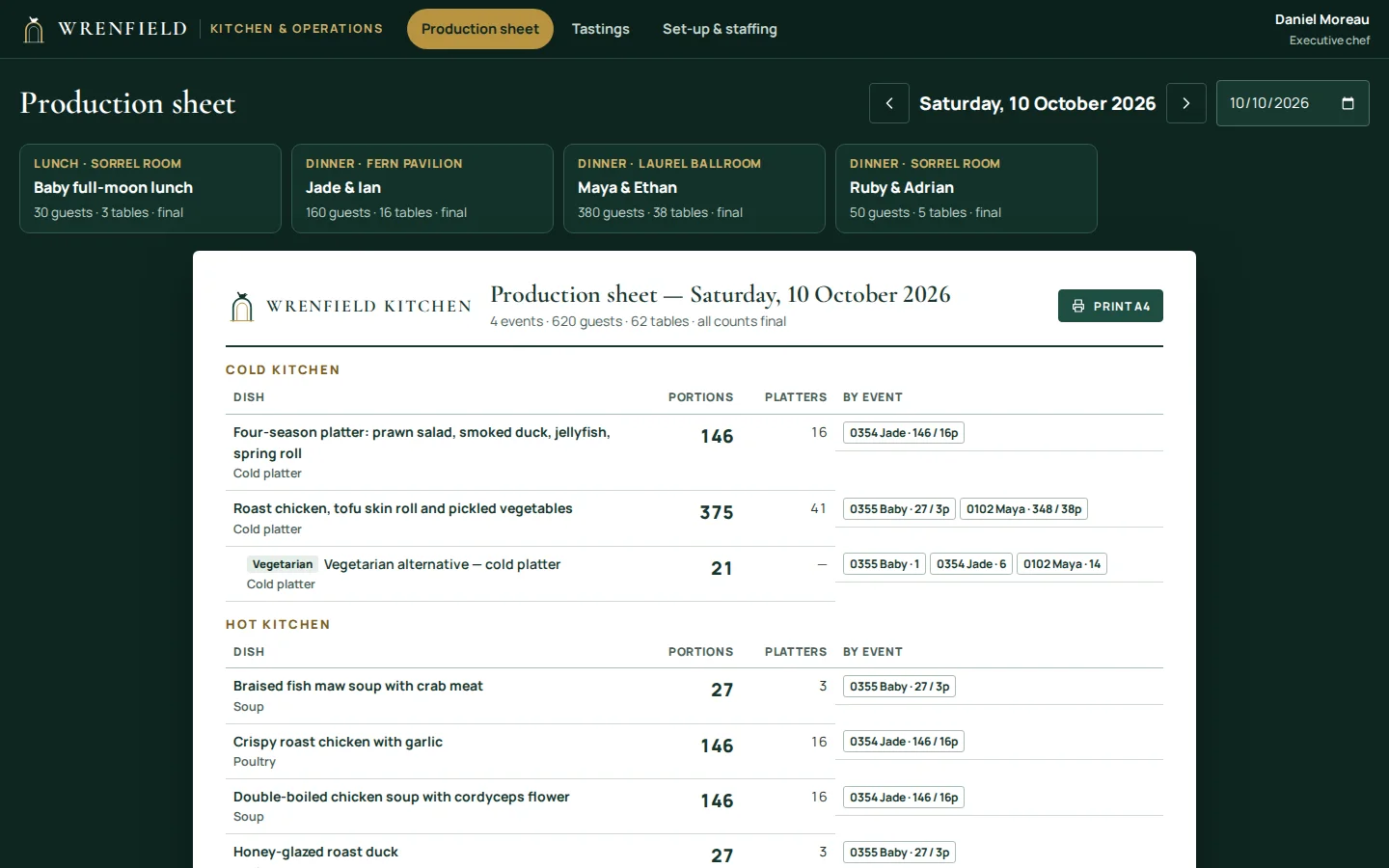
So the starting point is the operation rather than a feature list. Decide what the kitchen can take, when it can take it, and how an accepted order reaches the people cooking it. The menu customers see follows from those answers. Platform choice, gateway fees and the order chain every store shares belong to e-commerce website development; this page is the restaurant workflow on top of them.

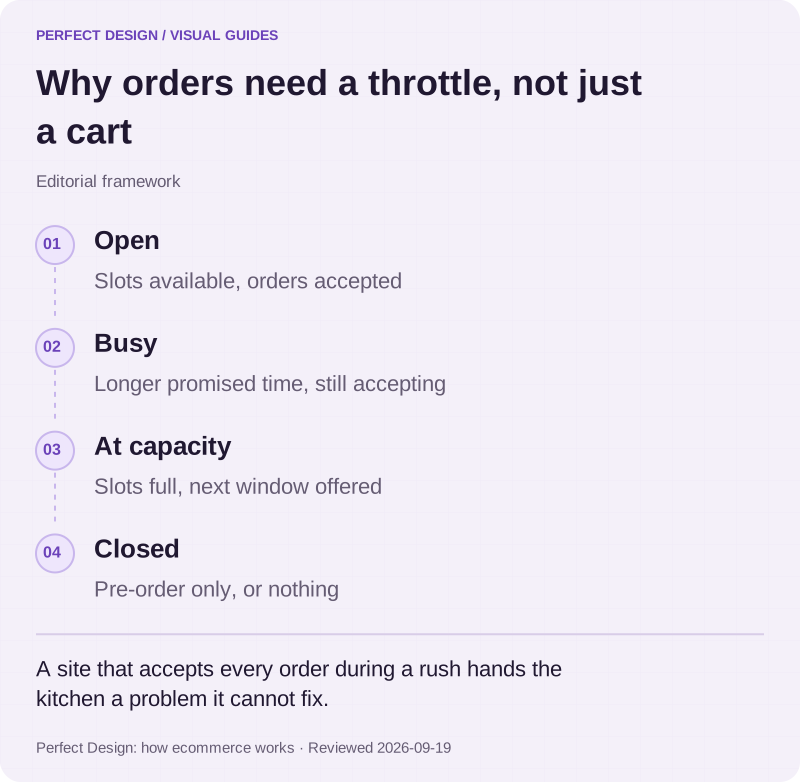
Why orders need a throttle, not just a cart
Editorial framework. A site that accepts every order during a rush hands the kitchen a problem it cannot fix.
Basis: Perfect Design: how ecommerce works. Reviewed .
Read the graphic as text
- Open. Slots available, orders accepted
- Busy. Longer promised time, still accepting
- At capacity. Slots full, next window offered
- Closed. Pre-order only, or nothing
Branches, menus and how the food reaches the customer
Four decisions set the boundary of the build. Branch identity comes first, because each branch is its own kitchen with its own hours, capacity and often its own menu. Menu availability comes next, by branch and by time of day, since a breakfast list still showing at nine in the evening produces cancellations rather than orders. Then the service area, a radius or a list of postcodes rather than a vague sense of nearby. Then the fulfilment method.
Scheduled pickup, delivery and table ordering share a menu and very little else. Pickup needs a collection time and somebody to hand the bag over. Delivery needs an address, an area check, a rider and an arrival promise. Table ordering has no address and no slot: the table number is the key, food goes out as it is cooked, and the bill may need splitting. One documented self-ordering product treats service location and payment conditions as configuration, a reminder that these are close cousins in some tools and separate builds in others.
- Which branches take online orders, and whether one can be paused mid rush.
- Which items appear on which branch menu, and at which times of day.
- How much the kitchen can accept in a slot, in a unit the kitchen recognises.
- Who may mark an item unavailable, from which device, and how fast it leaves the site.
A menu is not a product catalogue
Menu items carry option groups rather than variants, and the difference shows as soon as anyone builds it. A rice set may require exactly one protein, allow three add-ons and refuse a combination the kitchen cannot make. Options change the price, and some change the preparation time, which is the part that quietly eats capacity. Combos reference other items, so one change has to reach everywhere that dish appears.
Stock is stranger again. You are not counting units on a shelf, you are counting portions left from a batch, and that count lives in somebody's head until a system asks for it. So availability is an operational question first: who marks the last portion gone, from which device, and how fast the item leaves the site. Edited on an office laptop at nine in the morning, it is wrong by seven in the evening, and the customer who ordered the sold out dish becomes a refund and a phone call.
When is an order actually accepted
The sequence looks obvious and hides one decision worth arguing about. A customer chooses available items, chooses a slot, pays, and then the restaurant either accepts the order or does not. The argument is where acceptance sits: automatic on payment, fast but occasionally accepting what the kitchen cannot make, or manual inside a countdown, honest but needing somebody watching a screen during service.
Capacity is what makes acceptance mean anything. A slot holds a quantity the kitchen recognises, whether orders, main courses or minutes of preparation, and one large order may consume several slots. That is the timed-capacity problem behind booking and scheduling, applied to a pass instead of a diary. The money side is payment and checkout work, because a payment confirmed twice at seven in the evening is still a refund on Monday.
Choose food and a pickup slot
- Assumed actor
- Customer
- Proposed system response
- Offer only items the branch has now, and only slots with preparation capacity left
- Exception
- An item sells out or a slot fills while the customer is choosing
- Acceptance evidence to collect
- Availability and option-rule tests, slot capacity tests, and a re-check of both at submission
Pay and wait for acceptance
- Assumed actor
- Customer, then branch manager
- Proposed system response
- Take payment, then hold the order pending until the branch accepts or rejects it inside an agreed window
- Exception
- Payment is delayed or confirmed twice, or nobody answers before the window closes
- Acceptance evidence to collect
- Matched order, payment and kitchen-status records across successful, delayed, failed and repeated payment events
Hand over, or cancel what cannot be made
- Assumed actor
- Counter staff
- Proposed system response
- Mark the order collected, or cancel the missing items and refund them against the original payment
- Exception
- The customer never arrives, or only part of the order can be produced
- Acceptance evidence to collect
- Handover and no-show tests, and partial refunds reconciled against payment records
| Workflow step | Assumed actor | Proposed system response | Exception | Acceptance evidence to collect |
|---|---|---|---|---|
| Choose food and a pickup slot | Customer | Offer only items the branch has now, and only slots with preparation capacity left | An item sells out or a slot fills while the customer is choosing | Availability and option-rule tests, slot capacity tests, and a re-check of both at submission |
| Pay and wait for acceptance | Customer, then branch manager | Take payment, then hold the order pending until the branch accepts or rejects it inside an agreed window | Payment is delayed or confirmed twice, or nobody answers before the window closes | Matched order, payment and kitchen-status records across successful, delayed, failed and repeated payment events |
| Hand over, or cancel what cannot be made | Counter staff | Mark the order collected, or cancel the missing items and refund them against the original payment | The customer never arrives, or only part of the order can be produced | Handover and no-show tests, and partial refunds reconciled against payment records |

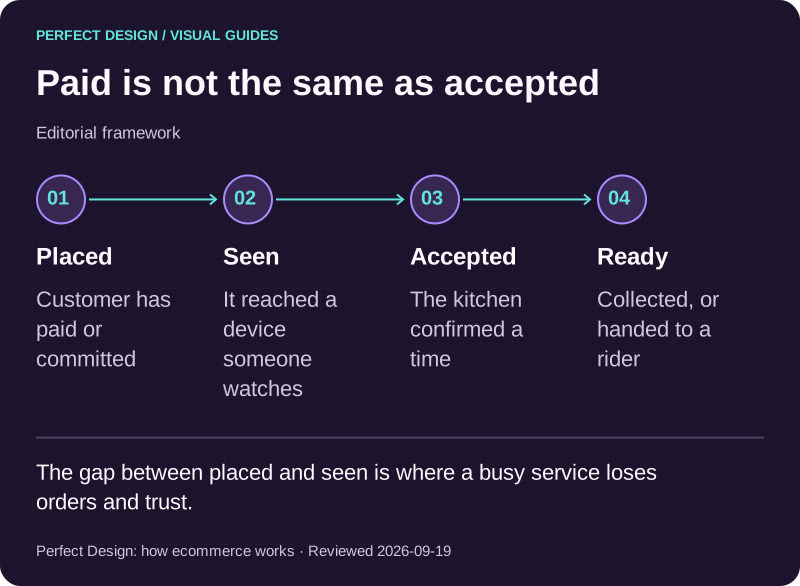
Paid is not the same as accepted
Editorial framework. The gap between placed and seen is where a busy service loses orders and trust.
Basis: Perfect Design: how ecommerce works. Reviewed .
Read the graphic as text
- Placed. Customer has paid or committed
- Seen. It reached a device someone watches
- Accepted. The kitchen confirmed a time
- Ready. Collected, or handed to a rider
The printer, the tablet and the till
Every ordering project meets the same physical reality: the order has to become paper, or a line on a screen, that somebody cooking can see in a room that is hot, loud and busy. A docket printer needs paper and somebody who notices when it runs out. A tablet needs power and a screen that does not sleep. An alert has to beat an extractor fan. An unacknowledged order has to escalate.
Then the till. Connecting to it depends on what it exposes: whether outside orders can be pushed in, which fields survive, what the licence permits and how clean the menu data is. That gets investigated before anyone promises a connection, which makes it integration work rather than a checkbox. One documented restaurant POS product treats order management, kitchen notification, cancellation and preparation printing as separate things to configure, which is one product's feature set rather than a universal requirement. Where a till cannot take outside orders at all, the choices are a screen beside it or a person keying orders in, and the second carries a labour cost worth pricing.

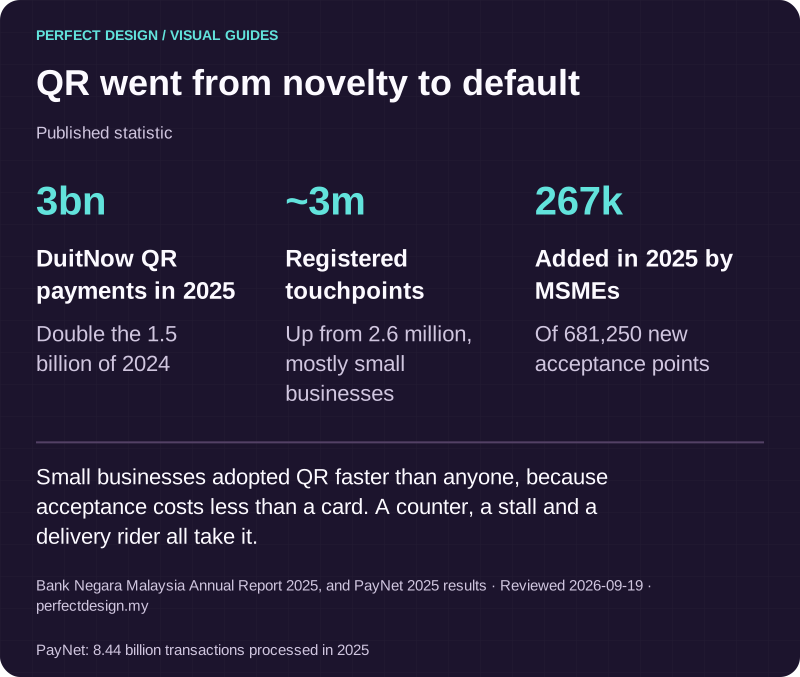
QR went from novelty to default
Published statistic. Small businesses adopted QR faster than anyone, because acceptance costs less than a card. A counter, a stall and a delivery rider all take it.
Source: Bank Negara Malaysia Annual Report 2025, and PayNet 2025 results. Reviewed .
Also: PayNet: 8.44 billion transactions processed in 2025.
Read the graphic as text
- DuitNow QR payments in 2025: 3bn. Double the 1.5 billion of 2024
- Registered touchpoints: ~3m. Up from 2.6 million, mostly small businesses
- Added in 2025 by MSMEs: 267k. Of 681,250 new acceptance points
Ordering direct alongside the delivery platforms
The commercial case for your own channel is straightforward. The large delivery platforms bring customers you would not otherwise reach, and in exchange they take a share of each order and keep the customer relationship. On your own site you pay a payment gateway rather than a share of the order, you keep the contact details and the order history, and you choose which dishes get pushed. Work that arithmetic with your own margins rather than anybody's rule of thumb, including ours.
What your own channel does not do is deliver the food. That means your own riders or a courier arrangement, and the arrival promise becomes yours to keep. Plenty of restaurants run both, using the platforms for discovery and their own site for regulars.

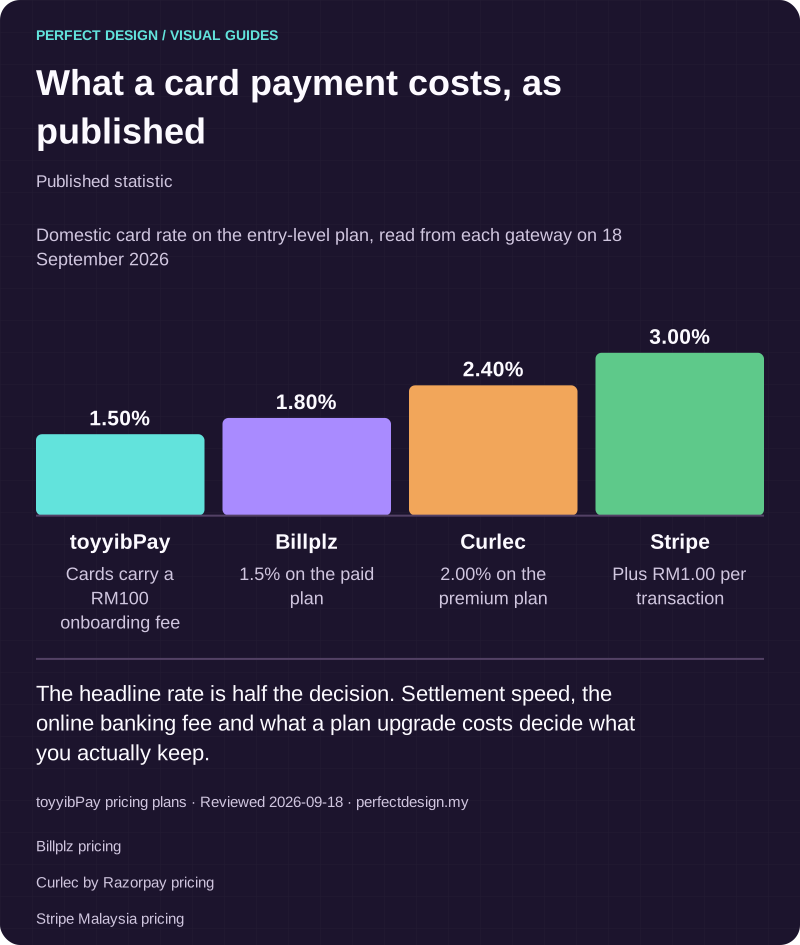
What a card payment costs, as published
Published statistic. The headline rate is half the decision. Settlement speed, the online banking fee and what a plan upgrade costs decide what you actually keep.
Source: toyyibPay pricing plans. Reviewed .
Also: Billplz pricing.
Also: Curlec by Razorpay pricing.
Also: Stripe Malaysia pricing.
Read the graphic as text
- toyyibPay: 1.50%. Cards carry a RM100 onboarding fee
- Billplz: 1.80%. 1.5% on the paid plan
- Curlec: 2.40%. 2.00% on the premium plan
- Stripe: 3.00%. Plus RM1.00 per transaction
Chart scale: Domestic card rate on the entry-level plan, read from each gateway on 18 September 2026.
Delays, unavailable items and refunds
Kitchen handover is the boundary worth naming. Before it, an order can be changed or cancelled cheaply. After it, food has been cooked and somebody pays for it either way. Write the rules on both sides: how late a customer may cancel, what happens when preparation runs behind, who contacts them and through which channel, and whether staff may substitute an item or must refund it. Substitution is a policy with a person attached, not a feature.
Partial refunds are the fiddly case and the common one. Two dishes out of five cannot be made, the customer wants the rest, and the money goes back against the original payment. Your team needs one screen carrying live orders, their slots and their states, which is admin dashboard work rather than a page on the website.
Scope, ownership and acceptance
Write the scope as a list with names against it: branches and hours, menus by branch and daypart, option groups, fulfilment methods, the service area, slot and capacity rules, the acceptance window, the kitchen handoff, substitution and refund policy, the till or printer arrangement, and who edits the menu after launch. Keep the customer-facing site separate from the operational workflow behind it, and agree ongoing care as its own line.
Bring the menu as it stands, the number of branches, an honest picture of a busy hour, the till you run, and whether you deliver yourself. If your cancellation and substitution policies are undecided, say so, because deciding them is part of the work. Tell us how the service runs and we will say what we would build first, and where a simpler answer would serve you better.