

In this section7 sections
- 01What an Android scope has to settle first
- 02Which devices and Android versions will you support?
- 03Which device capabilities and business systems must it reach?
- 04How do you get onto Google Play, and stay eligible?
- 05Which offline, background and notification behaviours are essential?
- 06What testing across many devices actually means
- 07What to bring to a first conversation
What an Android scope has to settle first
This page helps you decide six things before anyone writes code: who uses the app and for which repeating task, which devices and Android versions you will support, which device capabilities and business systems it must reach, how it behaves with no signal and in the background, how it gets onto Google Play and stays eligible there, and who owns the developer account and signing keys afterwards. The customer-facing screen is usually the smaller half of the work. The staff tool behind it, the records both write to and the permissions around them tend to decide the real scope.
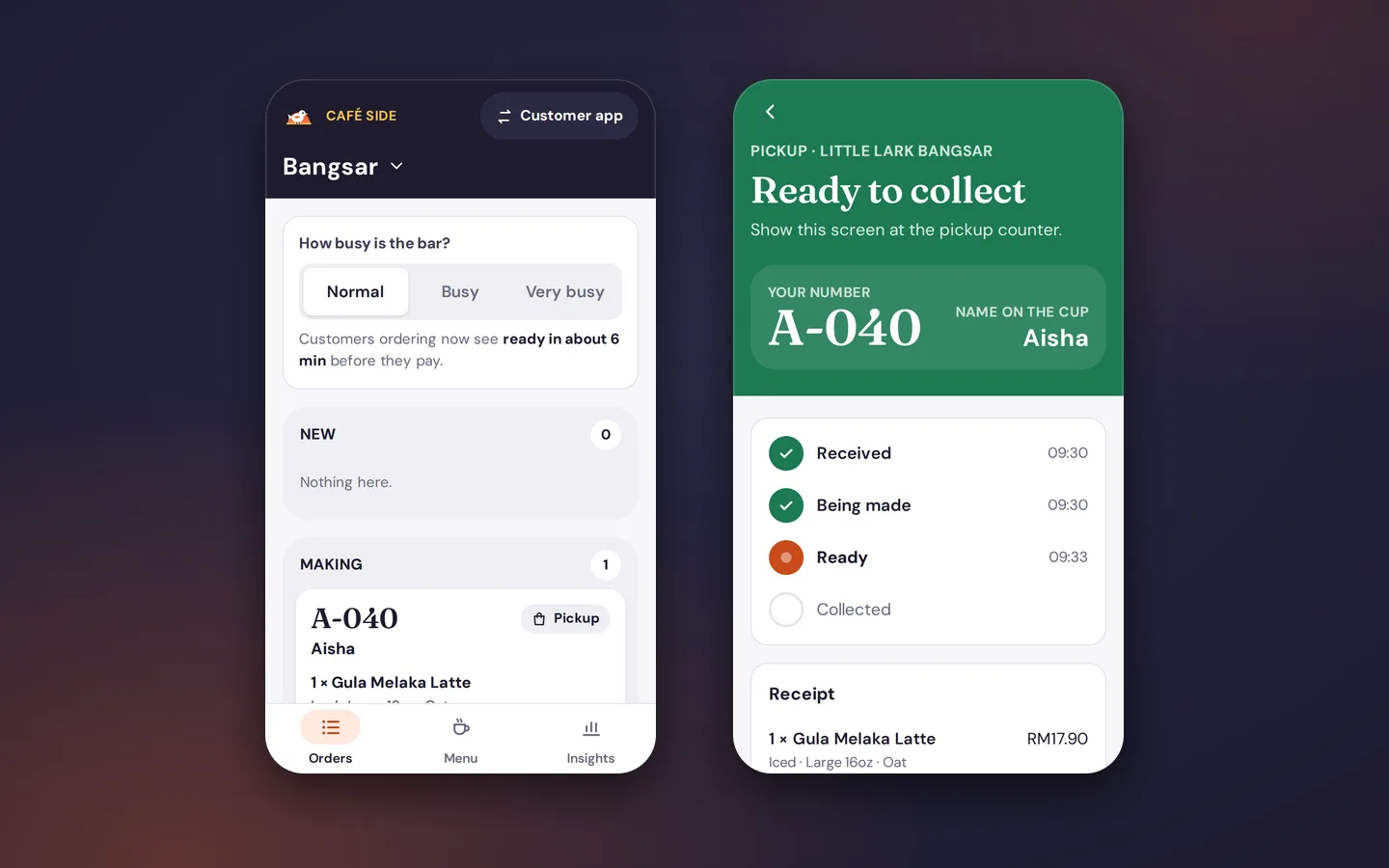
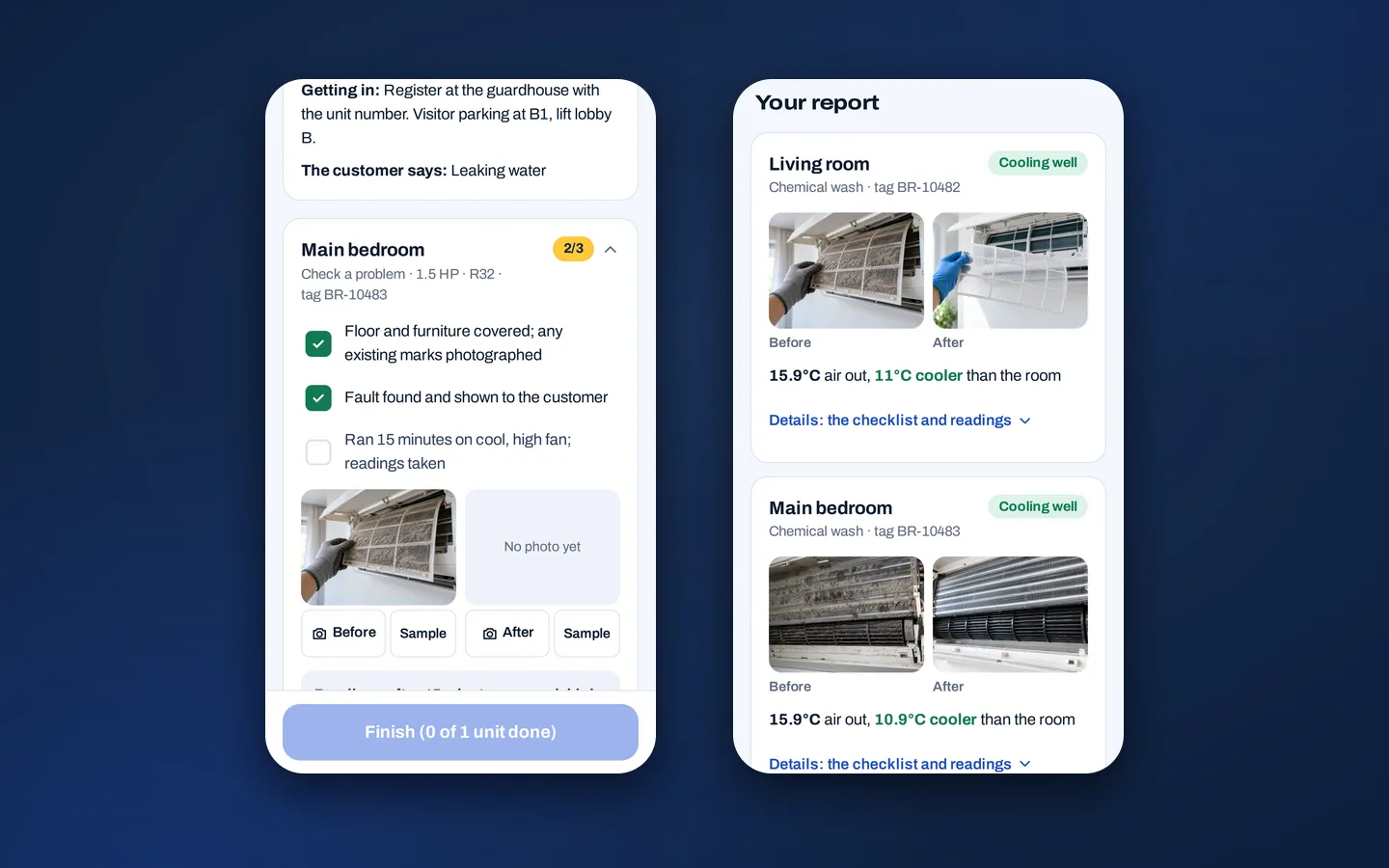
One invented example runs through the page. HarborFix is a fictional appliance-repair service. Maya, a customer, submits a repair request. Arif, a field technician, opens the assigned job, is asked for camera access and records evidence of the repair. Lina, an operations coordinator, reviews the synchronised job and moves it on. A job runs through submitted, assigned, in progress, evidence pending sync, ready for customer and closed. HarborFix is illustrative only. The roles, states and policies are assumptions written to show the shape of the decisions, not a project we delivered.
Android-specific choices sit inside a larger decision: whether an installed app is the right surface at all, and what the whole product has to include. If that is still open, mobile app development covers it and comes first. This page assumes you have answered yes and that Android matters to your users.

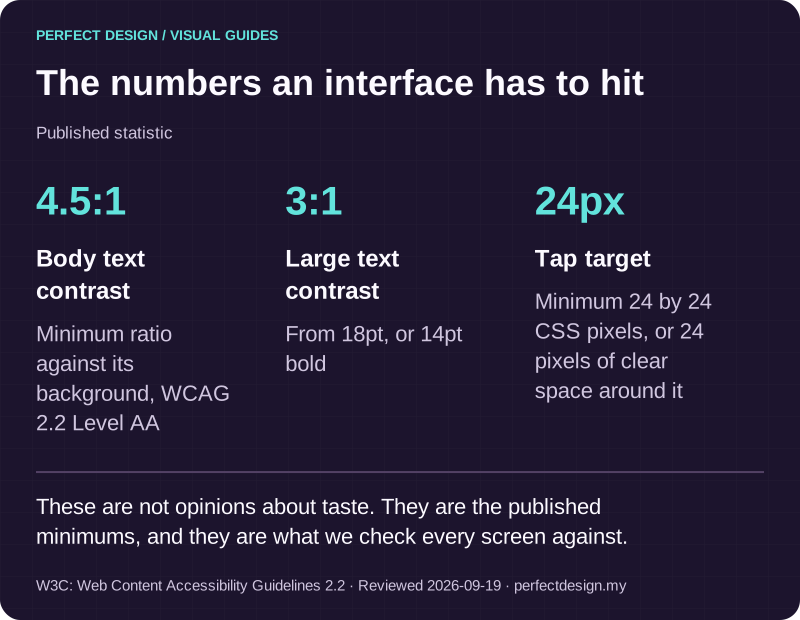
The numbers an interface has to hit
Published statistic. These are not opinions about taste. They are the published minimums, and they are what we check every screen against.
Source: W3C: Web Content Accessibility Guidelines 2.2. Reviewed .
Read the graphic as text
- Body text contrast: 4.5:1. Minimum ratio against its background, WCAG 2.2 Level AA
- Large text contrast: 3:1. From 18pt, or 14pt bold
- Tap target: 24px. Minimum 24 by 24 CSS pixels, or 24 pixels of clear space around it
Which devices and Android versions will you support?
Support is a boundary you choose, not a promise to work everywhere
Android hardware varies more than any other consumer platform: screen sizes and aspect ratios, foldables and tablets, memory and storage speed, camera quality, manufacturer software layers, and different approaches to how aggressively background work is stopped. No project supports all of it, and a scope that implies otherwise is storing up an argument for later. The workable method is to write the boundary down: device tiers, a minimum Android version, the hardware each tier genuinely needs, the screen and input conditions it is used in, and what the app does when something is absent.
Those decisions are not only editorial, they are technical. Android's documentation, read on 18 September 2026, explains that an app declares the hardware and software features it uses, and that Google Play compares the features an app declares as required against what a device reports, filtering the app away from devices that do not provide them. A declared feature counts as required unless it is explicitly marked otherwise, so a careless camera declaration can quietly exclude a large part of your audience. The minimum version set in the build configuration does the same job for older devices. Decide those deliberately, because they are the difference between a feature degrading gracefully and an app that cannot be installed at all.
Turn the assumptions into a support matrix
A matrix makes the boundary arguable before it becomes expensive. Each row connects a real user task to a device condition, a fallback and the evidence someone would collect to accept it. The exclusions matter as much as the inclusions: an excluded tier that is written down with a date to review it is a decision, while an excluded tier nobody mentioned is a complaint waiting to arrive.
Technician handsets in the van
- Version boundary
- Floor set by the oldest handset in the fleet
- Screen and input condition
- One-handed use, outdoor glare, gloves
- Required capability
- Camera and local storage required
- Offline expectation
- Must open a job and queue evidence with no signal
- Test priority
- Highest
- Fallback or exclusion decision
- No fallback: a device without a working camera is replaced, not designed around
Coordinator tablet in the office
- Version boundary
- Newer versions only
- Screen and input condition
- Large screen, landscape, long job lists
- Required capability
- No hardware requirement
- Offline expectation
- Online use by agreement
- Test priority
- Medium
- Fallback or exclusion decision
- Layout adapts to the larger screen and capture actions are hidden rather than shown broken
Customer phones, range unknown
- Version boundary
- Lower floor to reach more customers
- Screen and input condition
- Any size, enlarged text settings, older hardware
- Required capability
- No hardware requirement
- Offline expectation
- Request state readable when offline
- Test priority
- Medium
- Fallback or exclusion decision
- A missing capability degrades to a plain status view with no dead control
Older or low-memory handsets
- Version boundary
- Below the agreed floor
- Screen and input condition
- Small screens, slow storage
- Required capability
- Camera present but unreliable
- Offline expectation
- Not supported
- Test priority
- Excluded from the matrix
- Fallback or exclusion decision
- Written exclusion with a named owner and a date to review it
| Device tier | Version boundary | Screen and input condition | Required capability | Offline expectation | Test priority | Fallback or exclusion decision |
|---|---|---|---|---|---|---|
| Technician handsets in the van | Floor set by the oldest handset in the fleet | One-handed use, outdoor glare, gloves | Camera and local storage required | Must open a job and queue evidence with no signal | Highest | No fallback: a device without a working camera is replaced, not designed around |
| Coordinator tablet in the office | Newer versions only | Large screen, landscape, long job lists | No hardware requirement | Online use by agreement | Medium | Layout adapts to the larger screen and capture actions are hidden rather than shown broken |
| Customer phones, range unknown | Lower floor to reach more customers | Any size, enlarged text settings, older hardware | No hardware requirement | Request state readable when offline | Medium | A missing capability degrades to a plain status view with no dead control |
| Older or low-memory handsets | Below the agreed floor | Small screens, slow storage | Camera present but unreliable | Not supported | Excluded from the matrix | Written exclusion with a named owner and a date to review it |
What Android users expect on screen
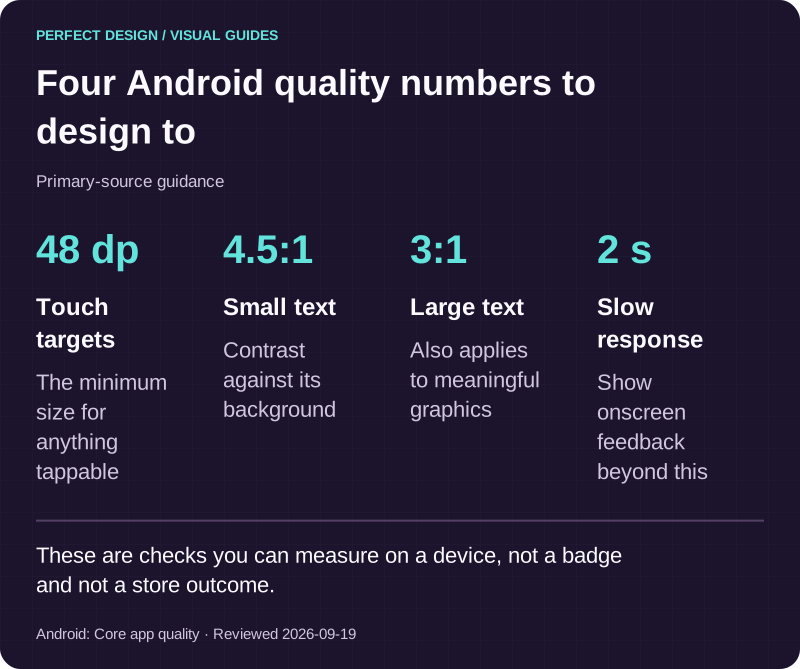
Android publishes its own design direction, and it is worth designing with rather than against. Its design guidance, read on 18 September 2026, is organised around modern themes and components and around adaptive layouts that hold up across phones, tablets, foldables and desktop windowing, rather than one fixed phone layout stretched to fit. Android's core app quality guidelines, read the same day, then turn part of that into checks you can actually measure: touch targets of at least 48 dp, contrast of 3:1 for large text and graphics and 4.5:1 for small text, state preserved when the app leaves the foreground so that resuming from the recents switcher returns the user exactly where they were, onscreen feedback if loading takes longer than two seconds, and no crashes or blocked interface thread. Those are dated platform expectations to design and test against. Meeting them is not a quality badge and does not guarantee anything about a store review.

Four Android quality numbers to design to
Primary-source guidance. These are checks you can measure on a device, not a badge and not a store outcome.
Source: Android: Core app quality. Reviewed .
Read the graphic as text
- Touch targets: 48 dp. The minimum size for anything tappable
- Small text: 4.5:1. Contrast against its background
- Large text: 3:1. Also applies to meaningful graphics
- Slow response: 2 s. Show onscreen feedback beyond this
Which device capabilities and business systems must it reach?
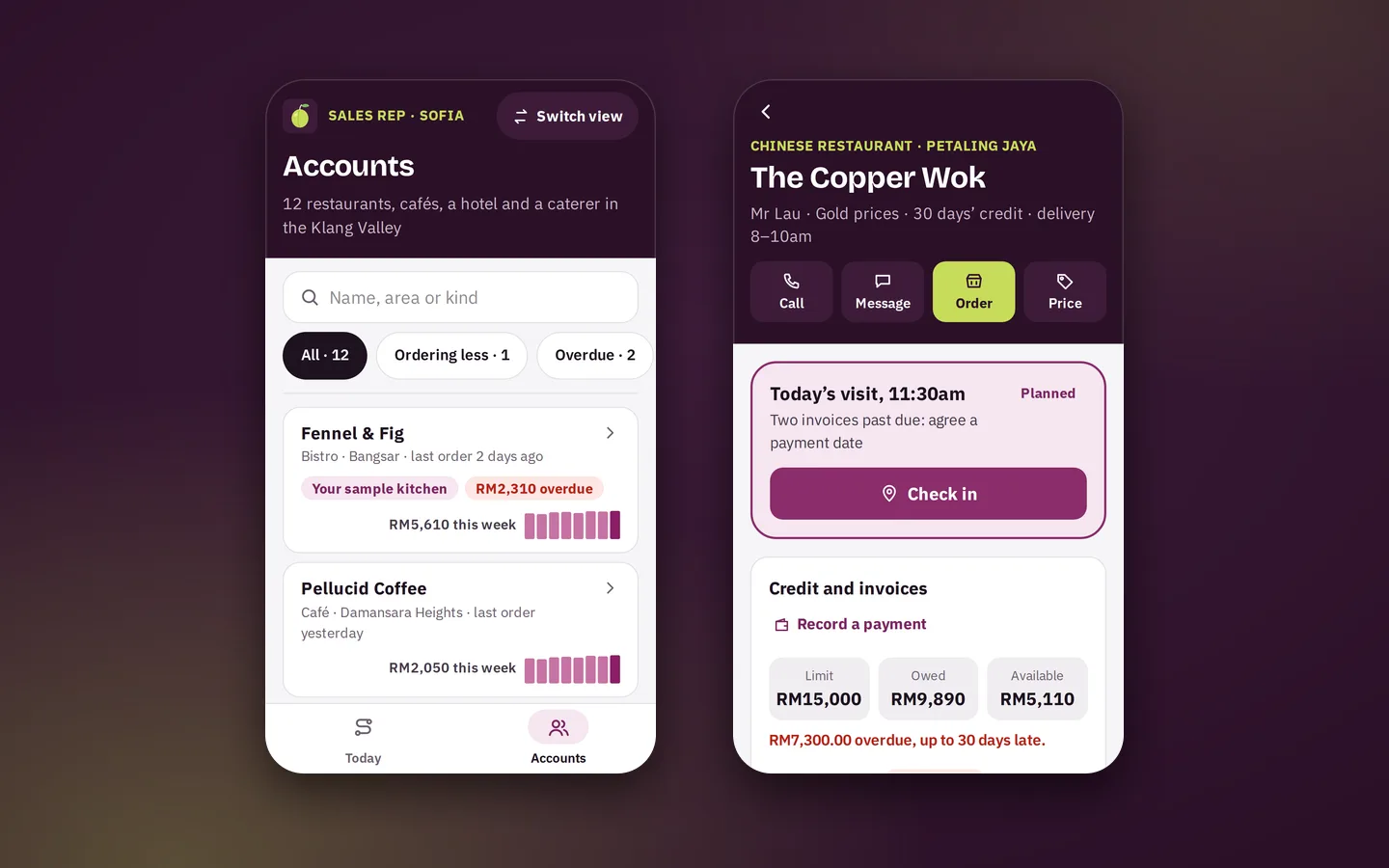
Group the question into three. Device inputs, such as camera, files, location or Bluetooth, and only where the task genuinely needs them. Platform services, such as sign-in, maps or push notifications, each of which has an account and a configuration owner. And your own business systems, which is usually where the risk sits. For every item, write down the purpose in the task, the permission or feature it depends on, what the user sees when it is denied or unavailable, who owns the account, and the evidence you would accept that it works.
Permission denial is a normal state, not an error. Android runs each app in its own isolated process with access only to what it has been granted, and device data such as camera or location is released through permissions the user grants explicitly. The quality guidance asks for runtime permissions to be requested when the functionality is requested rather than at startup, for the reason to be explained, and for the app to degrade gracefully when a permission is denied or later revoked. For HarborFix that means Arif is asked for the camera at the moment he records evidence, and refusing leaves him a usable path rather than a dead end: a written note, a signature, or an upload once he is back at the depot.
Business-system feasibility sits outside the app entirely. An interface has to exist, somebody has to be able to grant access to it, the data has to be clean enough to rely on, and the third party's terms have to allow the use. Confirm those four before they enter a scope rather than after. Declaring something in the app's manifest describes an intention; it does not prove an integration works, and only a test against the real system does. The core systems we build shows what usually sits behind an app of this kind.

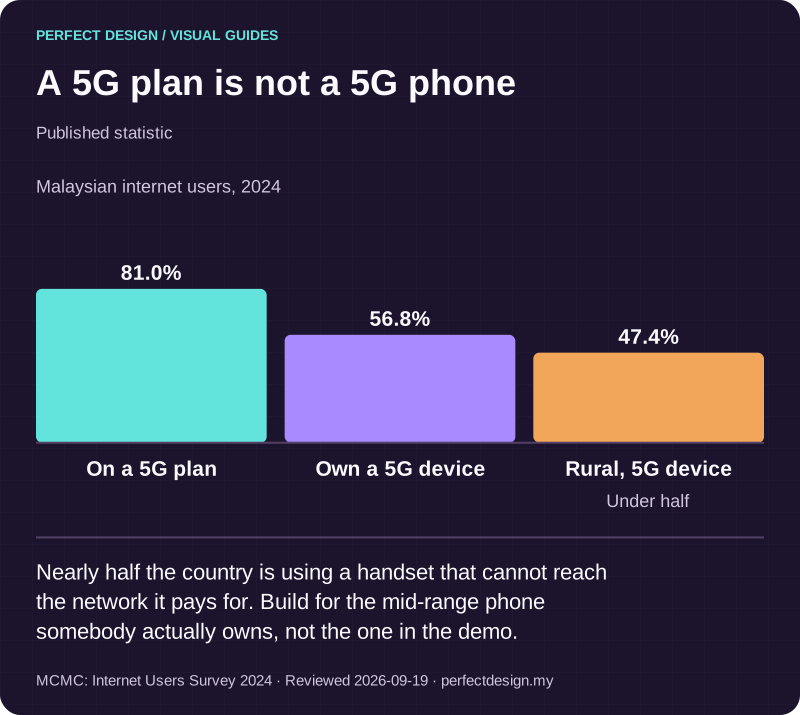
A 5G plan is not a 5G phone
Published statistic. Nearly half the country is using a handset that cannot reach the network it pays for. Build for the mid-range phone somebody actually owns, not the one in the demo.
Source: MCMC: Internet Users Survey 2024. Reviewed .
Read the graphic as text
- On a 5G plan: 81.0%.
- Own a 5G device: 56.8%.
- Rural, 5G device: 47.4%. Under half
Chart scale: Malaysian internet users, 2024.
How do you get onto Google Play, and stay eligible?
Artefacts, signing keys and accounts
Two build outputs matter. An APK is the archive a device installs. An Android App Bundle is a publishing format that cannot be installed directly, from which Google Play generates optimised packages for particular devices. Android's quality guidance notes that App Bundles have been mandatory for new apps on Google Play since August 2021. Signing is the part worth understanding as an owner rather than a developer: with Play App Signing, Google holds and uses the app signing key, and you sign each upload with a separate upload key that can be reset if it is lost or compromised, whereas an app that never opted in and loses its signing key loses the ability to publish updates at all.
That makes key and account custody a commercial question. Your business owns the Google Play developer account. We set it up in your name, prepare the signing and provisioning, use internal test tracks for review builds, and prepare and submit the listing on your behalf. If you ever move to another provider, the account, the listing and the keys stay where they belong. The detailed submission workflow is a subject of its own and goes deeper than a service page usefully can.
The requirements do not stand still
Google Play sets a target API level requirement that moves every year, and it applies to updates as well as new apps. Read on 18 September 2026, Google's documentation states that from 31 August 2026 new apps and app updates must target Android 16, API level 36, or higher to be submitted, that existing apps must target Android 15, API level 35, or higher to remain available to new users on devices running a newer version of Android than the app targets, and that an extension to 1 November 2026 can be requested. Those specific numbers will age. The pattern will not, and it is the single best reason to treat an Android app as something you maintain rather than something you finish.

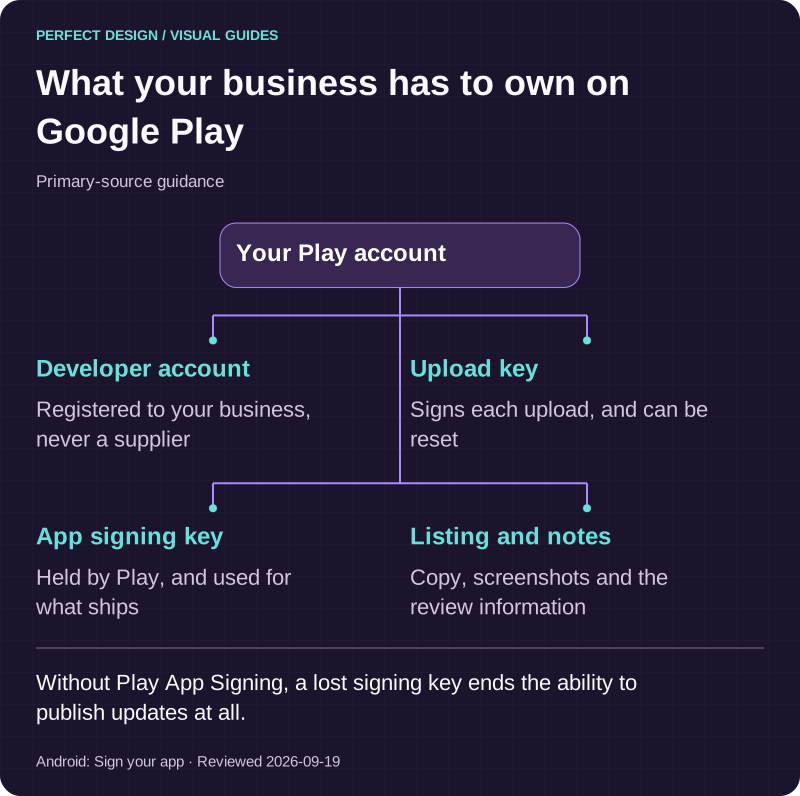
What your business has to own on Google Play
Primary-source guidance. Without Play App Signing, a lost signing key ends the ability to publish updates at all.
Source: Android: Sign your app. Reviewed .
Read the graphic as text
Your Play account
- Developer account. Registered to your business, never a supplier
- Upload key. Signs each upload, and can be reset
- App signing key. Held by Play, and used for what ships
- Listing and notes. Copy, screenshots and the review information
Which offline, background and notification behaviours are essential?
Field work decides this question. Separate three kinds of work: what the user is watching happen, ordinary work that can run out of sight, and work that can be deferred and resumed. Android components have their own lifecycles, and background work is managed according to visibility, dependencies and available system resources, which is before you account for how differently manufacturers treat battery optimisation. The practical conclusion is that timely background execution and prompt notification delivery are things to test on real devices, never things to assume.
For HarborFix that means Arif captures evidence with no signal, the app records it locally and shows an explicit pending state, synchronisation happens when the connection returns, a resubmitted job cannot become two jobs, and Lina can see when the record actually arrived rather than when it was captured. Notifications get the same treatment. Each one needs a purpose the recipient recognises, a sensible moment, a destination to land on, and defined behaviour when permission was refused or delivery was late. The status change that tells Maya her repair is ready is worth testing as release evidence, including the path where she never granted notification permission in the first place.
What testing across many devices actually means
Nobody tests every Android device, and any supplier who implies otherwise is describing a marketing position rather than a test plan. Android's own quality guidance recommends focusing on a small number of representative devices, even one or two per form factor, alongside emulated foldable and tablet configurations, and always testing against the latest version of Android so that behaviour changes do not arrive as a surprise. Choose those representatives from your matrix and your audience, not from whatever is on the desk.
Then test conditions rather than handsets. Permission granted and denied. Rotation, folding and unfolding without losing state. An incoming call in the middle of a task. No signal, then signal. Slow storage. Text scaled up for readability. Every exception in the support matrix. Record what was run and what was observed, because acceptance evidence is a list of checks to run at sign-off and not a claim made in advance. Turning that into a full device and operating-system testing matrix is its own discipline, and we work through it with you once the supported boundary is agreed.

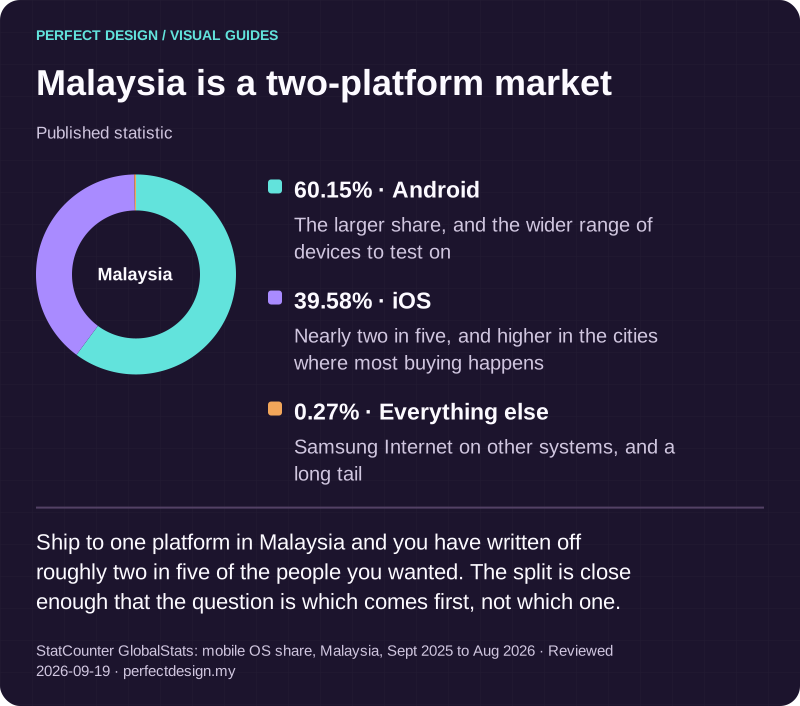
Malaysia is a two-platform market
Published statistic. Ship to one platform in Malaysia and you have written off roughly two in five of the people you wanted. The split is close enough that the question is which comes first, not which one.
Source: StatCounter GlobalStats: mobile OS share, Malaysia, Sept 2025 to Aug 2026. Reviewed .
Read the graphic as text
Malaysia
- Android: 60.15%. The larger share, and the wider range of devices to test on
- iOS: 39.58%. Nearly two in five, and higher in the cities where most buying happens
- Everything else: 0.27%. Samsung Internet on other systems, and a long tail
What to bring to a first conversation
Four things make the first conversation useful: the repeating task in a sentence, who performs it today and on which devices they actually carry, the systems the app would have to read from or write to, and any constraint you already know about, such as a system that cannot change or a date you are working towards. From that we can tell you which parts of the Android boundary look solid, which need confirming before anything could be built, and where an Android-only build would be the wrong shape for what you described.
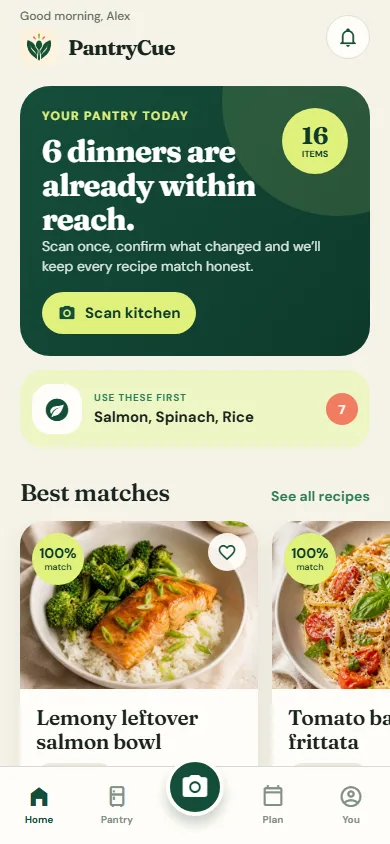
On evidence, we would rather be plain than impressive. Nothing we have built is published on Google Play. Our own PantryCue app is the closest answer: React Native, with live camera scanning, local notifications, an offline pantry and a Cook Mode that reads steps aloud. You can try the web build, and there is an installable Android build. Alongside it, the HORIZON 2026 concept adds an attendee app and a door check-in console that run as web applications, and more app samples are being built. Bring the problem to a scoped enquiry, or use the services catalogue if you are still comparing an app against the website and system work around it.