

In this section7 sections
- 01A shared codebase still needs platform decisions
- 02What one codebase genuinely saves
- 03Which features can safely share an implementation?
- 04Where you still write platform-specific code
- 05Testing and releasing two apps from one codebase
- 06Who owns framework and dependency upgrades?
- 07What to bring to a first conversation
A shared codebase still needs platform decisions
Cross-platform React Native is our default. One codebase serves Android and iOS, and we use native Kotlin or Swift when a feature genuinely needs it. We build in React by preference on web and mobile, which is why that default exists, and we work in other languages when a project calls for it. Other frameworks make a similar trade, and the reasoning on this page applies to them as well.
Four decisions settle whether a shared implementation fits your project: which parts of the product can share one implementation, where platform-specific code or a native module is required, how releases and regressions are tested separately on each platform, and who owns framework and dependency upgrades afterwards. None of those are answered by choosing a framework. They are answered feature by feature, against the recurring task, the interruptions and connectivity your users work in, and the staff or backend workflow behind the app.
If you have not yet decided whether an installed app is the right surface at all, mobile app development covers that first. This page assumes the answer was yes and that both platforms are in scope.

Malaysia is a two-platform market
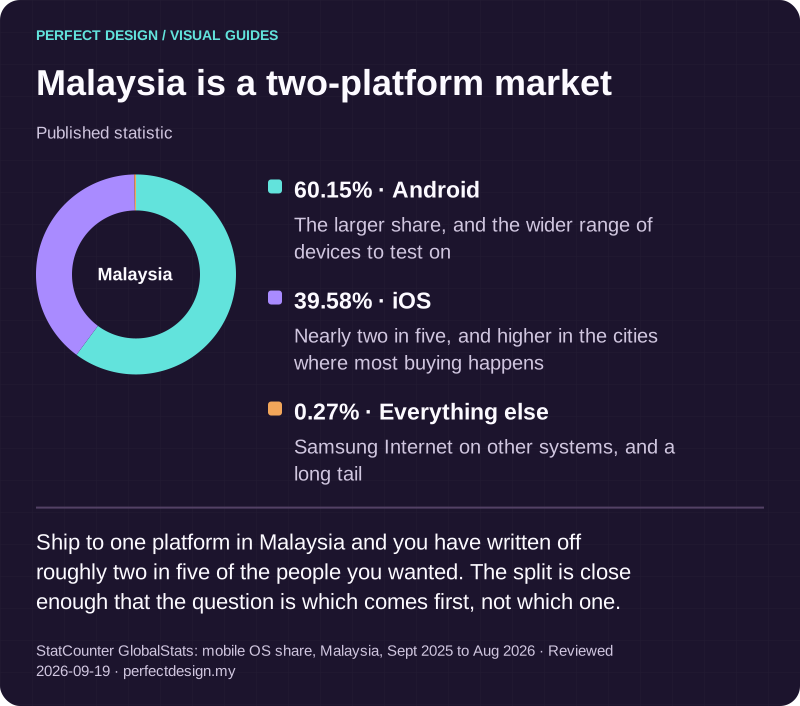
Published statistic. Ship to one platform in Malaysia and you have written off roughly two in five of the people you wanted. The split is close enough that the question is which comes first, not which one.
Source: StatCounter GlobalStats: mobile OS share, Malaysia, Sept 2025 to Aug 2026. Reviewed .
Read the graphic as text
Malaysia
- Android: 60.15%. The larger share, and the wider range of devices to test on
- iOS: 39.58%. Nearly two in five, and higher in the cities where most buying happens
- Everything else: 0.27%. Samsung Internet on other systems, and a long tail
What one codebase genuinely saves
The saving is real and it is worth being precise about where it comes from. You write the business rules once: how a booking moves through its states, what a role may do, how prices and validation work, how the app talks to your systems. You design one system of screens and components rather than two. You run one backlog and one team, so a change is specified, built, reviewed and tested once. Features arrive on both platforms at the same time instead of one lagging behind, and a fix ships to both without being reimplemented and retested twice.
For most business apps, that shared portion is the bulk of the work: lists and forms, records and states, authentication, sync, staff workflows and reporting. The visible platform differences sit at the edges, around prompts, navigation conventions, device capabilities and release mechanics. That is the honest case for the approach, and it holds up well for the kind of operational and customer apps we are usually asked to scope.

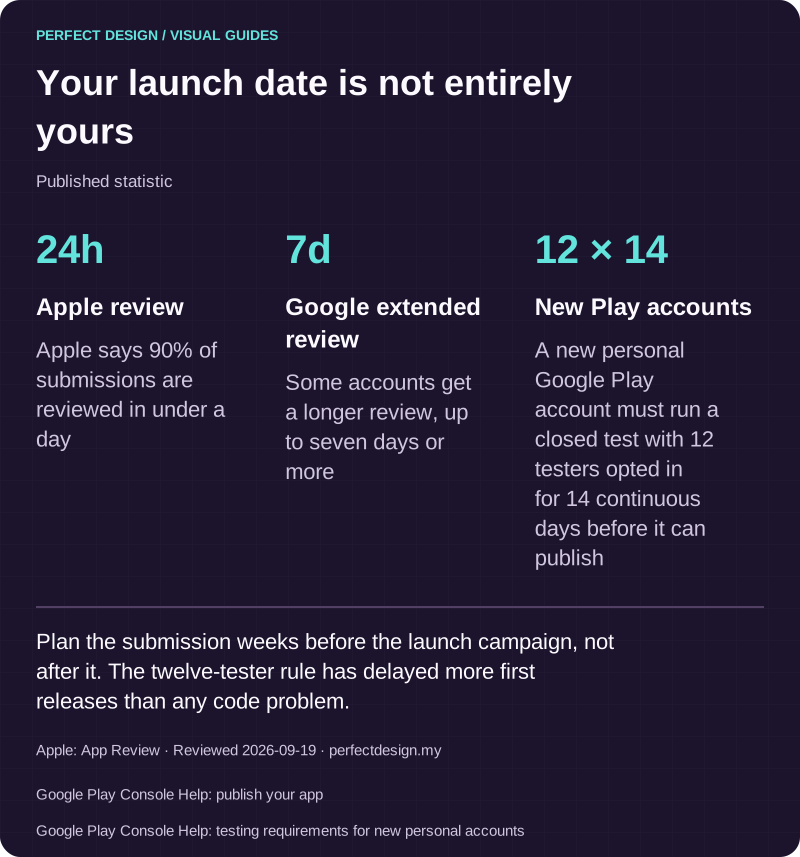
Your launch date is not entirely yours
Published statistic. Plan the submission weeks before the launch campaign, not after it. The twelve-tester rule has delayed more first releases than any code problem.
Source: Apple: App Review. Reviewed .
Also: Google Play Console Help: publish your app.
Also: Google Play Console Help: testing requirements for new personal accounts.
Read the graphic as text
- Apple review: 24h. Apple says 90% of submissions are reviewed in under a day
- Google extended review: 7d. Some accounts get a longer review, up to seven days or more
- New Play accounts: 12 × 14. A new personal Google Play account must run a closed test with 12 testers opted in for 14 continuous days before it can publish
Which features can safely share an implementation?
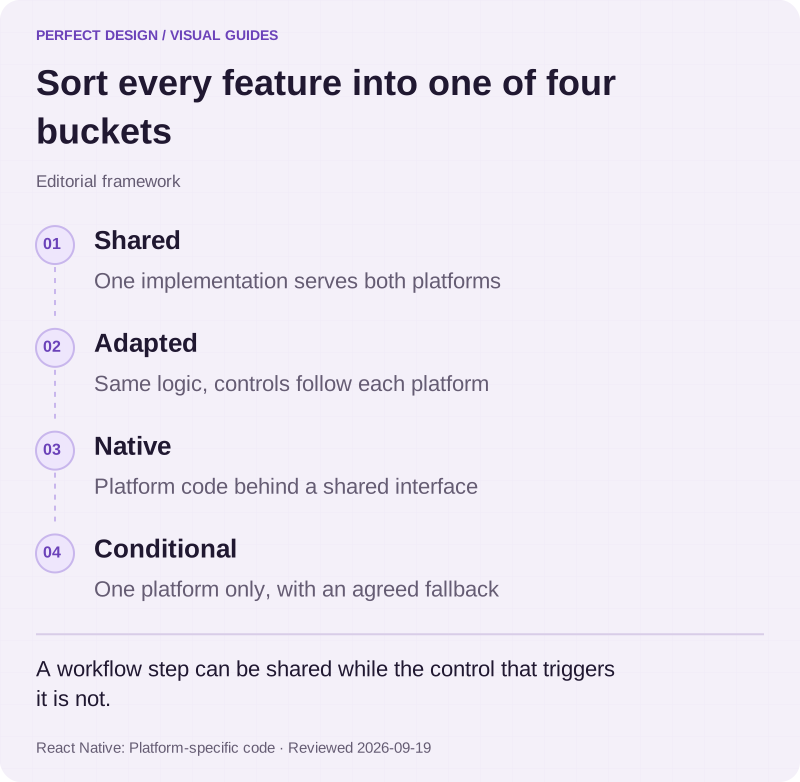
Classify each requested feature into one of four buckets before anyone picks a framework version: shared, where one implementation serves both platforms; adapted, where the logic is shared but the interface follows each platform's conventions; native, where the capability needs platform code behind a shared interface; and conditional, where the feature exists on one platform only and the other needs an agreed fallback. Inspect the workflow steps, the state transitions and the controls separately, because a step can be shared while the control that triggers it is not.
Map the workflow before choosing the framework
The table below works one fictional booking app through the classification. It is an invented example: the roles, policies and responses are assumptions, and the last column describes tests to run before sign-off rather than results already achieved.
Choose a booking
- Assumed actor
- Fictional customer
- Proposed system response
- Follow a shared booking flow with platform-appropriate controls
- Exception
- A platform capability gap needs an explicit native or web fallback
- Acceptance evidence to collect
- Task and capability comparisons recorded separately on Android and iOS
Request a device permission
- Assumed actor
- Fictional app user
- Proposed system response
- Show the platform prompt at the moment the feature needs it
- Exception
- Denial leaves a usable agreed fallback rather than a dead control
- Acceptance evidence to collect
- Per-platform permission and denial-path observations, including the route back through settings
Buy an optional extra
- Assumed actor
- Fictional customer
- Proposed system response
- Offer the extra through the payment route each store expects for what is being sold
- Exception
- The stores treat digital and physical purchases differently, so one platform may need its own handling
- Acceptance evidence to collect
- A written check of the current rules in each store for the item being sold, made before the flow is built
Prepare a release
- Assumed actor
- Fictional release owner
- Proposed system response
- Test the chosen framework and plugin versions and build separate store packages
- Exception
- A failure on one platform prevents claiming both are ready
- Acceptance evidence to collect
- Separate build, device and release-check records for each platform
| Workflow step | Assumed actor | Proposed system response | Exception | Acceptance evidence to collect |
|---|---|---|---|---|
| Choose a booking | Fictional customer | Follow a shared booking flow with platform-appropriate controls | A platform capability gap needs an explicit native or web fallback | Task and capability comparisons recorded separately on Android and iOS |
| Request a device permission | Fictional app user | Show the platform prompt at the moment the feature needs it | Denial leaves a usable agreed fallback rather than a dead control | Per-platform permission and denial-path observations, including the route back through settings |
| Buy an optional extra | Fictional customer | Offer the extra through the payment route each store expects for what is being sold | The stores treat digital and physical purchases differently, so one platform may need its own handling | A written check of the current rules in each store for the item being sold, made before the flow is built |
| Prepare a release | Fictional release owner | Test the chosen framework and plugin versions and build separate store packages | A failure on one platform prevents claiming both are ready | Separate build, device and release-check records for each platform |
Turn your own feature list into rows
Do the same for every feature you want. Write the shared hypothesis, the platform exception you expect, and the evidence that would settle it. Connect each row back to the recurring task and to the staff or backend workflow that supports it, because a customer-facing feature usually implies an operational one. The selected framework version, the plugins and the actual responsibilities stay open until requirements and compatibility have been reviewed, and pretending otherwise is how a scope acquires surprises.

Sort every feature into one of four buckets
Editorial framework. A workflow step can be shared while the control that triggers it is not.
Basis: React Native: Platform-specific code. Reviewed .
Read the graphic as text
- Shared. One implementation serves both platforms
- Adapted. Same logic, controls follow each platform
- Native. Platform code behind a shared interface
- Conditional. One platform only, with an agreed fallback
Where you still write platform-specific code
Platform-specific code is a designed part of the approach, not a failure of it. React Native's documentation, read on 18 September 2026, describes the mechanisms plainly: a platform module exposing which operating system the app is running on, a select helper that returns a different value per platform, file extensions so that a component can have an Android version and an iOS version loaded automatically, and a version property for checking the operating-system version. Those exist because the documentation expects differences, and using them is ordinary work rather than a workaround.
A capability with no shared route needs a native module. React Native's documentation on native modules, read the same day, sets out the shape: a typed specification, generated interfaces, then native code written in Kotlin or Java on Android and in Objective-C or Swift on iOS. That means the work is done twice and tested twice, so a native module is a scope item to name in advance, not a detail. It is also usually cheaper than abandoning the shared codebase for the other ninety per cent of the product.
There are projects where we would not recommend a shared implementation at all: sustained high-performance graphics, deep integration with platform-specific hardware or system services, or a product whose entire value is one platform capability. If that is your app, we will say so rather than sell the approach we prefer. Neutral comparisons of native against cross-platform, and of one framework against another, are subjects in their own right and go deeper than a service page usefully can.
Platform interface conventions are a requirement, not an afterthought
Sharing an implementation does not mean the two apps should feel identical. Permission prompts, navigation patterns, back behaviour, system controls and the states shown when a capability is unavailable all follow platform conventions, and users notice when they do not. Treat those as requirements with acceptance evidence: collect the observations separately on Android and iOS, including what each platform shows when a permission is refused, what the agreed fallback looks like, and whether the task can still be completed through it.

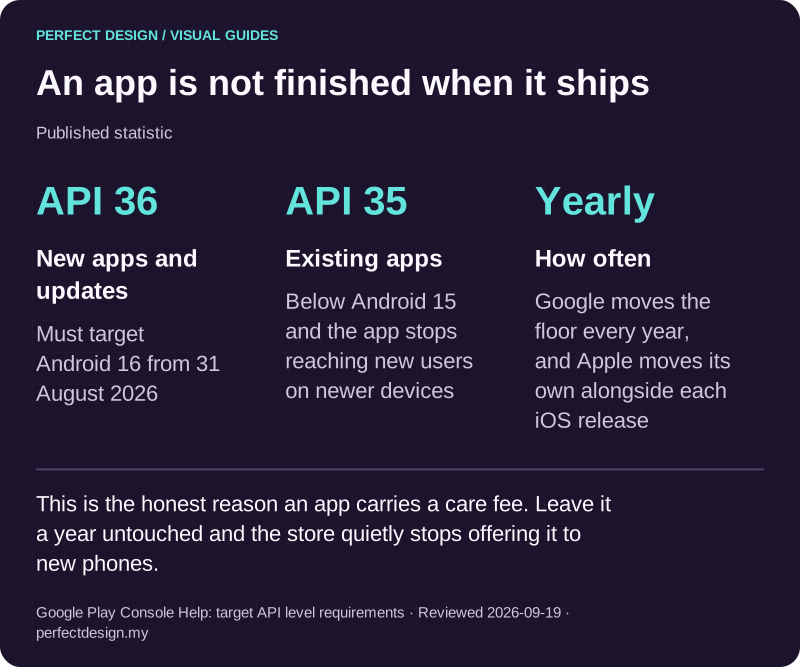
An app is not finished when it ships
Published statistic. This is the honest reason an app carries a care fee. Leave it a year untouched and the store quietly stops offering it to new phones.
Source: Google Play Console Help: target API level requirements. Reviewed .
Read the graphic as text
- New apps and updates: API 36. Must target Android 16 from 31 August 2026
- Existing apps: API 35. Below Android 15 and the app stops reaching new users on newer devices
- How often: Yearly. Google moves the floor every year, and Apple moves its own alongside each iOS release
Testing and releasing two apps from one codebase
Plan for two sets of evidence. Build a matrix organised by critical workflow, platform, device tier, operating-system condition, permission state, connectivity condition and recovery path, then choose the devices from your audience and the capabilities you asked for rather than from a catalogue. Record the roles, permissions, normal paths, exception paths, integrations and acceptance criteria as evidence to collect at sign-off. For this kind of project we recommend a simple rule: a failure on one platform blocks the combined readiness decision until it is resolved or the agreed scope changes.
The release side is where the two platforms diverge most. Each store has its own account, its own packaging, its own review and its own moving requirements. Read on 18 September 2026, Google's documentation states that from 31 August 2026 new apps and updates must target Android 16, API level 36, or higher to be submitted to Google Play, while Apple's submission guidance states that from April 2027 iPhone and iPad apps must be built with the iOS and iPadOS 27 SDK or later. Those two clocks are unrelated to each other and neither is affected by your codebase being shared. Plan the release as two workstreams that happen to compile from one source.
Who owns framework and dependency upgrades?
This is the question most proposals skip, and the one that decides what the app costs to own. React Native's upgrade guidance, read on 18 September 2026, is candid about why: a project is effectively an Android project, an iOS project and a JavaScript project together, so moving between versions can touch generated native files as well as dependencies, which is why the documentation provides a helper showing the full set of changes between any two versions. Every third-party plugin carries its own native code and its own upgrade timing, and one that lags behind can hold a release.
So write the ownership down. Who controls the store accounts and signing material. Who approves an upgrade and who runs the compatibility testing. What happens when an upgrade fails, and who decides whether to roll back or hold the release. And where the line sits between routine maintenance, a new feature and a larger upgrade, because each deserves a different approval path. We maintain apps after launch, covering operating-system and device compatibility updates, crash monitoring and fixes, dependency and framework upgrades, and resubmission when an update ships. It is scoped per project and quoted with the work.

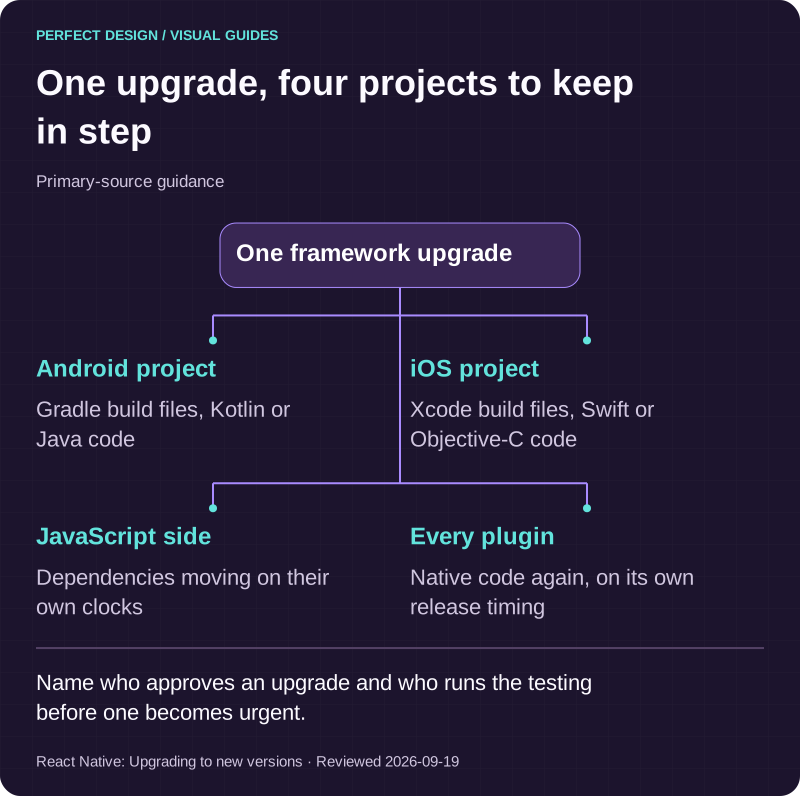
One upgrade, four projects to keep in step
Primary-source guidance. Name who approves an upgrade and who runs the testing before one becomes urgent.
Source: React Native: Upgrading to new versions. Reviewed .
Read the graphic as text
One framework upgrade
- Android project. Gradle build files, Kotlin or Java code
- iOS project. Xcode build files, Swift or Objective-C code
- JavaScript side. Dependencies moving on their own clocks
- Every plugin. Native code again, on its own release timing
What to bring to a first conversation
Bring the recurring workflow, who performs it and on which devices, the systems it must connect to, the capabilities you believe the app needs, and any constraint or date you are working to. From that we can tell you which parts genuinely share an implementation, which need platform-specific work, where a native module is likely, and whether one platform first is the more sensible sequence for your users.
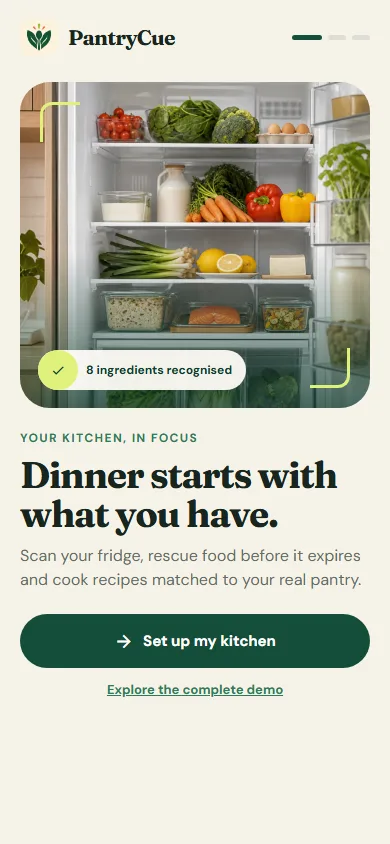
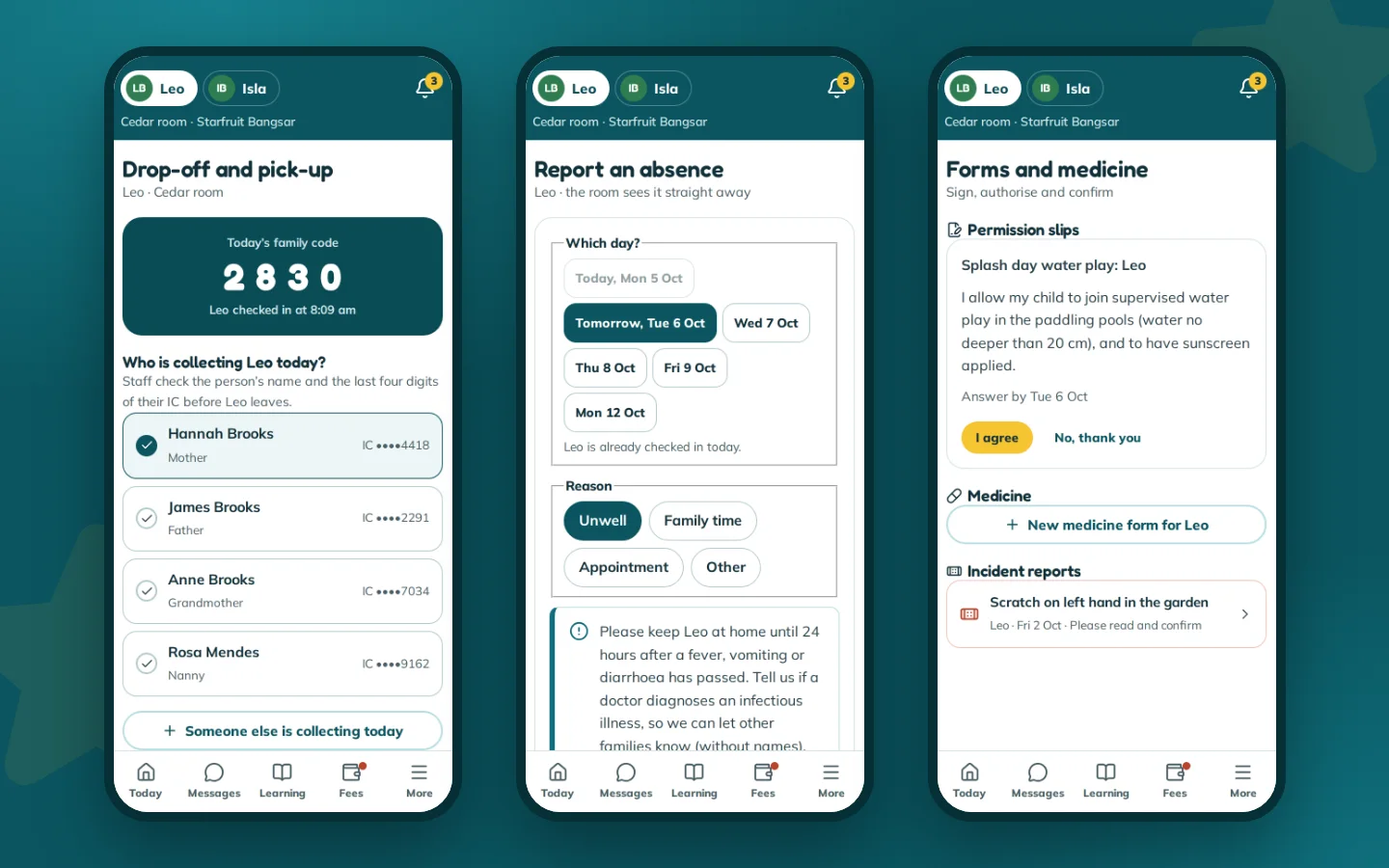
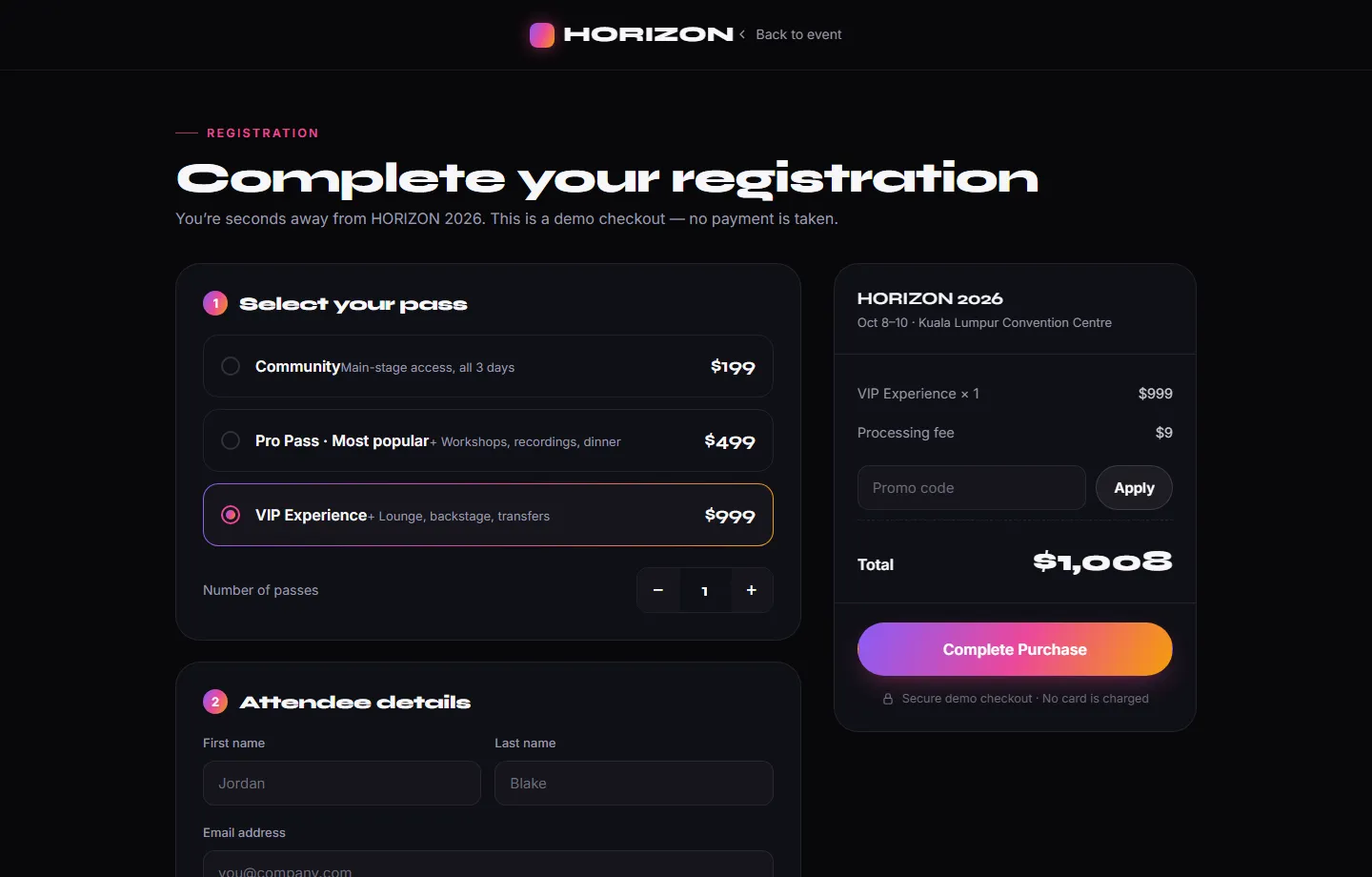
On evidence we would rather be plain than impressive. Nothing we have built is published on the App Store or Google Play. Our own PantryCue app is the closest answer: React Native, with live camera scanning, local notifications, an offline pantry and a Cook Mode that reads steps aloud. You can try the web build, and there is an installable Android build. Alongside it, the HORIZON 2026 concept adds an attendee app and a door check-in console that run as web applications, and more app samples are being built. Aruva Marketplace is a concept prototype too, and it shows the multi-role shape that usually sits behind an app of this kind. Bring the problem to a scoped enquiry when you are ready.