

On this page10 sections
- 01Query, search term and keyword are three different things
- 02What each layer of an account actually controls
- 03An auction, not a price list
- 04What a daily budget actually does
- 05What counts as a result is your decision, not the platform’s
- 06Why two reports disagree
- 07What Google will and will not let you advertise
- 08Buying ads does not change your organic ranking
- 09What to do next
- 10Guides and checklists
Query, search term and keyword are three different things
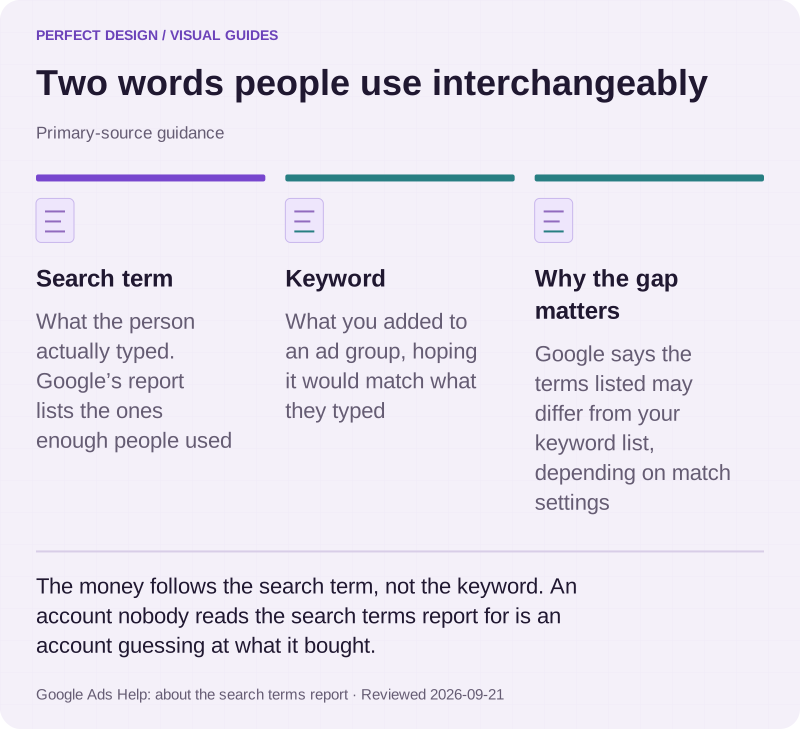
The vocabulary trips people up before the mechanics do, and the confusion costs money. A query is what the person typed. Google calls that same thing a search term once it appears in your reporting: "a word or set of words a person enters when searching". A keyword is different — "a word or set of words that Google Ads advertisers can add to a given ad group". It is your guess at what they would type.
The gap between the guess and the reality is where budget disappears, and Google gives you the bridge: the search terms report. It states plainly that "depending on your keyword matching options, the search terms listed might be different from your keyword list". Two things to know about that report. It is a sample, not a ledger — terms without enough query activity are omitted for privacy. And reading it is not an optimisation task you do once; it is the ongoing job.

Two words people use interchangeably
Primary-source guidance. The money follows the search term, not the keyword. An account nobody reads the search terms report for is an account guessing at what it bought.
Source: Google Ads Help: about the search terms report. Reviewed .
Read the graphic as text
- Search term. What the person actually typed. Google’s report lists the ones enough people used
- Keyword. What you added to an ad group, hoping it would match what they typed
- Why the gap matters. Google says the terms listed may differ from your keyword list, depending on match settings
What each layer of an account actually controls
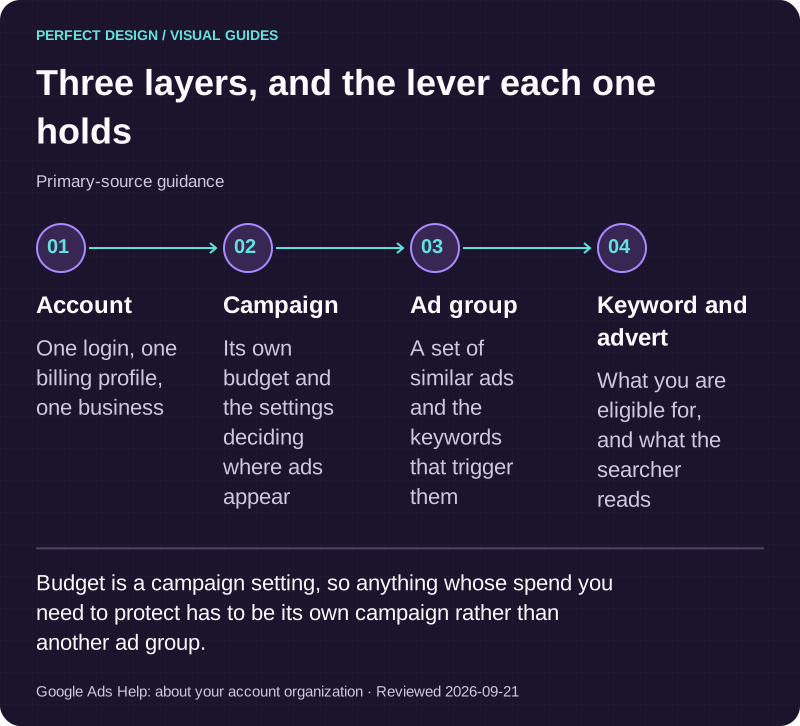
Google organises an account into three layers, and knowing which lever sits where prevents most pointless arguments. In Google's words: "Google Ads is organized into three layers: account, campaigns, and ad groups." The account holds the email, password and billing. Campaigns "have their own budget and settings that determine where your ads appear". Ad groups "contain a set of similar ads and keywords".
The practical consequence: budget is a campaign decision, not an ad group one, so if you want to protect spend on one product line it needs its own campaign. And because an ad group holds both the keywords and the adverts, keeping groups tight is what lets the advert actually answer the search rather than describe the company in general.

Three layers, and the lever each one holds
Primary-source guidance. Budget is a campaign setting, so anything whose spend you need to protect has to be its own campaign rather than another ad group.
Source: Google Ads Help: about your account organization. Reviewed .
Read the graphic as text
- Account. One login, one billing profile, one business
- Campaign. Its own budget and the settings deciding where ads appear
- Ad group. A set of similar ads and the keywords that trigger them
- Keyword and advert. What you are eligible for, and what the searcher reads
An auction, not a price list
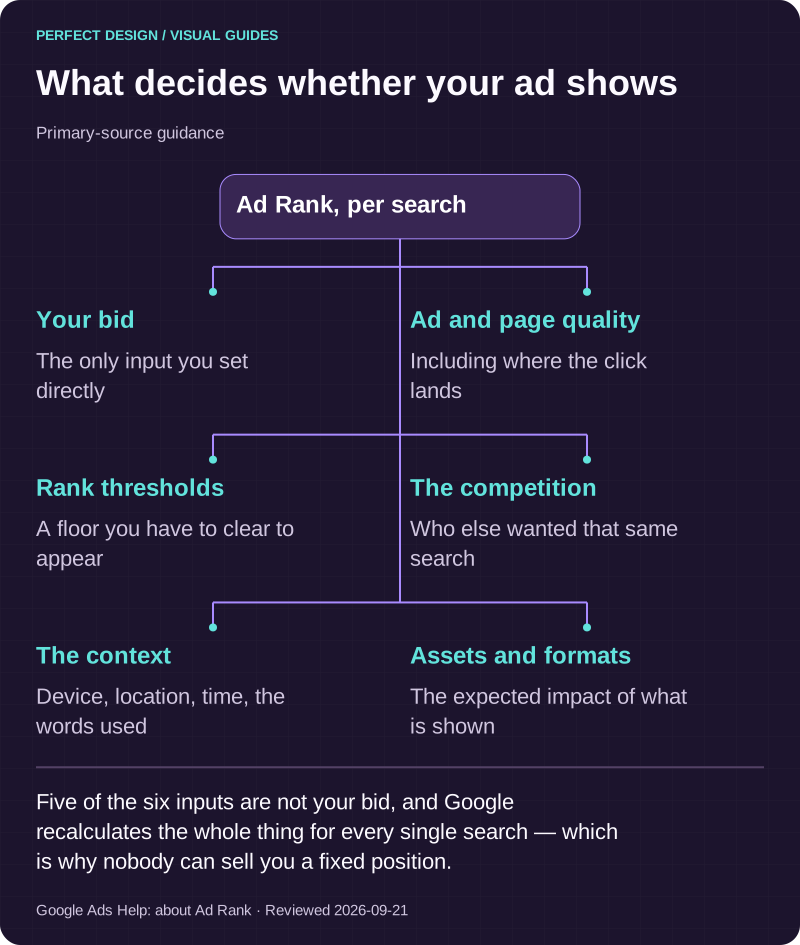
Position is not bought. Google describes Ad Rank as a score based on six factors: your bid, the quality of your ads and landing page, the Ad Rank thresholds, the competitiveness of the auction, the context of the person's search, and the expected impact of your assets and formats. It also states that Ad Rank "is calculated every time a user does a search and is recalculated for different positions on the search results page".
So there is no permanent position to buy, and anyone offering one is selling something Google does not sell. Google is explicit about this even where it publishes bid estimates: "meeting or exceeding these estimates isn't a guarantee of ad placement". Final placement, it says, still depends on competition, your Ad Rank, your budget and account settings, and user behaviour.

What decides whether your ad shows
Primary-source guidance. Five of the six inputs are not your bid, and Google recalculates the whole thing for every single search — which is why nobody can sell you a fixed position.
Source: Google Ads Help: about Ad Rank. Reviewed .
Read the graphic as text
Ad Rank, per search
- Your bid. The only input you set directly
- Ad and page quality. Including where the click lands
- Rank thresholds. A floor you have to clear to appear
- The competition. Who else wanted that same search
- The context. Device, location, time, the words used
- Assets and formats. The expected impact of what is shown
What a daily budget actually does
A daily budget is an average, not a ceiling, and this is the single most common billing surprise. Google documents that on a given day "your campaign might spend up to twice your average daily budget to take advantage of fluctuations of traffic", and that "at the end of the month, you will have spent no more than 30.4 times your average daily budget". The 30.4 is just the average number of days in a month.
There is a real protection underneath. If serving overshoots the limit, Google states "you'll never pay more than these two limits" and that "Google will cover the difference". The useful habit is therefore to think in months: decide the monthly figure you are willing to spend, divide it by 30.4, and stop reading individual days as though they were a problem.
What counts as a result is your decision, not the platform’s
Google defines a conversion action as "a specific customer activity that is valuable to your business" — and the advertiser chooses which activities those are. It measures them from four sources: website actions, app actions, phone calls, and offline conversions imported back in. For many Malaysian businesses the genuine enquiry is a phone call or a WhatsApp message rather than a form, and if nobody set that up it will simply not be in the numbers.
Two mechanics decide whether the reports make sense. Primary conversion actions feed bidding and the "Conversions" column; secondary ones are, in Google's words, "for observation only" and report into "All conversions" without influencing bidding. And a conversion window sets how long after a click something still counts. Google's default click-through window is 30 days, and it can be set from one day up to 30, 60 or 90 depending on the conversion source. A considered purchase that completes outside that window is not missing; it was never going to be counted.
Why two reports disagree
When the platform's number and your own records differ, the cause is usually structural rather than a fault. Different conversion windows count different periods. Primary and secondary actions land in different columns. Analytics attributes a session differently from how Google Ads attributes a click. And the search terms report omits low-volume searches by design.
The way through is not to reconcile them to the digit but to decide which number answers which question, write that down once, and keep three things separate in every report: what the platform recorded, what your team confirmed was a real enquiry, and what remains genuinely uncertain. A report that collapses those three into one figure is easier to read and worth less.
What Google will and will not let you advertise
Google's advertising policies cover four broad areas: prohibited content, which you cannot advertise at all; prohibited practices, things you cannot do as an advertiser; restricted content and features, which you can advertise with limitations; and editorial and technical standards for the ads, websites and apps themselves. A disapproved ad "won't be able to run until the policy violation is fixed and the ad is reviewed".
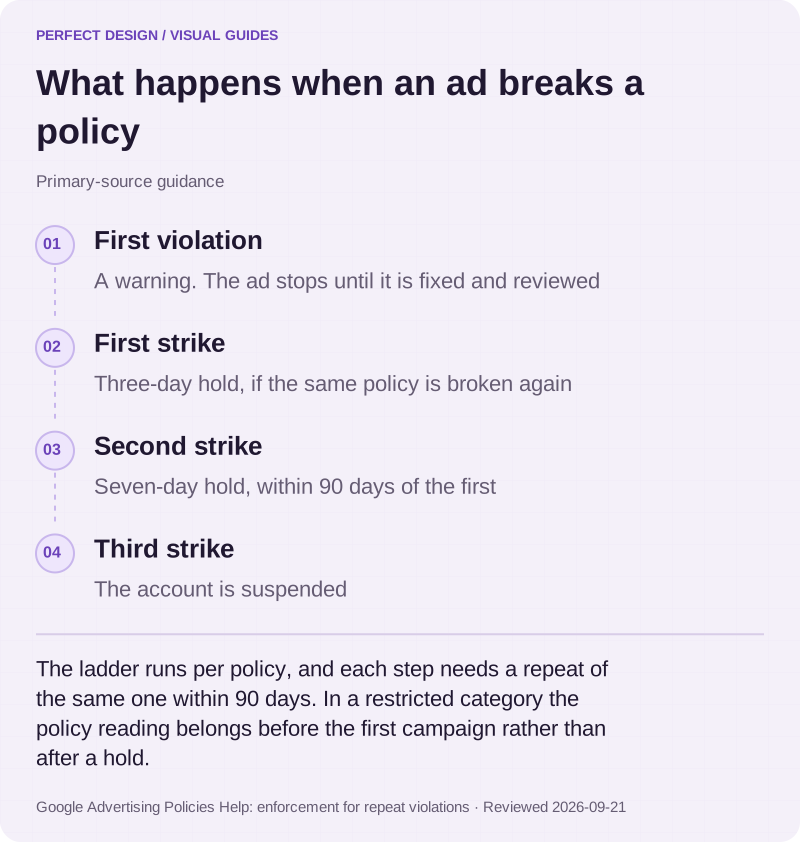
Repeat violations escalate on a published ladder, and the ladder is per policy: a warning first, then a three-day account hold on the first strike, a seven-day hold on the second, and suspension on the third. Each step requires violating the same policy again within 90 days of the previous one, and an account can receive at most one warning and three strikes per policy. During a hold the account cannot run ads, though you keep access to it and to the reports. If you operate in a restricted category — health, finance, anything adjacent to gambling — this is the part worth understanding before the first campaign rather than after a hold.

What happens when an ad breaks a policy
Primary-source guidance. The ladder runs per policy, and each step needs a repeat of the same one within 90 days. In a restricted category the policy reading belongs before the first campaign rather than after a hold.
Source: Google Advertising Policies Help: enforcement for repeat violations. Reviewed .
Read the graphic as text
- First violation. A warning. The ad stops until it is fixed and reviewed
- First strike. Three-day hold, if the same policy is broken again
- Second strike. Seven-day hold, within 90 days of the first
- Third strike. The account is suspended
Buying ads does not change your organic ranking
This gets sold in both directions, so it is worth quoting. Google answers it directly: "Does buying ads improve my search ranking? No. Google's advertising programs are independent of our search results." Its own advertiser-facing material puts it the same way — a pay-per-click solution "won't improve your organic search rankings".
The two channels do help each other, just not mechanically. Paid search produces evidence within weeks about which searches turn into real enquiries, and that makes the slower, compounding work of search visibility far better targeted. What it never does is move an unpaid listing up the page.
What to do next
If you are deciding whether to start: write down one outcome you would genuinely pay for, and check that something on your website lets a stranger complete it. If you already have an account: open the search terms report before anything else, because it tells you what you actually bought last month. If the numbers are the problem, start with the conversion actions rather than the bidding — almost every unreadable ads report traces back to what was, or was not, defined as a result.
The depth on Search campaigns specifically — matching, exclusions, advert assets and the budget mechanics above — sits on Google Search Ads. If you sell products and are weighing campaign types, Shopping vs Search vs Performance Max sets out what each needs and what control you give up. What a managed engagement covers is on Google Ads management.
Guides and checklists
Choose the task you need help with: understand the evidence, investigate a problem or check completed work.
Where to go next
- Shopping vs Search vs Performance Max →
Which campaign type fits what you sell, and what each needs before it can run.
- Google Ads management →
What the campaign types are for, and what an engagement actually covers.
- Google Search Ads →
The depth on Search specifically: matching, exclusions, advert assets and budget mechanics.
- Landing page design →
The destination is part of the campaign, and it is the half most accounts neglect.
- How search visibility works →
The unpaid side of the same results page, and why the two are independent.
Rather have this handled?
Talk to us about google ads for your business, starting with the questions this guide helped you identify.
Sources and further reading
- Google Ads Help: About your account organization — read 21 September 2026
- Google Ads Help: About Ad Rank — read 21 September 2026
- Google Ads Help: Get your ads to show on the first page — read 21 September 2026
- Google Ads Help: About the search terms report — read 21 September 2026
- Google Ads Help: About overdelivery and your average daily budget — read 21 September 2026
- Google Ads Help: About conversion measurement — read 21 September 2026
- Google Ads Help: About primary and secondary conversion actions — read 21 September 2026
- Google Ads Help: About conversion windows — read 21 September 2026
- Google Advertising Policies Help: Google Ads policies — read 21 September 2026
- Google Advertising Policies Help: About enforcement procedures for repeat violations — read 21 September 2026
- Google Search Central: FAQ on site position in Google Search — read 21 September 2026