


In this section7 sections
- 01What an iOS scope has to settle first
- 02Which Apple devices and iOS versions will you support?
- 03Which capabilities, permissions and systems does the task need?
- 04Preparing for App Store review
- 05What Apple expects on screen, and the iPad question
- 06Accounts, signing and TestFlight
- 07What to bring to a first conversation
What an iOS scope has to settle first
This page helps you decide six things: the repeating task and the conditions it happens in, which Apple devices and iOS versions you will support, which native capabilities and permissions the task actually needs, whether the iPad is a real audience or an assumption, what release evidence you want before anything is submitted, and who owns the Apple accounts and the signing material. If you have not settled whether an installed app is the right surface at all, mobile app development covers that and comes first.
One invented example runs through the page. Kestrel Field Services is a fictional maintenance business whose staff visit sites during the day. A field worker receives an assigned visit, opens the details, captures evidence that the work was done and submits the record, often somewhere with poor reception. A supervisor reviews the day on an iPad. The roles and responses below are assumptions written to show the shape of the decisions, not a project we delivered.

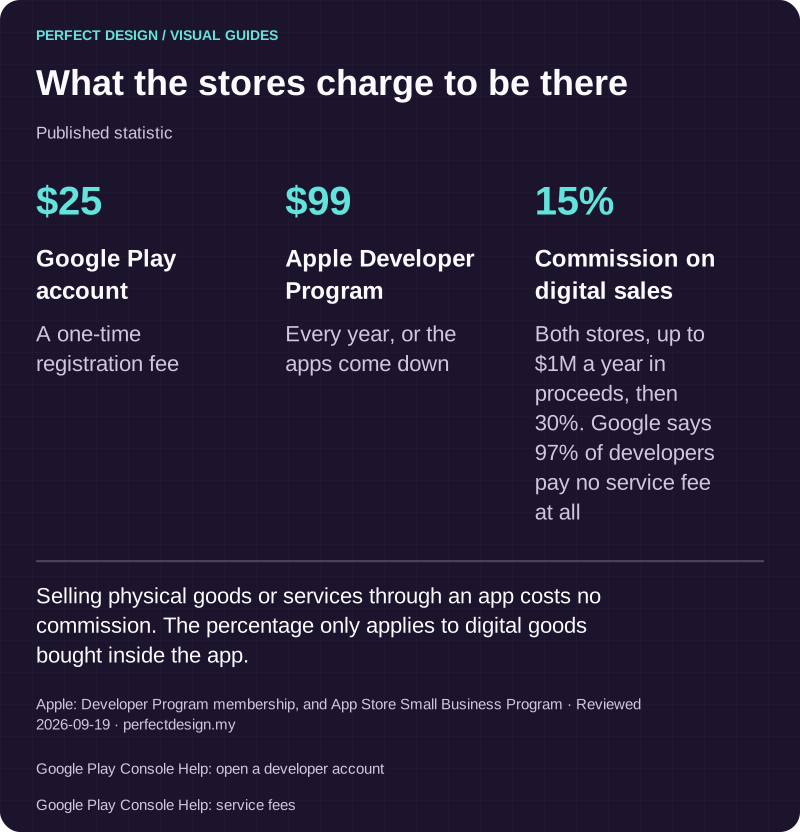
What the stores charge to be there
Published statistic. Selling physical goods or services through an app costs no commission. The percentage only applies to digital goods bought inside the app.
Source: Apple: Developer Program membership, and App Store Small Business Program. Reviewed .
Also: Google Play Console Help: open a developer account.
Also: Google Play Console Help: service fees.
Read the graphic as text
- Google Play account: $25. A one-time registration fee
- Apple Developer Program: $99. Every year, or the apps come down
- Commission on digital sales: 15%. Both stores, up to $1M a year in proceeds, then 30%. Google says 97% of developers pay no service fee at all
Which Apple devices and iOS versions will you support?
The device question is smaller on Apple platforms than on Android, and the version question is bigger. Hardware differences come down mostly to screen size, camera and whether a particular sensor is present, so what matters is which iPhone generations you still support, whether the iPad is in scope as its own experience, and which capabilities narrow the eligible devices by themselves. Write it down as a short support statement: device families, minimum iOS version, required hardware, explicit exclusions, test coverage per tier and who decides when a version is dropped.
The moving part is Apple's own floor. Apple's App Store Review Guidelines, read on 18 September 2026, state that apps may only use public APIs and must run on the currently shipping operating system, and ask developers to phase out deprecated frameworks and technologies. Apple's submission guidance, read the same day, sets a build requirement too: from April 2027, iPhone and iPad apps must be built with the iOS and iPadOS 27 SDK or later. Those version numbers will age. The pattern will not, and a plan that ends at launch leaves that work unfunded.

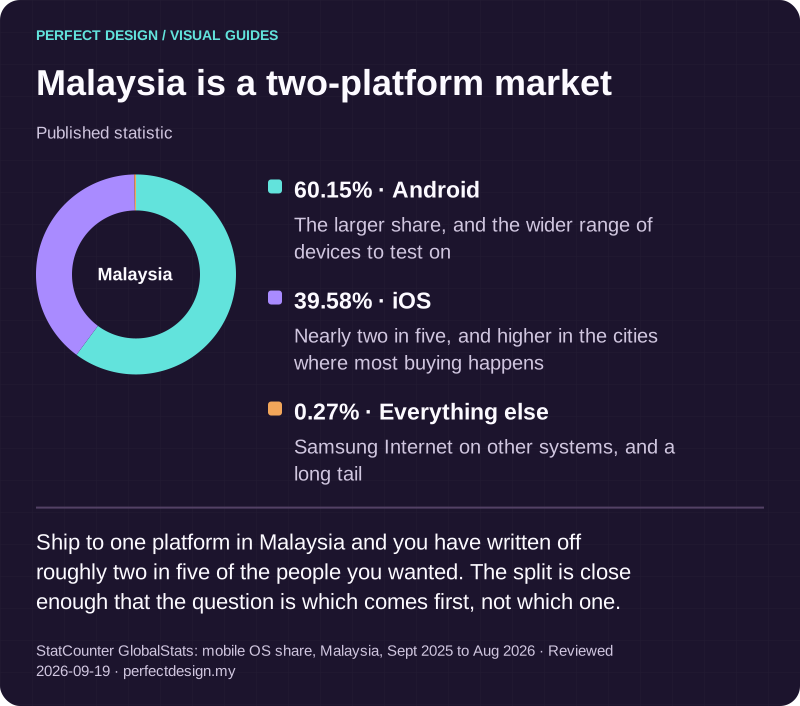
Malaysia is a two-platform market
Published statistic. Ship to one platform in Malaysia and you have written off roughly two in five of the people you wanted. The split is close enough that the question is which comes first, not which one.
Source: StatCounter GlobalStats: mobile OS share, Malaysia, Sept 2025 to Aug 2026. Reviewed .
Read the graphic as text
Malaysia
- Android: 60.15%. The larger share, and the wider range of devices to test on
- iOS: 39.58%. Nearly two in five, and higher in the cities where most buying happens
- Everything else: 0.27%. Samsung Internet on other systems, and a long tail
Which capabilities, permissions and systems does the task need?
Take each requested capability and answer five questions: what it enables in the task, when it is invoked, which data it touches, which permission or entitlement it depends on, and what the user sees when it is denied. Then do the same for the systems behind the screen: the system of record, what happens to a queued or failed action, how the app shows that something has not synchronised, and who resolves an exception when two records disagree.
Apple treats the data side as a review matter, not only an engineering one. The review guidelines require apps collecting user or usage data to secure consent, to explain that use clearly in the purpose strings shown with a permission prompt, and to link to a privacy policy covering what is collected, how it is used and how someone requests deletion. If your app supports account creation, account deletion has to be available inside the app. For a business app that assumed accounts were opened and closed by an administrator, that single line changes the scope.
Receive an assigned visit
- Assumed actor
- Fictional field worker
- Proposed system response
- Show the assignment and the essential cached details on supported devices
- Exception
- Notification permission refused, or the assignment has not arrived
- Acceptance evidence to collect
- A test with notifications denied, recording what the app shows instead and how the day is still visible
Open the visit details
- Assumed actor
- Fictional field worker
- Proposed system response
- Display the current record, its age and the actions available now
- Exception
- Offline, or the record on the device is stale
- Acceptance evidence to collect
- A test of offline access, the visible data age and reconciliation once the connection returns
Capture completion evidence
- Assumed actor
- Fictional field worker
- Proposed system response
- Request only the capability the chosen evidence needs and attach it to the visit
- Exception
- Camera, file or location permission denied
- Acceptance evidence to collect
- A test of denial, the route back through settings and the alternative evidence path, with no pass assumed
Review the day on iPad
- Assumed actor
- Fictional supervisor
- Proposed system response
- Present a layout suited to the approval task and the available screen space
- Exception
- Enlarged text or an assistive input changes the layout
- Acceptance evidence to collect
- A test of representative iPad layouts, text scaling, focus order and whether the task can still be completed
Submit and release
- Assumed actor
- Fictional release owner
- Proposed system response
- Validate and synchronise the record, then route an approved build through beta testing and submission
- Exception
- Duplicate submission, sync failure, or an issue raised at review
- Acceptance evidence to collect
- A test of duplicate prevention and failure recovery, the beta acceptance criteria and a named release sign-off
| Workflow step | Assumed actor | Proposed system response | Exception | Acceptance evidence to collect |
|---|---|---|---|---|
| Receive an assigned visit | Fictional field worker | Show the assignment and the essential cached details on supported devices | Notification permission refused, or the assignment has not arrived | A test with notifications denied, recording what the app shows instead and how the day is still visible |
| Open the visit details | Fictional field worker | Display the current record, its age and the actions available now | Offline, or the record on the device is stale | A test of offline access, the visible data age and reconciliation once the connection returns |
| Capture completion evidence | Fictional field worker | Request only the capability the chosen evidence needs and attach it to the visit | Camera, file or location permission denied | A test of denial, the route back through settings and the alternative evidence path, with no pass assumed |
| Review the day on iPad | Fictional supervisor | Present a layout suited to the approval task and the available screen space | Enlarged text or an assistive input changes the layout | A test of representative iPad layouts, text scaling, focus order and whether the task can still be completed |
| Submit and release | Fictional release owner | Validate and synchronise the record, then route an approved build through beta testing and submission | Duplicate submission, sync failure, or an issue raised at review | A test of duplicate prevention and failure recovery, the beta acceptance criteria and a named release sign-off |
Preparing for App Store review
Every submission is reviewed by Apple, including updates and changes to your product page. Most of what comes back has nothing to do with engineering: a build that is not finished, a reviewer who cannot get in, a product-page claim the app does not support, or a business model the guidelines treat differently from how you assumed.
Where submissions actually come unstuck
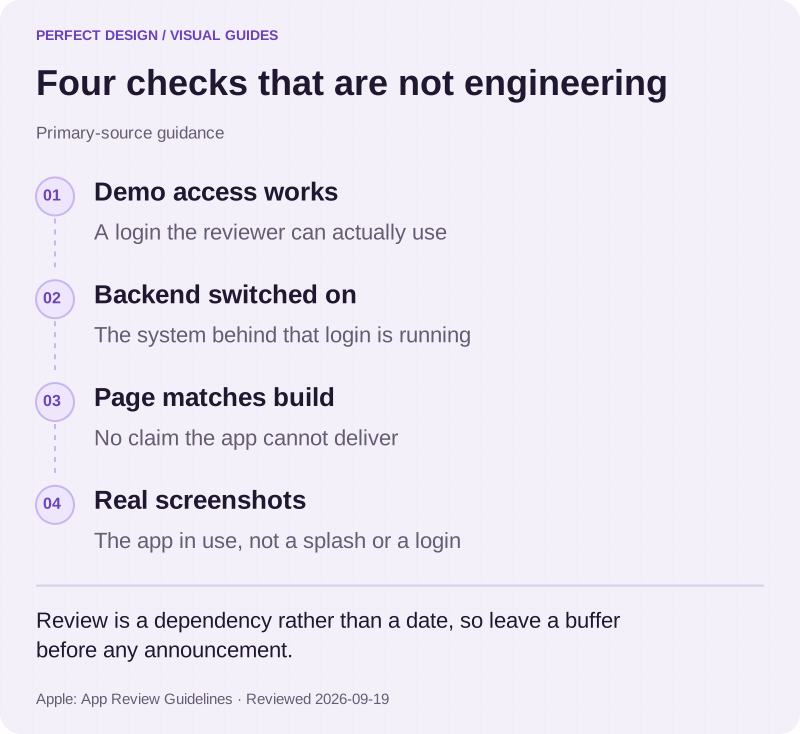
Apple's review guidelines, read on 18 September 2026, are unusually direct about the avoidable causes. Submissions should be final versions with complete metadata and working links, with placeholder text and empty pages removed, and incomplete bundles or builds that crash are rejected. If the app has a login, review needs a working demo account or a fully featured demo mode, and the backend behind it has to be live during review. Non-obvious features must be described specifically in the notes for review, because generic descriptions are rejected.
The other cluster is commercial and editorial. Apple's minimum functionality rule asks for an app that goes beyond a repackaged website, which matters if the plan is essentially your existing site in a shell. Metadata, screenshots and previews have to reflect the real experience, and screenshots are expected to show the app in use rather than a splash or login screen. Unlocking digital features or content inside the app is expected to go through Apple's in-app purchase rather than your own licence keys or codes. Apps using a third-party or social sign-in for the primary account must also offer an equivalent alternative that limits data collection and lets people keep their email address private.
Review is a dependency, not a date
We do not control review and we will not promise an outcome or a turnaround for it. What we can do is remove the avoidable causes, submit with everything review needs in place, and plan a buffer between the finished build and the date you want to announce. Decide in advance who answers if a submission comes back with a question, and who can authorise a quick scope change.

Four checks that are not engineering
Primary-source guidance. Review is a dependency rather than a date, so leave a buffer before any announcement.
Source: Apple: App Review Guidelines. Reviewed .
Read the graphic as text
- Demo access works. A login the reviewer can actually use
- Backend switched on. The system behind that login is running
- Page matches build. No claim the app cannot deliver
- Real screenshots. The app in use, not a splash or a login
What Apple expects on screen, and the iPad question
Apple sets design expectations as part of approval, not as advice. The review guidelines describe minimum design standards for the App Store, note that apps which stop working or offer a degraded experience may be removed later, and point developers at Apple's Human Interface Guidelines to check before submitting. In practice that means using the platform's own patterns for navigation, prompts and controls, and staying coherent when someone scales the text up or uses an assistive input.
The iPad is a separate decision and it deserves evidence rather than optimism. Ask who genuinely works on one, what the larger screen changes about the task, and whether the iPad audience is the same people or a different role. In the Kestrel example the supervisor's review task differs from the field worker's capture task, which is exactly when a considered iPad layout earns its keep. An iPhone layout stretched to fill a tablet reads as unfinished. On accessibility, Apple's submission guidance lets you declare supported features such as VoiceOver, Voice Control, larger text and captions in App Store Connect, which then appear on the product page. That is a declaration you make rather than verified accessibility, so earn it by testing first.

The numbers an interface has to hit
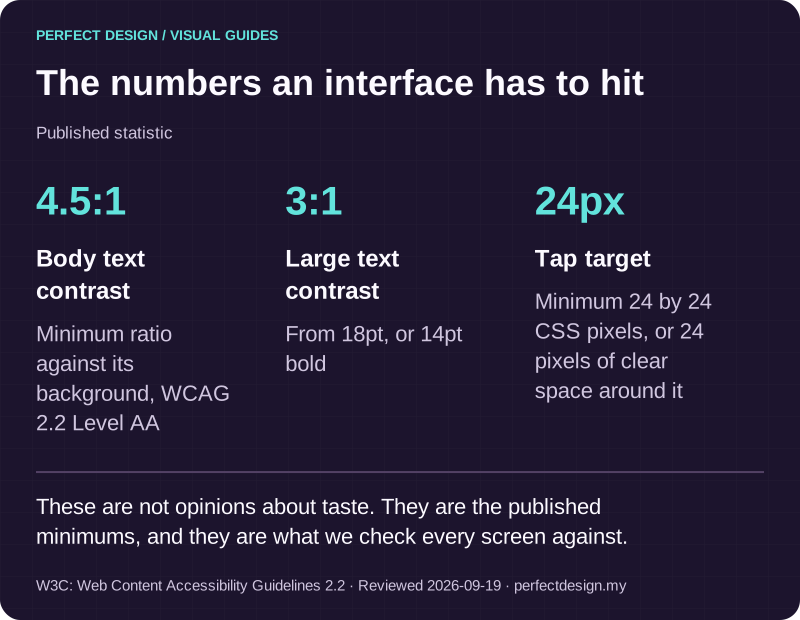
Published statistic. These are not opinions about taste. They are the published minimums, and they are what we check every screen against.
Source: W3C: Web Content Accessibility Guidelines 2.2. Reviewed .
Read the graphic as text
- Body text contrast: 4.5:1. Minimum ratio against its background, WCAG 2.2 Level AA
- Large text contrast: 3:1. From 18pt, or 14pt bold
- Tap target: 24px. Minimum 24 by 24 CSS pixels, or 24 pixels of clear space around it
Accounts, signing and TestFlight
The Apple Developer Program account belongs to your business, and Apple's enrolment requirements assume exactly that. Apple's enrolment guidance, read on 18 September 2026, states that an organisation must be a legal entity able to contract with Apple, that trade names, fictitious business names and branches are not accepted, that it needs a D-U-N-S Number so Apple can verify its identity and address, and that the person enrolling becomes the account holder and must have legal authority to bind the organisation. Membership is purchased per year and renewed. The name on the account is the seller name customers see, which is reason enough not to enrol under a supplier's name.
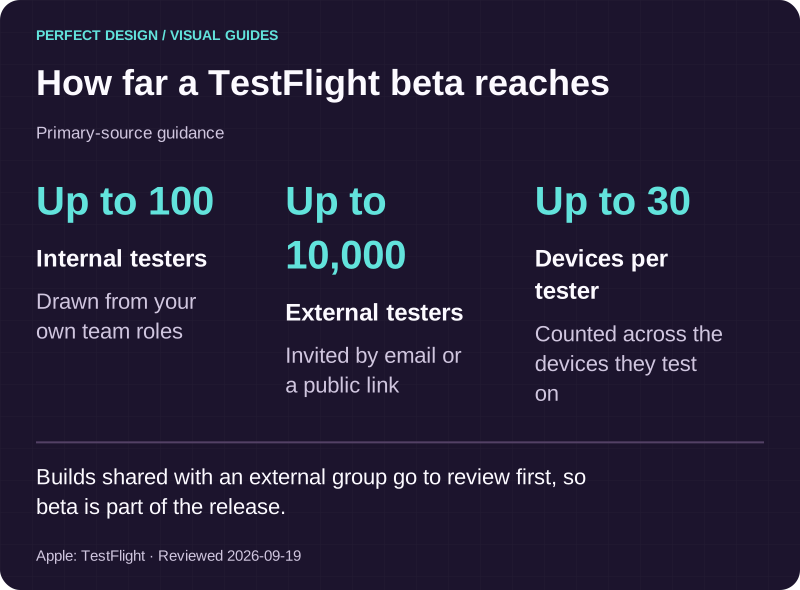
We set the account up in your name, prepare the certificates, signing and provisioning, run review builds through TestFlight, and submit the listing on your behalf. TestFlight is Apple's beta route: its documentation, read on 18 September 2026, describes up to 100 internal testers drawn from your team roles and up to 10,000 external testers invited by email or public link, testing on up to 30 devices, and feedback arriving with screenshots, mark-up and crash reports. Builds shared with an external group are sent for review automatically, so treat external beta testing as part of the release rather than a rehearsal before it.
Settle the ownership list in writing while it is cheap: the developer account, App Store Connect roles, certificates and signing access, privacy details and product-page content, who may submit, who approves a release, who can pull one back, and where the source code lives. Our answer does not change between projects. All of it is yours, the code is handed over in your own repository, and if you move to another provider the account and the listing stay with you.

How far a TestFlight beta reaches
Primary-source guidance. Builds shared with an external group go to review first, so beta is part of the release.
Source: Apple: TestFlight. Reviewed .
Read the graphic as text
- Internal testers: Up to 100. Drawn from your own team roles
- External testers: Up to 10,000. Invited by email or a public link
- Devices per tester: Up to 30. Counted across the devices they test on
What to bring to a first conversation
Four things make it useful: the repeating task in a sentence, who does it today and on which devices, the systems the app would read from or write to, and any constraint you know about, such as data you may not store, a system that cannot change, or a date you are working towards. We will tell you which parts look solid, which need confirming, and where the honest answer is a smaller first release.
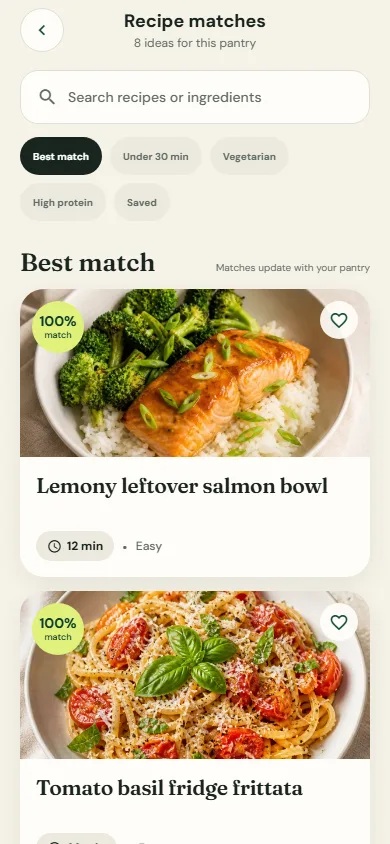
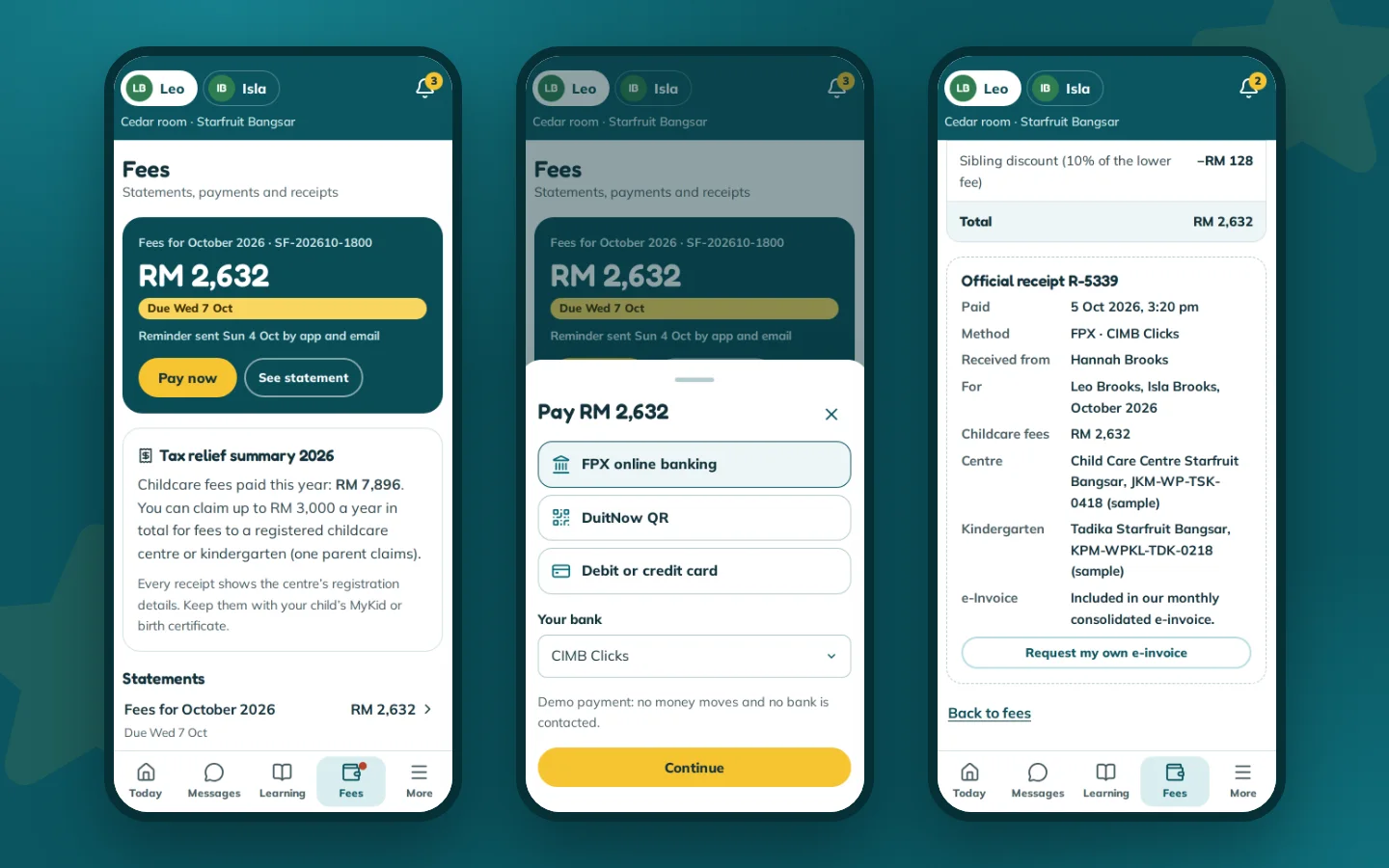
On evidence we would rather be plain than impressive. Nothing we have built is published on the App Store or Google Play. Our own PantryCue app is the closest answer: React Native, with live camera scanning, local notifications, an offline pantry and a Cook Mode that reads steps aloud. You can try the web build, and there is an installable Android build. Alongside it, the HORIZON 2026 concept adds an attendee app and a door check-in console that run as web applications, and more app samples are being built. Bring the problem to a scoped enquiry, or use the services catalogue if you are weighing an app against the website work around it.