
Teduh
A working system for an aircond and electrical company: online prices and booking, quotes drafted from WhatsApp messages, a technician app, and invoices that go out when the job is done.
The brief
Service companies quote on WhatsApp, plan jobs on a whiteboard and chase payments by hand. Prices drift, discounts go unchecked and nobody can see where each job stands.
What we shipped
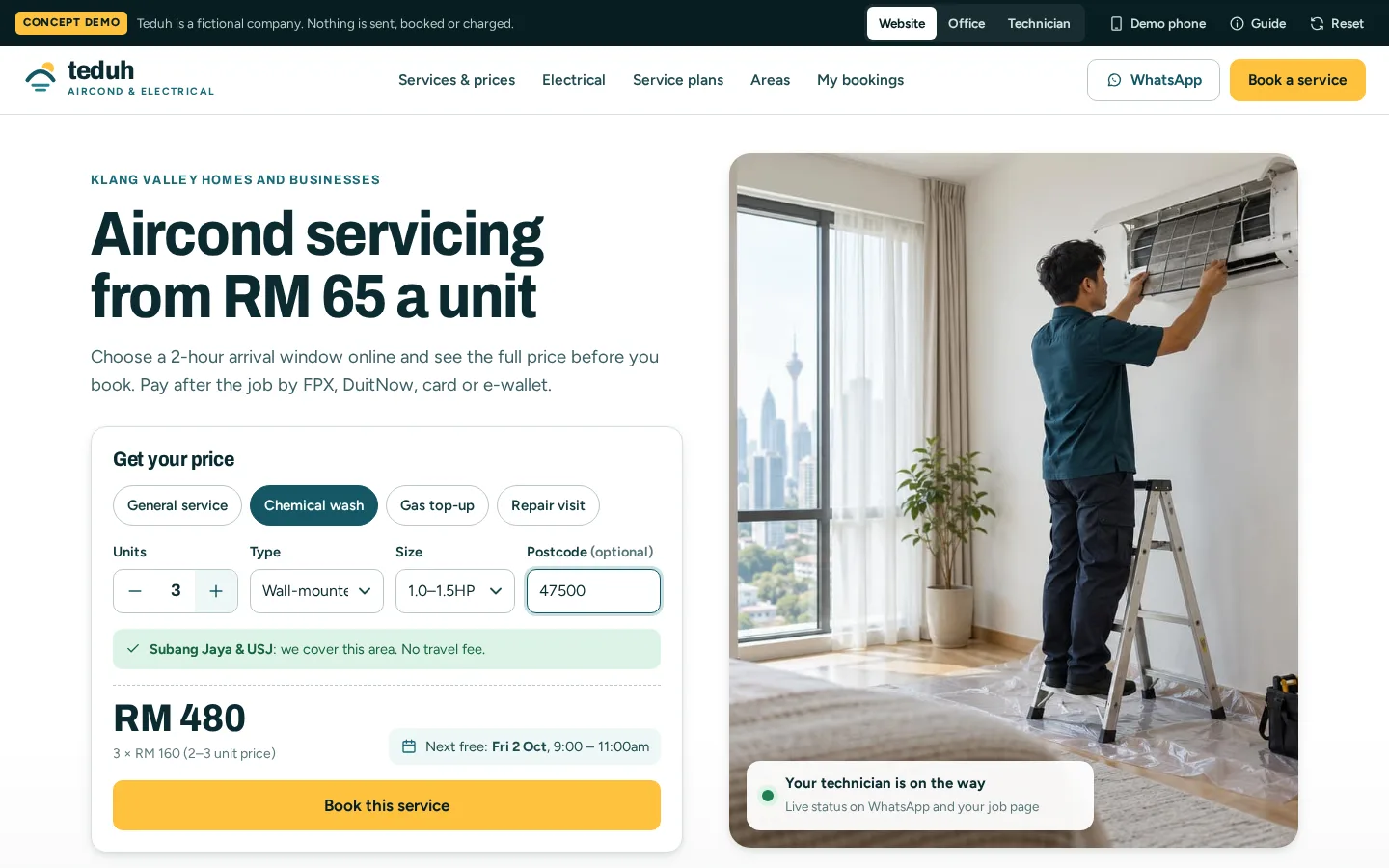
One system for the whole job: a website with prices and online booking, an office inbox where messages become quotes, owner approval for bigger discounts, a dispatch schedule, a technician app, and deposit, progress and final invoices.
Built for: Aircond, electrical, plumbing and other service companies that quote, schedule and invoice.
Inside the build
Every part, and what it does
A closer look at what was actually built — screen by screen, so you can judge the depth for yourself.
Online booking
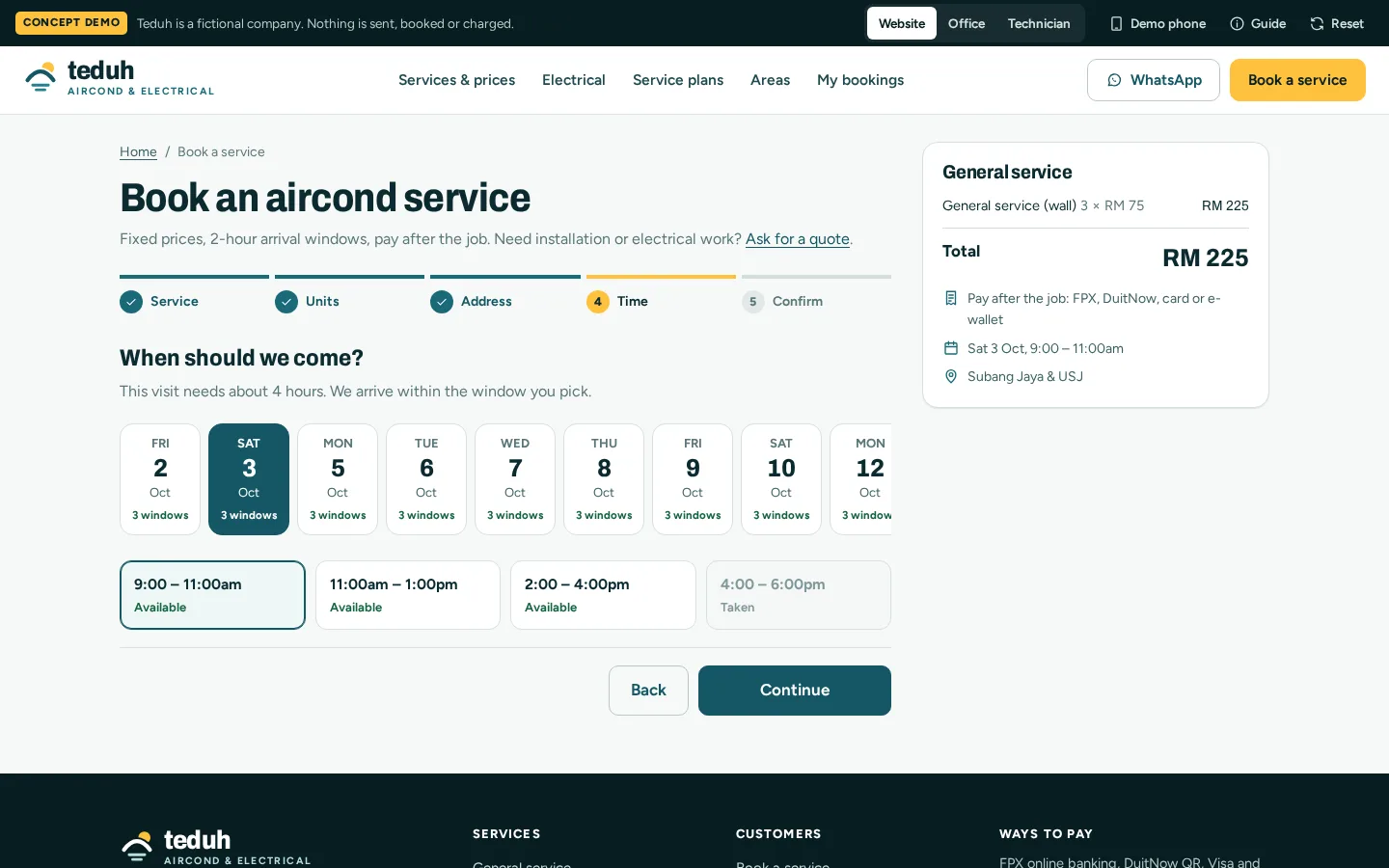
Customers choose the service and number of units, see the full price, then pick a 2-hour arrival window.
- Price shown before booking
- Only free windows offered
- Pay after the job
Quotes accepted online
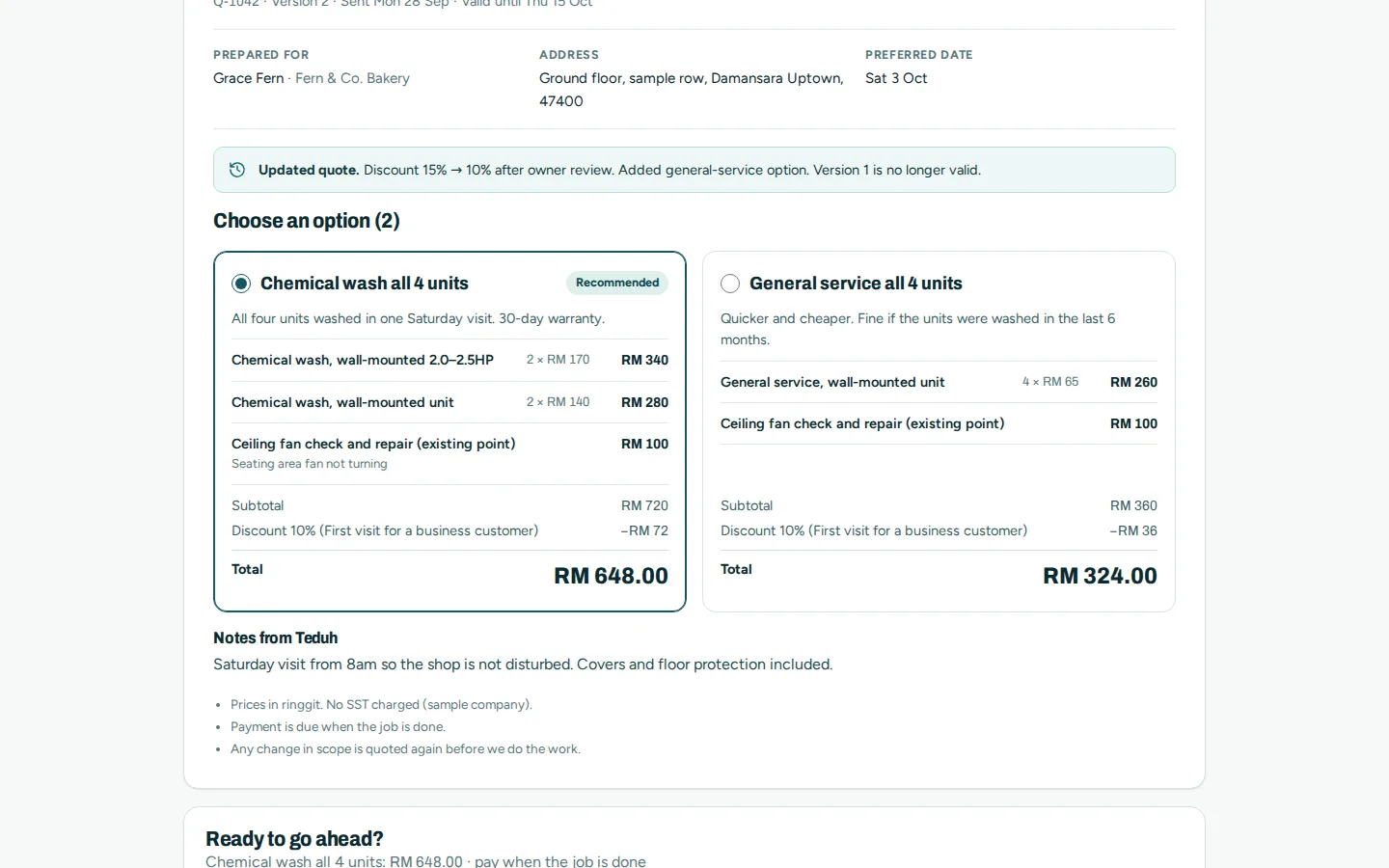
The customer compares the options, ticks any extras and accepts by typing their name. A deposit is paid online when the quote asks for one.
- Options side by side
- Changes shown on each new version
- Accept and pay the deposit online
Job report
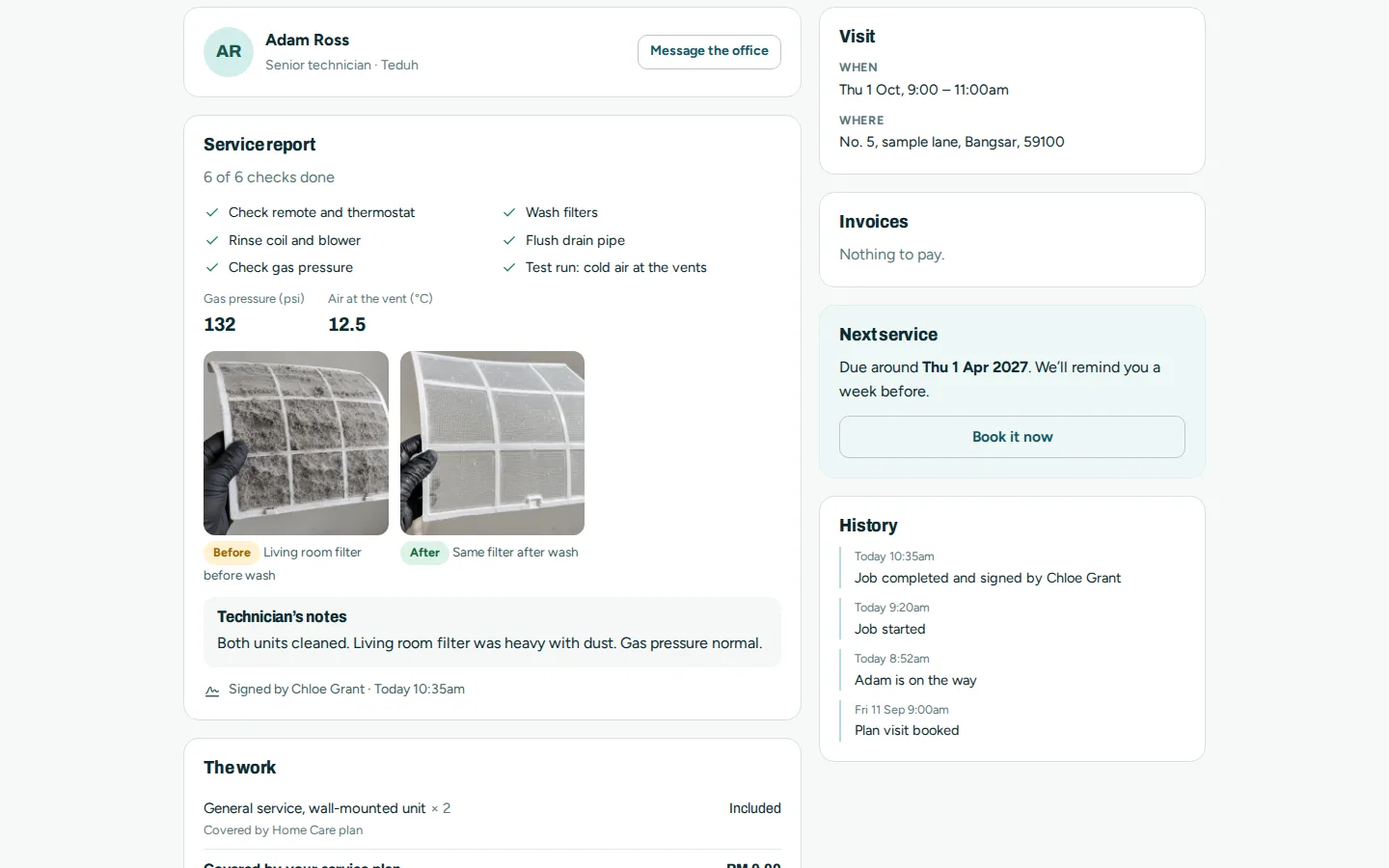
After the visit the customer sees what was done, the readings, before and after photos and when the next service is due.
- Checklist and readings
- Before and after photos
- Next service reminder
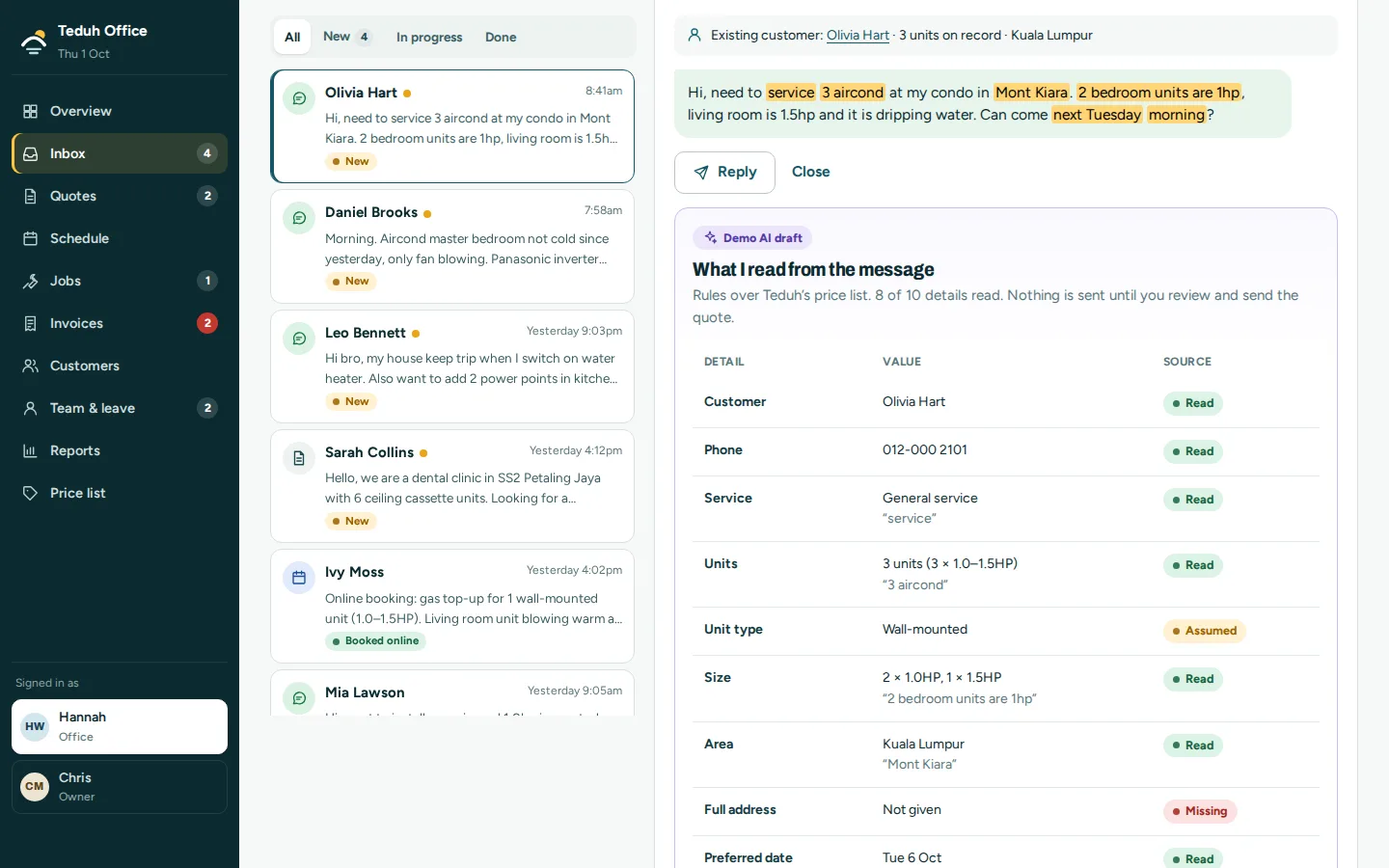
AI quote draft
A WhatsApp message becomes a draft quote, marked with what was read, what was assumed and what is still missing. Nothing is sent until someone checks it. In the prototype, fixed rules stand in for the AI.
- Read against the price list
- Missing details flagged
- A person sends every quote
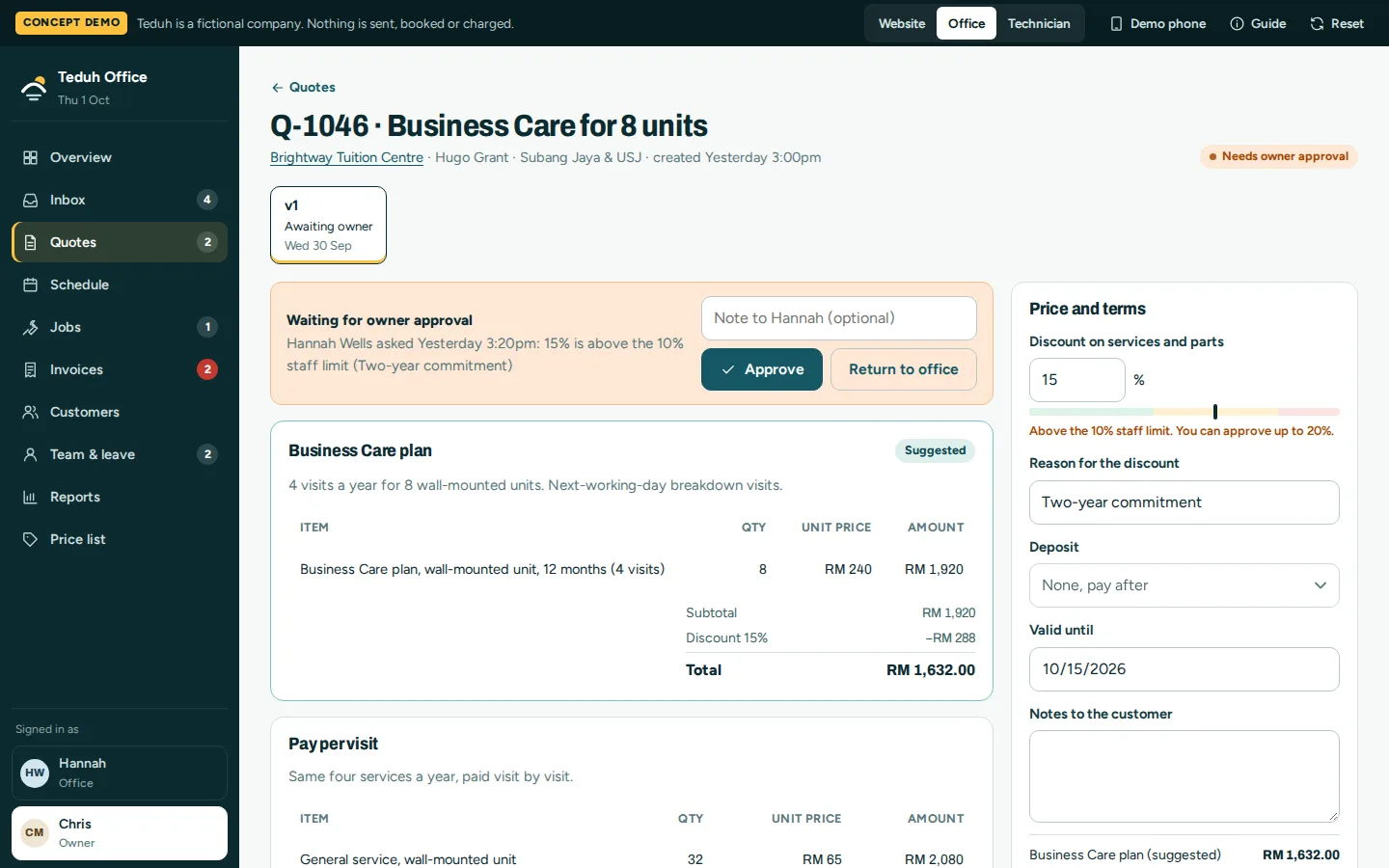
Owner approval
A discount above the staff limit waits for the owner, who approves it or returns the quote with a note.
- Staff up to 10%, owner up to 20%
- Approve or return with a note
- Every version kept under one number
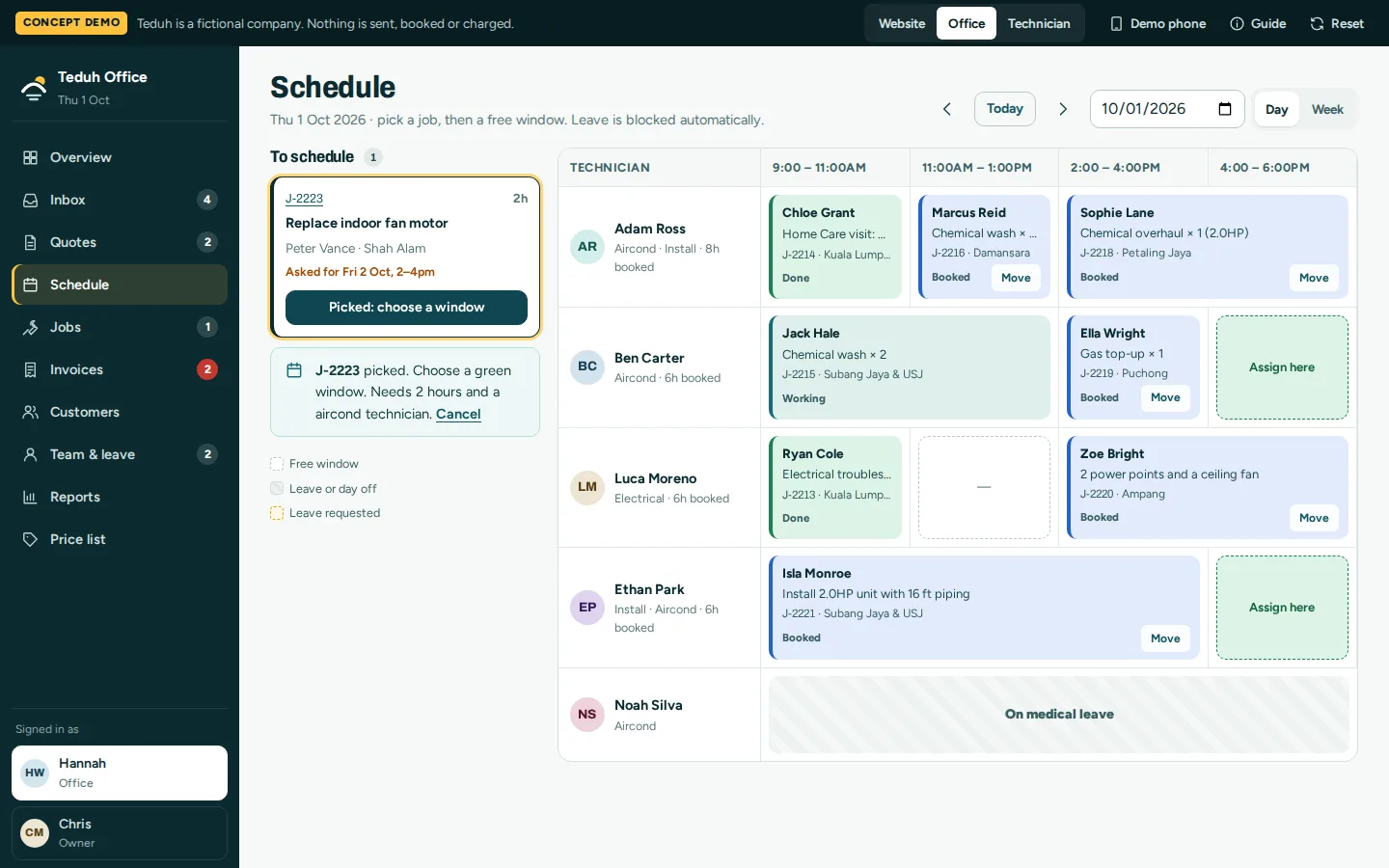
Dispatch schedule
Pick a job, then a free window. The schedule knows who does aircond and who does electrical, and blocks anyone on leave.
- Day and week views
- The right technician for the job
- Leave blocked automatically
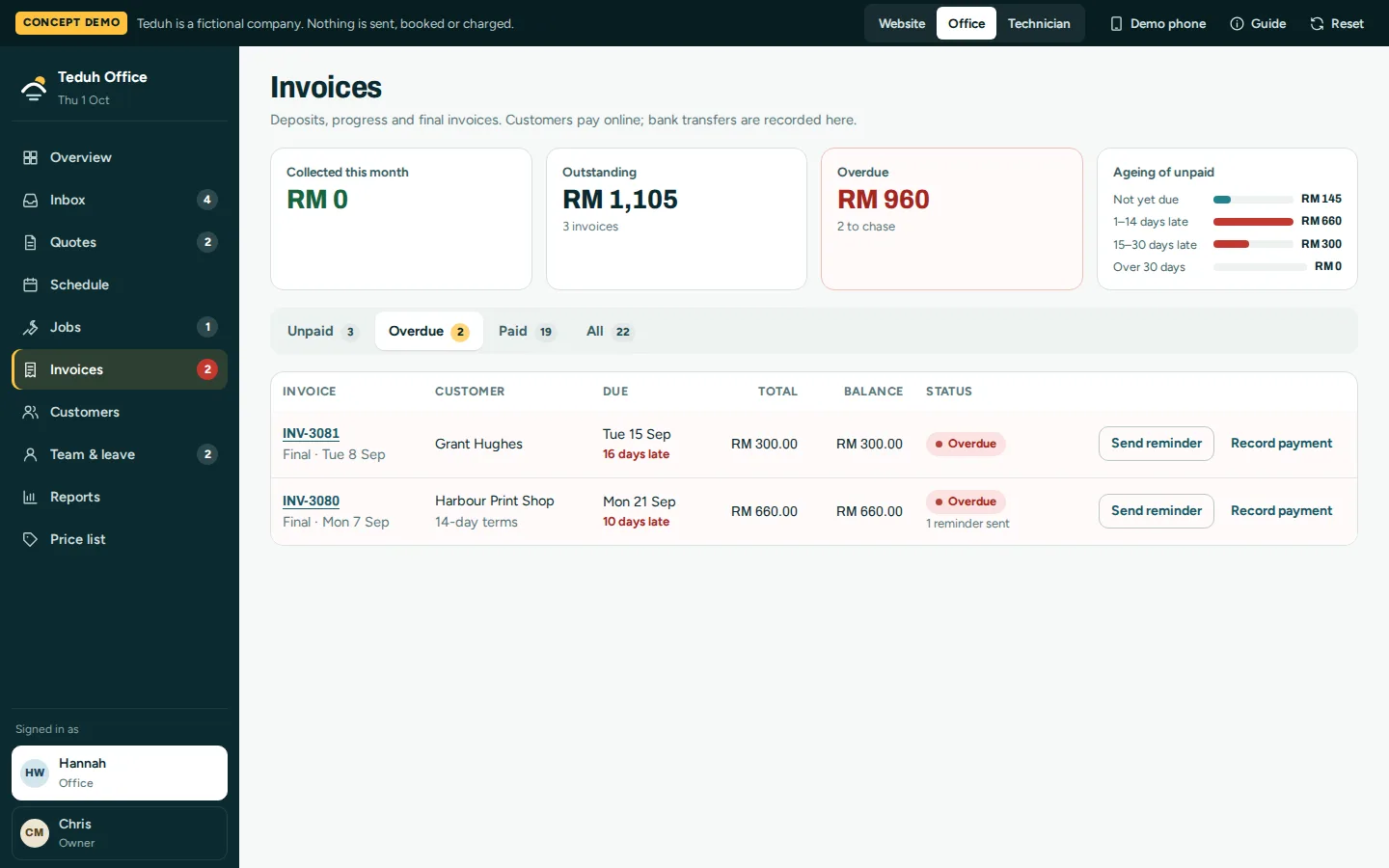
Invoices and reminders
Deposit, progress and final invoices in one list, with what is overdue and by how long.
- Overdue amounts by age
- Payment reminders
- Online and bank-transfer payments
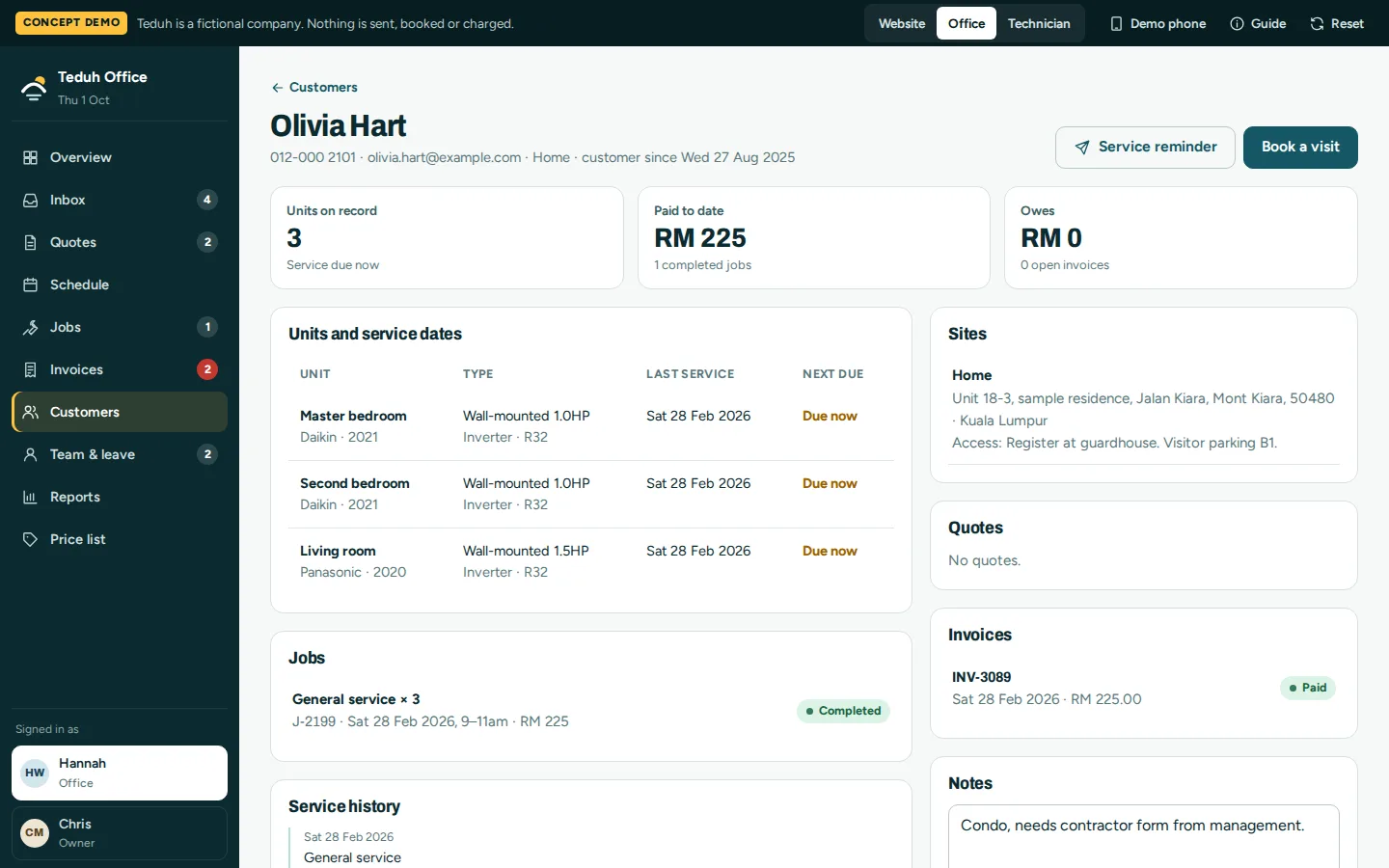
Customer records
Each customer’s units, service dates, jobs, quotes and invoices on one page, with a reminder when a service is due.
- Units and service history
- Next service due
- Site access notes
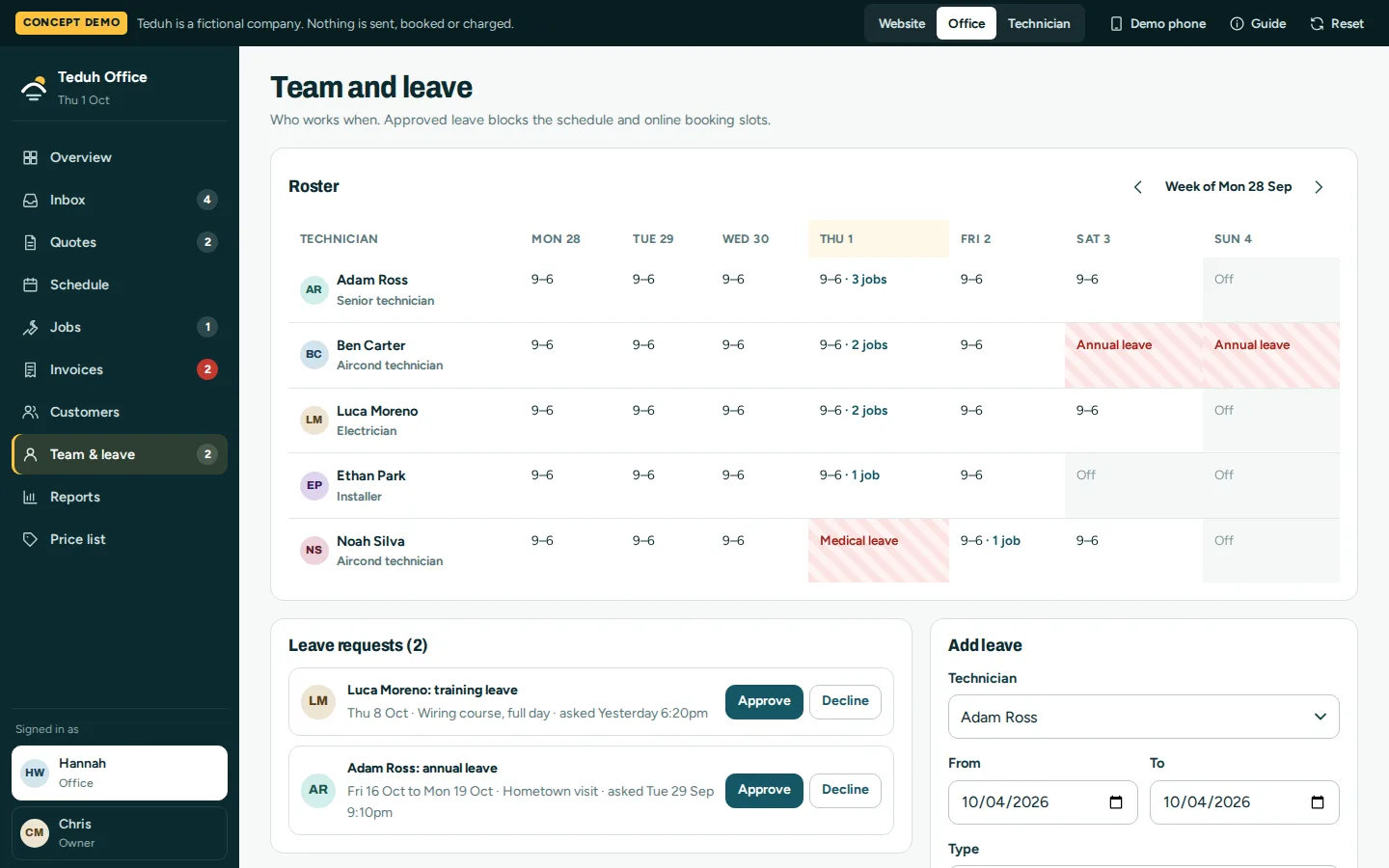
Team roster and leave
Who works when, with leave requests to approve. Approved leave blocks the schedule and the online booking slots.
- Weekly roster
- Approve or decline leave
- Leave closes booking slots
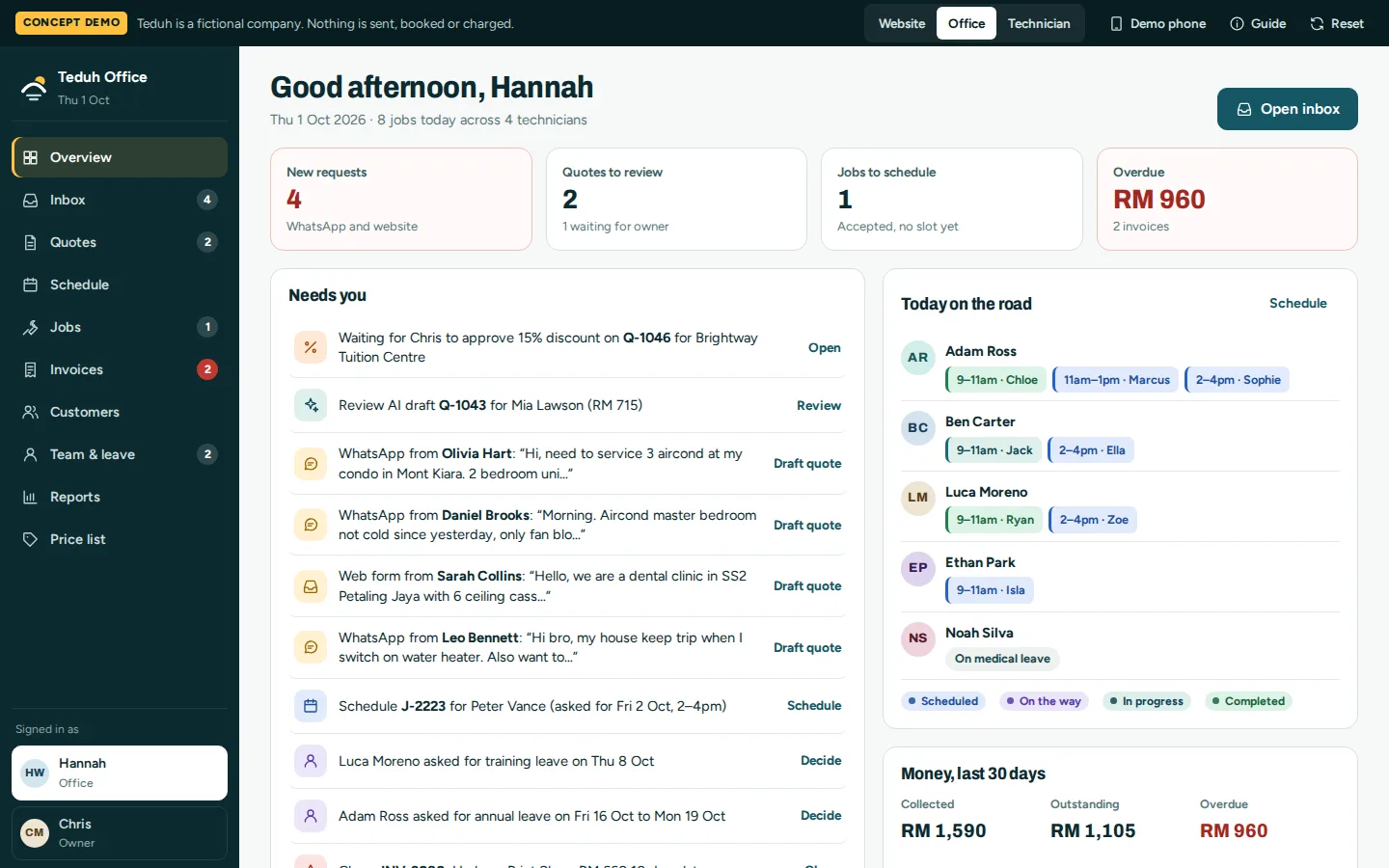
Office overview
Everything waiting on the office in one list: new requests, quotes to review, jobs to schedule and overdue money.
- One list of what needs doing
- Today’s jobs by technician
- Collected, outstanding and overdue
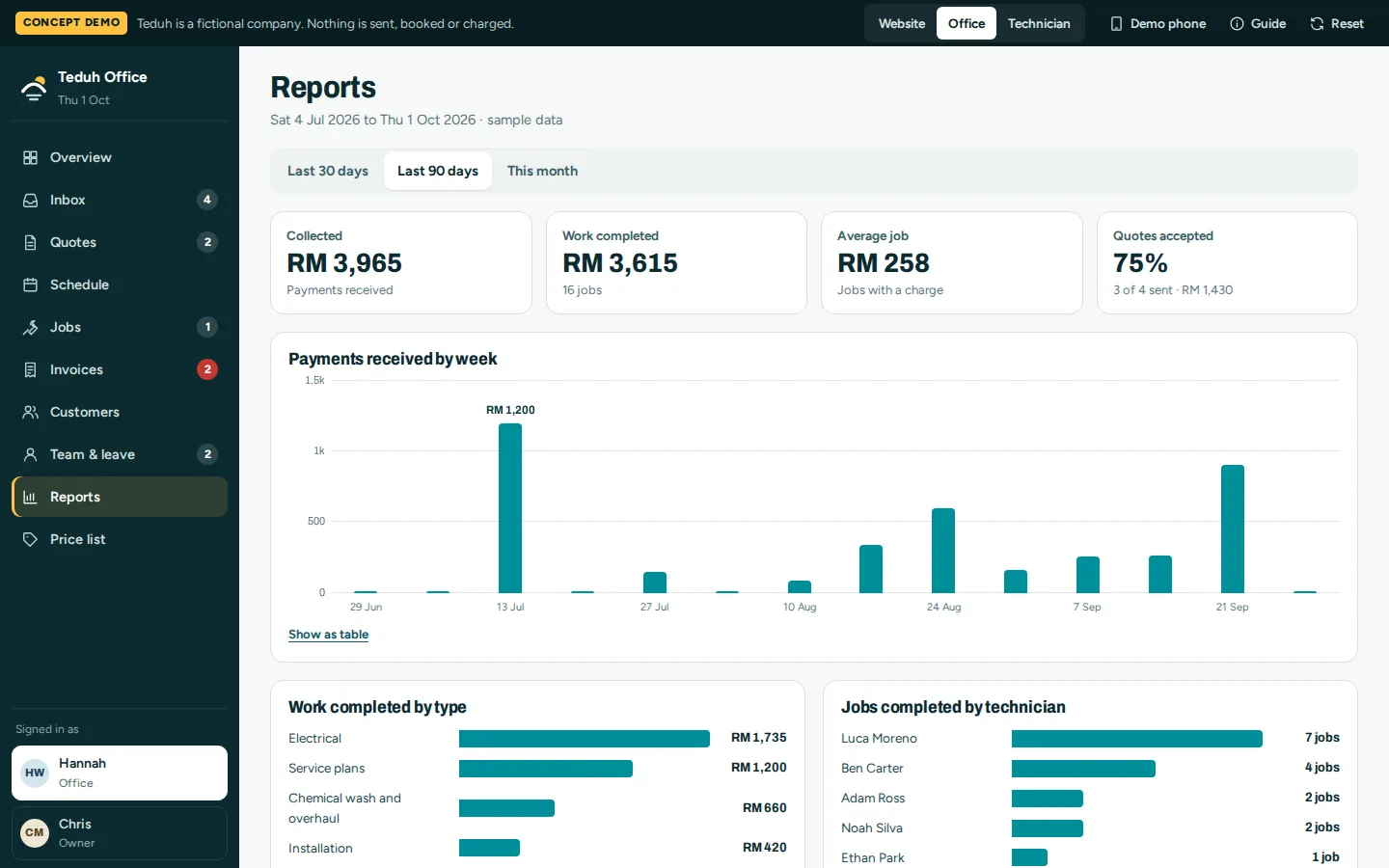
Reports
Money collected, work completed, average job value and how many quotes are accepted, by type of work and by technician.
- Payments by week
- Quote acceptance rate
- Jobs by technician
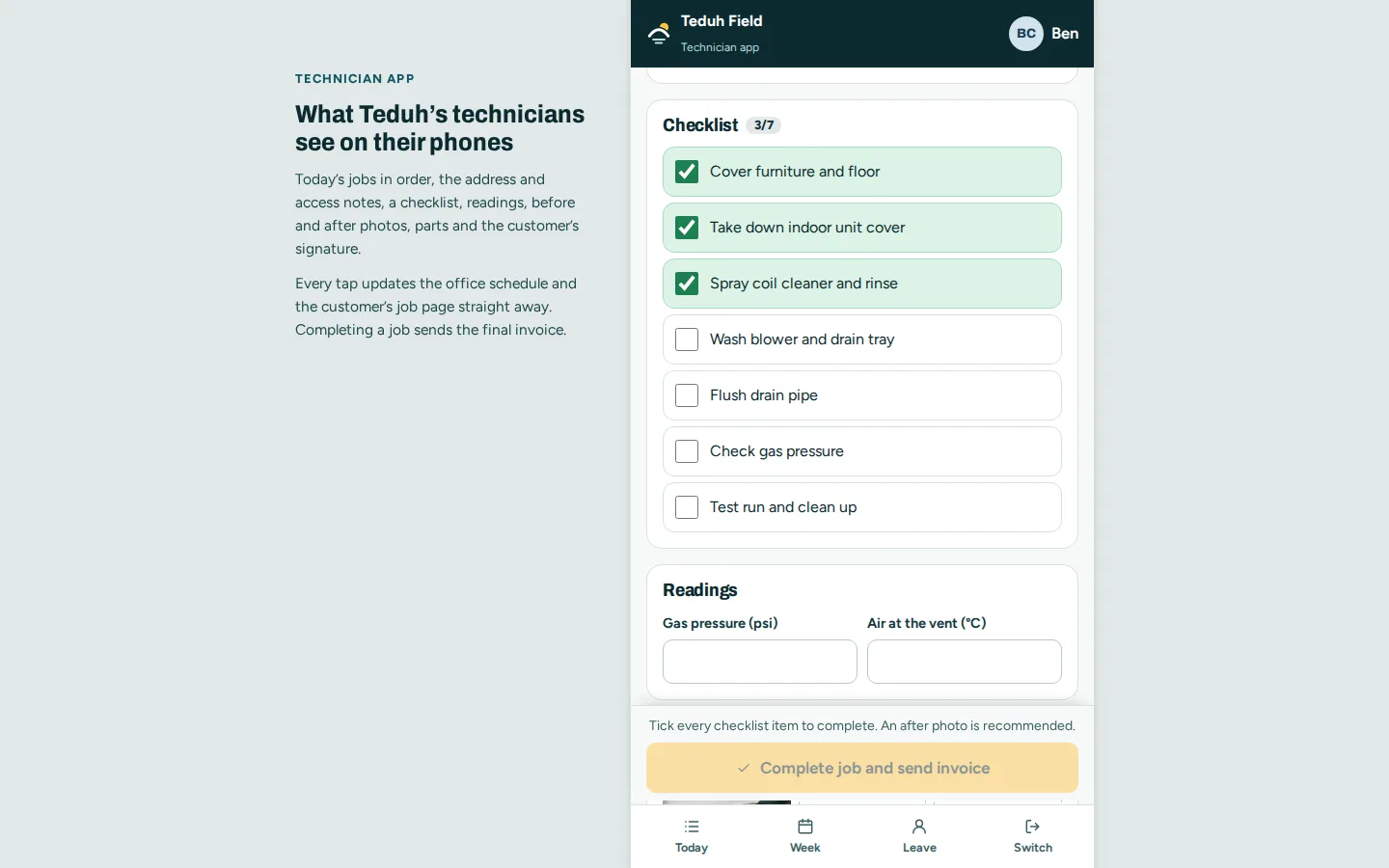
Technician app
Today’s jobs in order, then a checklist, readings, photos, parts and the customer’s signature. Completing the job sends the final invoice.
- Works on a phone
- Updates the office and the customer
- Final invoice on completion
Click through it yourself
Every screen above is interactive. No sign-up, nothing to install.
Core systems
What this build is made of
These are systems we build repeatedly — each links to every other project that contains it, so you can compare implementations before deciding what you need.
Unique to this build
Built specifically for this project rather than assembled from the shelf.
Quote drafts from WhatsApp
A message is read against the price list, showing what was read, what was assumed and what is missing.
Discount limits
Staff can give up to 10%. Up to 20% needs the owner, and nothing higher can be sent.
Technician app
Checklist, readings, photos and signature. Finishing the job sends the final invoice.


Want a build like this for your business?
Tell us what you have in mind and we'll put together a functional prototype of your project — free.