
Sundial
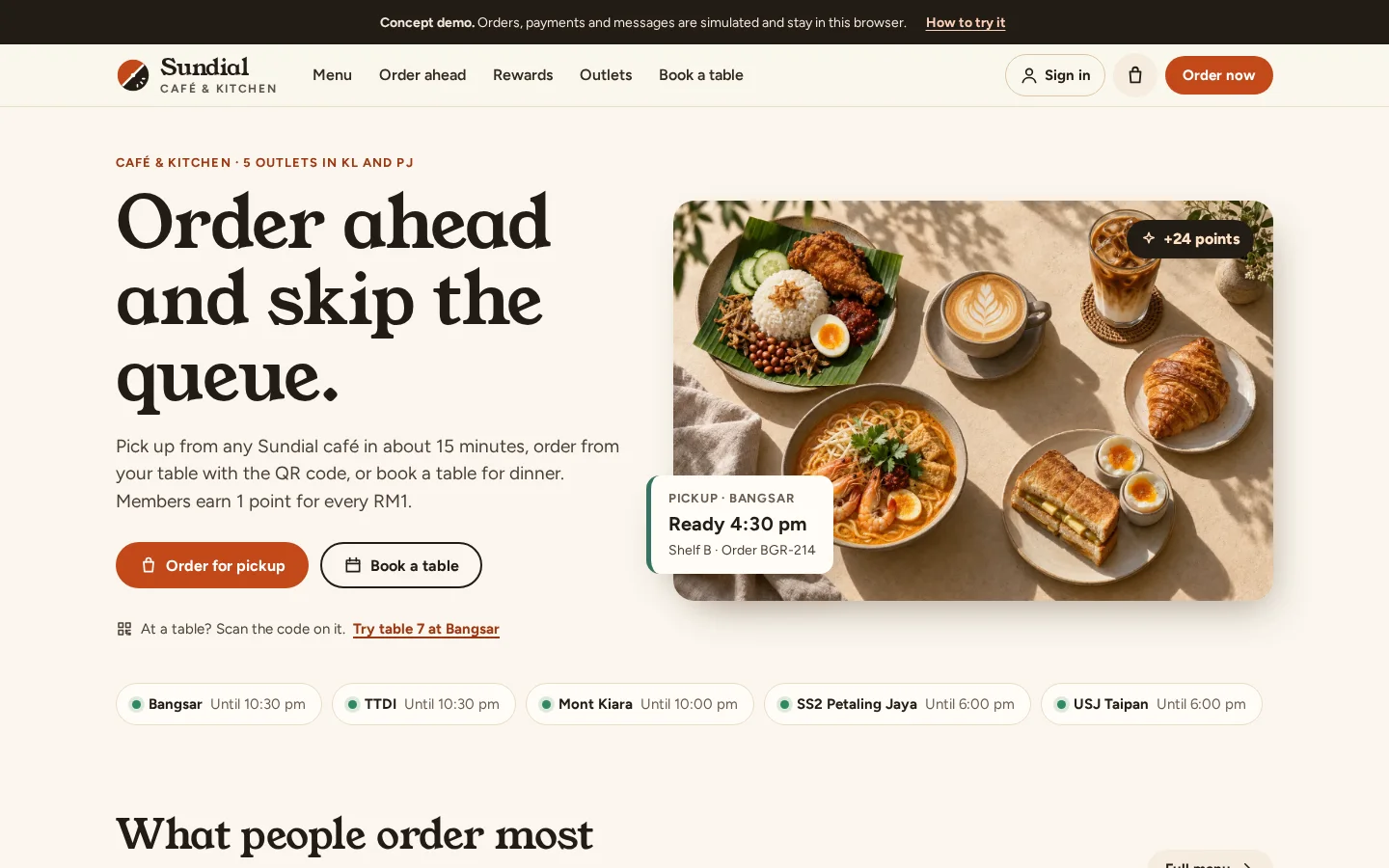
Ordering and loyalty for a café group with five outlets: order ahead or at the table, pay by DuitNow or e-wallet, earn points, with a kitchen screen and dashboards for staff.
The brief
A growing café group takes orders at the counter and on paper, with a stamp card for loyalty. Queues build at lunch and nobody knows who the regulars are.
What we shipped
Pickup and table ordering with Malaysian payment methods, live order tracking, a member app with points, tiers and vouchers, table booking, a kitchen display, outlet dashboards and campaigns from head office.
Built for: Cafés, restaurants and food and beverage groups with one or more outlets.
Inside the build
Every part, and what it does
A closer look at what was actually built — screen by screen, so you can judge the depth for yourself.
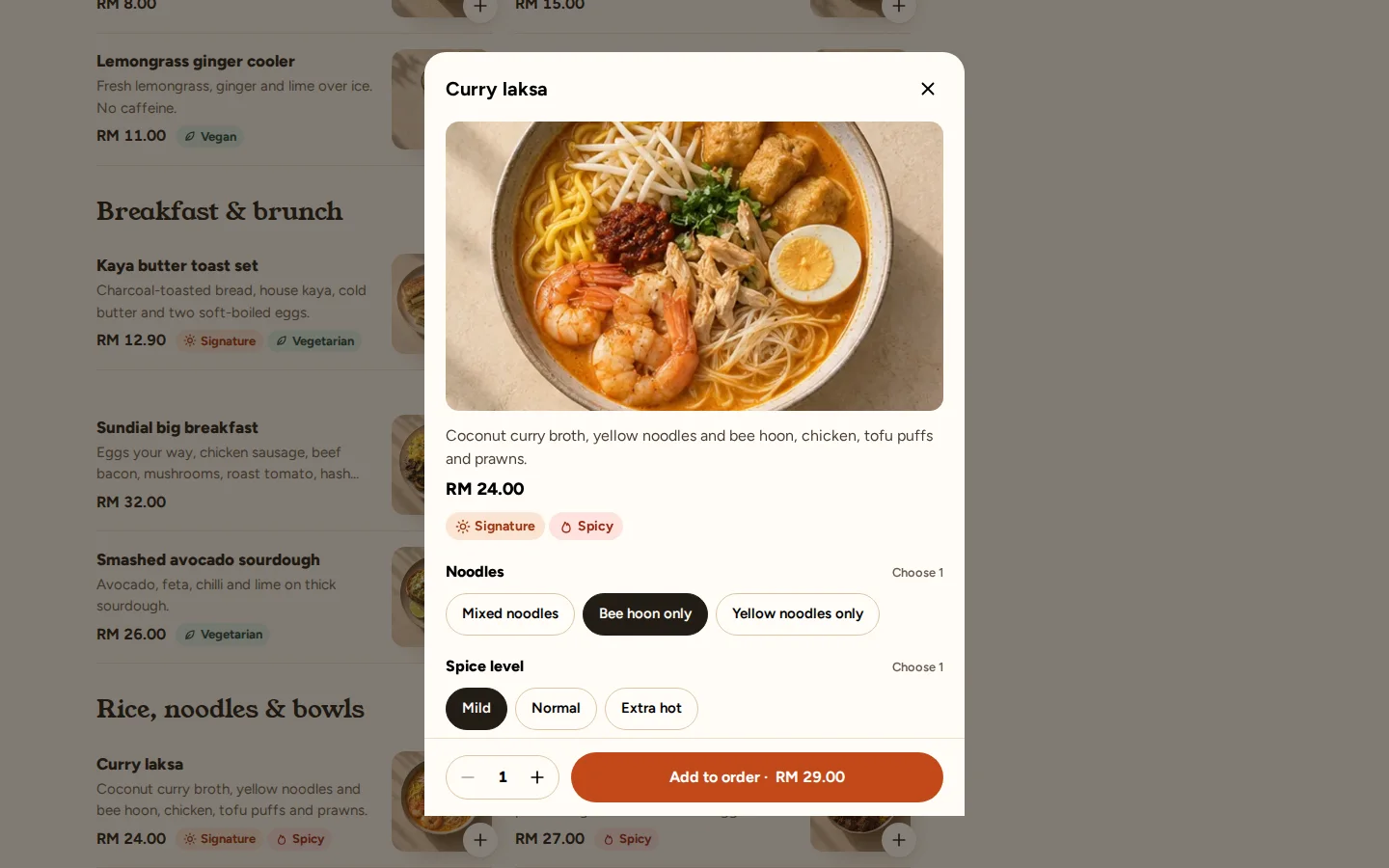
Order at the table
Guests scan the code on the table, choose dishes and options and send the order straight to the kitchen.
- Options and notes per dish
- Pickup or table
- Sold-out items hidden
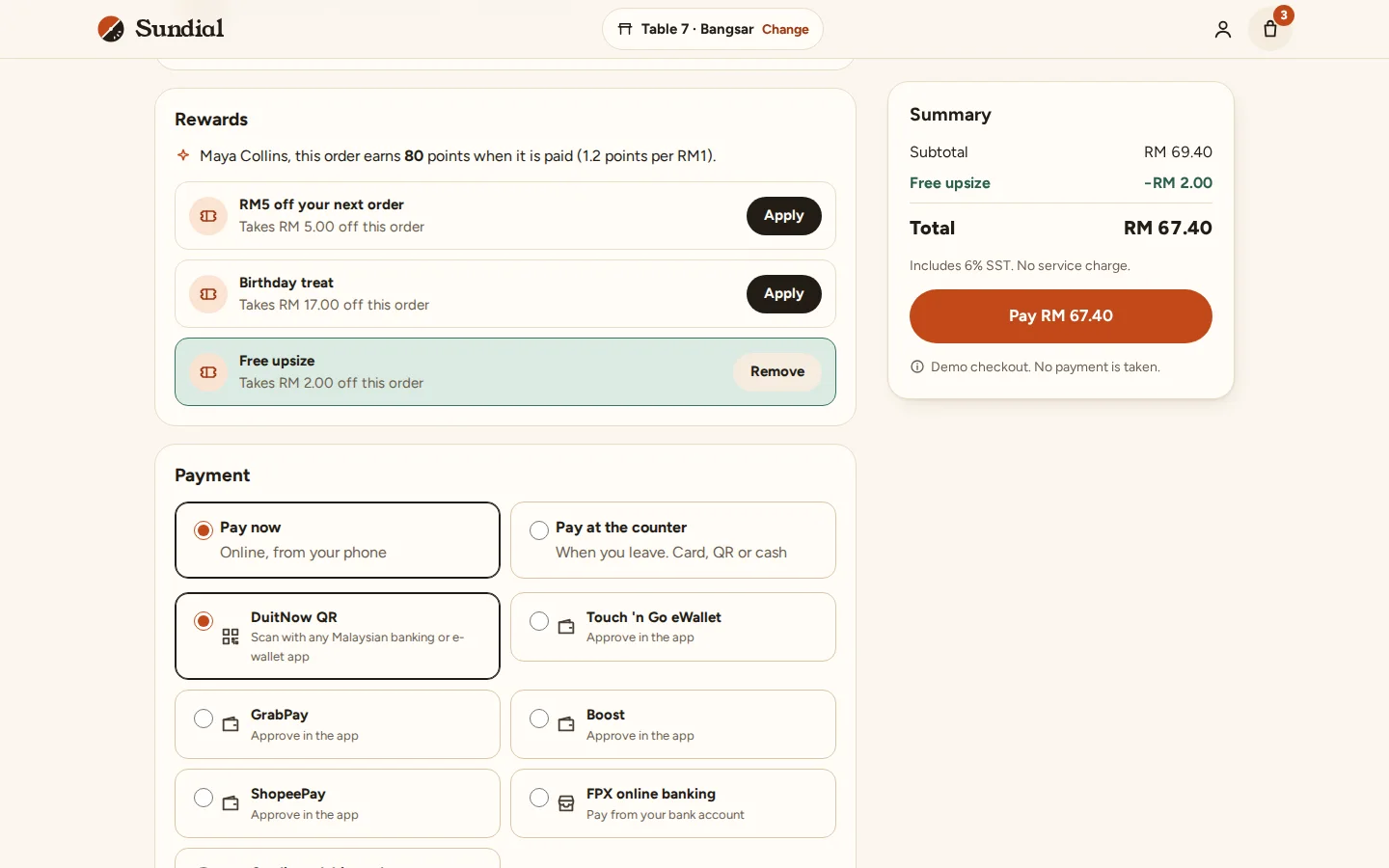
Checkout with rewards
Members apply vouchers and rewards, then pay by DuitNow QR, FPX, card or e-wallet, or at the counter. No real payment is taken.
- Vouchers checked before paying
- Malaysian payment methods
- Points shown for the order
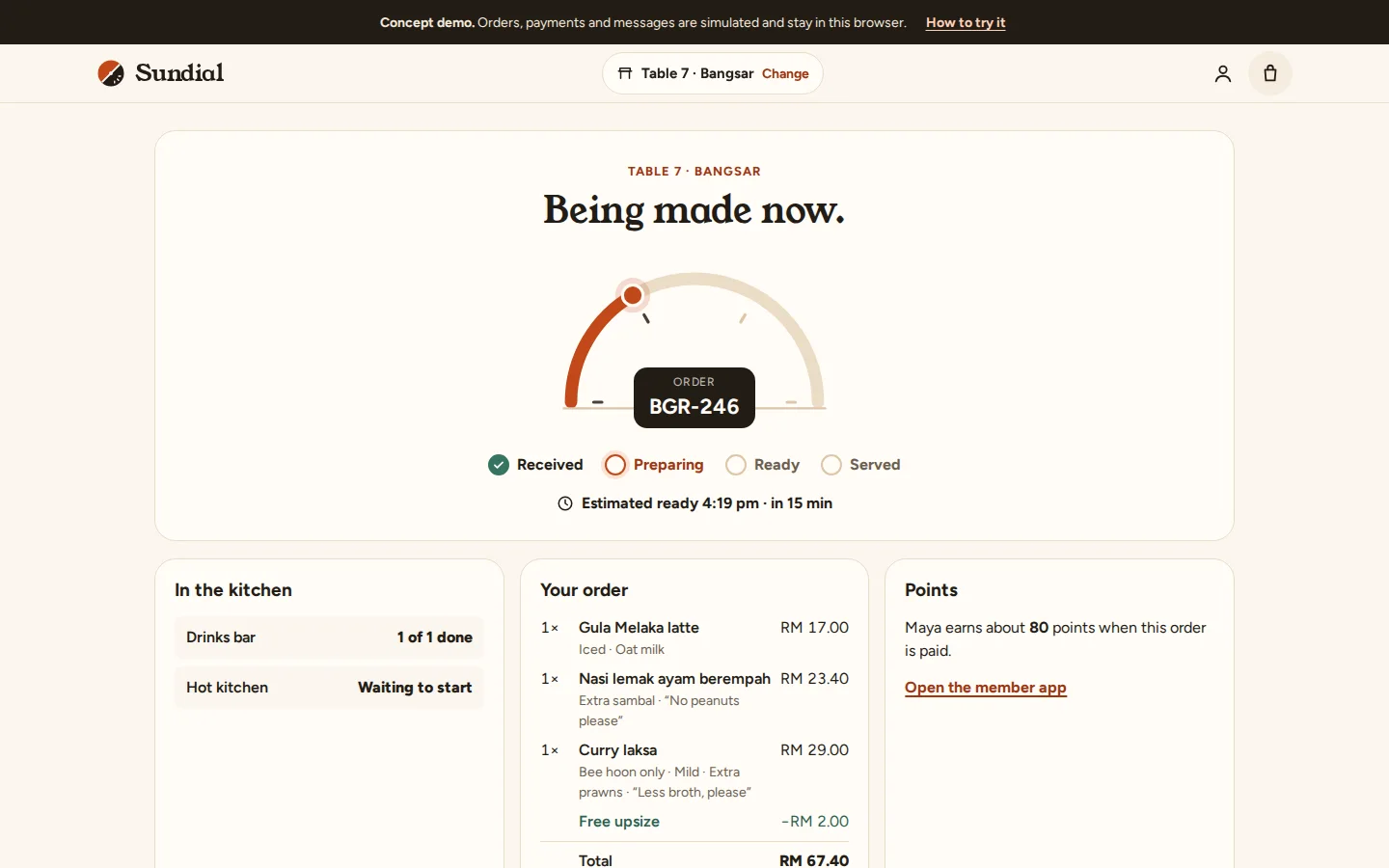
Order tracking
The guest follows the order from the kitchen to ready, station by station.
- Live status
- Estimated ready time
- Points added when paid
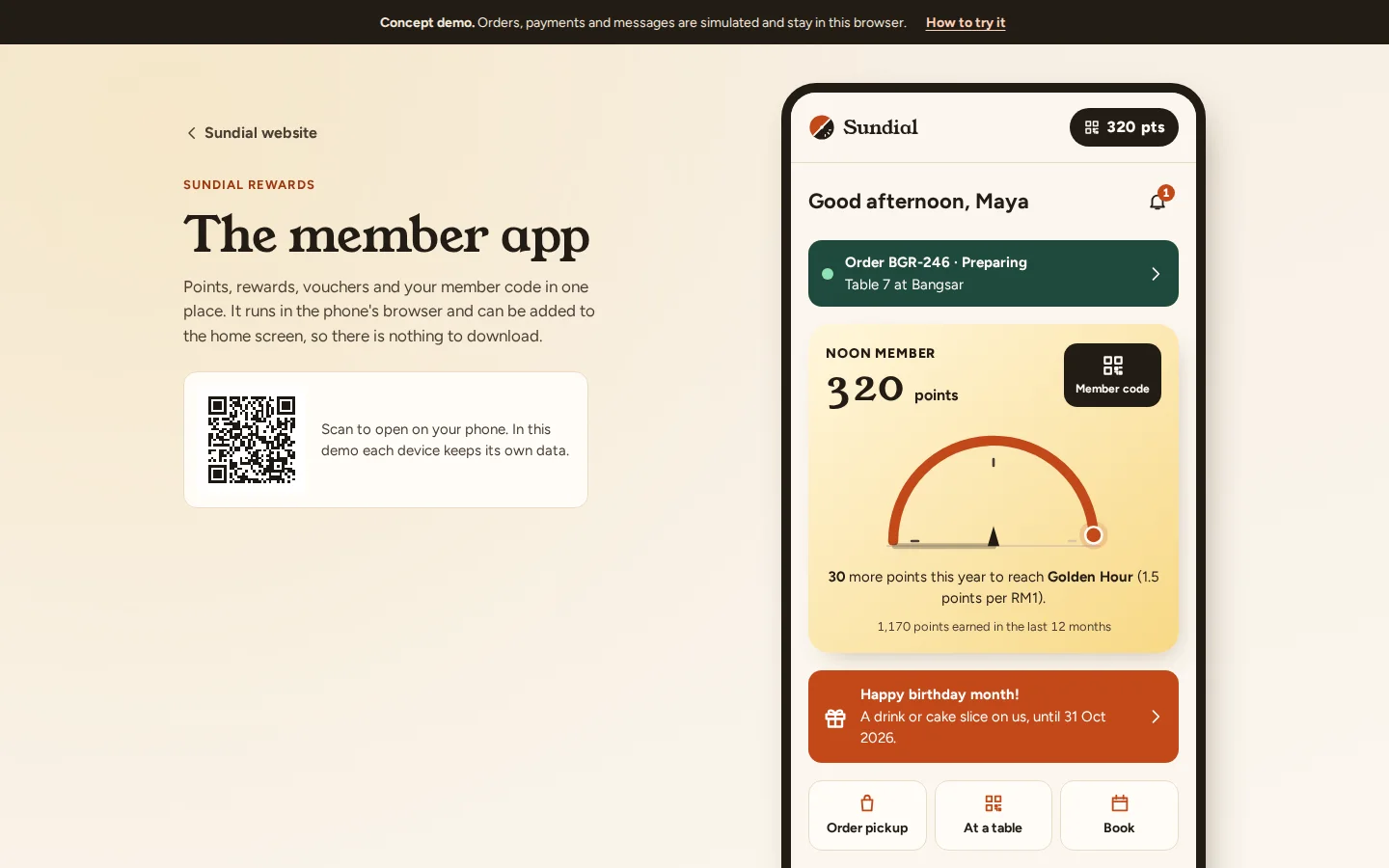
Member app
Points, tier progress, vouchers and a member code in one place. It runs in the phone’s browser, so there is nothing to download.
- Three tiers
- Birthday treat
- Member code for the counter
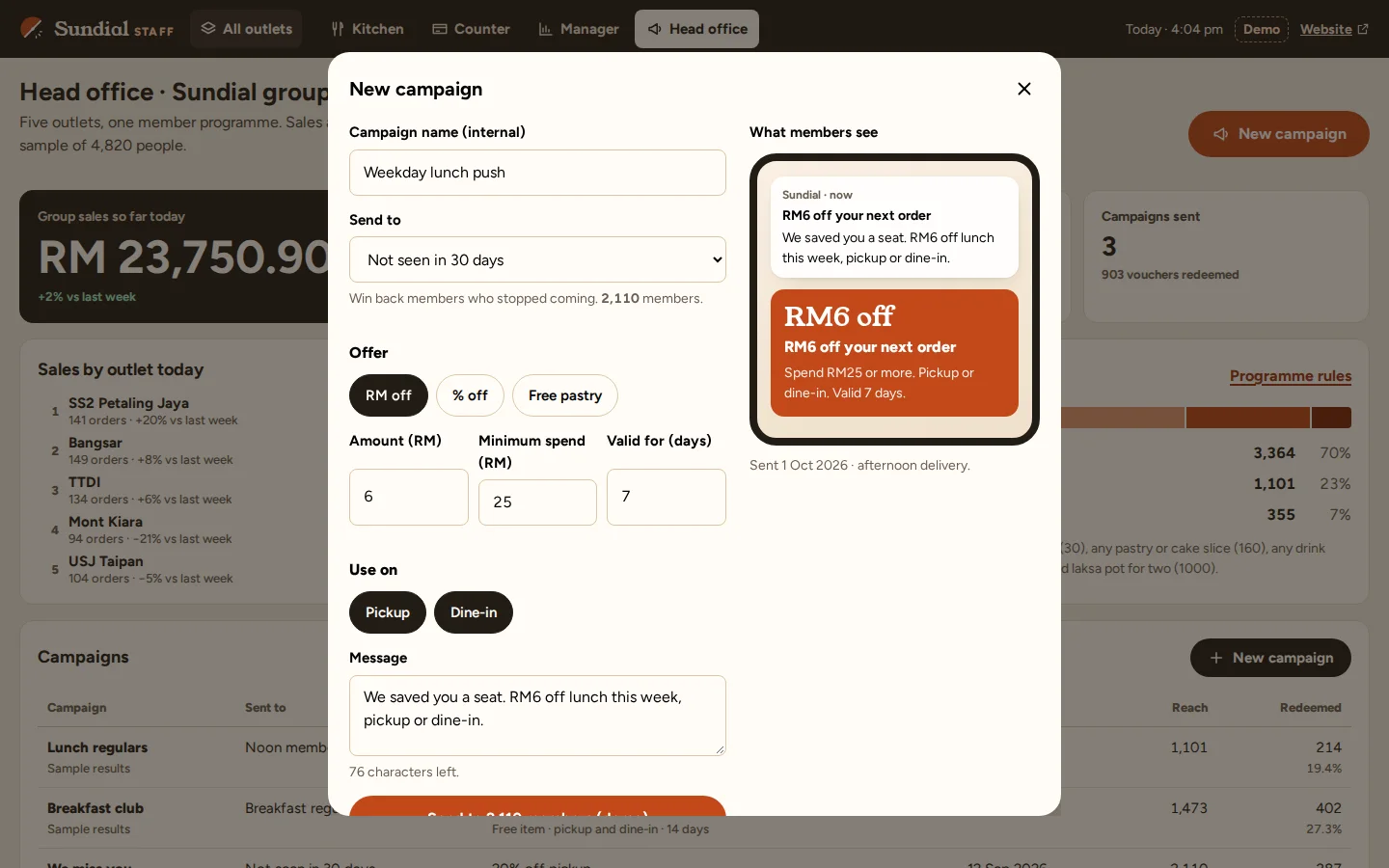
Member campaigns
Head office picks a group of members, sets the offer and its rules, and sees what members will receive before sending.
- Groups such as “not seen in 30 days”
- Minimum spend and expiry
- Redemptions tracked
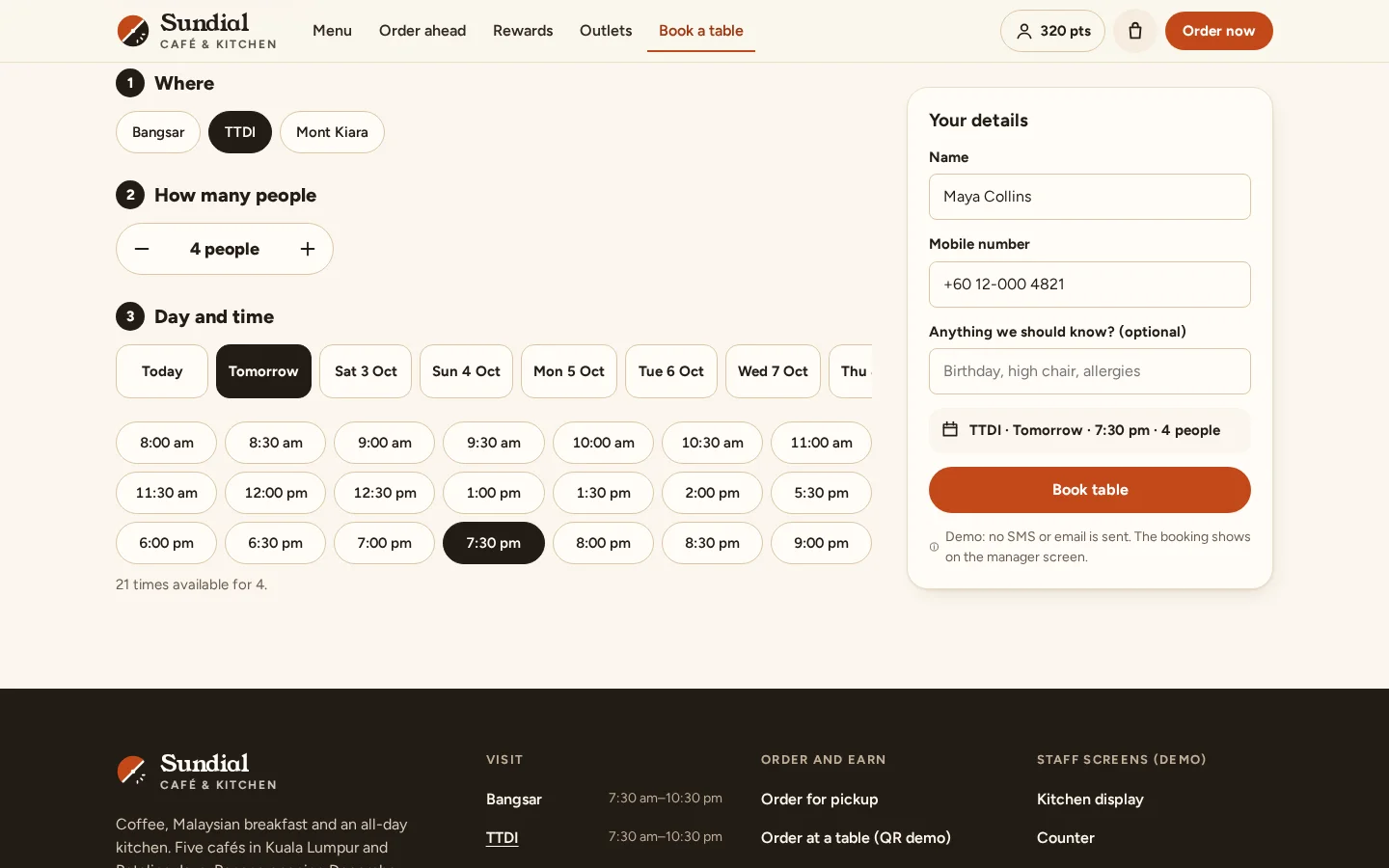
Table booking
Book a table at an outlet for a party size, date and time. Bookings appear on the outlet’s table plan.
- Choose the outlet
- Only free times shown
- Visible to the outlet team
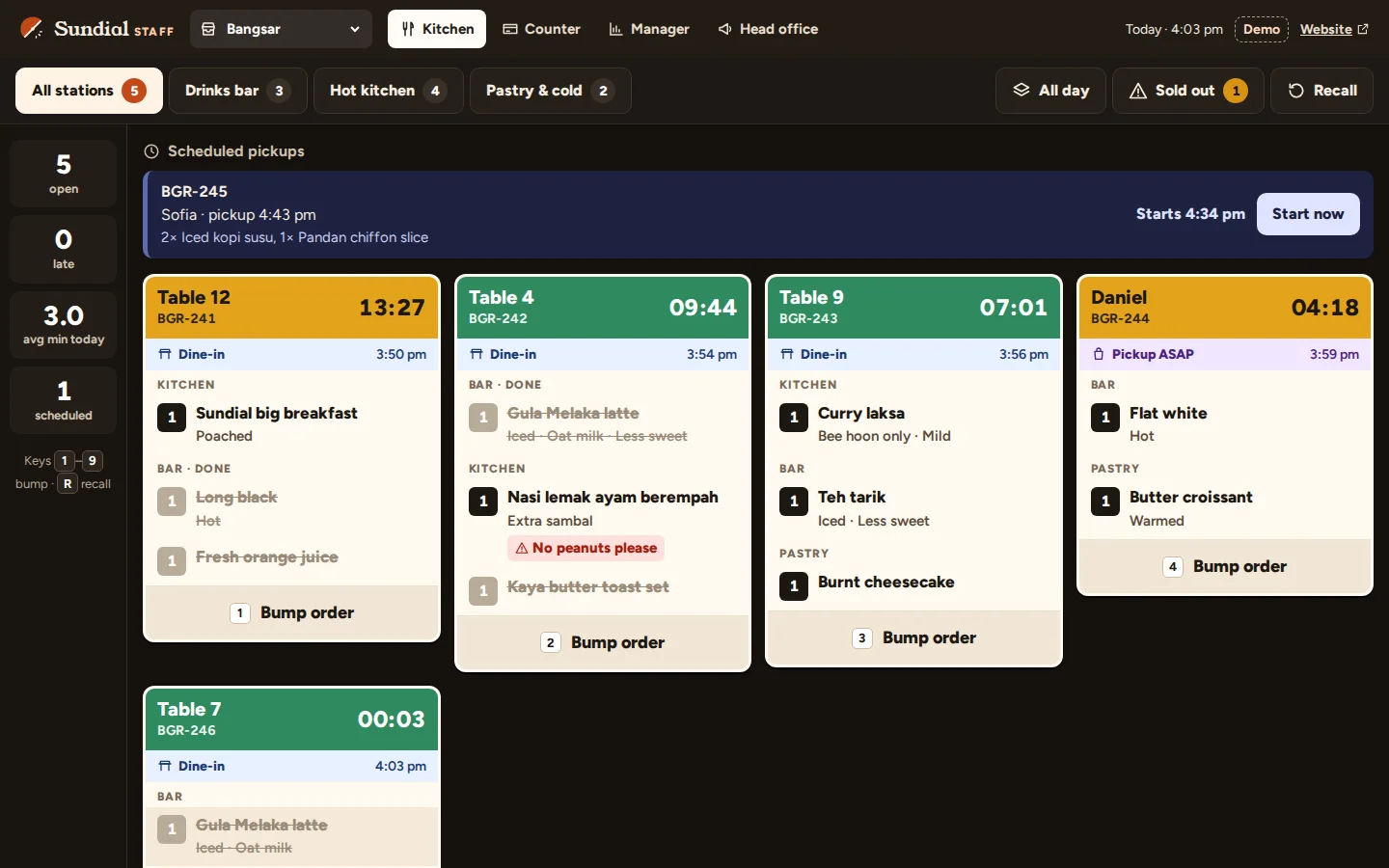
Kitchen display
Every order on one screen, split by station and timed from when it came in. Cooks bump each part when it is ready.
- Drinks, hot kitchen and pastry
- Allergy notes highlighted
- Scheduled pickups held back
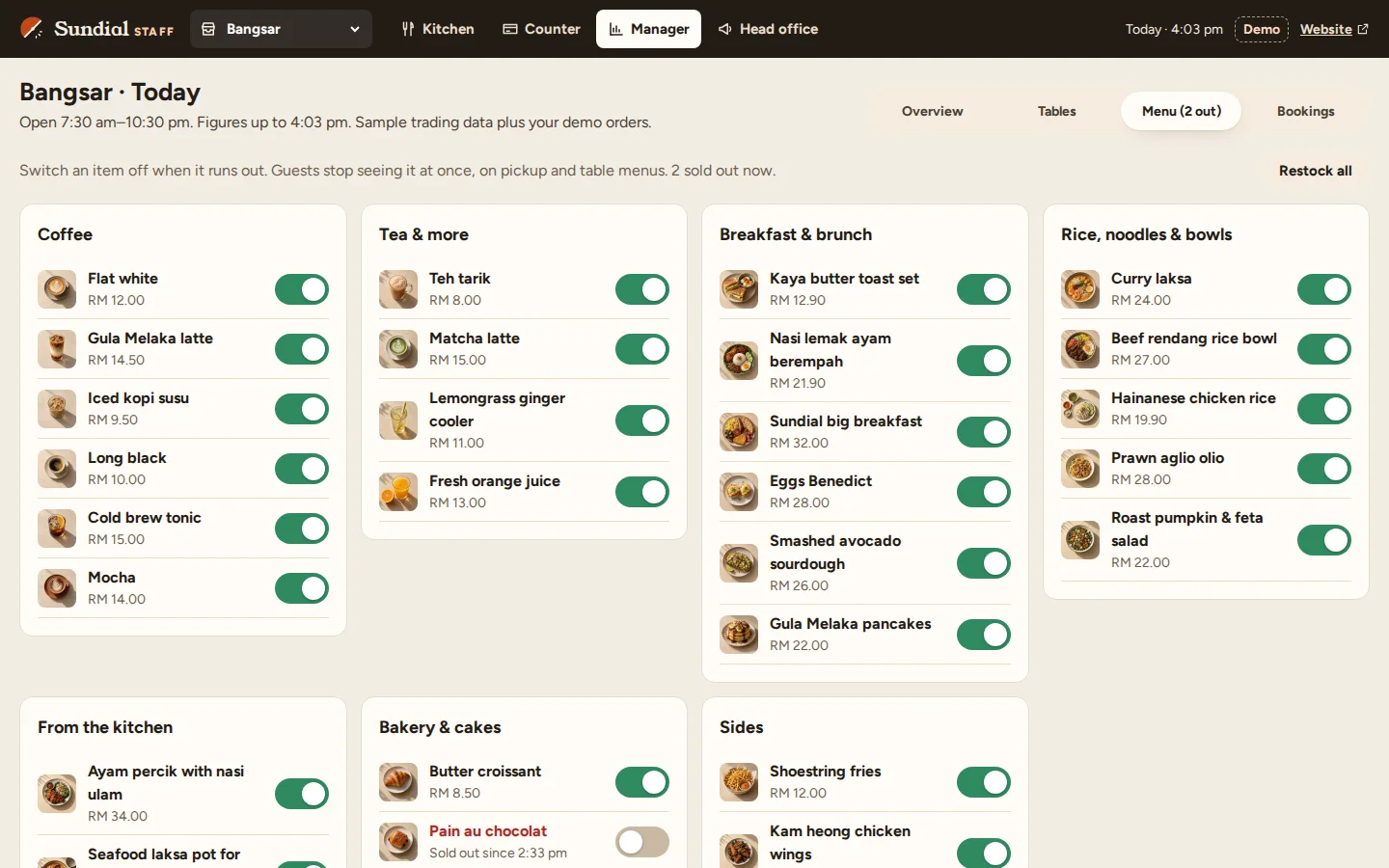
Menu availability
Switch an item off when it runs out and guests stop seeing it at once, on pickup and table menus.
- One switch per item
- Sold-out time recorded
- Restock everything in one tap
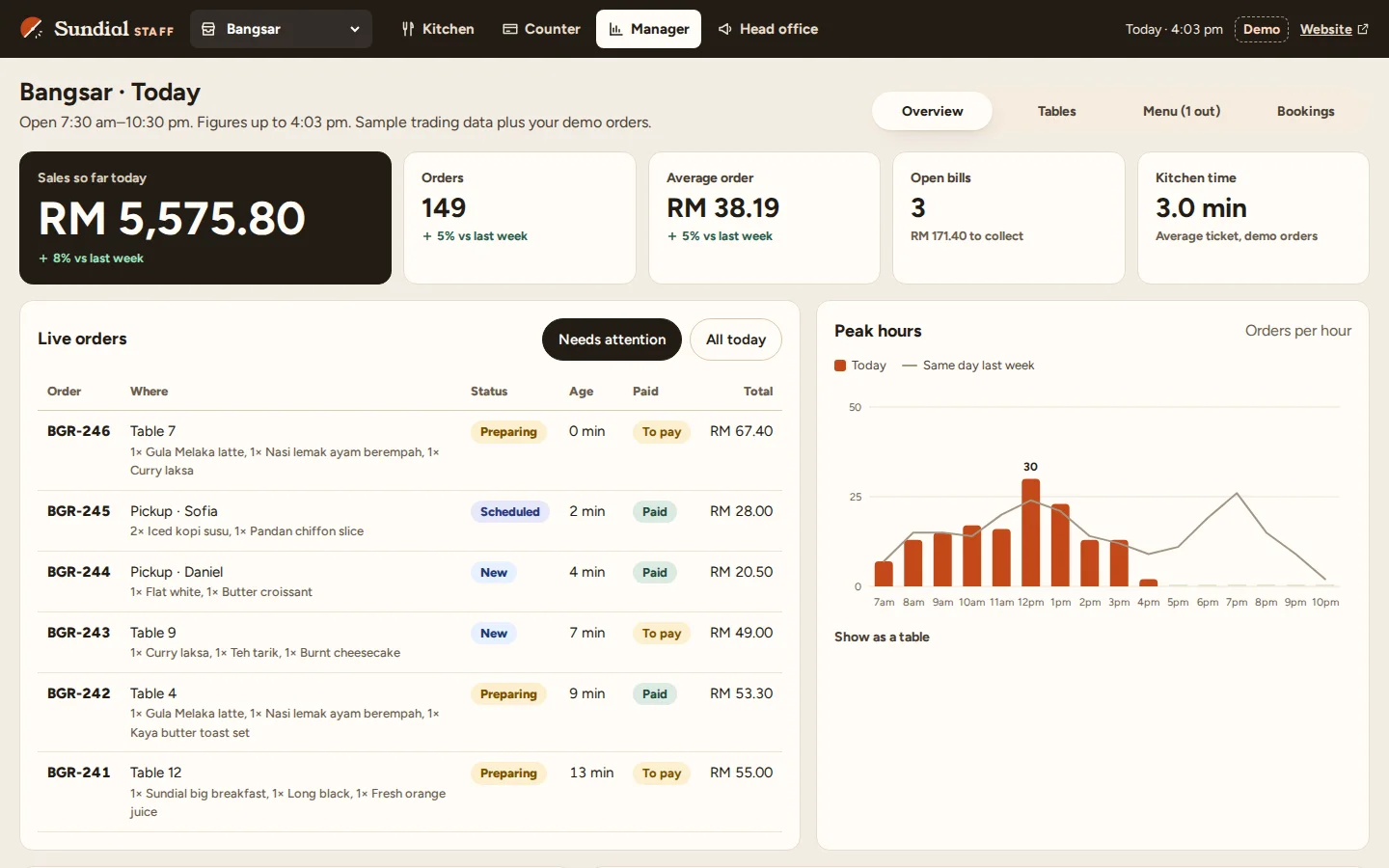
Outlet dashboard
Today’s sales, orders, average order and kitchen time for one outlet, with live orders and the busy hours.
- Live orders
- Peak hours
- Compared with last week
Click through it yourself
Every screen above is interactive. No sign-up, nothing to install.
Core systems
What this build is made of
These are systems we build repeatedly — each links to every other project that contains it, so you can compare implementations before deciding what you need.
Unique to this build
Built specifically for this project rather than assembled from the shelf.
Kitchen display
Tickets split by station, timed from the order, bumped when done.
Points and tiers
Points are added only when an order is paid, and tiers raise the rate.
Sold-out switch
An item switched off disappears from every guest menu at once.

Want a build like this for your business?
Tell us what you have in mind and we'll put together a functional prototype of your project — free.