
Underline
A tuition centre’s website, online courses and study store in one: parents book a trial and pay fees, students learn and download, tutors mark, and the centre sees it all.

The brief
A tuition centre sells classes in person, but revision material sits in shared folders and fees are chased on WhatsApp. Parents cannot see how their child is doing until the exam.
What we shipped
A website with classes, timetable, fees and trial booking; a study store for worksheets and courses; Solo and Family plans; a course player with quizzes; a parent portal; tutor tools; and a centre admin with publishing and sales.
Built for: Tuition centres, training providers and educators who sell classes, courses or downloads.
Inside the build
Every part, and what it does
A closer look at what was actually built — screen by screen, so you can judge the depth for yourself.
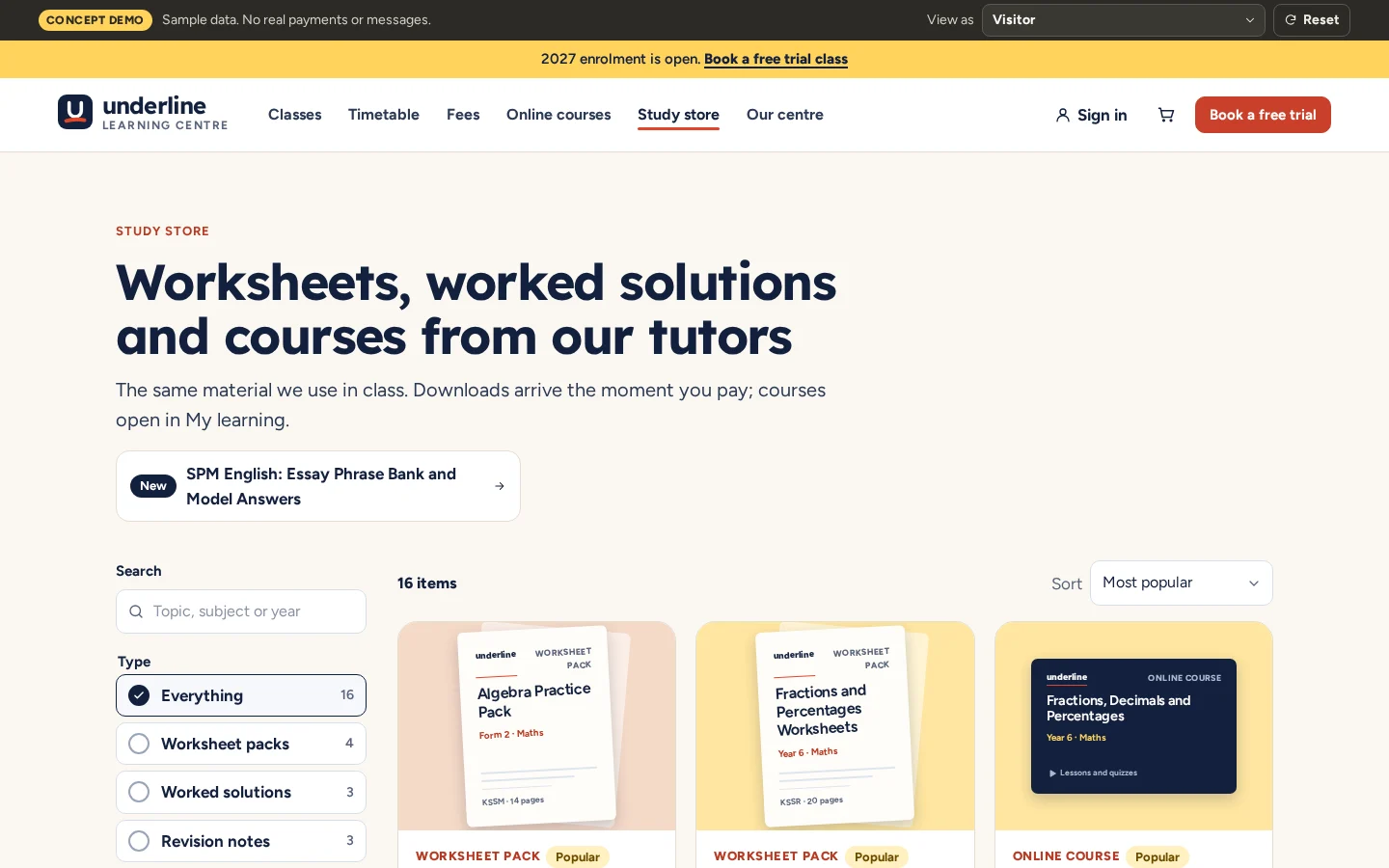
Study store
Worksheet packs, worked solutions, revision notes, courses and bundles, filtered by type, level and subject.
- Search and filters
- Drawn covers for every item
- Free and paid items
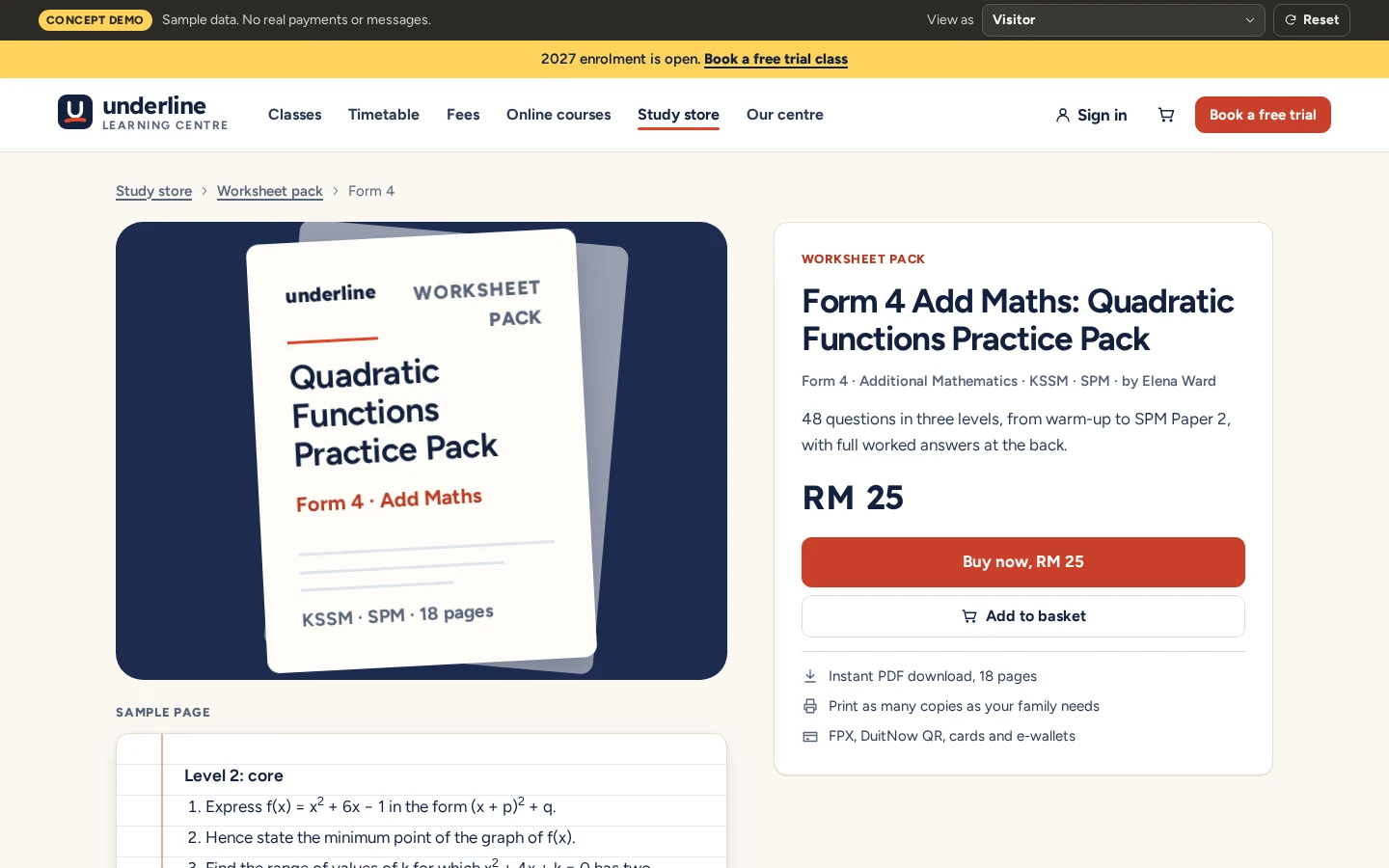
Product page
What is inside, a sample page and the price, with instant download after payment.
- Sample page before buying
- Instant PDF download
- Buy now or add to basket
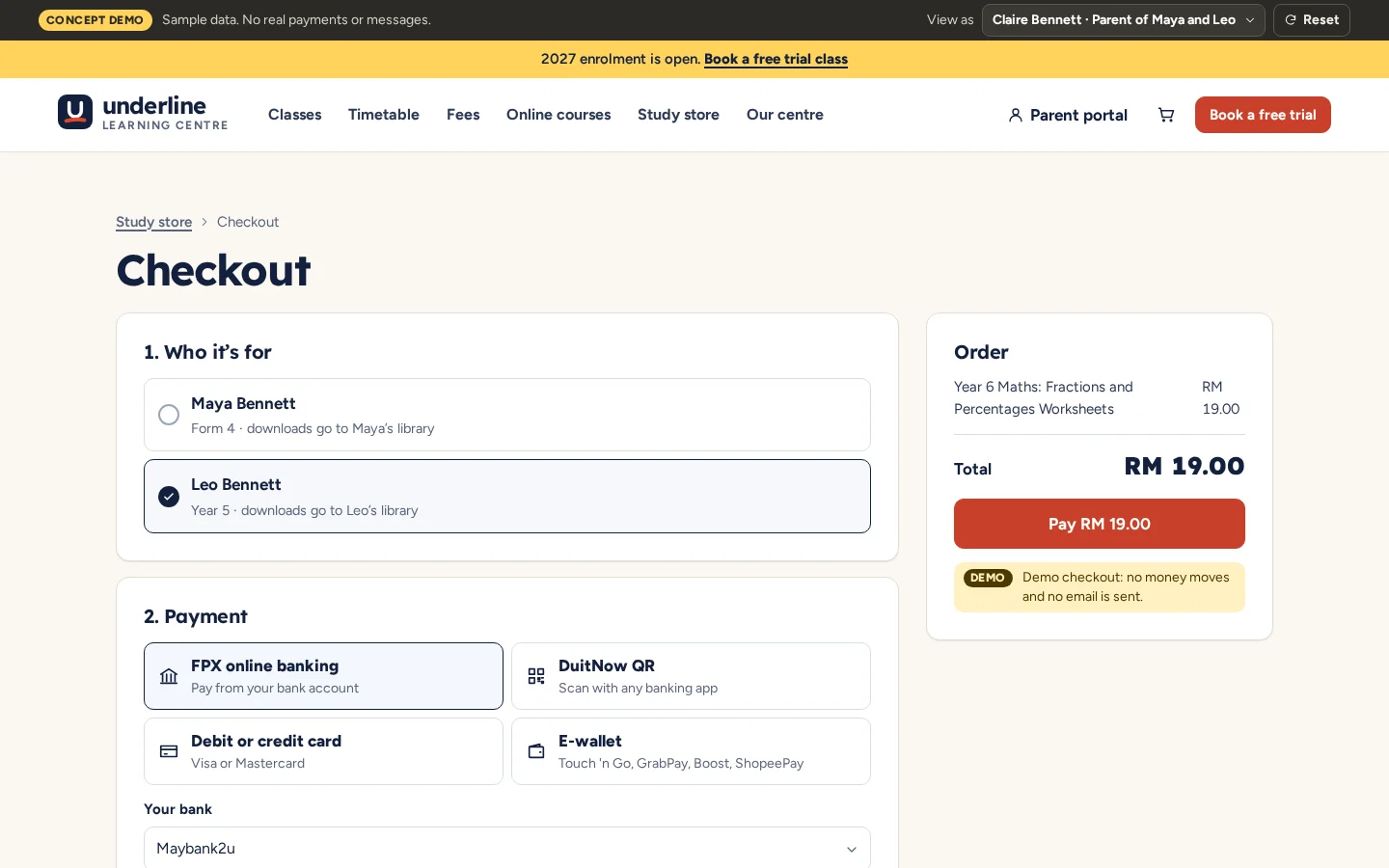
Checkout
Parents choose which child it is for, then pay by FPX, DuitNow QR, card or e-wallet. No real payment is taken.
- Choose the child
- Malaysian payment methods
- Declined payments handled
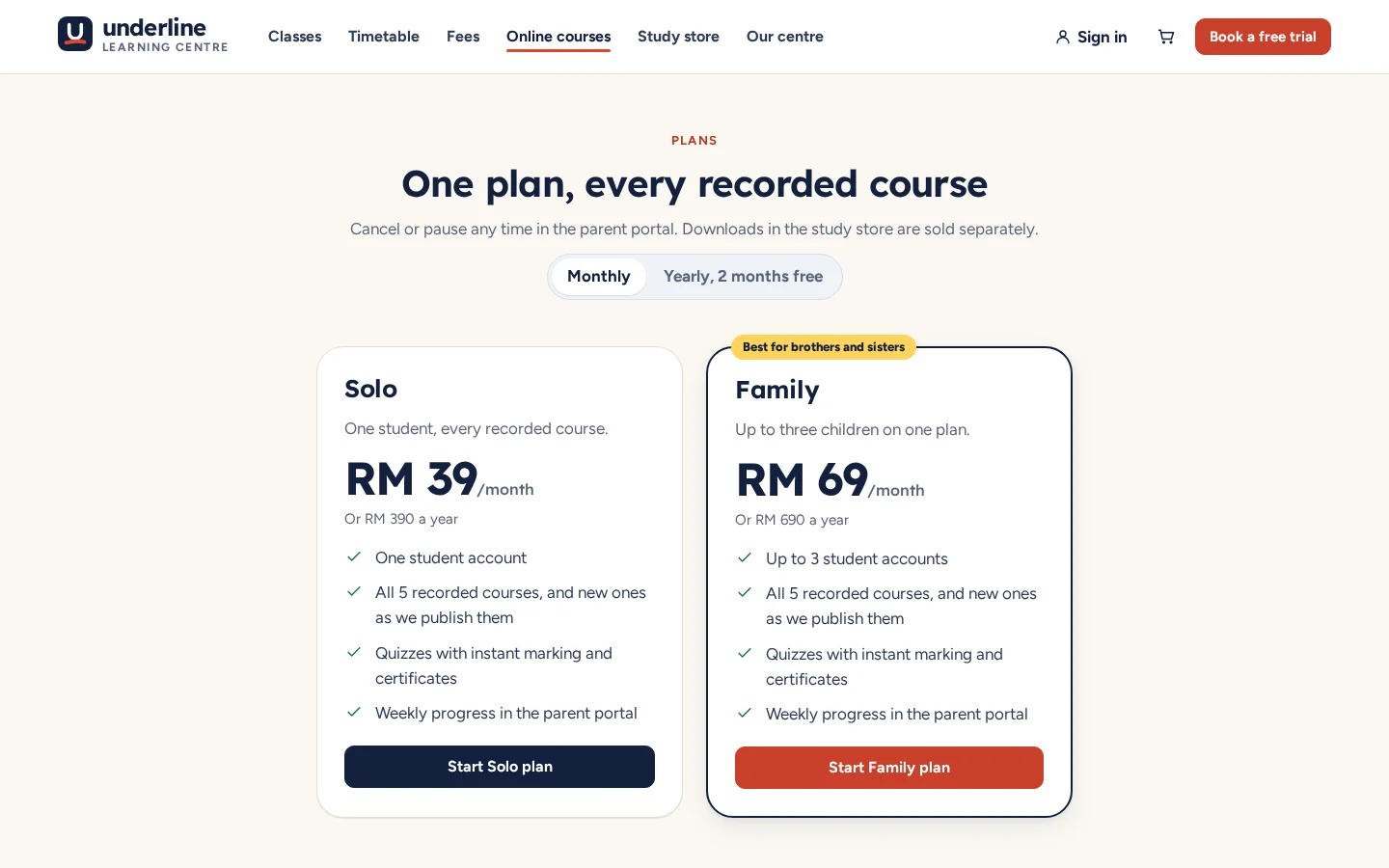
Monthly plans
Solo and Family plans for every recorded course, monthly or yearly, with pause and cancel in the parent portal.
- Solo or Family
- Monthly or yearly
- Pause or cancel any time
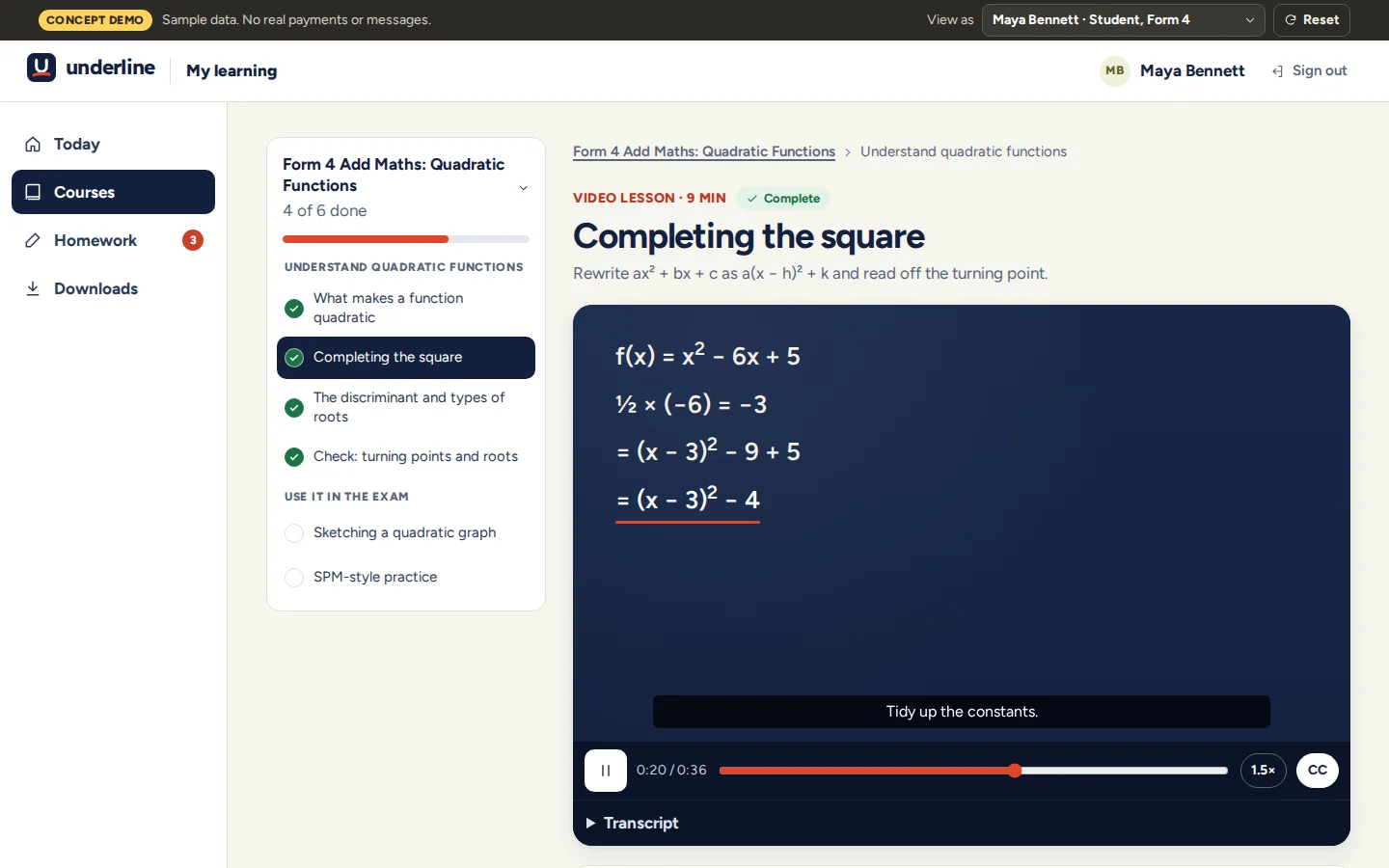
Course player
Short whiteboard lessons with captions and a transcript, and progress through each course.
- Captions and transcript
- Progress saved
- Certificate at the end
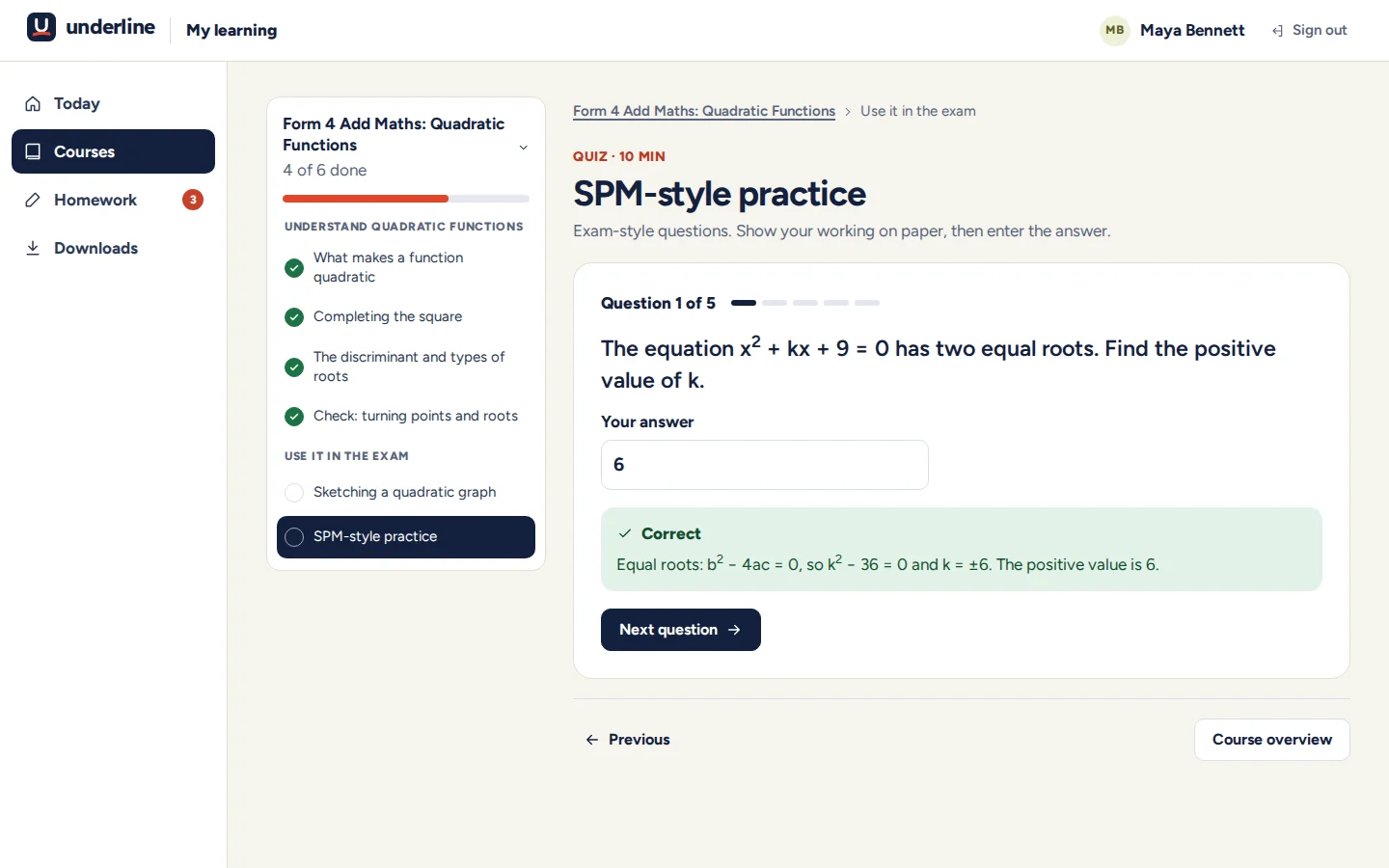
Quizzes with feedback
Exam-style questions marked instantly, with the working shown for each answer.
- Instant marking
- Working shown
- Results sent to the parent portal
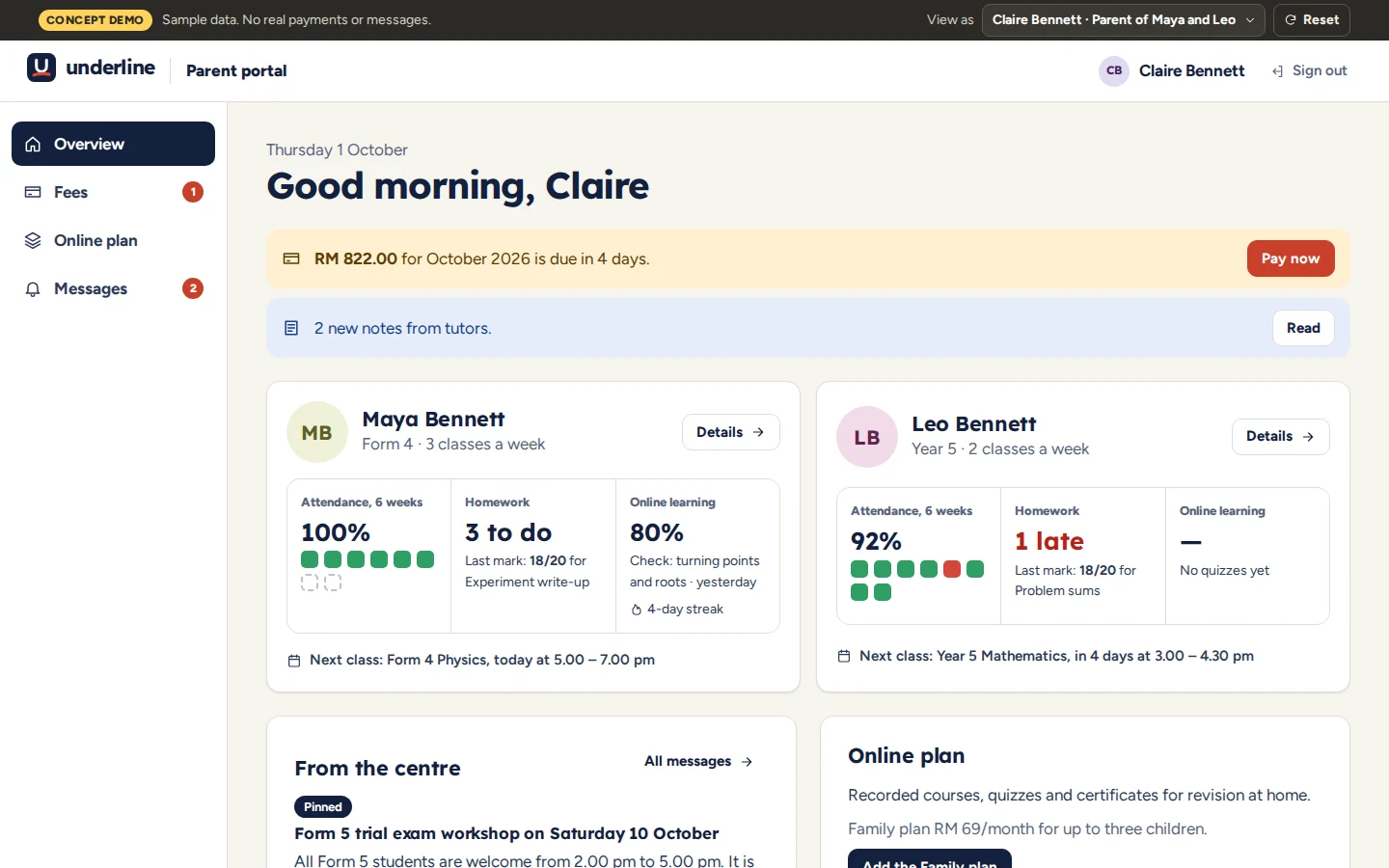
Parent portal
Each child’s attendance, homework, marks and online progress, with fees and notes from tutors.
- Several children, one account
- Fees paid online
- Tutor notes and announcements
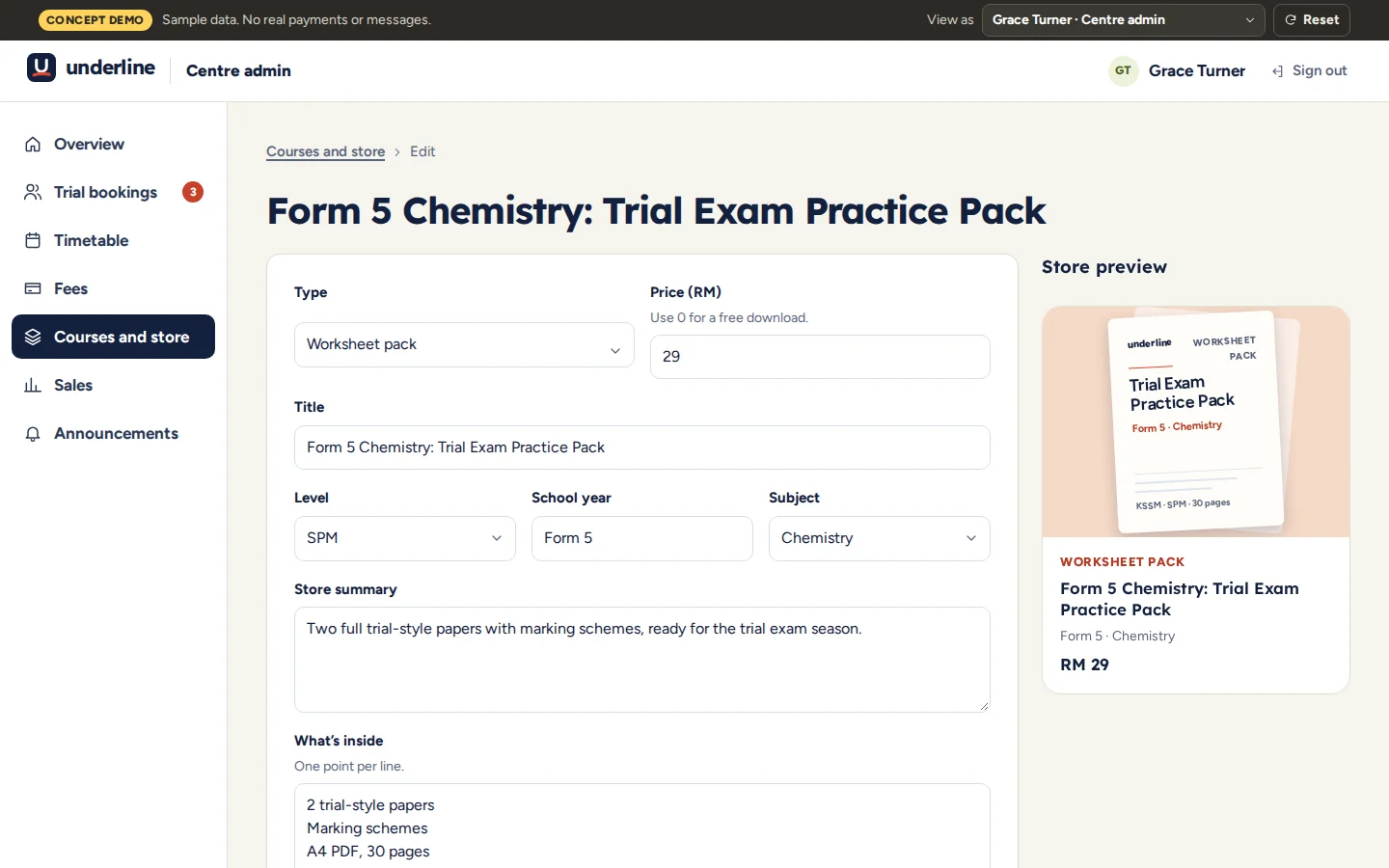
Publishing
Staff add and edit store items and courses, with a preview of the store card as they type.
- Price, level and subject
- Live store preview
- Publish or unpublish
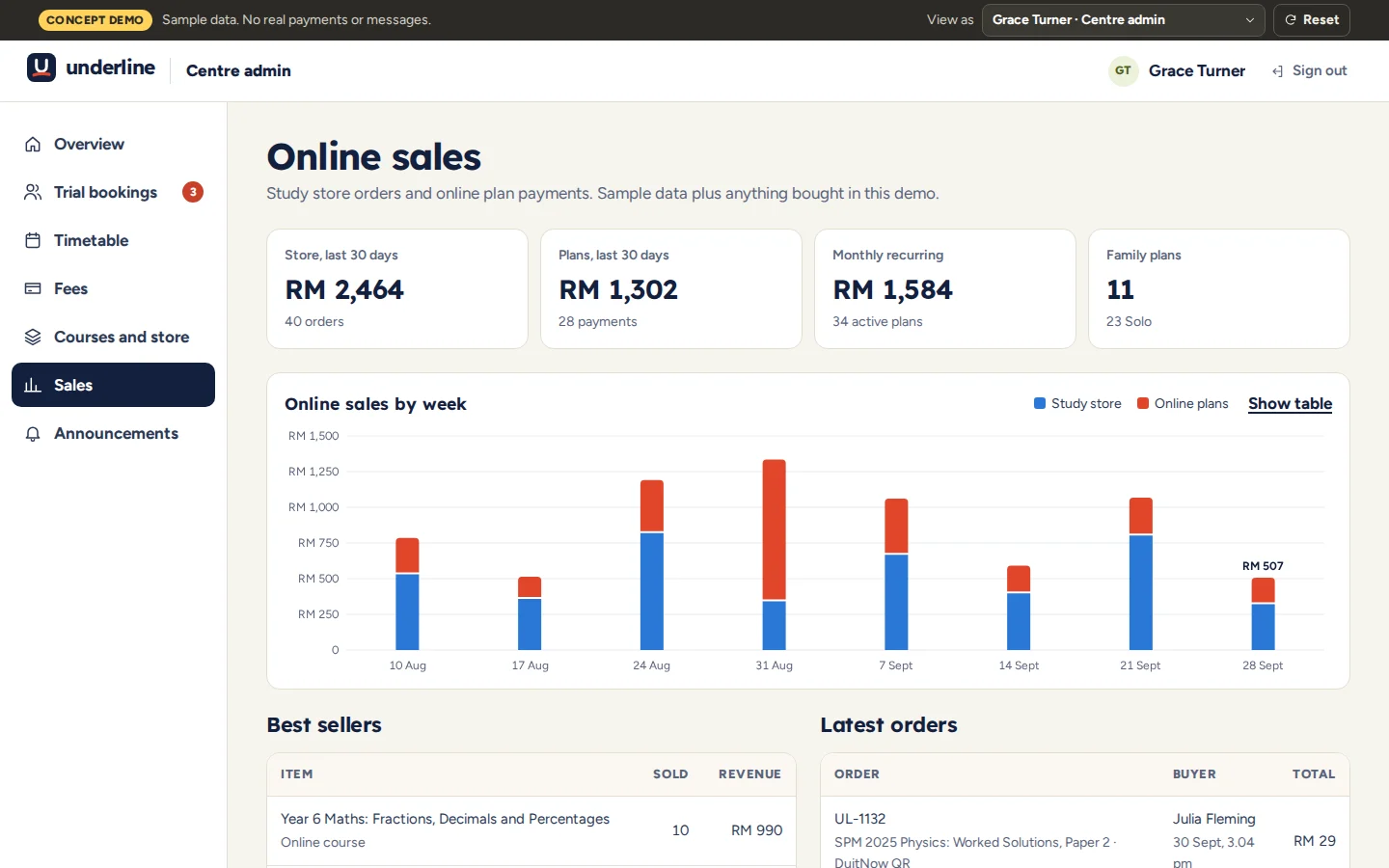
Sales dashboard
Store orders and online plans by week, with best sellers and the latest orders.
- Store and plan revenue
- Monthly recurring income
- Best sellers
Click through it yourself
Every screen above is interactive. No sign-up, nothing to install.
Core systems
What this build is made of
These are systems we build repeatedly — each links to every other project that contains it, so you can compare implementations before deciding what you need.
Unique to this build
Built specifically for this project rather than assembled from the shelf.
Downloads after payment
A paid worksheet lands in the student’s library and the parent’s purchases.
Family plan
One plan gives up to three children every recorded course.
Parent portal
Attendance, homework marks, quiz results and fees for each child.


Want a build like this for your business?
Tell us what you have in mind and we'll put together a functional prototype of your project — free.