
ORLO Lighting
A lighting brand’s product page with a real 3D lamp buyers turn, re-colour, resize and light, and a saved design that carries into a studio desk.
The brief
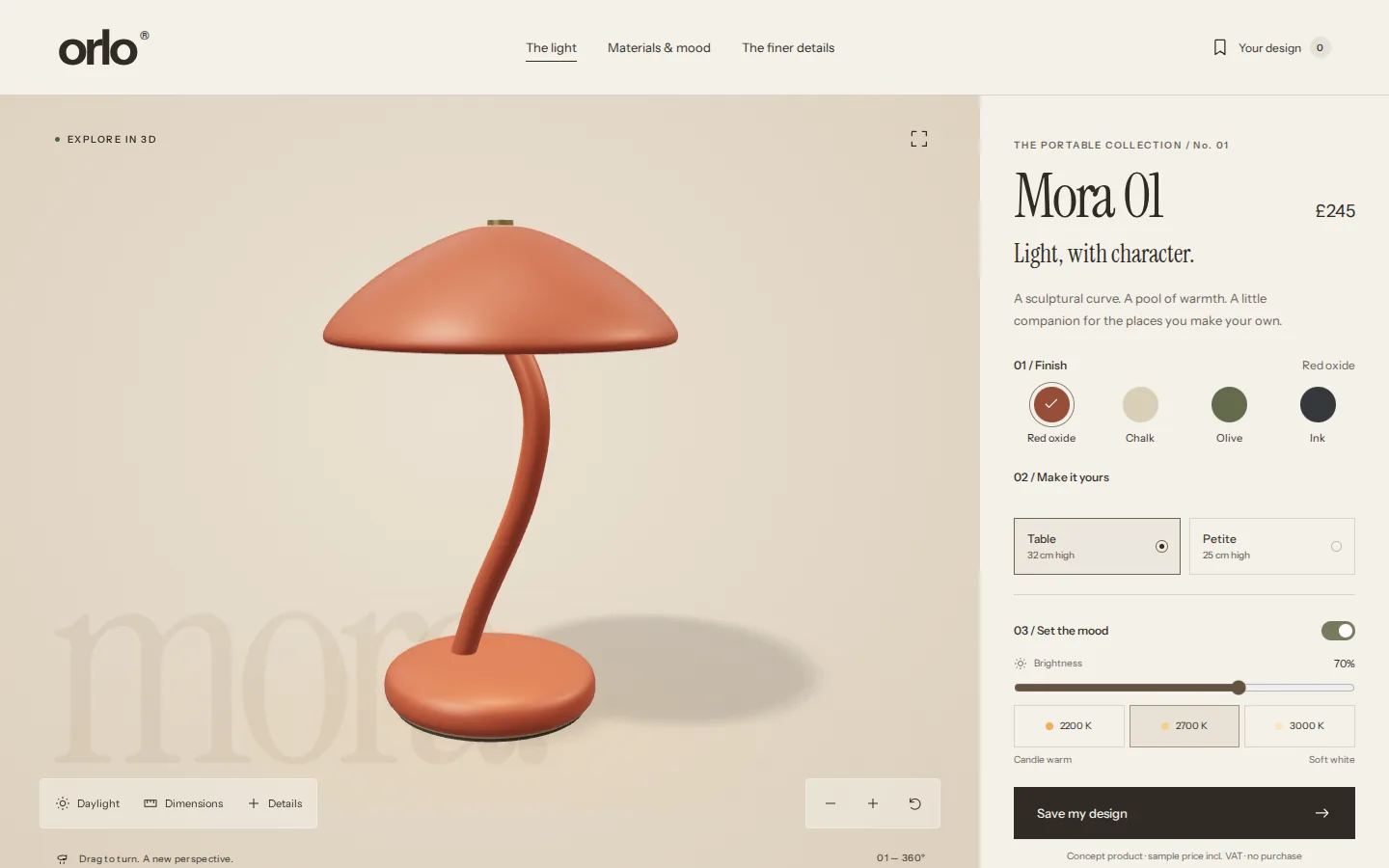
Buyers of a designed product want to see its real shape, size and finish before they ask for a price, yet most product pages stop at photos and a colour swatch that swaps them. We wanted a real 3D add-on that any client with a product could use, so we designed a lamp brand to build it on.
What we shipped
A product page for an original lamp with a real 3D model: turn it, zoom, reset or go full screen; switch four finishes and two sizes; switch the light on, dim it and warm it, in daylight or evening; and open dimensions and details pinned to the model. The design is saved with a quantity and sample total, shared as a link, downloaded or printed, and added to a studio desk whose status the customer sees.
Built for: Makers and brands of furniture, lighting, fittings, equipment and other products whose buyers care about shape, finish and size, whether they sell online or quote on request.
Inside the build
Every part, and what it does
A closer look at what was actually built — screen by screen, so you can judge the depth for yourself.
The 3D viewer
The lamp loads as a real 3D model beside its options. Drag to turn it, use the zoom and reset buttons, or open it full screen; arrow keys work too, and the mouse wheel still scrolls the page.
- Drag, zoom and reset
- Keyboard and touch
- Full-screen view
Finish, size and light
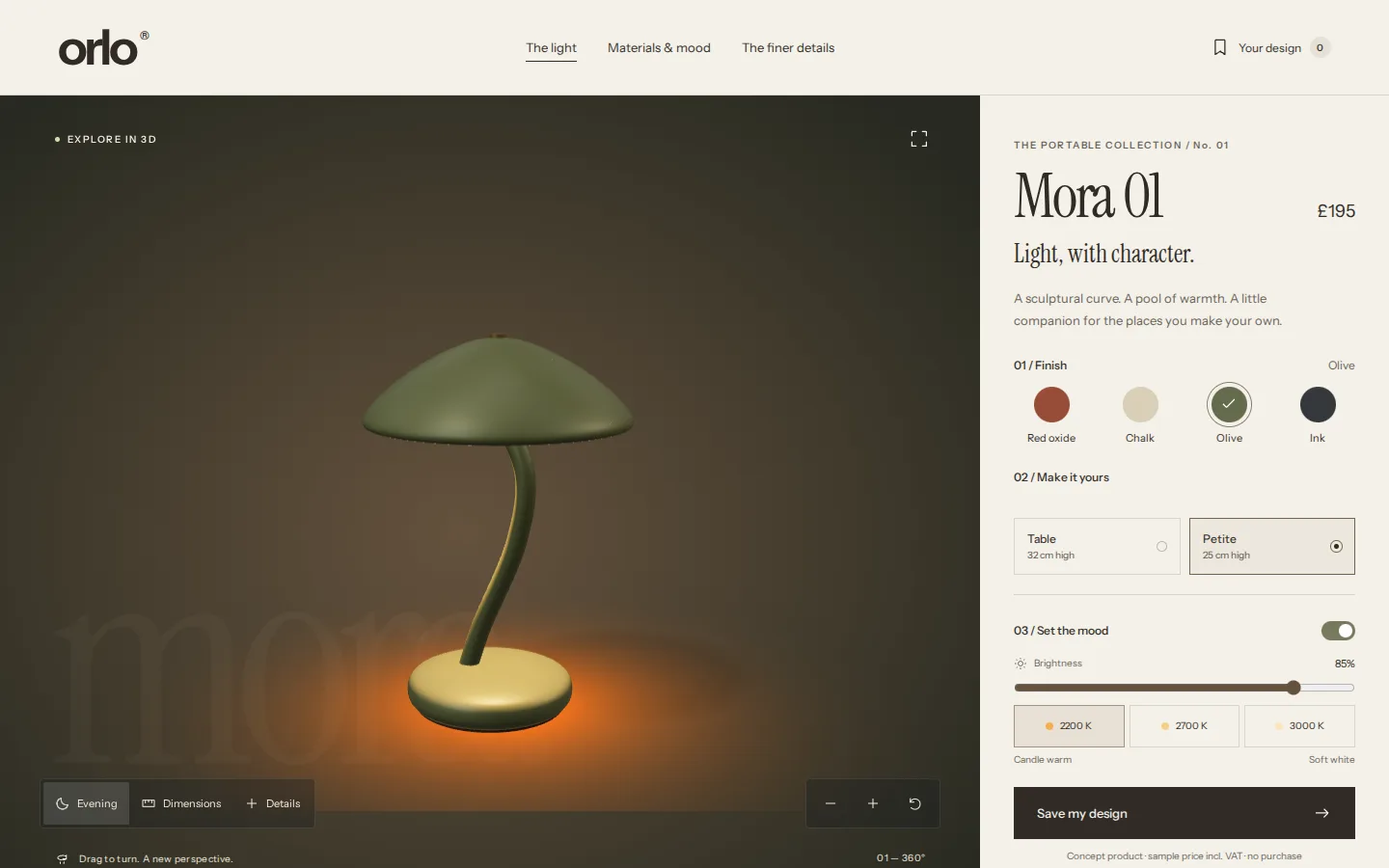
Each choice changes the model itself: four finishes, two sizes that rescale it, and a light that switches on, dims and warms from 2200 to 3000 K, in daylight or evening. The sample price follows the size.
- Four finishes, two sizes
- Brightness and warmth
- Daylight or evening
Dimensions
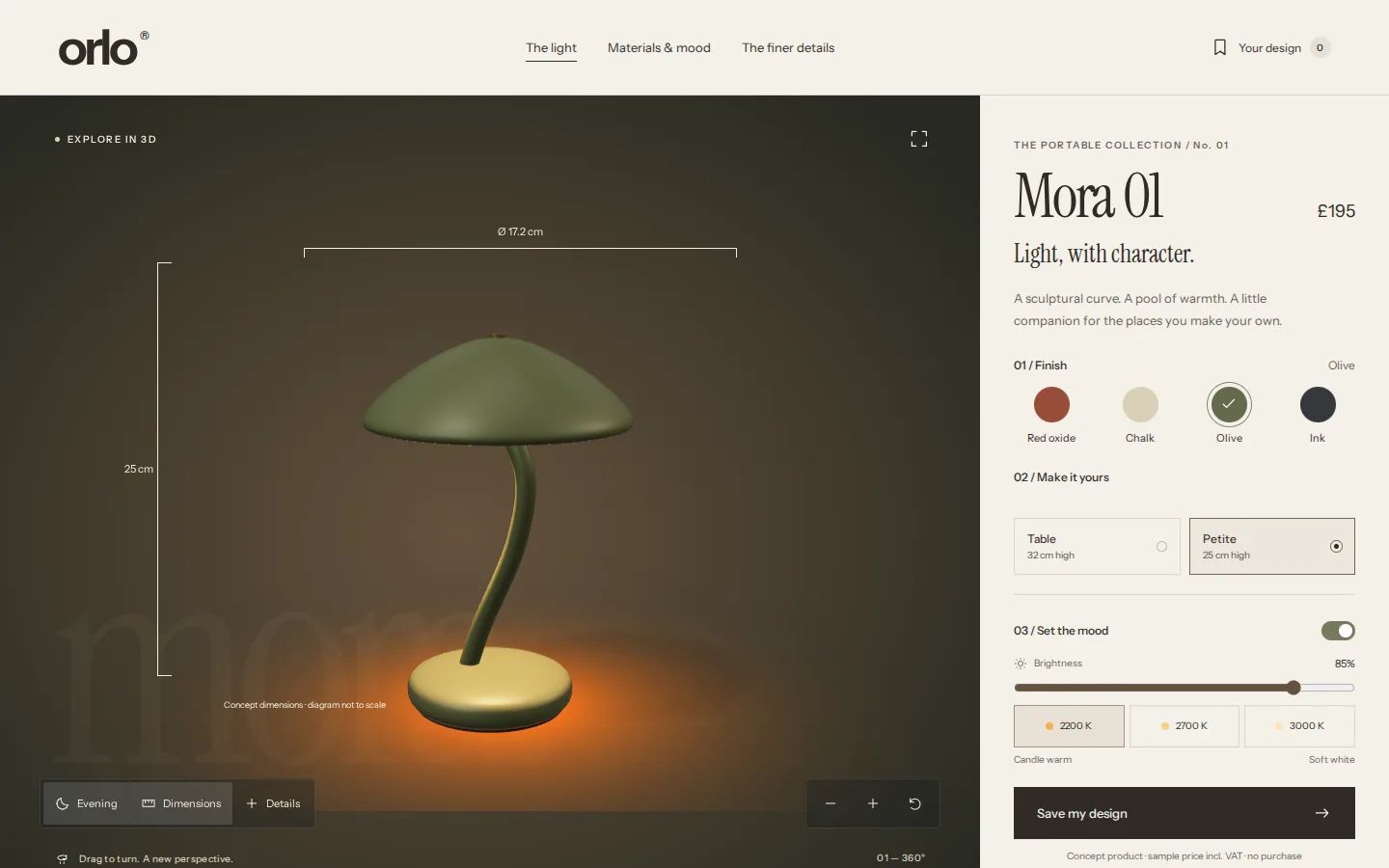
Height and shade diameter drawn over the model for the chosen size, marked as concept dimensions and not to scale.
- Measurements for each size
- Drawn over the live model
- Labelled as concept dimensions
Details on the model
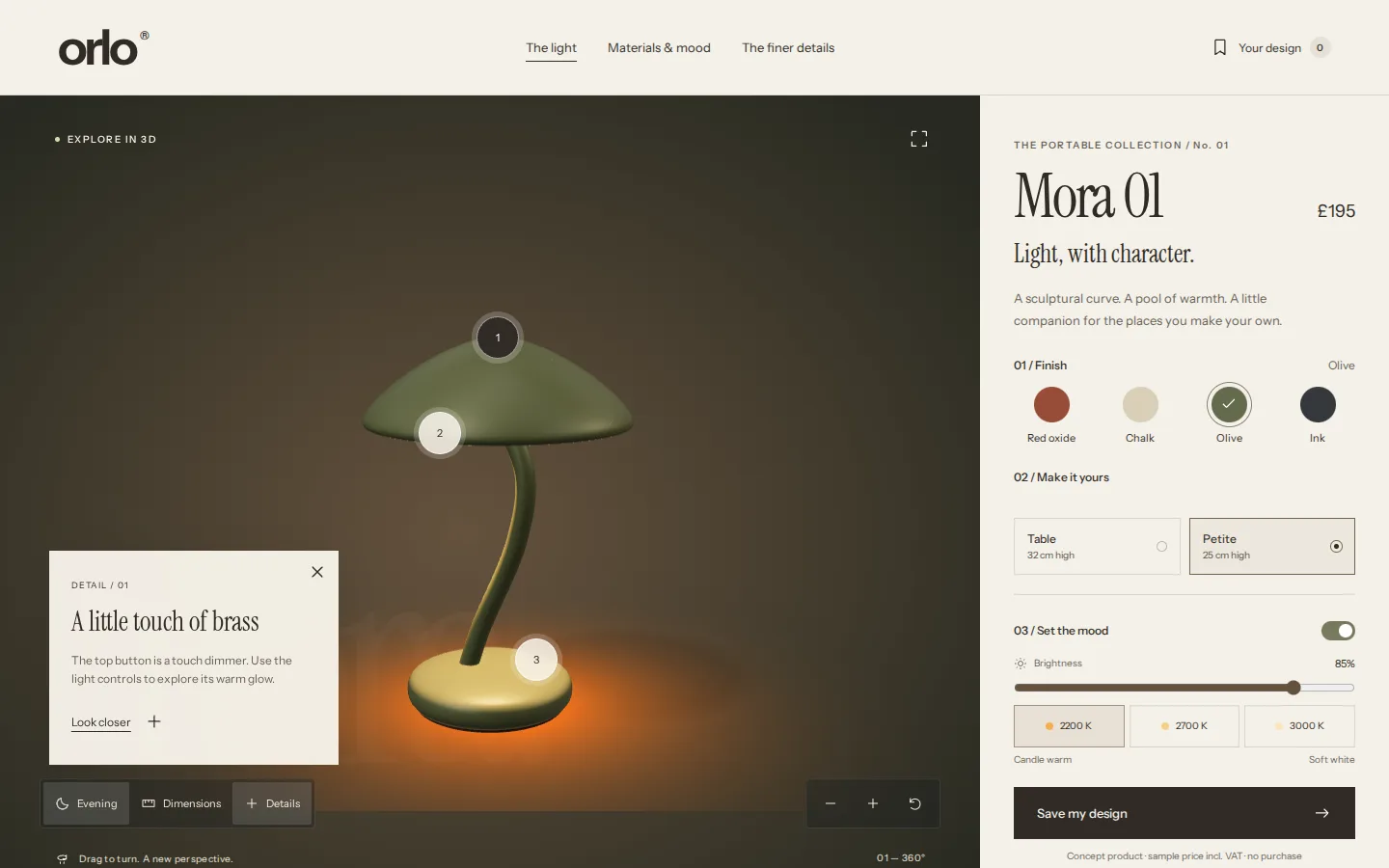
Numbered points on the lamp open a note about that part, and Look closer turns the camera to it. Points behind the lamp hide as it turns.
- Notes pinned to the model
- Look closer moves the camera
- Hidden points stay hidden
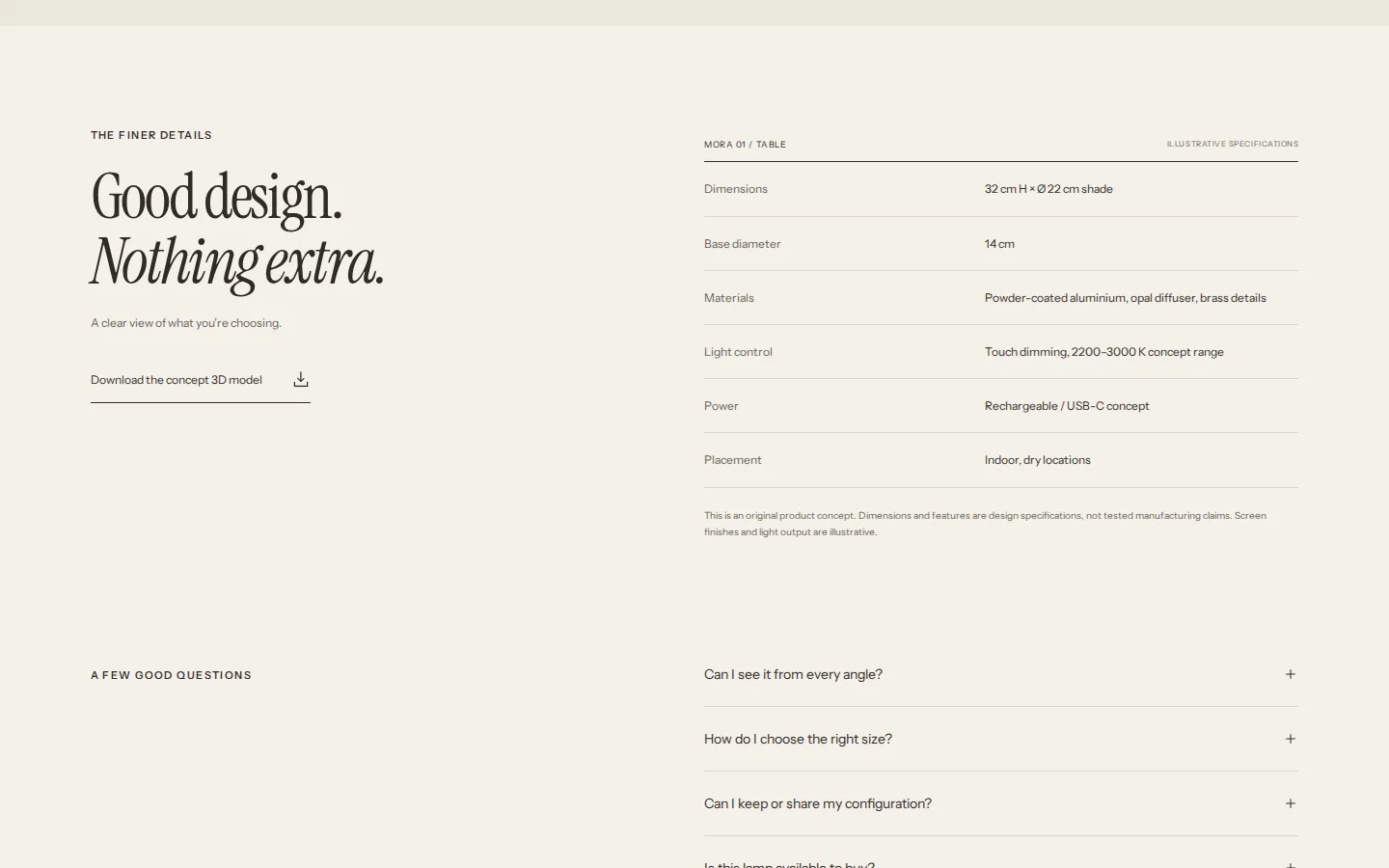
Specifications
Dimensions, materials, light control, power and placement for the chosen size, with the concept 3D model to download. Every figure is marked illustrative.
- Follows the chosen size
- The 3D model to download
- Marked as illustrative
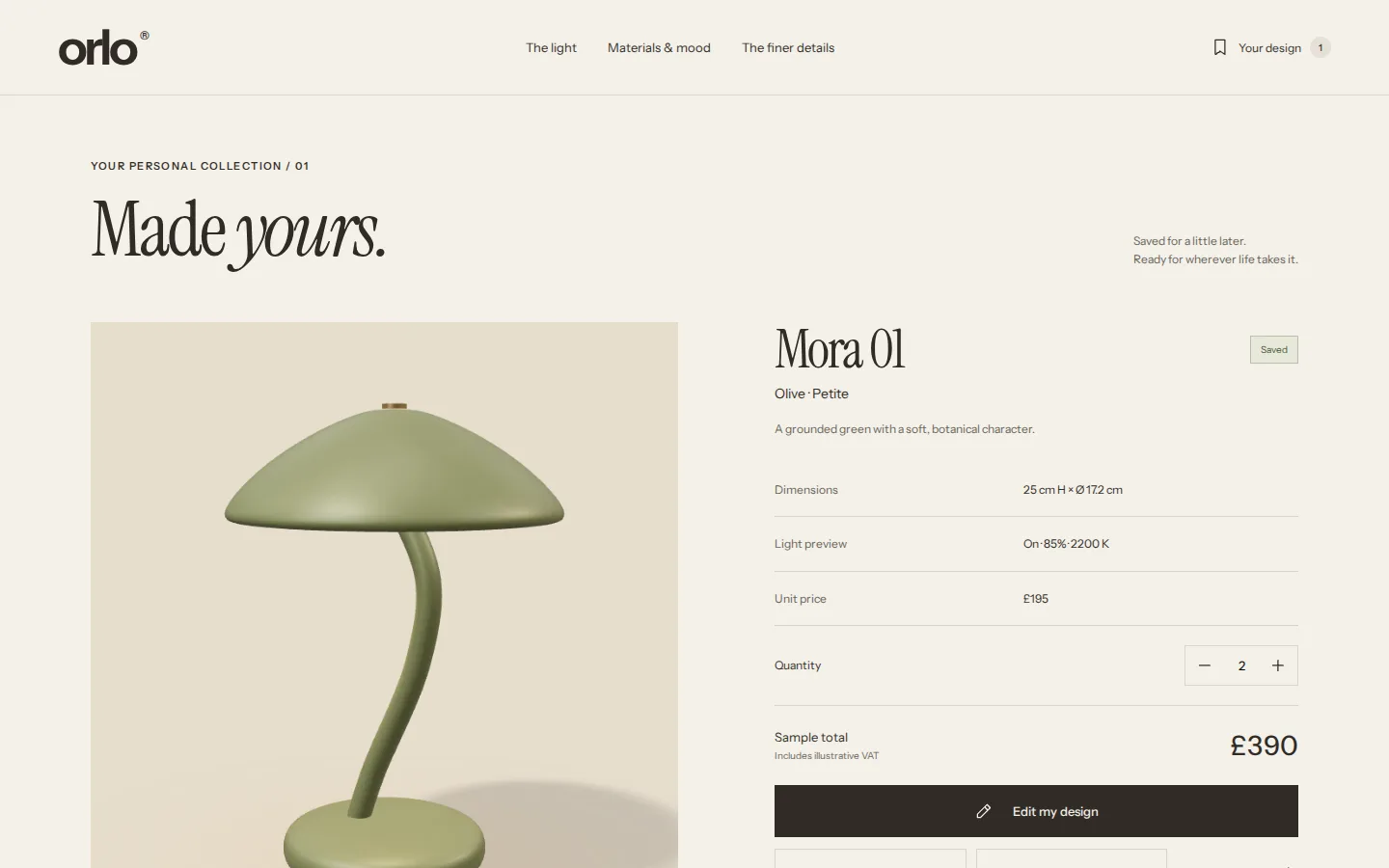
Your saved design
The design is saved with a quantity from 1 to 12 and a sample total, then shared as a link that reopens it, downloaded as a design sheet or printed. Nothing is ordered or paid.
- Quantity and sample total
- Share, download or print
- A link reopens the same design
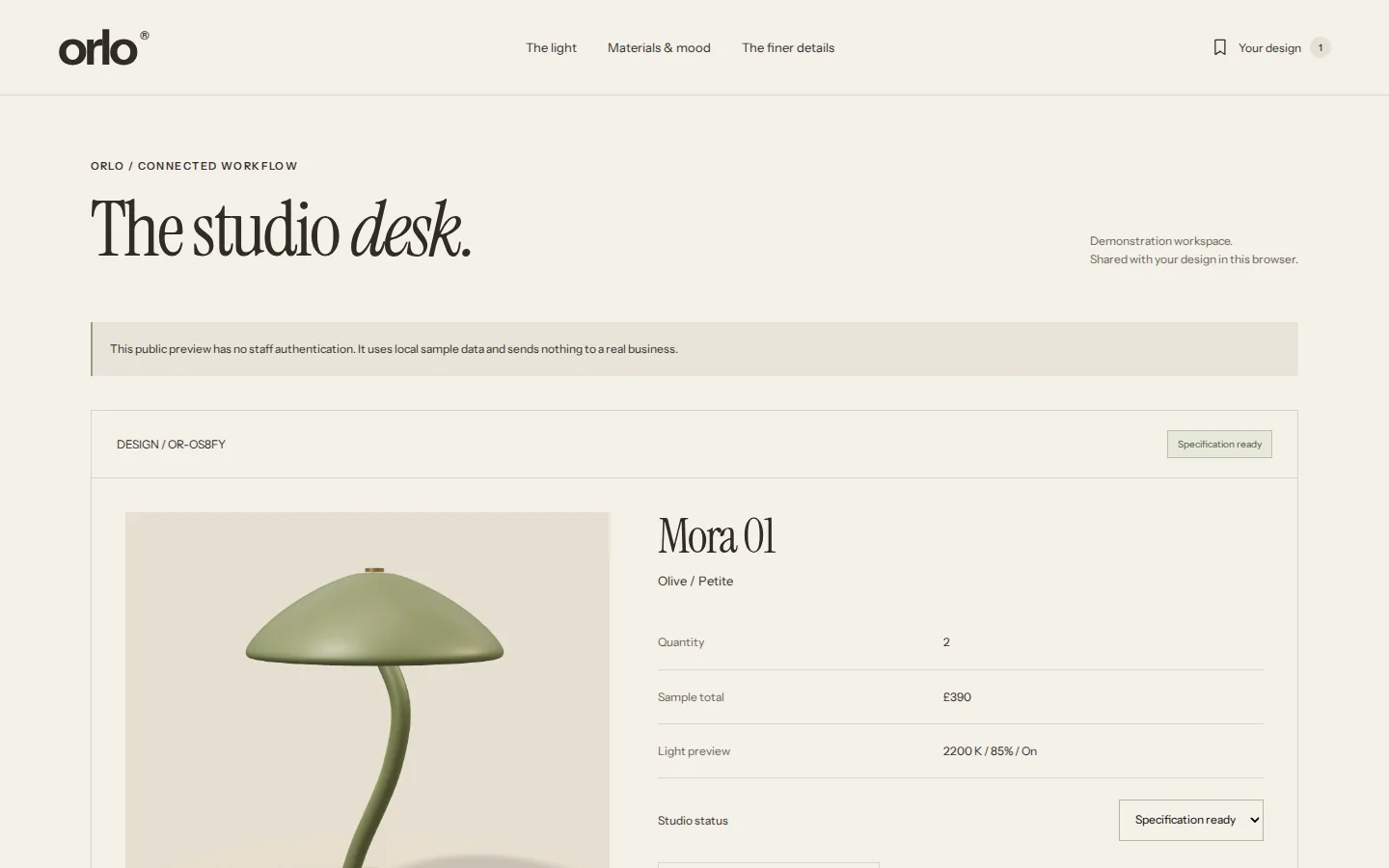
Studio desk
Added to the studio preview, the same design appears on the studio desk. Moving it from In review to Specification ready updates the customer’s saved design, in another open tab too.
- One saved design, two views
- A status the customer sees
- Updates across tabs
Click through it yourself
Every screen above is interactive. No sign-up, nothing to install.
Behind the build
Researched first, then built
We studied how two design-led lighting brands present a product and its specifications, and read the documentation of the 3D tools we chose between. Nothing was copied: the lamp, its model and every image are original. Each finding below changed a decision.
Studied (5)
- Flos
- GUBI
- model-viewer
- Three.js
- Khronos glTF
What we saw
What ORLO Lighting does
What we saw
Flos shows colour choices and the price beside a large product gallery, with dimensions and downloads further down the page.
What ORLO Lighting does
Finishes, sizes and a sample price beside the 3D model, with the specifications and the model download one click away.
What we saw
GUBI keeps the product page calm, then opens a drawer of materials, dimensions, electrical data and drawings when asked.
What ORLO Lighting does
Numbered details pinned to the model and a specification table, both marked as concept specifications.
What we saw
The model-viewer examples change materials on a real 3D model and keep vertical scrolling working on phones.
What ORLO Lighting does
Finishes and sizes change the model itself, and a vertical swipe still scrolls the page.
What we saw
Three.js orbit controls offer camera limits, damping and zoom with the mouse wheel.
What ORLO Lighting does
A bounded camera with its own zoom and reset buttons, leaving the wheel and pinch to the page, and a new frame drawn only when something changes.
Rules it follows
The business rules, built in
The prototype enforces each of these, so you can test them yourself.
Choices
- Four finishes and two sizes on one model
- Sample prices fixed by size, with illustrative VAT
- Quantity from 1 to 12
Loading and access
- Reduced-motion and data-saving visitors start with a still and choose to load 3D
- If 3D cannot load, choosing and saving still work
- Arrow keys turn the model, plus and minus zoom, Home resets
Honesty
- Dimensions, materials and light are marked as concept specifications
- Nothing is ordered, paid or sent
- The studio preview says it has no staff sign-in
Connected roles
One action, every screen
Every role works on the same records, so one person’s action shows up for the others.
- 1
The customer chooses a finish, size and light, and saves the design with a quantity.
- 2
They share it as a link, download the design sheet or print it.
- 3
Adding it to the studio preview puts the same design on the studio desk, In review.
- 4
The studio moves it to Specification ready, and the customer’s saved design shows the new status, in another open tab too.
Core systems
What this build is made of
These are systems we build repeatedly — each links to every other project that contains it, so you can compare implementations before deciding what you need.
Unique to this build
Built specifically for this project rather than assembled from the shelf.
Light you can set
The lamp’s light switches on, dims and warms from 2200 to 3000 K on the model itself, in daylight or evening.
A model built from code
A script generates the lamp’s geometry, so every finish and size comes from one validated 3D file of about 546 KB.
A careful fallback
Visitors who prefer less motion or save data start with a still of the real model and choose whether to load 3D. If 3D cannot load, choosing and saving still work.
Want a build like this for your business?
Tell us what you have in mind and we'll put together a functional prototype of your project — free.