
Traverse
A Bursa-listed civil engineering contractor’s website drawn like a survey alignment: a project atlas with progress against plan, works notices for residents with tracked concerns, vendor registration, an investor centre and the staff desks behind them.
The brief
A listed contractor answers to owners and consultants, investors, suppliers and the neighbours of its works, yet the leading sites tell one story to all of them: photo stories of projects, CSR pages for communities, policy PDFs for suppliers and static tables for investors. No site shows a project’s progress, lets a resident follow up a complaint, or lets a vendor register and see a status.
What we shipped
A corporate website where every audience gets a working tool: a project atlas on a real map with value bands, key quantities and progress against plan; works near you, with closures and night works by area in English and Malay and concerns tracked by reference; five-step vendor registration with tenders that open on approval; an investor centre with charts and Bursa-timed announcements; safety, sustainability and an anonymous speak-up channel; and the desks where staff answer, approve and publish.
Built for: Listed and large contractors, engineering groups and developers that must report to investors, prequalify suppliers and keep neighbours informed while they build.
Inside the build
Every part, and what it does
A closer look at what was actually built — screen by screen, so you can judge the depth for yourself.
Home page
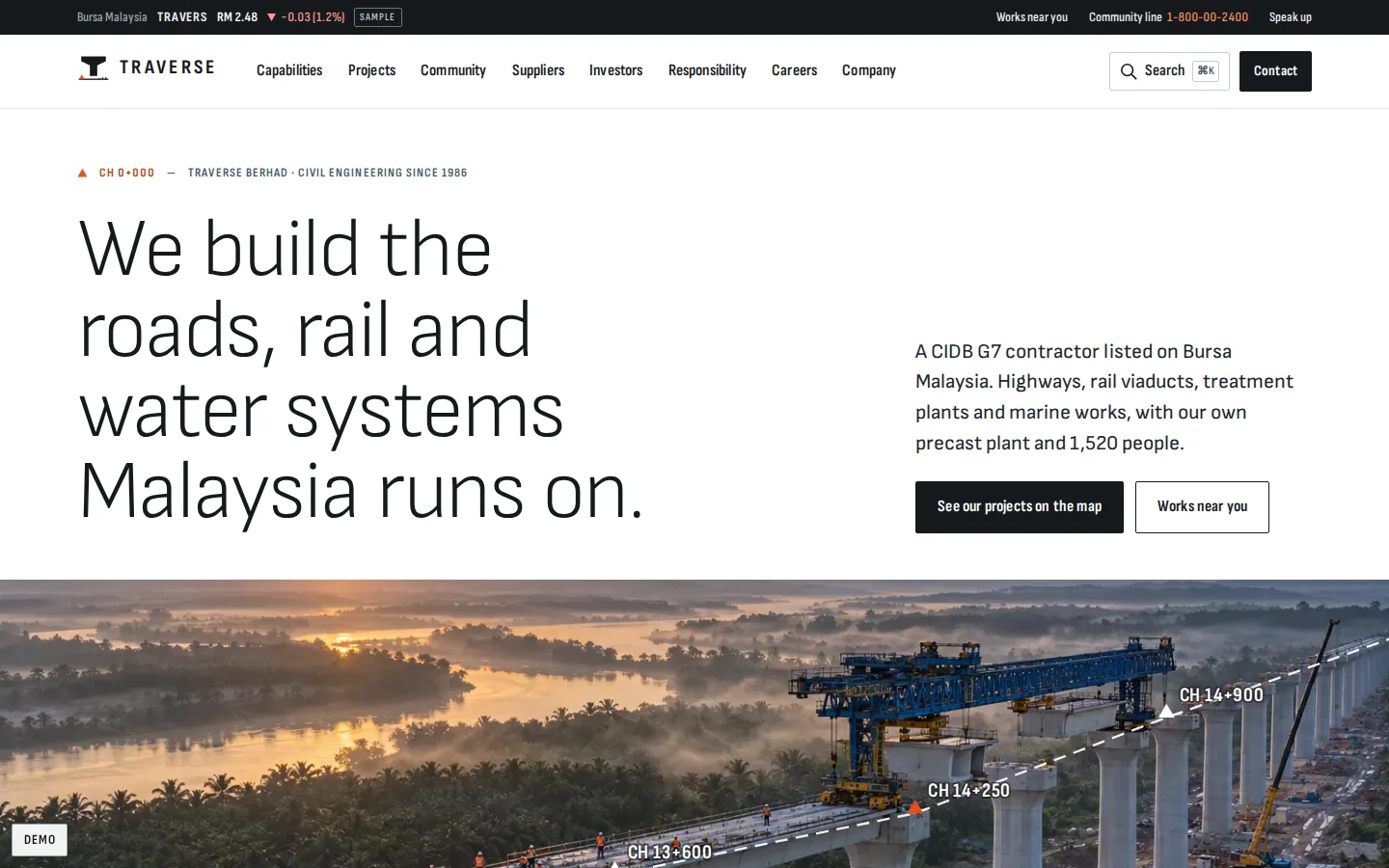
The page reads like a setting-out sheet: sections indexed by chainage, a drawn alignment over the hero, live sites with progress against plan, and a way in for each audience.
- Live sites with planned and actual progress
- Divisions compared with drawn sections
- Investor, community and supplier ways in
Project atlas
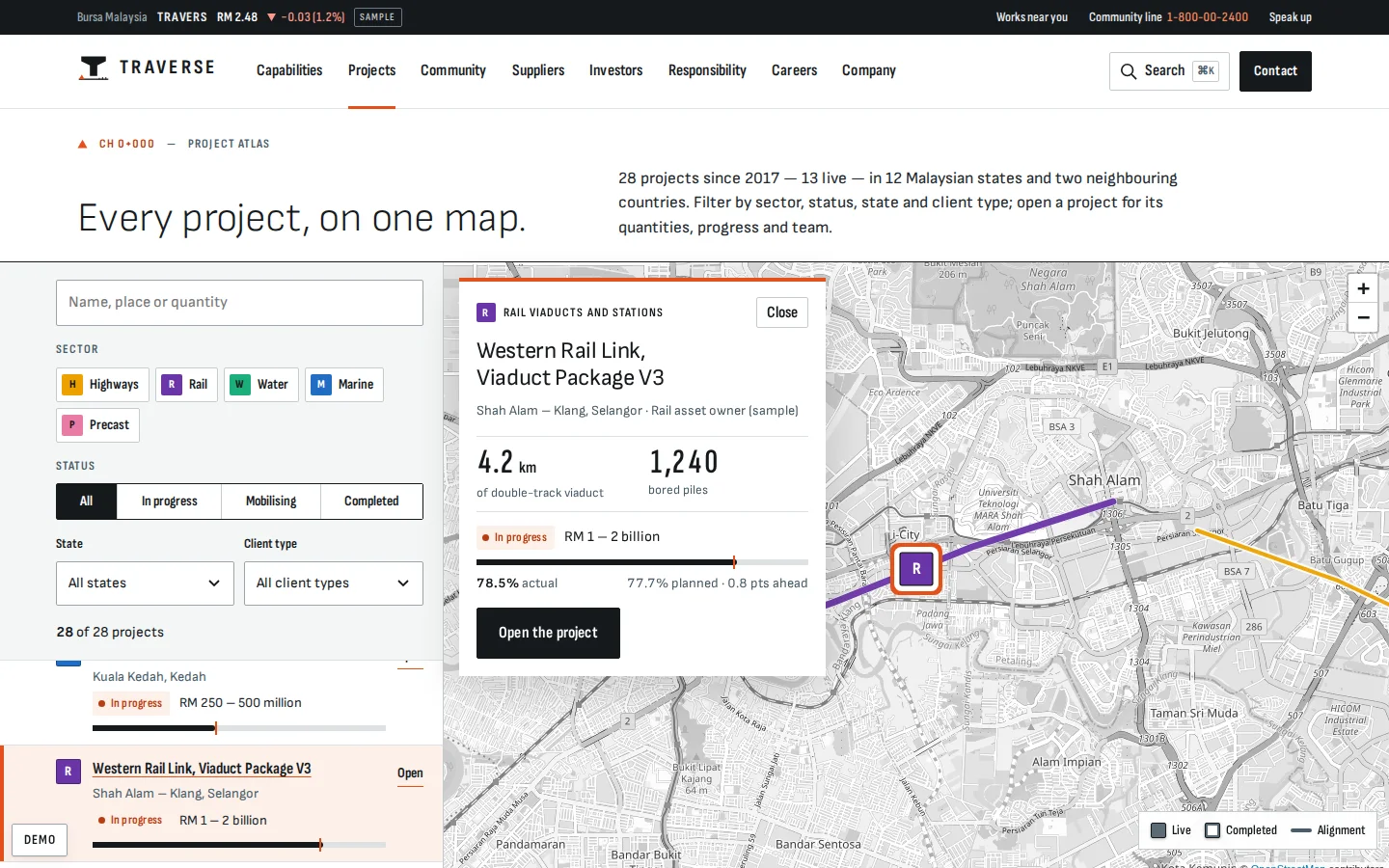
Every project on a real map, filtered the way owners and consultants search, with a preview of value band, key quantity and progress.
- Sector, status, state and client type
- Drawn alignments and division markers
- A list that mirrors the map on phones
Project pages
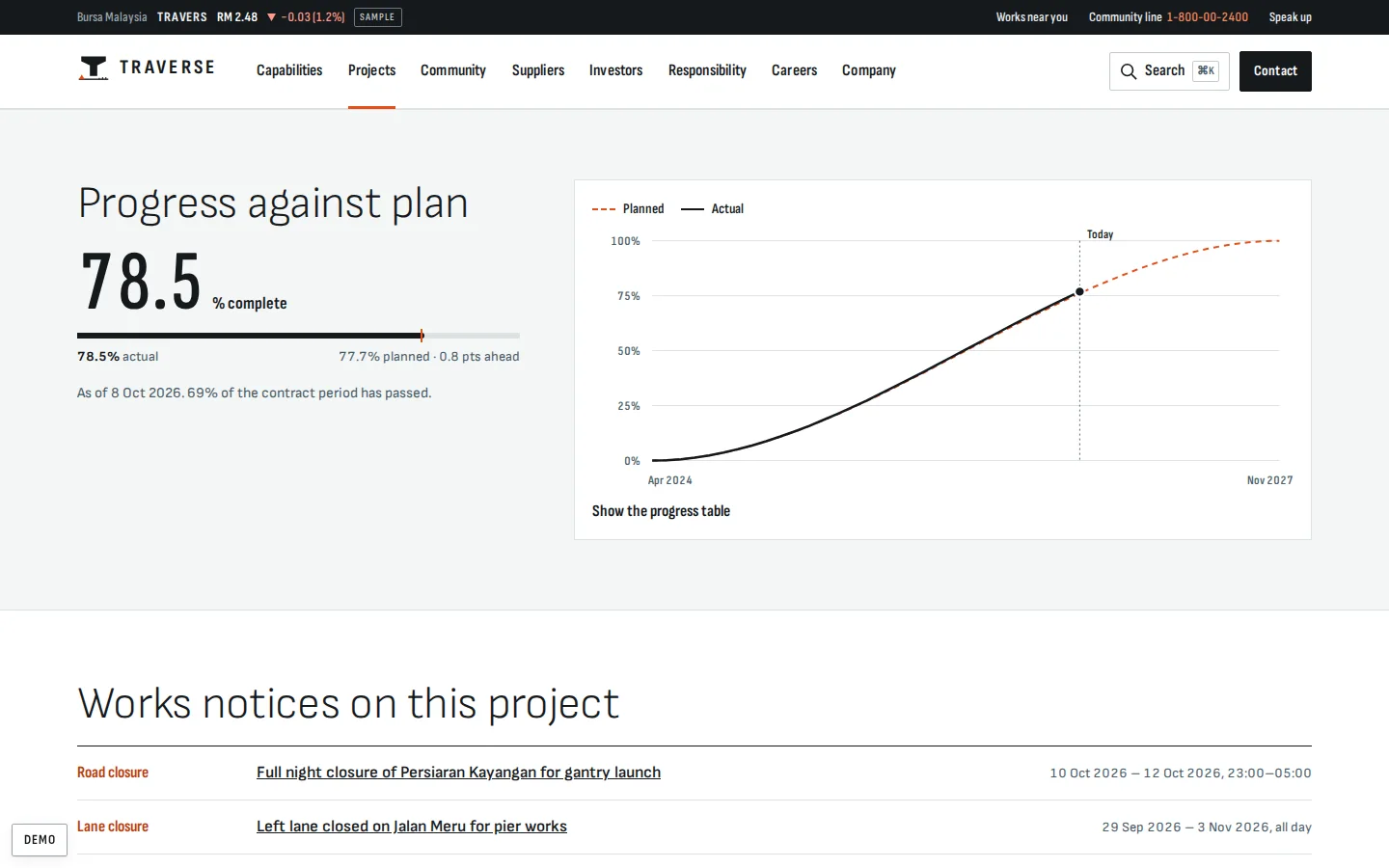
The facts owners ask for, which no site studied shows: value band, key quantities, programme, team, works notices and progress against plan.
- Actual against planned, with the gap in points
- An S-curve with a table view
- A drawn typical section
Capabilities compared
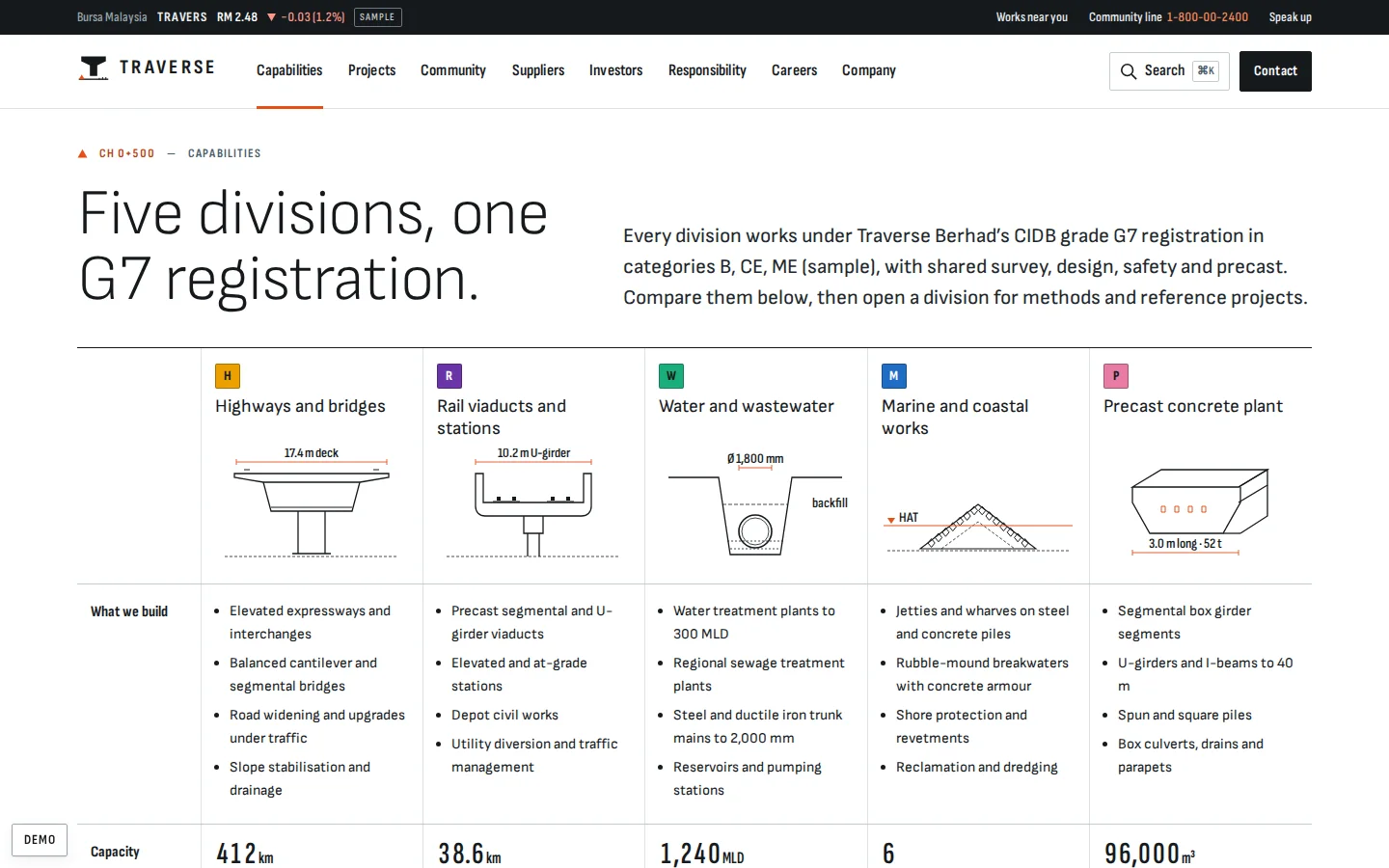
Five divisions side by side, with drawn cross-sections instead of icons, capacity, CIDB codes and project counts.
- What each division builds
- Capacity and CIDB specialisations
- Projects linked to the atlas
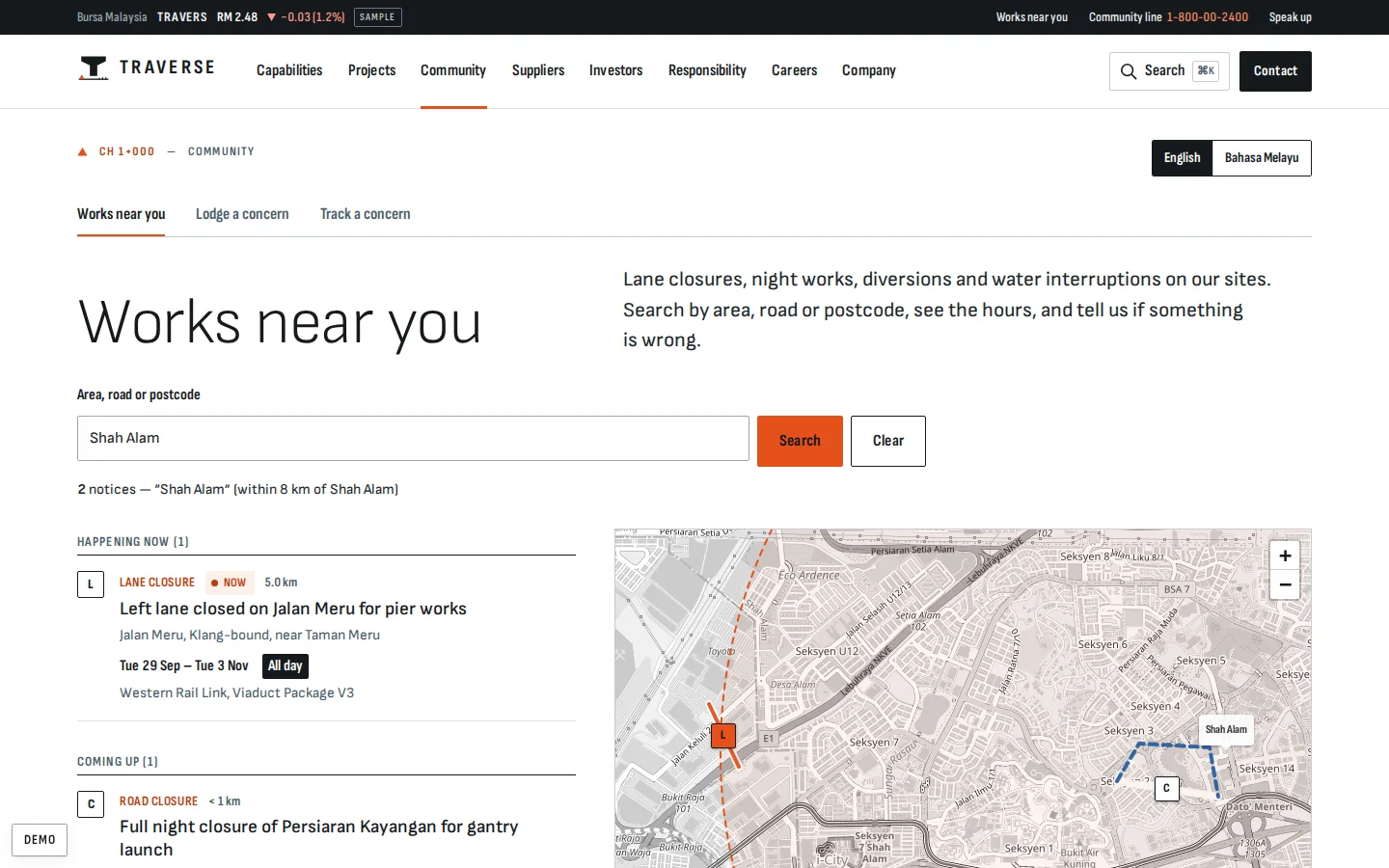
Works near you
Residents look up closures, night works and diversions by area, road or postcode, on a map and a 14-day timetable.
- Search within 8 km, with suggestions
- Closed sections and diversions on the map
- Every notice in English and Malay
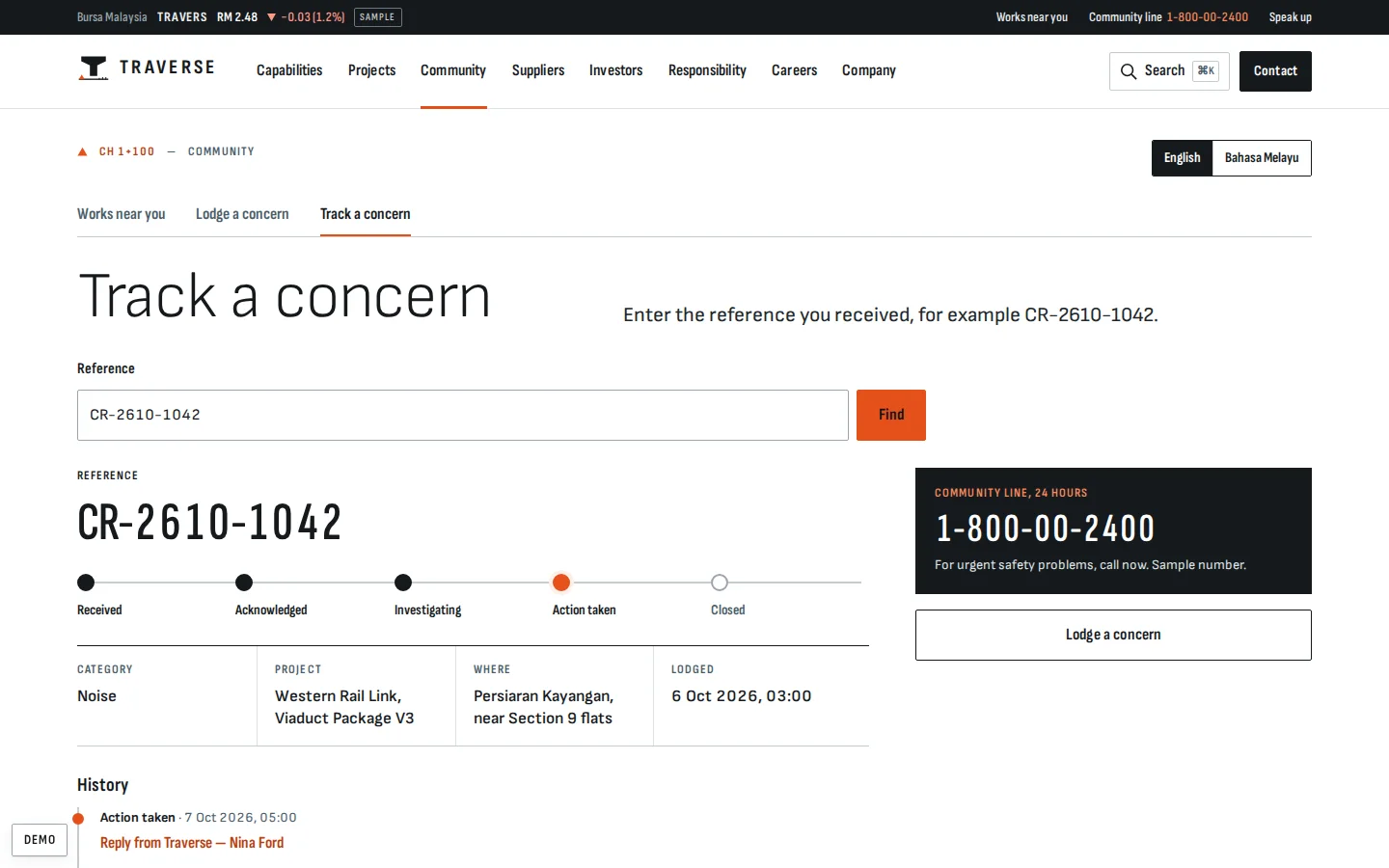
Concern tracker
A resident follows a concern by its reference and reads the community officer’s replies as the case moves.
- From received to closed
- Replies signed by the officer
- The same record the staff desk works on
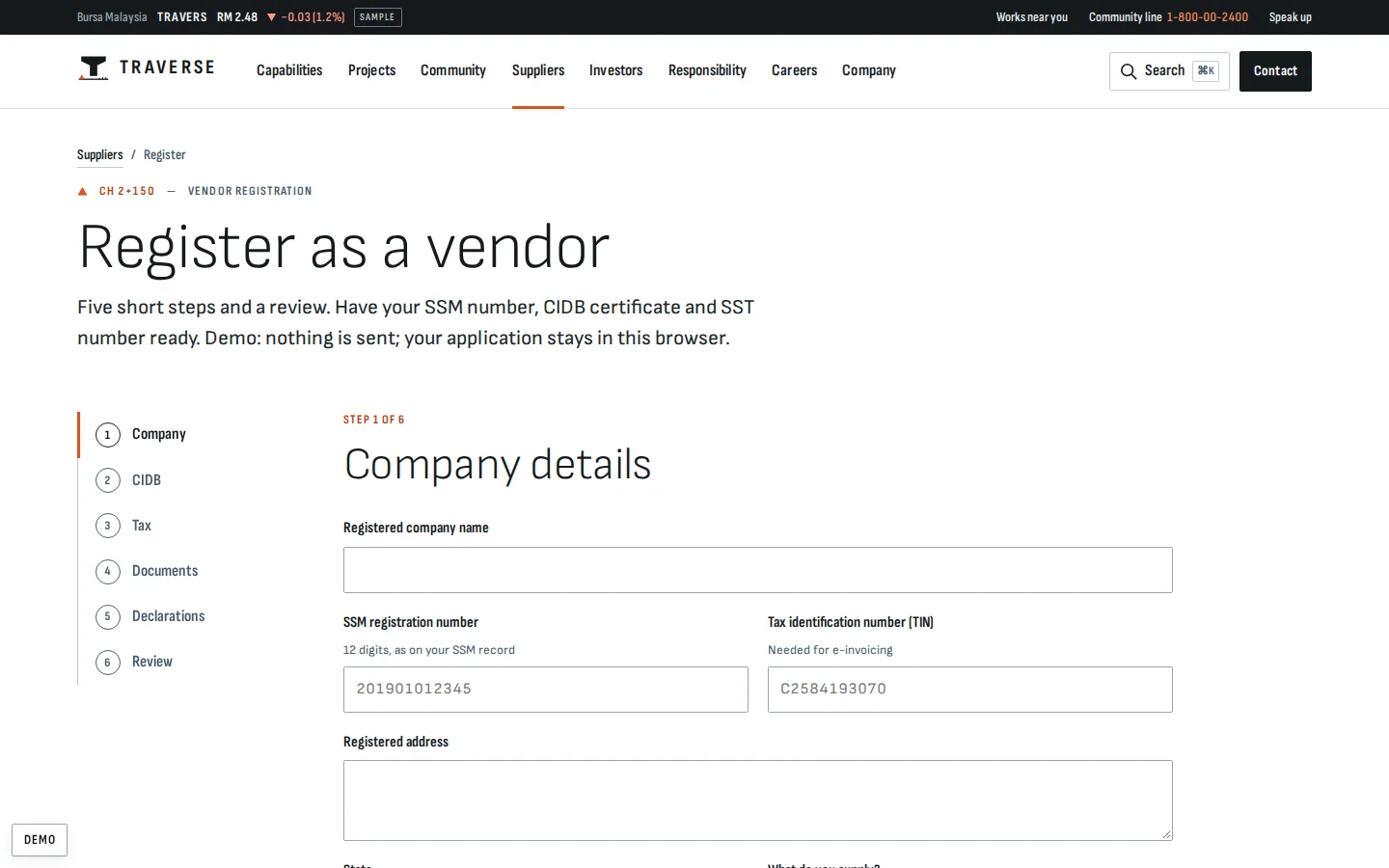
Vendor registration
Prequalification online in five steps: company and tax numbers, CIDB grade and codes, documents, anti-bribery declarations and a review.
- SSM, TIN, CIDB and SST checks
- Document checklist and declarations
- A status page, then matching tenders
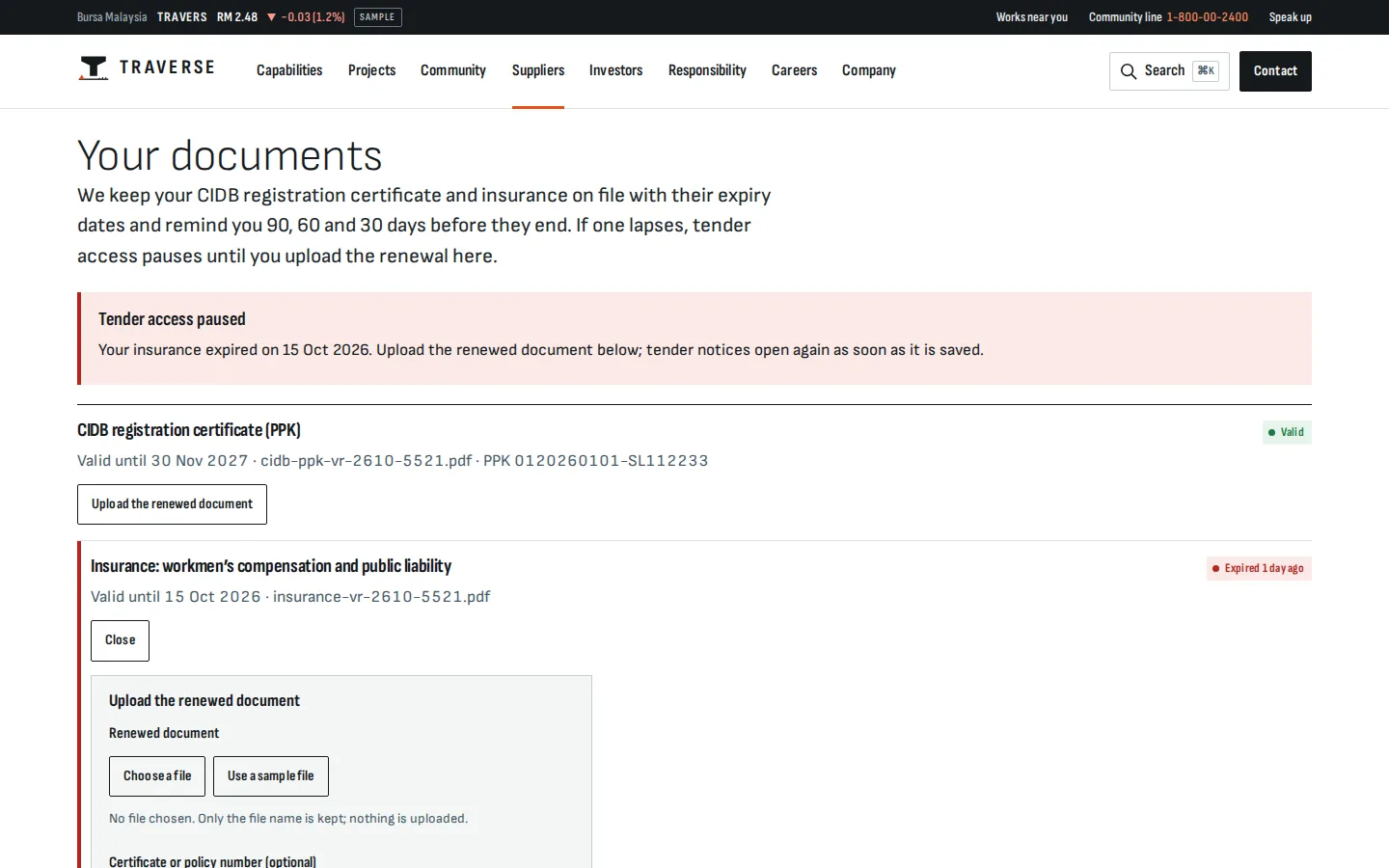
Vendor documents
Vendors keep their CIDB registration and insurance on file with valid-until dates. When one lapses, their tender access pauses until they upload the renewal.
- CIDB and insurance on file
- Reminders to the vendor
- Tenders pause on a lapse
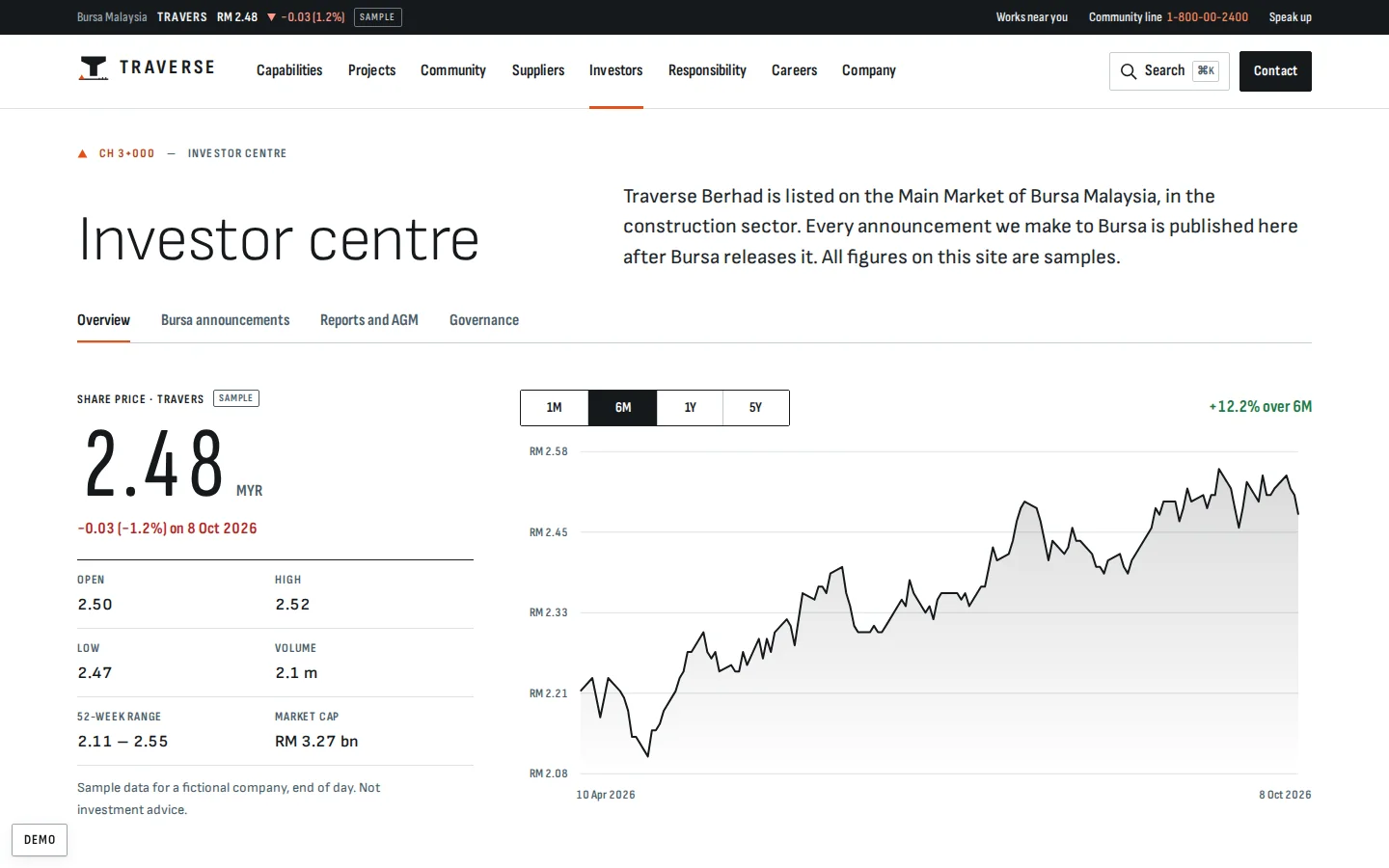
Investor centre
What a listed company must and should publish, made usable: price and charts, five-year highlights, a calendar and Bursa announcements.
- Price ranges with a table view
- Highlights with a metric switcher
- A named investor relations contact
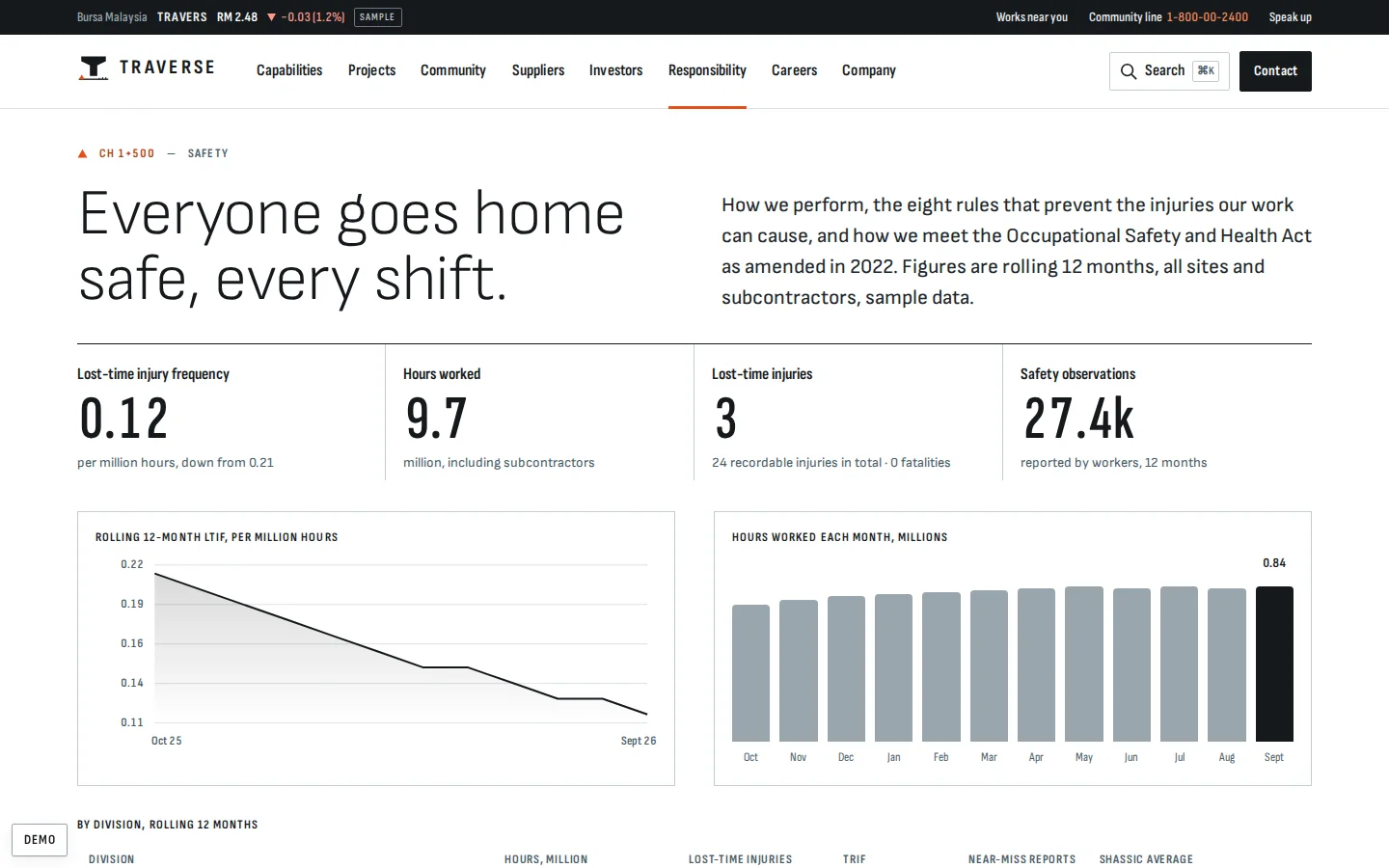
Safety performance
Safety as a dashboard of sample figures, with the critical risks and the duties behind them further down the page.
- Lost-time injury frequency and hours worked
- Figures by division and safety ratings
- Eight critical risks with their controls
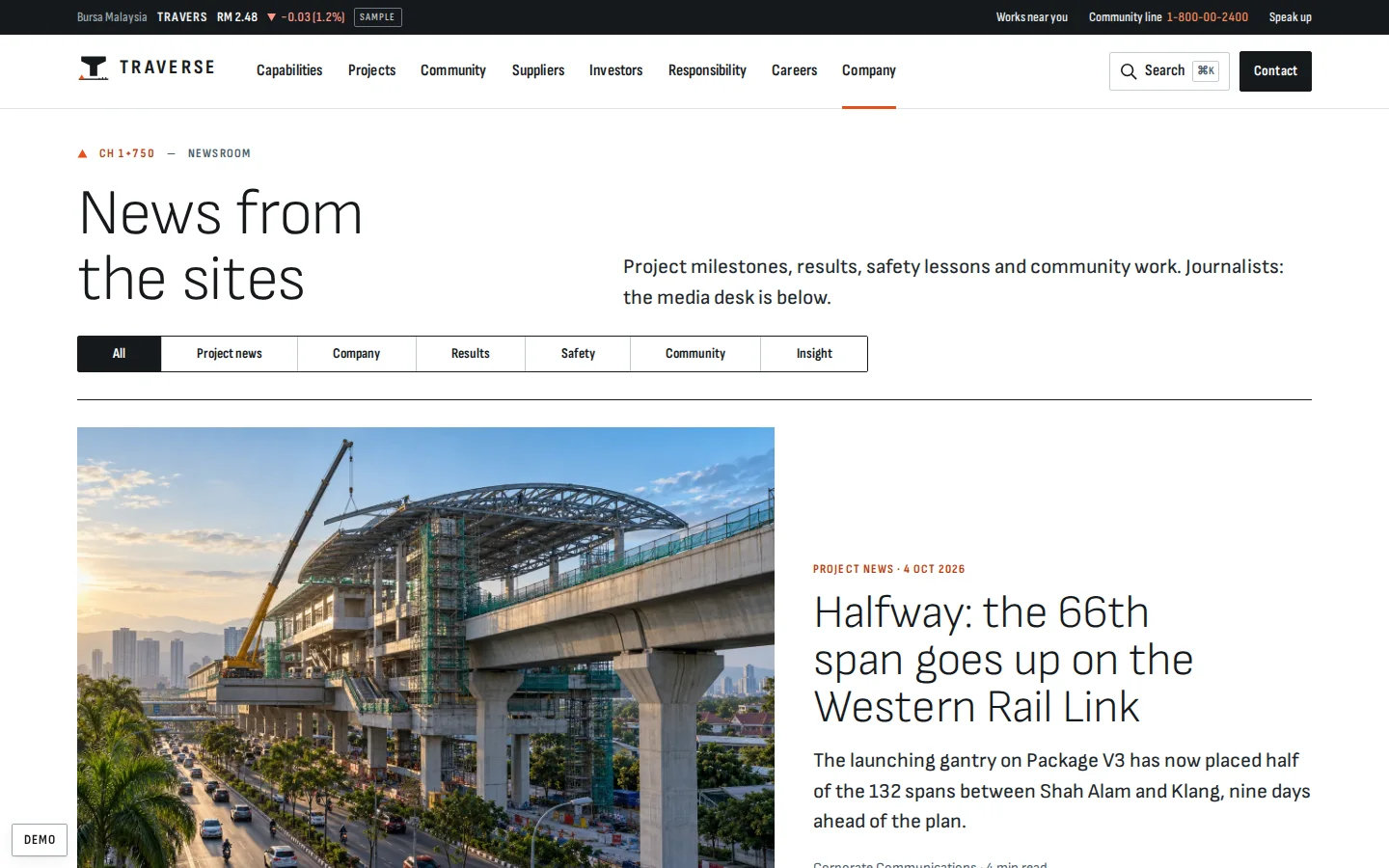
Newsroom
News from the sites as a lead story and a dated list, with a media desk for journalists.
- Filter by kind
- Long-form articles
- Media contacts and press kit
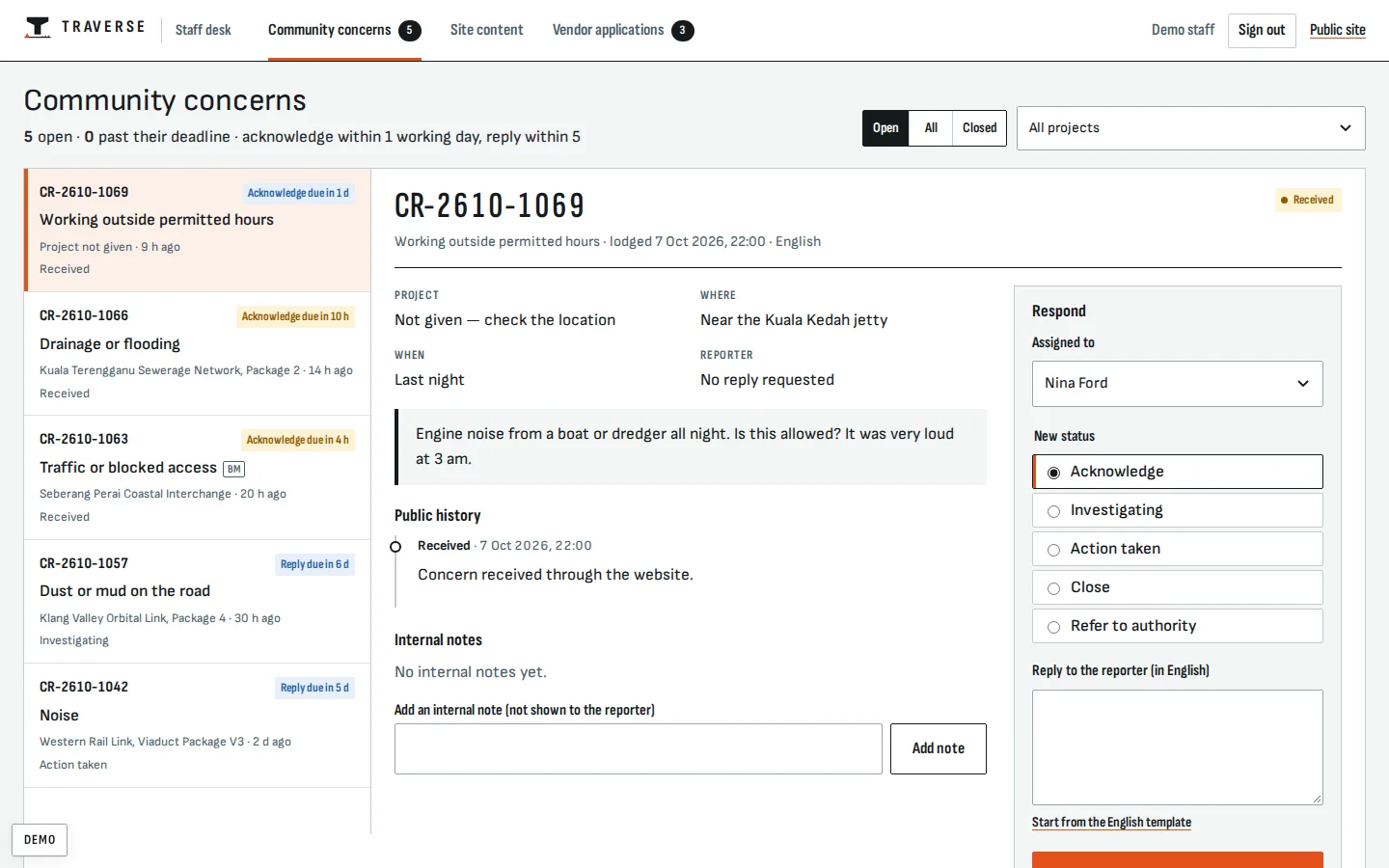
Community-relations desk
Staff answer residents against a working-day promise, with templates in English and Malay and notes the public never sees.
- Acknowledge in 1 working day, reply in 5
- Assign, refer or close
- A reply changes the public tracker at once
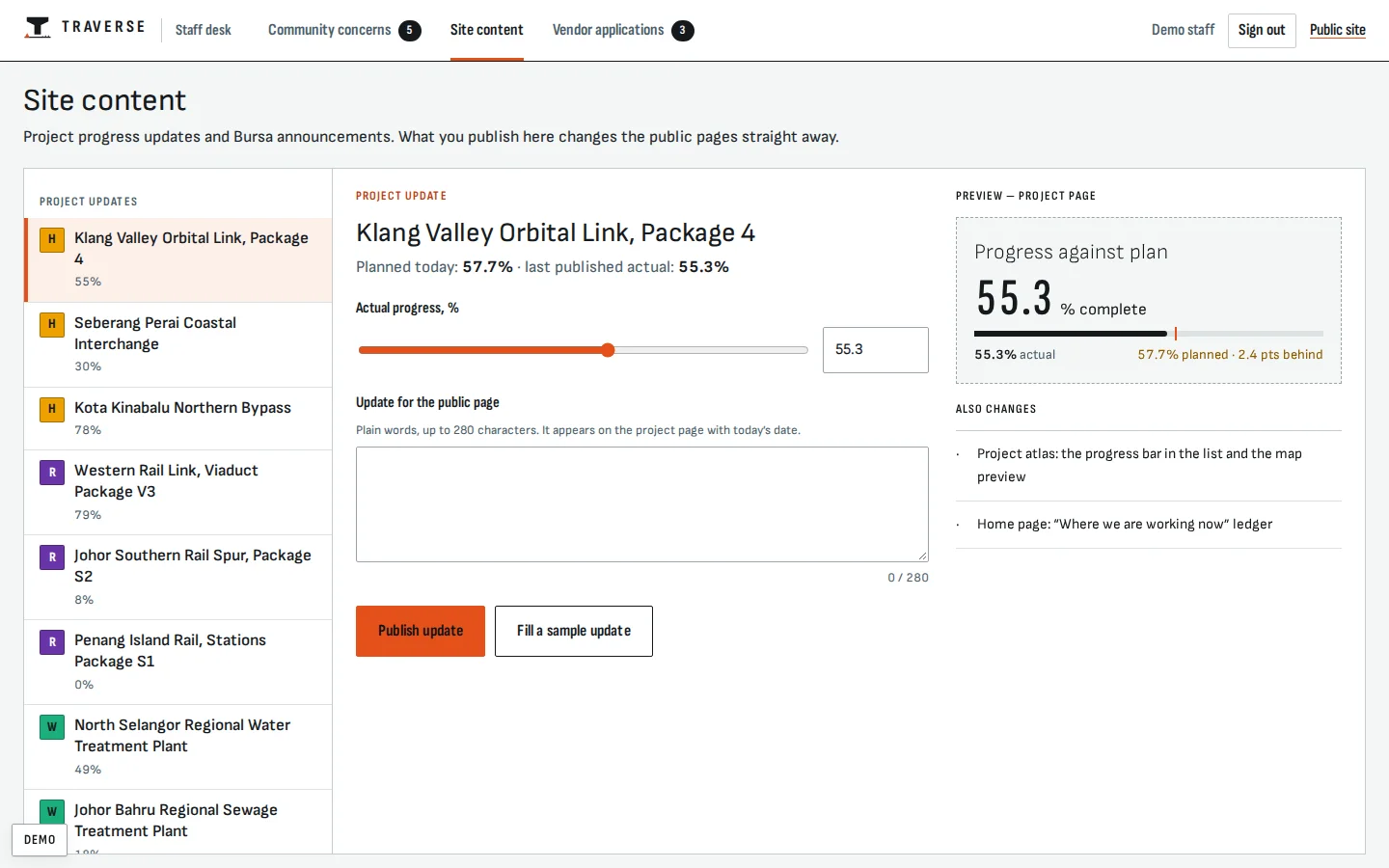
Content desk
Staff update project progress and publish Bursa announcements beside a live preview of the public page.
- Progress and site updates
- Announcements held until Bursa’s release time
- Project page, atlas and investor centre update together
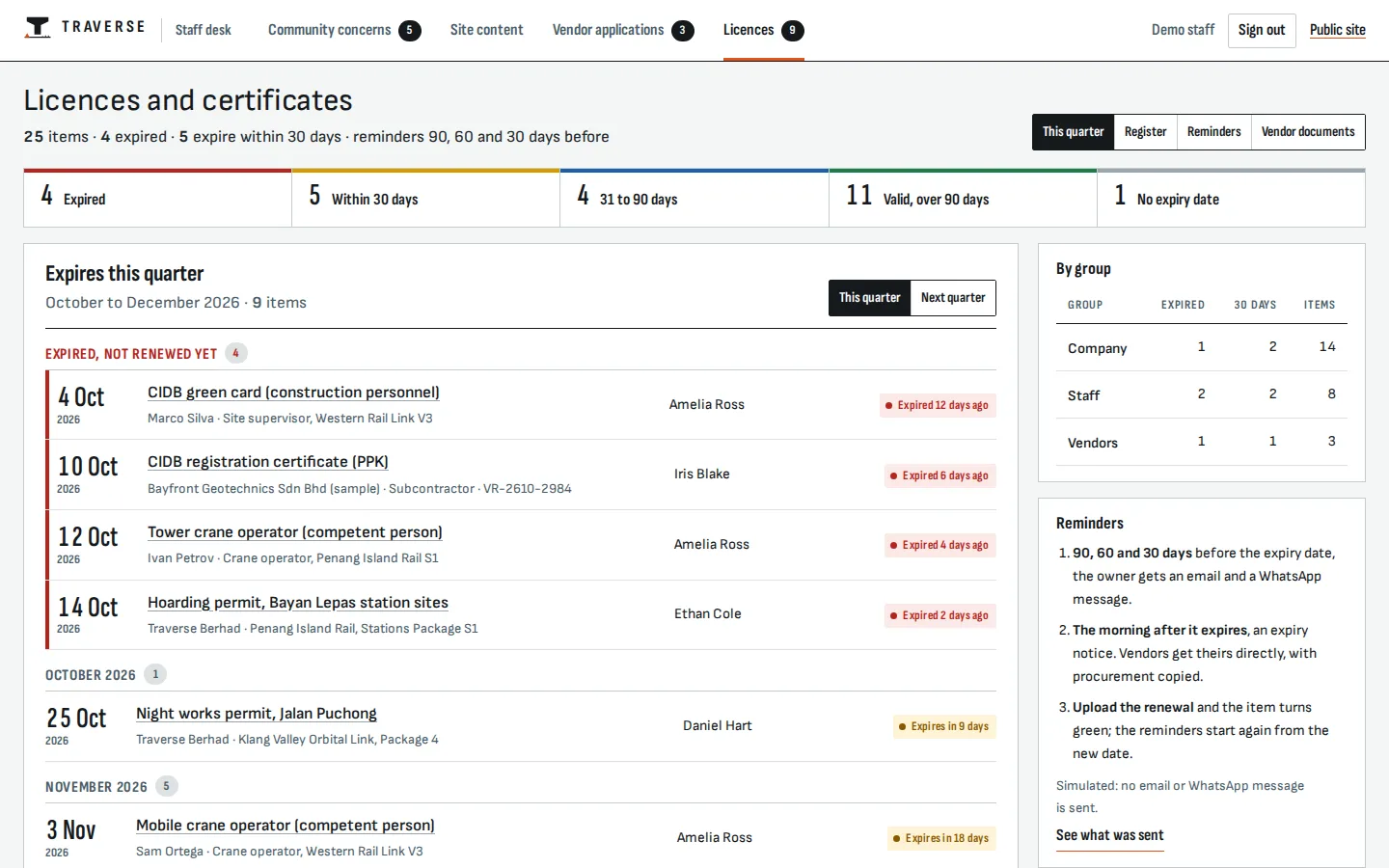
Licence and certificate register
Every licence, permit, certificate and policy for the company, its staff and its vendors, with its owner and expiry date. This quarter reads as a dated list, expired first, with counts by group.
- Company, staff and vendor items
- Expired and due first
- An owner for every item
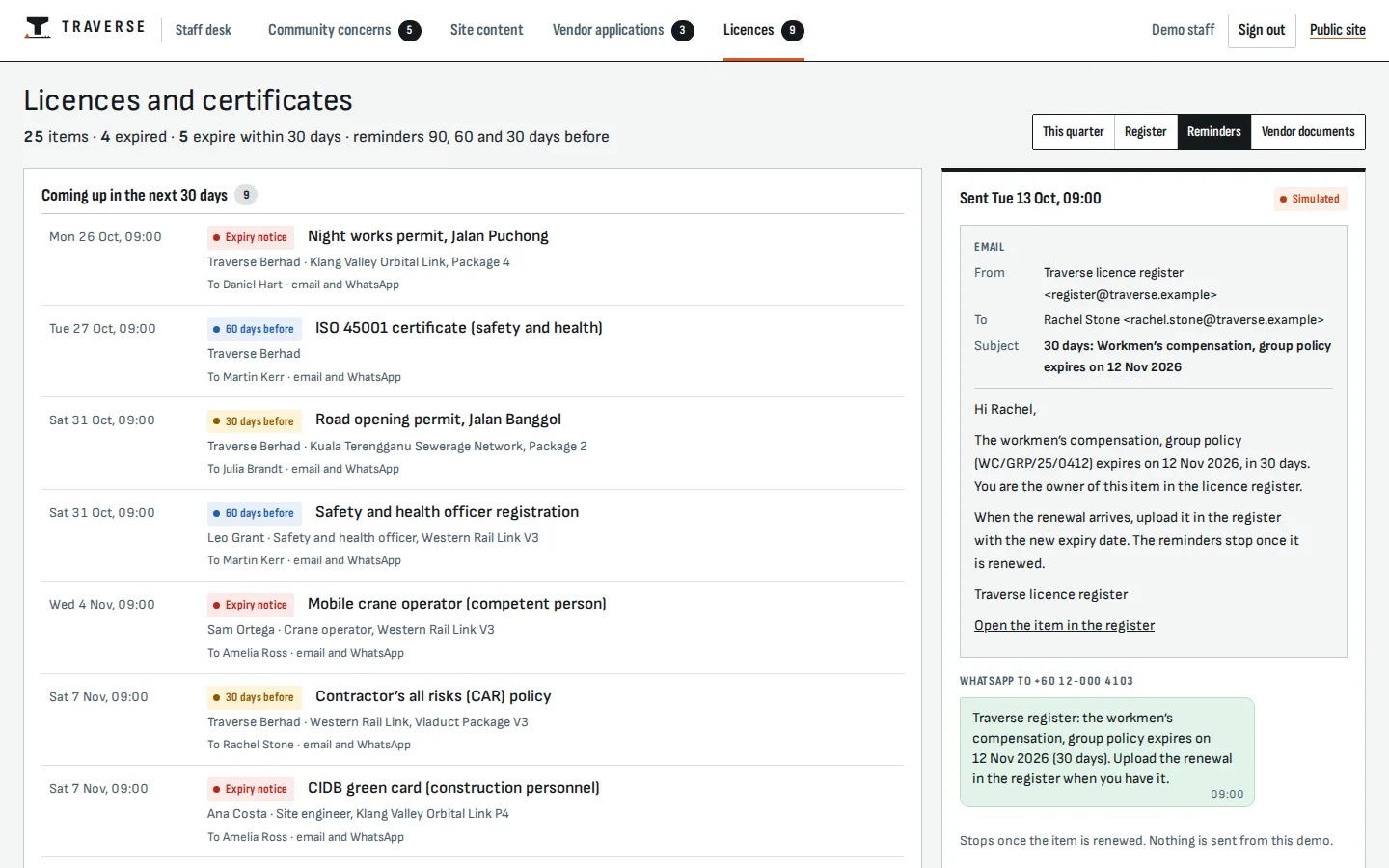
Expiry reminders
Reminders go to each item’s owner by email and WhatsApp 90, 60 and 30 days before it expires, then an expiry notice the morning after; they stop once the renewal is uploaded. Simulated: nothing is sent.
- 90, 60 and 30 days before
- Email and WhatsApp to the owner
- Stops when renewed
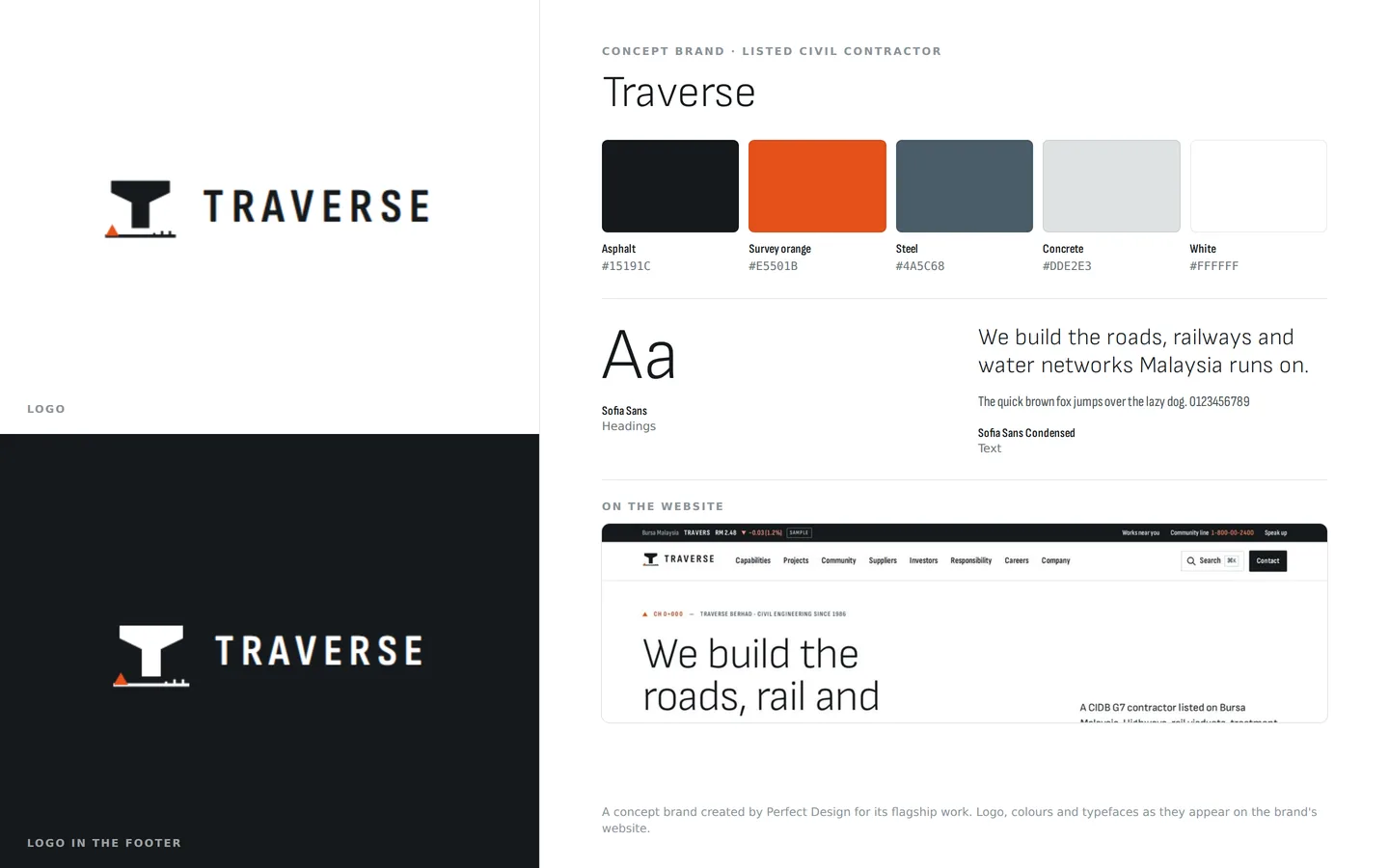
Brand identity
A listed contractor’s identity: a viaduct pier standing on a survey line, asphalt and survey orange, Sofia Sans in light weights with a condensed cut for labels.
- Logo on light and dark
- Asphalt, survey orange and concrete
- Sofia Sans and Sofia Sans Condensed
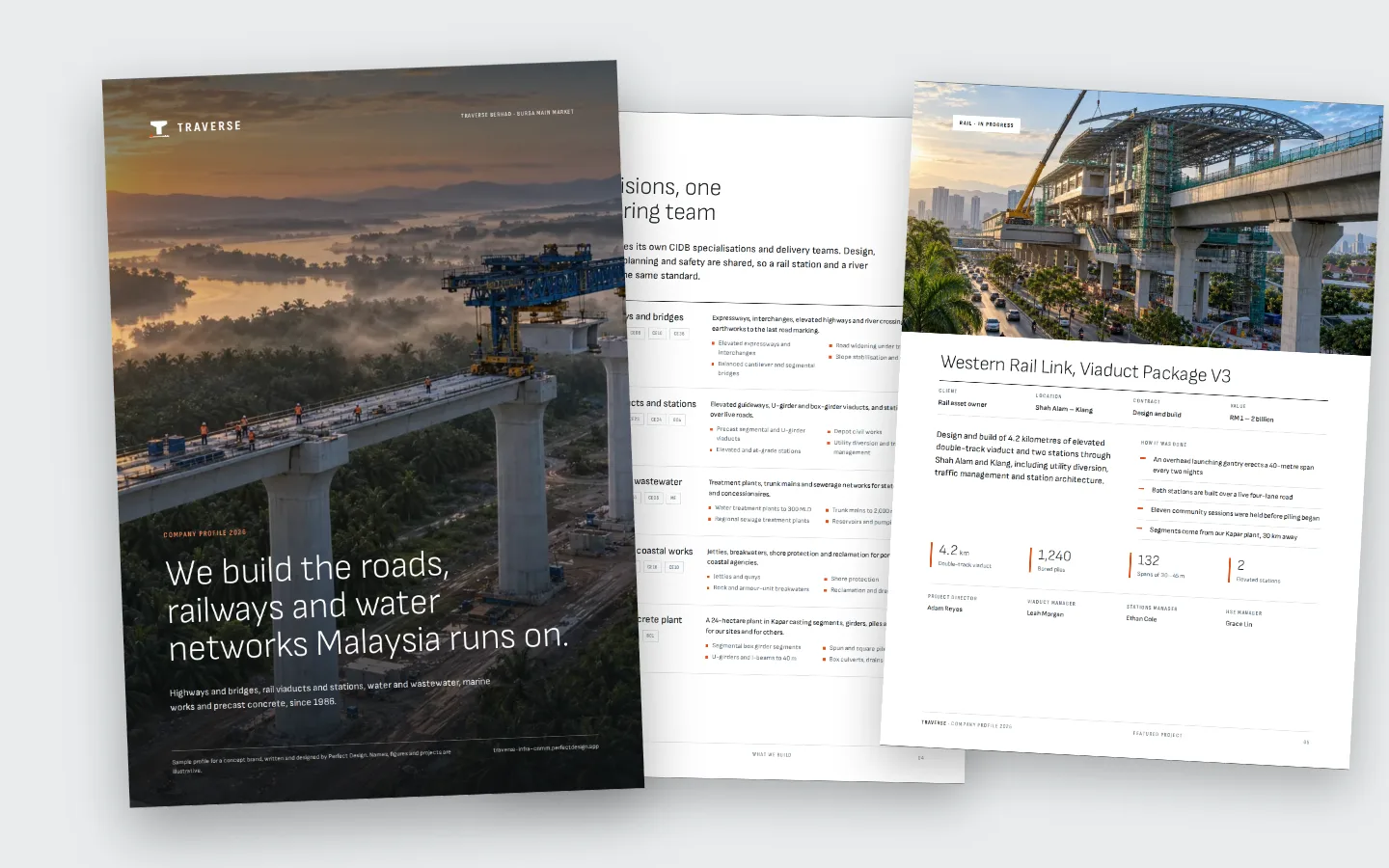
Company profile
An eleven-page A4 company profile in the Traverse brand: five divisions, two featured projects with their figures, recent work, safety and quality, the precast plant and leadership. Sample content, written and designed by us.
- Print-ready PDF
- Projects, safety and leadership
- Sample content, clearly marked
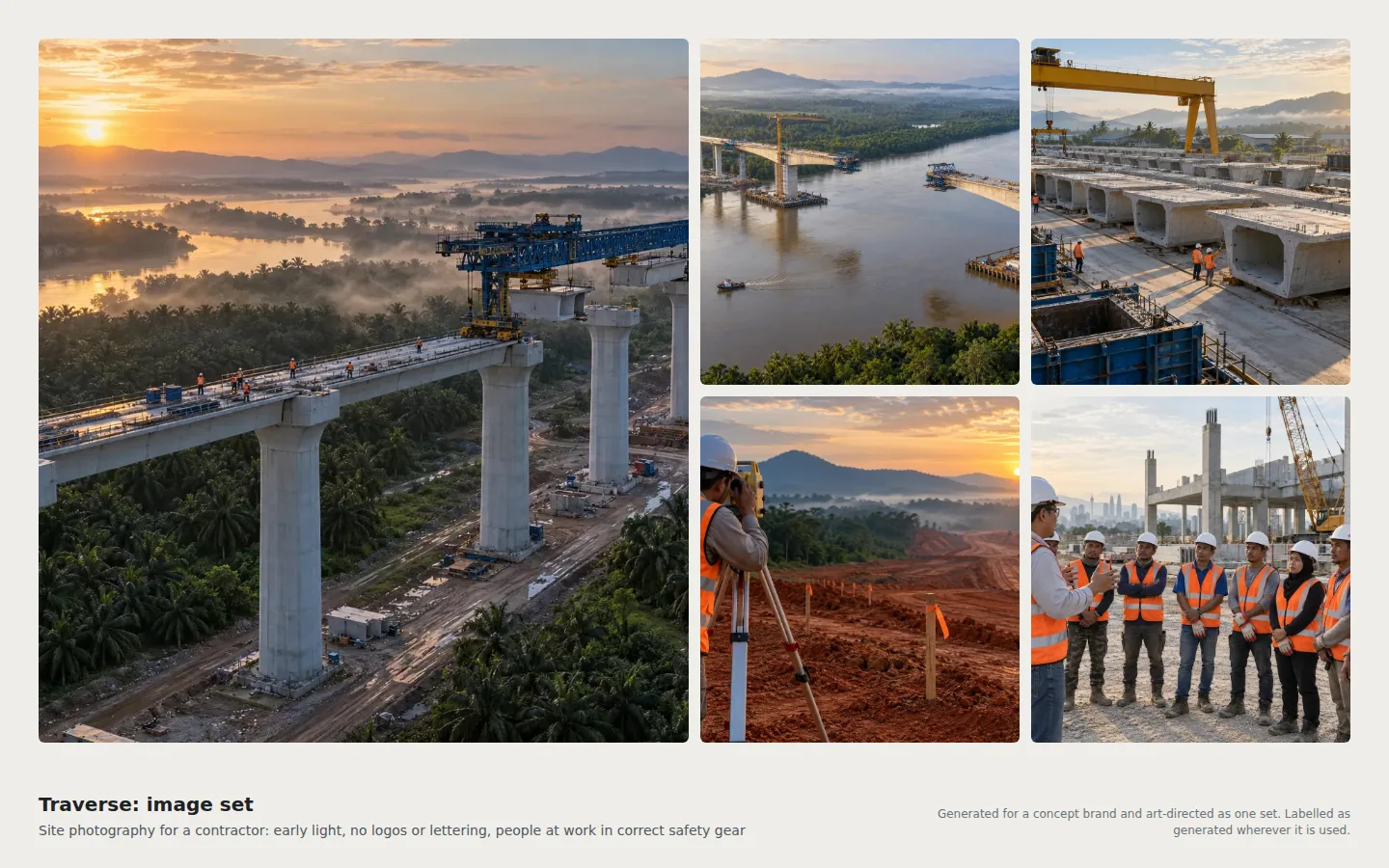
Image set
Site images generated for a contractor: early light, no logos or lettering, and people at work in the right safety gear.
- Projects, plant and people
- Correct safety gear
- Labelled as generated
Click through it yourself
Every screen above is interactive. No sign-up, nothing to install.
Behind the build
Researched first, then built
Before designing anything, we studied 14 contractor websites: six Malaysian listed contractors and eight leaders in Korea, Japan, the UK, France, Spain and Hong Kong, opening 167 inner pages and using their project filters, charts and forms. Nothing was copied. Each finding below changed a decision.
Studied (14)
- Gamuda
- IJM Corporation
- Sunway Construction
- WCT Holdings
- MRCB
- Mudajaya Group
- Hyundai E&C
- Obayashi
- Laing O’Rourke
- Balfour Beatty
- VINCI Construction
- Ferrovial
- Leighton Asia
- Gammon Construction
What we saw
What Traverse does
What we saw
Project pages are photo stories: only one site gives hard numbers and a map, and none shows a contract value, progress or the delivery team.
What Traverse does
A page per project with a value band, key quantities, a planned-against-actual S-curve, works notices and named roles.
What we saw
Four sites filter their projects and none has a real project map.
What Traverse does
An atlas on a real map with drawn alignments and filters by sector, status, state and client type, with a live count and a list twin.
What we saw
Communities get CSR pages; in Malaysia, works information arrives as one-off press releases or news items.
What Traverse does
Works near you: search by area, road or postcode, a 14-day timetable, notices in English and Malay, and concerns tracked by reference.
What we saw
Suppliers get policy PDFs and questionnaires; no site lets a vendor register, see a status or read tenders.
What Traverse does
Five-step registration with CIDB grade and codes, tax numbers, documents and anti-bribery declarations, a status page, and tenders that open only to matching approved vendors.
What we saw
Investor pages are the most structured, but mostly static tables or links out to Bursa.
What Traverse does
A price panel with ranges, interactive highlights with table views, a calendar, and announcements the desk will not publish before Bursa’s release time.
What we saw
Whistleblowing is a form or an email address; only one site lets a reporter follow up anonymously.
What Traverse does
An anonymous speak-up channel with a reference and PIN, questions and answers, and no identity ever asked for.
What we saw
Navy leads at 8 of 14 sites, five open on video, and project lists are card grids.
What Traverse does
Concrete, asphalt and survey orange, sections indexed by chainage and drawn alignments, with no video or carousels and every section shaped by its content.
Feature checklist
54 of the 56 features the leading sites offer
We listed every feature we found in the research above. Traverse has 54 of them; the 2 left out are listed with the reason.
Projects and capability12
- Project portfolio
- Project filters
- A real project map
- Project pages
- Key quantities
- Contract value band
- Status and progress
- Capability by division
- Precast plant
- Equipment and capacity
- Certifications, marked as samples
- Company registration number
Community3
- Community relations page
- Lane closure and night-works notices
- Community pages in Malay
Suppliers3
- Supplier information
- Supplier code and anti-bribery terms
- Online vendor registration
Investors16
- Investor centre
- Share price
- Share price in the header
- Price chart with ranges
- Five-year highlights
- Interactive financial charts
- Exchange announcements
- Announcements by category and date
- Financial calendar
- Annual and sustainability reports
- AGM materials
- Dividend history
- Governance documents
- Board profiles
- Named investor contact
- Printed report request
Safety, sustainability and integrity9
- Safety page
- Safety performance figures
- Critical-risk rules
- Sustainability page
- ESG performance data
- Climate disclosure
- Anti-bribery policy
- Whistleblowing channel
- Anonymous follow-up by reference
News and careers7
- Newsroom
- Media contacts and kit
- Long-form articles
- Careers
- Job search with filters
- Online applications
- Graduate programme
Site4
- Enquiries routed by type
- Office locations
- Site search
- A second language
Left out, and why
- A contrast toggle: every colour pair already meets 4.5:1.
- A video hero: a still plate with a drawn alignment is lighter and steadier.
Design research
How the leading sites look, and what we took
We measured the fonts, colours and layouts of the contractors we studied, then applied what the best of them share in an original design, on the public site and in the staff desks.
Across the leading sites
In Traverse
Across the leading sites
Neutral grotesques at 9 of 14 sites, with large headlines either light or bold.
In Traverse
One superfamily in three widths: light statements, condensed labels and extra-condensed quantities.
Across the leading sites
Uppercase, letter-spaced micro-labels everywhere.
In Traverse
Condensed uppercase labels carrying chainage numbers (CH 0+000) as the section system.
Across the leading sites
Navy or blue leads at 8 of 14 sites.
In Traverse
White and concrete greys, asphalt ink and survey orange taken from site marking paint, with steel blue for data.
Across the leading sites
Full-bleed heroes, mega-menus, card grids and alternating bands.
In Traverse
A drawn alignment as the spine, and sections shaped by content: map, ledger, table, timeline, chart and editorial spread.
Across the leading sites
Drone aerials, cranes and hard hats at golden hour.
In Traverse
One graded set of original aerials and site scenes, captioned like survey plates.
Across the leading sites
Video heroes and carousels.
In Traverse
No carousels, map fly-to only, and reduced motion respected.
Across the leading sites
Large light share-price numerals and static five-year tables.
In Traverse
The same large numerals, with charts that have hover values, legends and table views.
Rules it follows
The business rules, built in
The prototype enforces each of these, so you can test them yourself.
Listed company
- Announcements appear only after Bursa releases them, with Bursa’s reference and time
- The AGM page carries the summary of key matters; the investor page names the designated contact
- Quarterly reports within two months of quarter end, the annual report within four months of year end
Contractor registration and procurement
- CIDB grade, categories and certificate shown as marked samples, with the registered name and company number on every page
- Tenders open only to approved vendors whose CIDB codes match
- Vendors give an SST number for construction services
Integrity
- Adequate procedures under section 17A of the MACC Act
- Anti-bribery declarations from every vendor
- An anonymous speak-up channel; policies flagged when older than three years
Safety and neighbours
- The 2022 OSHA duties, including the right to leave imminent danger
- Night-works notices give hours, the noise limit and the approval reference
- Community pages in Malay as well as English
Personal data
- A privacy notice in Malay and English with a named data protection officer
- Access requests answered within 21 days; breaches reported within 72 hours
- Every form states its purpose and links the notice
Connected roles
One action, every screen
Every role works on the same records, so one person’s action shows up for the others.
- 1
A resident lodges a concern about night noise, and the community-relations desk sees it at the top of its queue with a one-working-day clock.
- 2
The officer acknowledges it with a template reply, and the resident’s tracker shows the status with the officer’s words.
- 3
A supplier sends a registration, and procurement sees it in the vendor desk with its document and integrity checks.
- 4
Procurement approves the vendor, and the vendor’s status page and the matching tender notice unlock.
- 5
A project engineer updates progress on the content desk, and the project page, the atlas and the home page show the new figure.
- 6
Corporate communications publishes a Bursa announcement after its release time, and investors see it at the top of the announcements and on the home page.
- 7
A visitor completes any of these journeys, and the guided tour marks that step done.
Services it proves
Where Traverse is our example
Each of these service pages uses a part of Traverse to show the work. Open one to see what we would build for you.
- Business & corporate websitesA listed contractor’s website with a working tool for every audience: a project atlas for owners, works notices for neighbours, vendor registration and an investor centre.
- Custom softwareShows: Community-relations deskA contractor’s community-relations desk: residents’ concerns arrive with a one-working-day clock, and every reply updates the resident’s public tracker.
- Corporate & governmentShows: Vendor registrationVendors prequalify online with company, tax and CIDB details, documents and declarations, then see matching tenders.
- Branding & logoShows: Brand identityA listed contractor’s sober identity for investors, tenders and site hoardings.
- Company profile & brochureShows: Company profileA contractor’s profile: projects with values and timelines, safety performance, registrations and contacts.
- Photos & videoShows: Image setInfrastructure in early light, with people at work in the right safety gear.
Core systems
What this build is made of
These are systems we build repeatedly — each links to every other project that contains it, so you can compare implementations before deciding what you need.
Unique to this build
Built specifically for this project rather than assembled from the shelf.
Progress against plan
Each project’s actual progress beside its planned S-curve, updated from the content desk and shown on the project page, the atlas and the home page.
Works near you
Closures, night works and diversions by area, road or postcode, with a 14-day timetable in English and Malay and concerns tracked by reference.
Gated tender notices
Tenders open only to approved vendors whose CIDB codes match the package.
Want a build like this for your business?
Tell us what you have in mind and we'll put together a functional prototype of your project — free.