
Equator
An EV charging network’s website with a live station map, a trip planner, per-kWh prices with a cost calculator, fleet and host tools, a help centre, and a staff studio whose edits change the public pages.
The brief
New EV drivers worry about range, price and what to do at a charger, yet most operators’ sites hide prices or give a range, offer no trip planning, and give drivers no way to follow up a fault. Fleets and property owners get a contact form. The site needed to answer each of those people with the network itself.
What we shipped
A corporate website built around the network: a live map and a page for every station, a trip planner that picks stops from the same network, per-kWh prices with a cost and time calculator, plans with a break-even chart, offers with their own pages, a fleet cost estimate, a host site check, network status, a 40-article help centre with request tracking, a newsroom, careers, Bahasa Melayu pages, and a staff studio whose edits change the public site. Behind it, network operations: a help desk with response targets, live chat, a charger register, preventive maintenance and fault work orders, with a Zendesk connection.
Built for: Charge point operators and other network businesses, such as fuel, parking or battery-swap networks, whose customers need to find a site, know the price before they arrive and get help when something breaks.
Inside the build
Every part, and what it does
A closer look at what was actually built — screen by screen, so you can judge the depth for yourself.
Home page
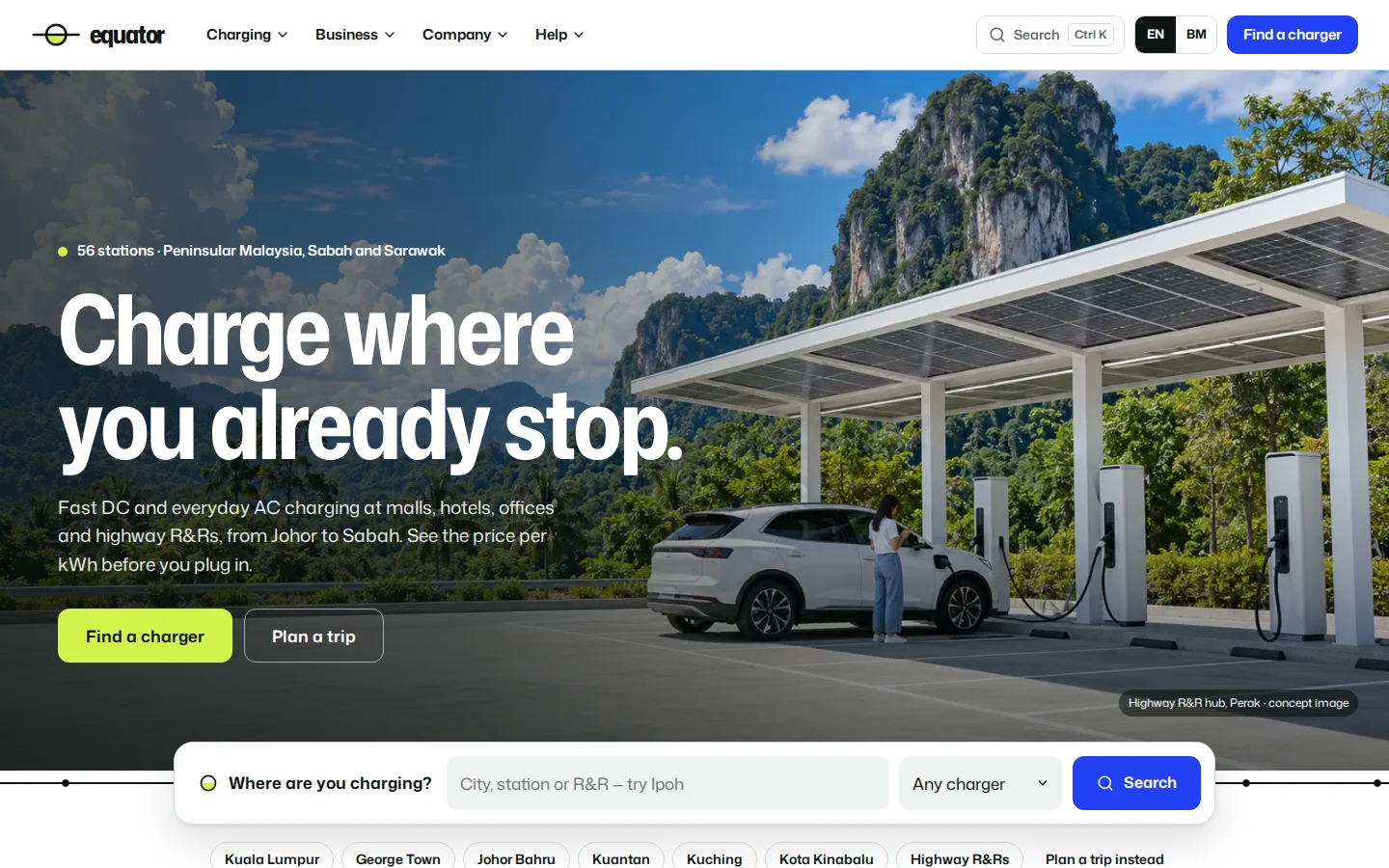
A daylight highway hero with the search line on the equator rule, then how charging works, the live network map, prices and help by task.
- Search by city, station or R&R, or go to the planner
- Map counts follow the area filter and live status
- Prices per kWh before any sign-up
Find a charger
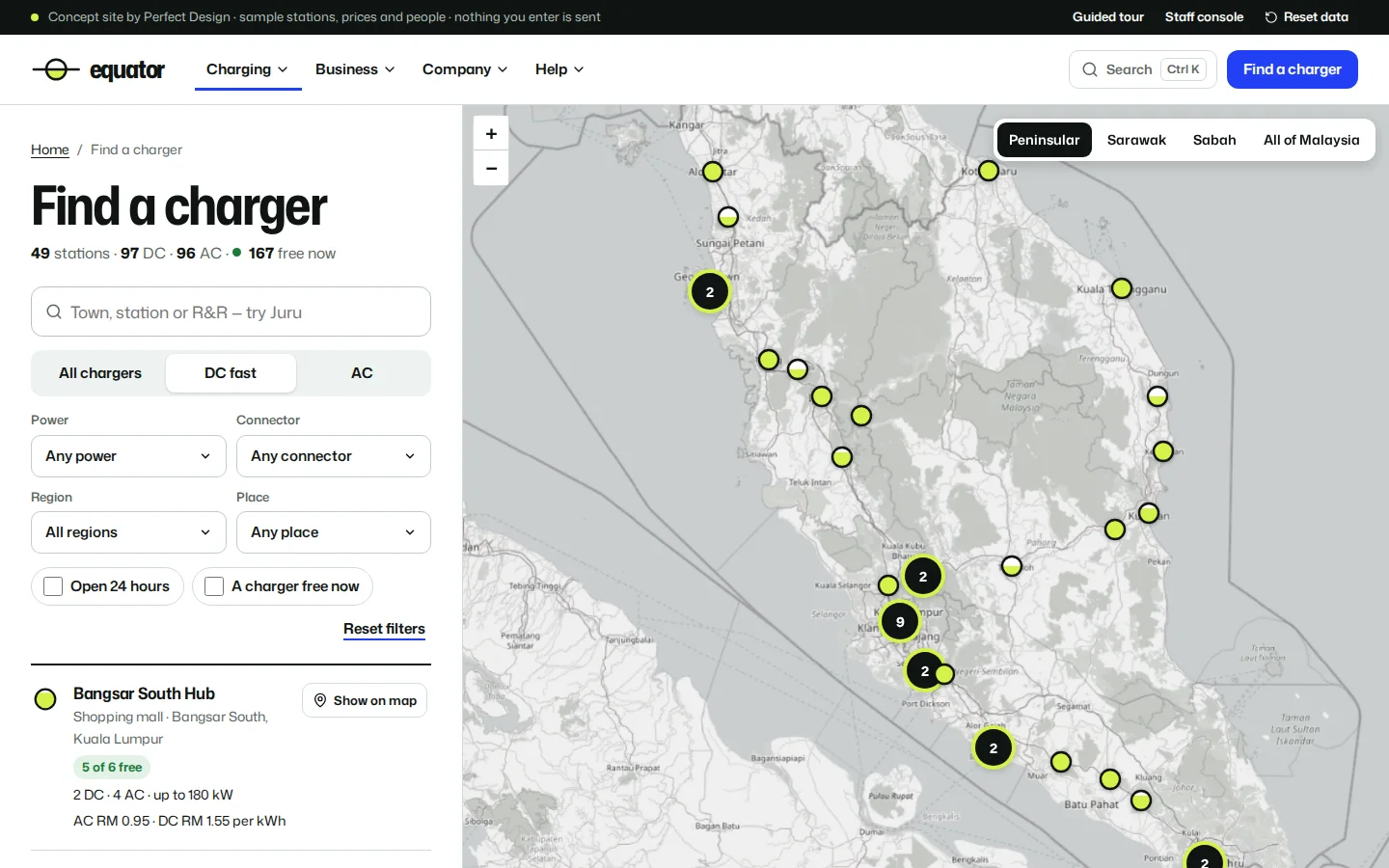
The 56-station sample network as a list and a map side by side, with seven filters and live availability on every row.
- Type, power, connector, region, place, 24 hours and free now
- Per-kWh prices on every row
- A list or map switch on phones
Station pages
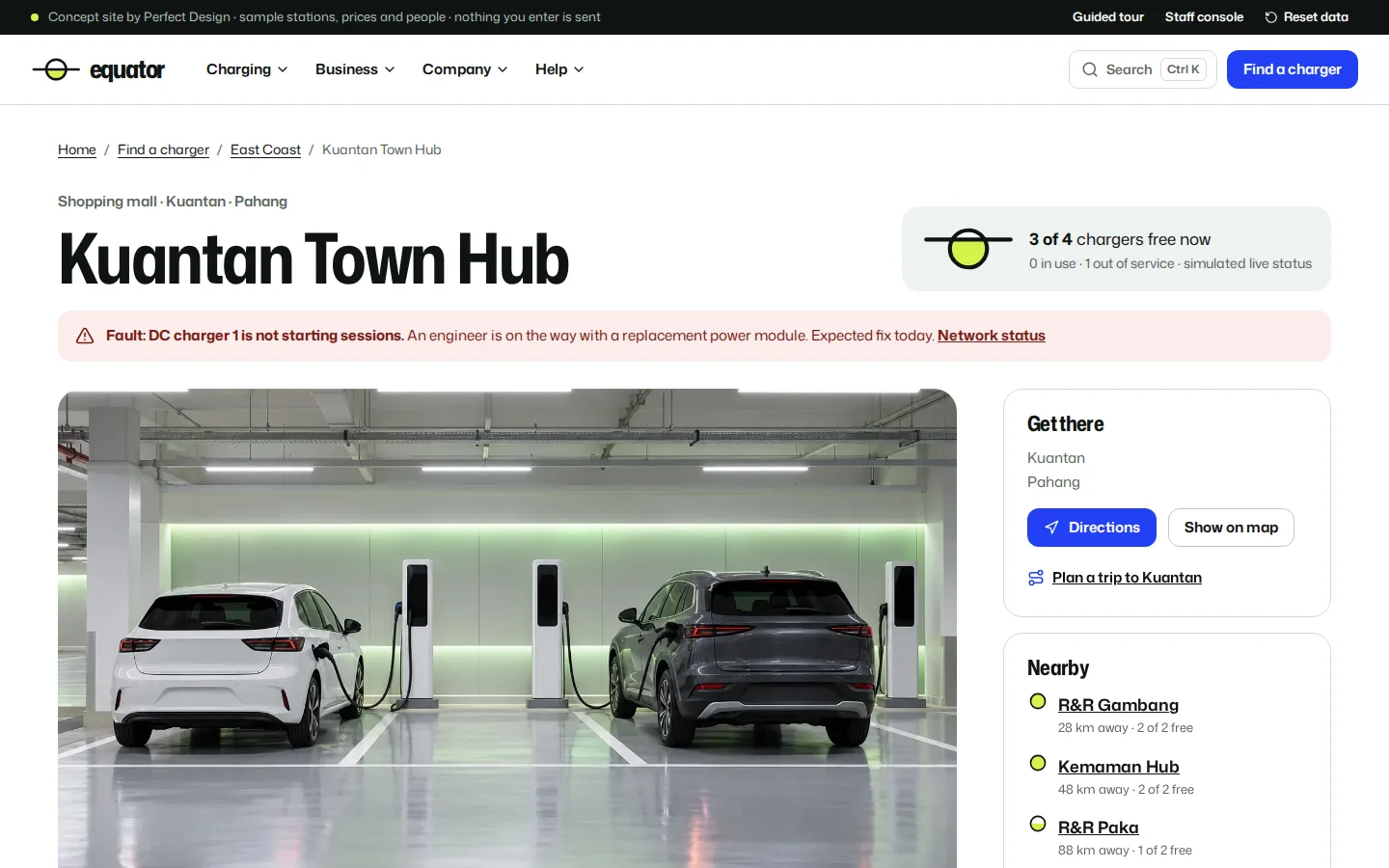
Each station shows every charger with its status and price, current faults, access notes, hours, amenities and nearby alternatives.
- Fault banners from the network desk
- Report a problem and track the ticket
- Licence reference marked as a sample
Trip planner
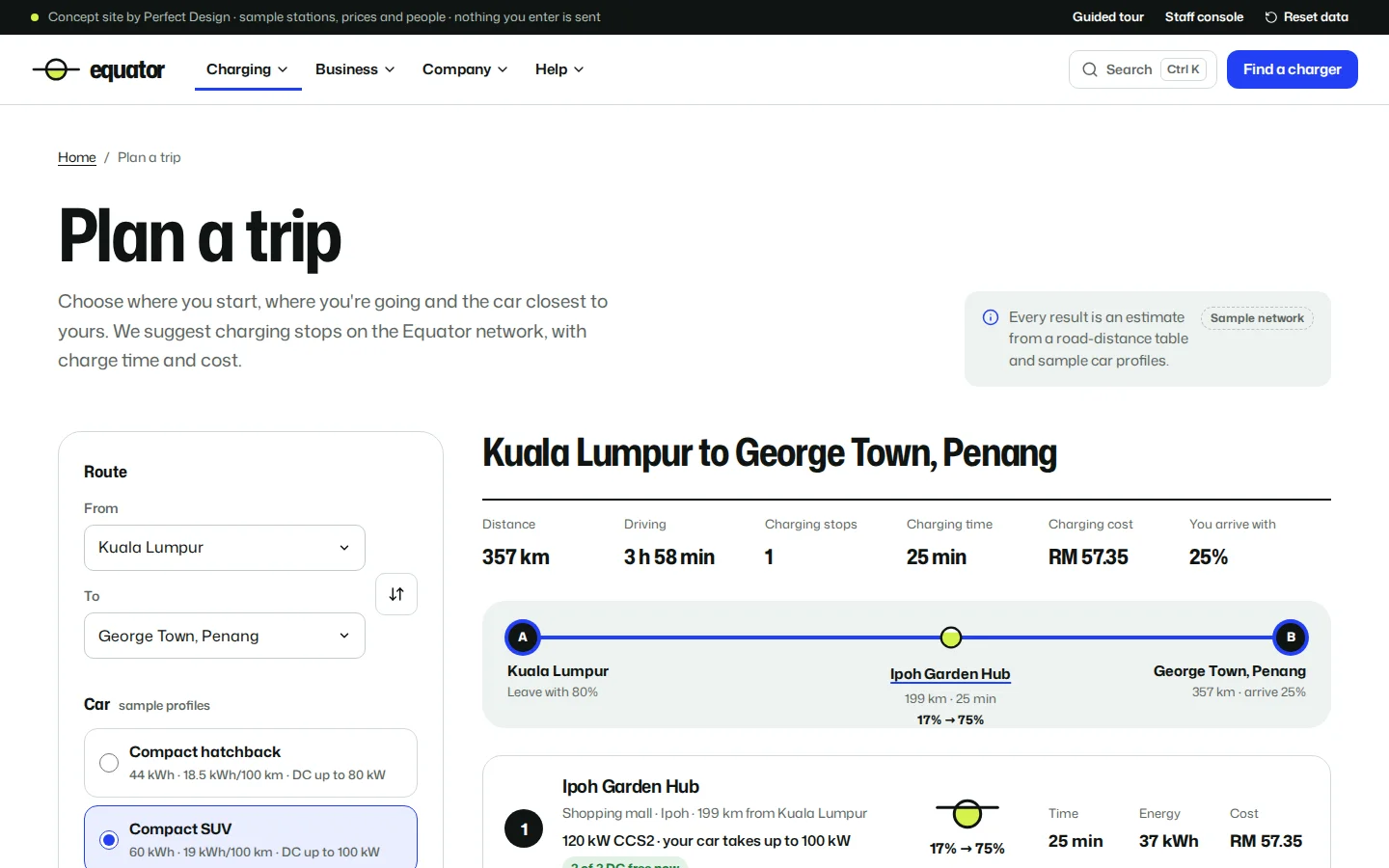
Charging stops chosen from the network for a sample car, with charge time and cost per stop, drawn as a route line and on the map.
- Charge at departure and on arrival
- Fewest stops above a 10% reserve, on a DC charging curve
- Save and share; every figure labelled an estimate
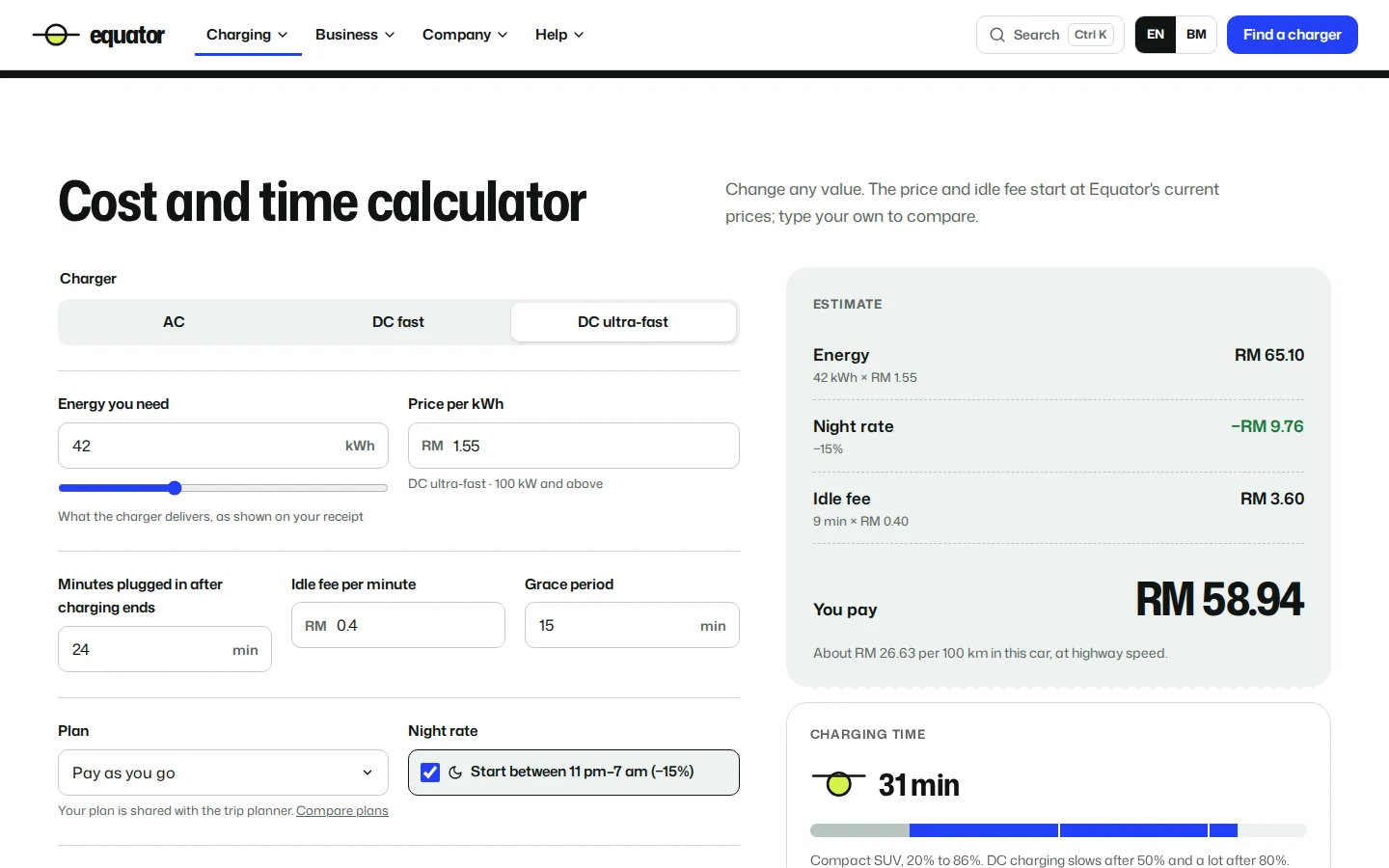
Cost and time calculator
What one charge costs and how long it takes, line by line, under the price board and an explainer of how charging is billed in Malaysia.
- Idle fee after the grace period
- Plan discount and night rate
- Cost per 100 km and a charging-time bar
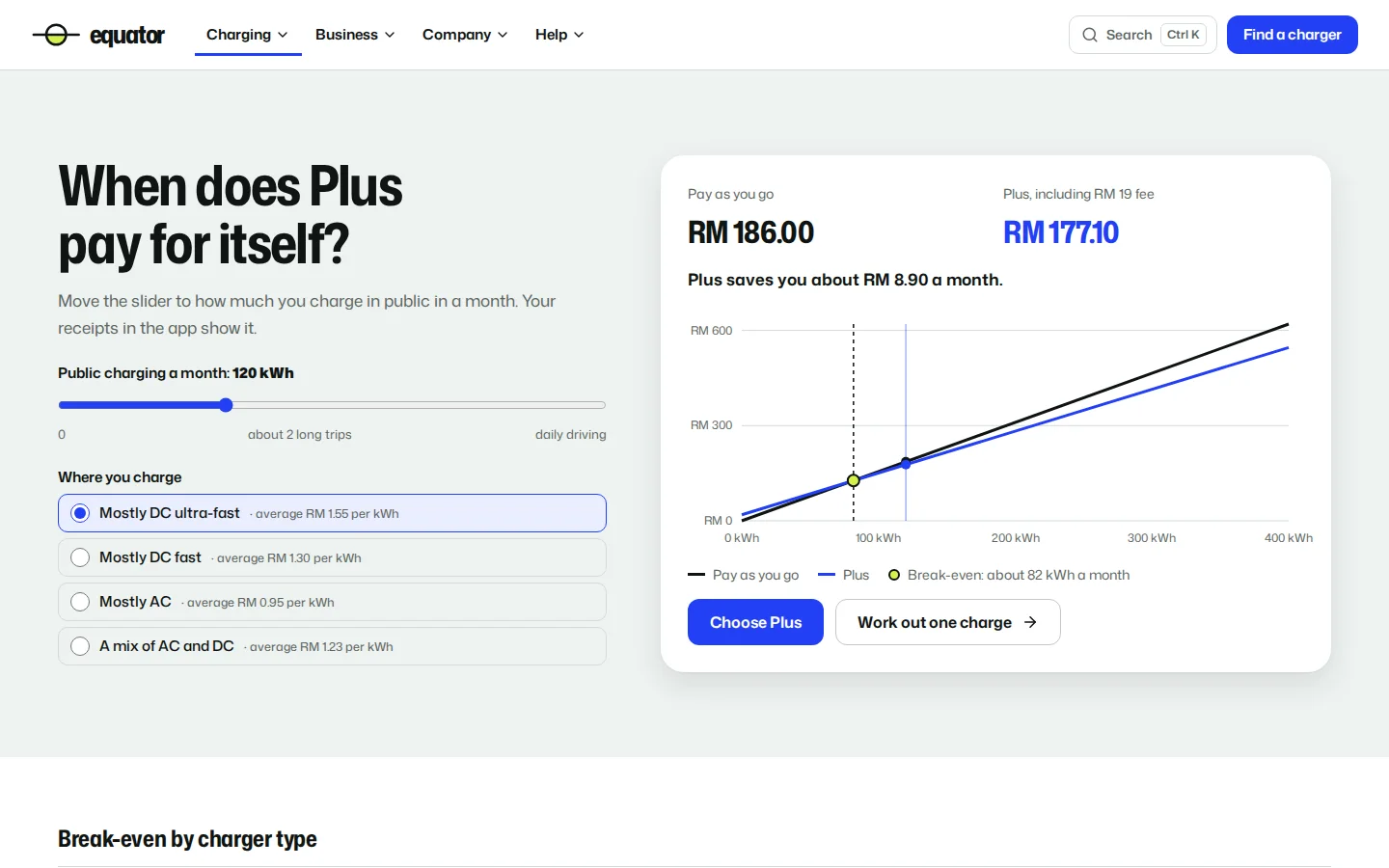
Plans and break-even
A slider for monthly charging shows when the membership pays for itself, fee included, and the chosen plan carries into the calculator and planner.
- Break-even by charger mix
- The monthly fee included in every comparison
- A plan picker on phones
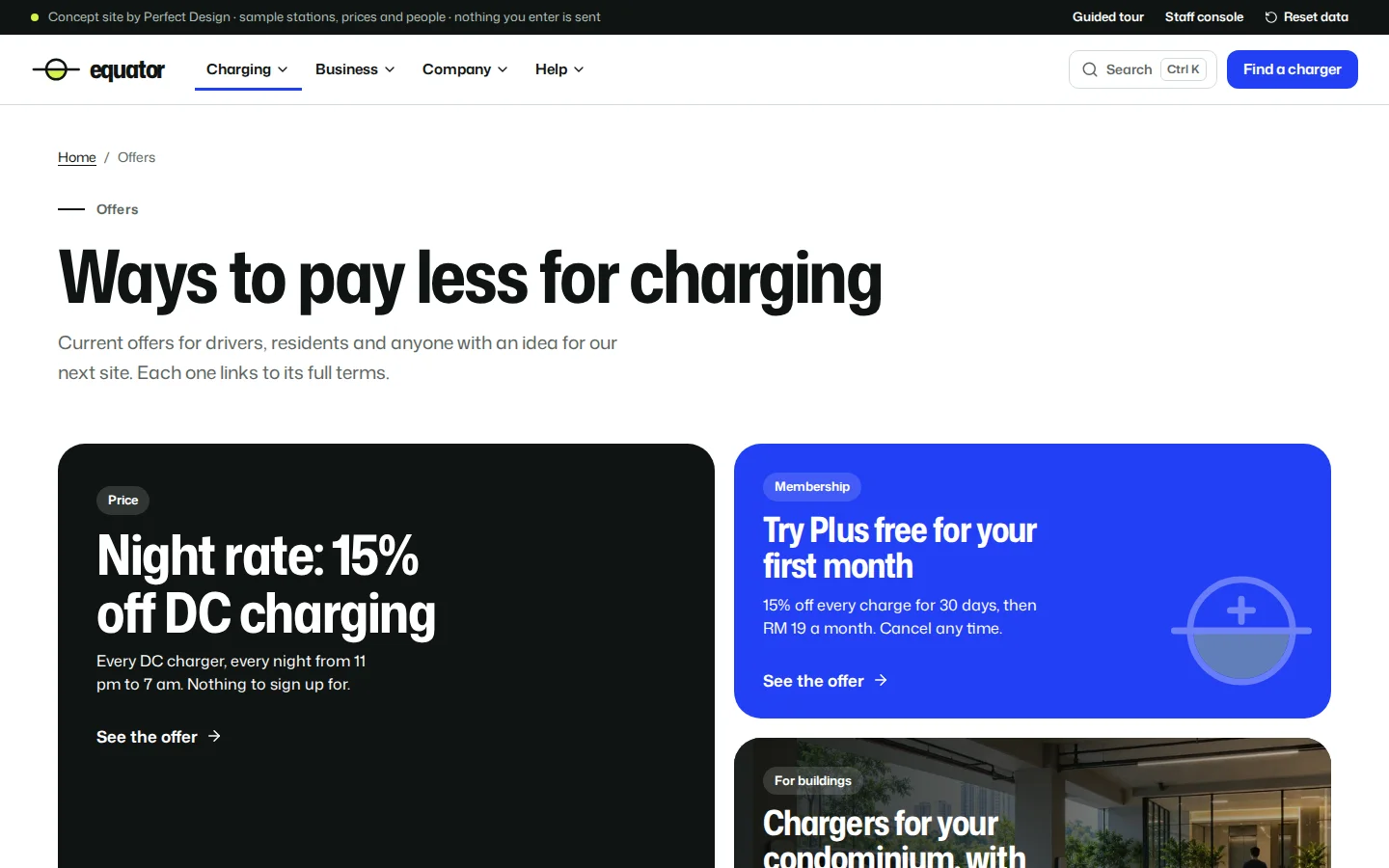
Offers
Four offers as distinct posters, each with its own landing page, a working action and full terms.
- Night rate and a free first month of the plan
- A programme for condominiums
- A vote for the next charging hub
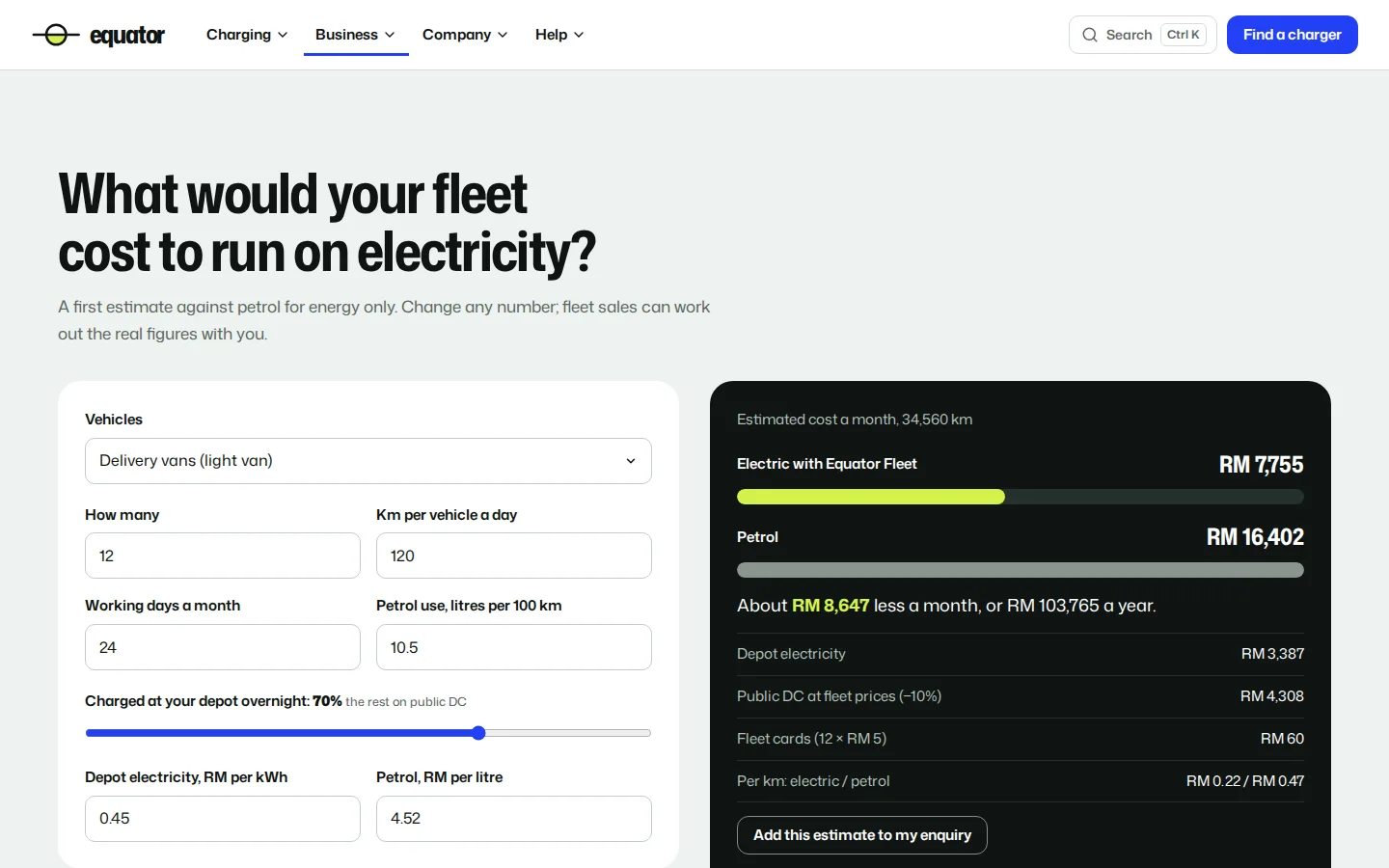
Fleet cost estimate
A fleet’s monthly energy cost against petrol, with depot charging, public charging and card fees broken out, clearly labelled as an estimate.
- Vehicles, distance, working days and depot share
- Depot and petrol prices you can change
- Sent with the enquiry to fleet sales
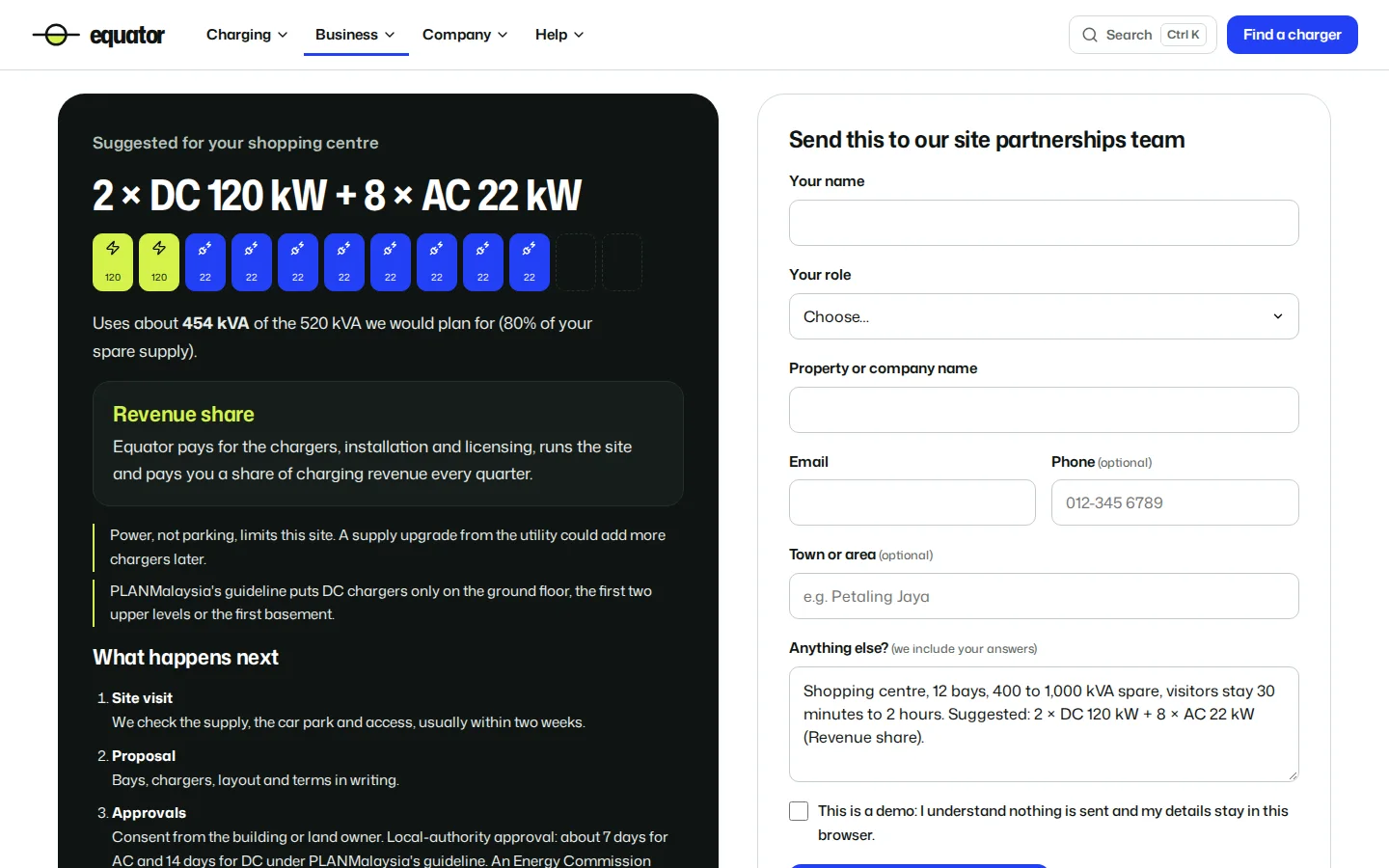
Host a charger
A four-step site check recommends a charger mix sized to the spare power and a host model, then sends both with the enquiry.
- Revenue share, lease, or buy and manage
- The approvals the site needs
- A path for condominium management bodies
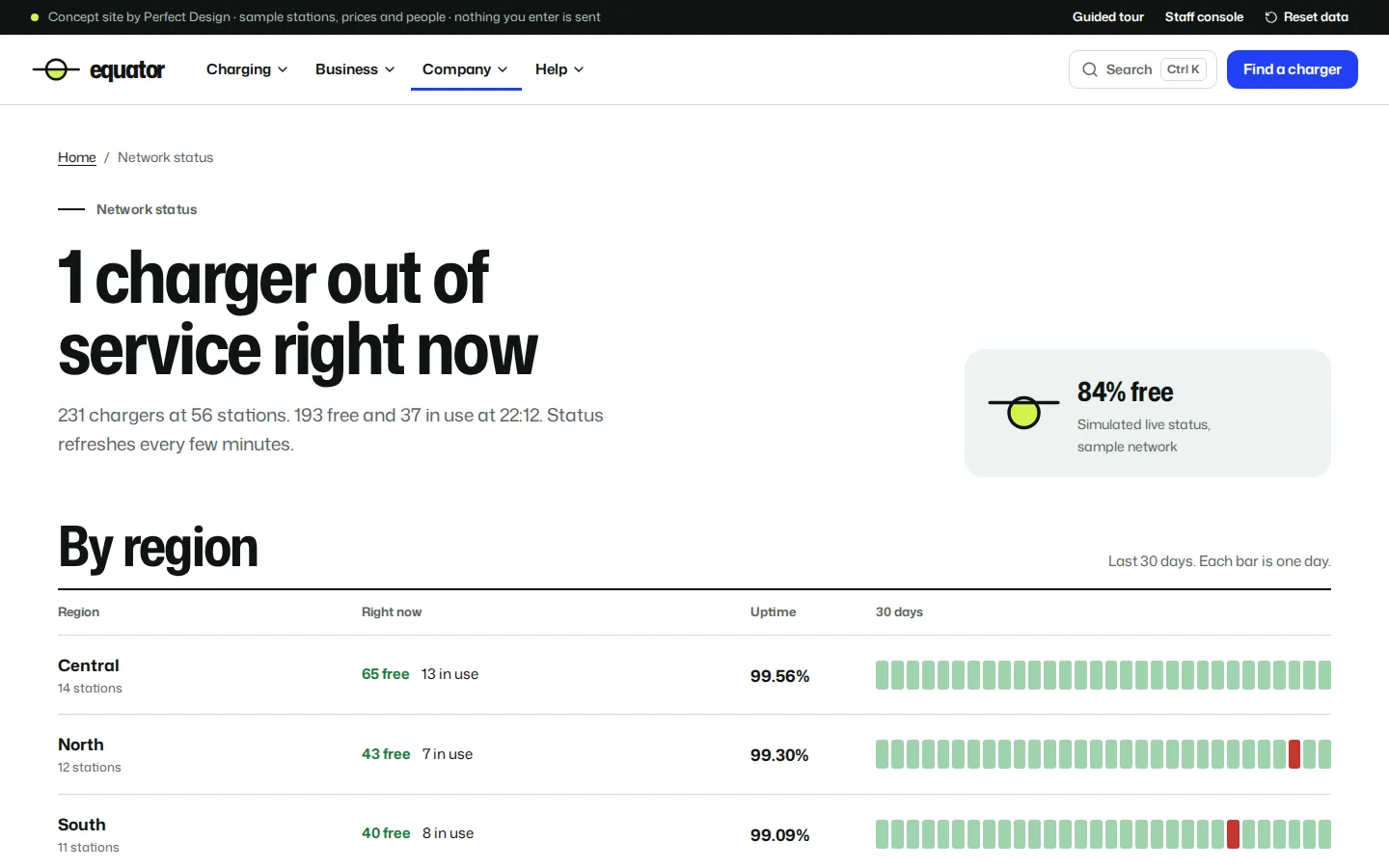
Network status
Uptime by region for the last 30 days, current incidents with their updates and dated maintenance, fed by the staff network desk.
- Live counts by region
- Incident timelines
- Status emails by region
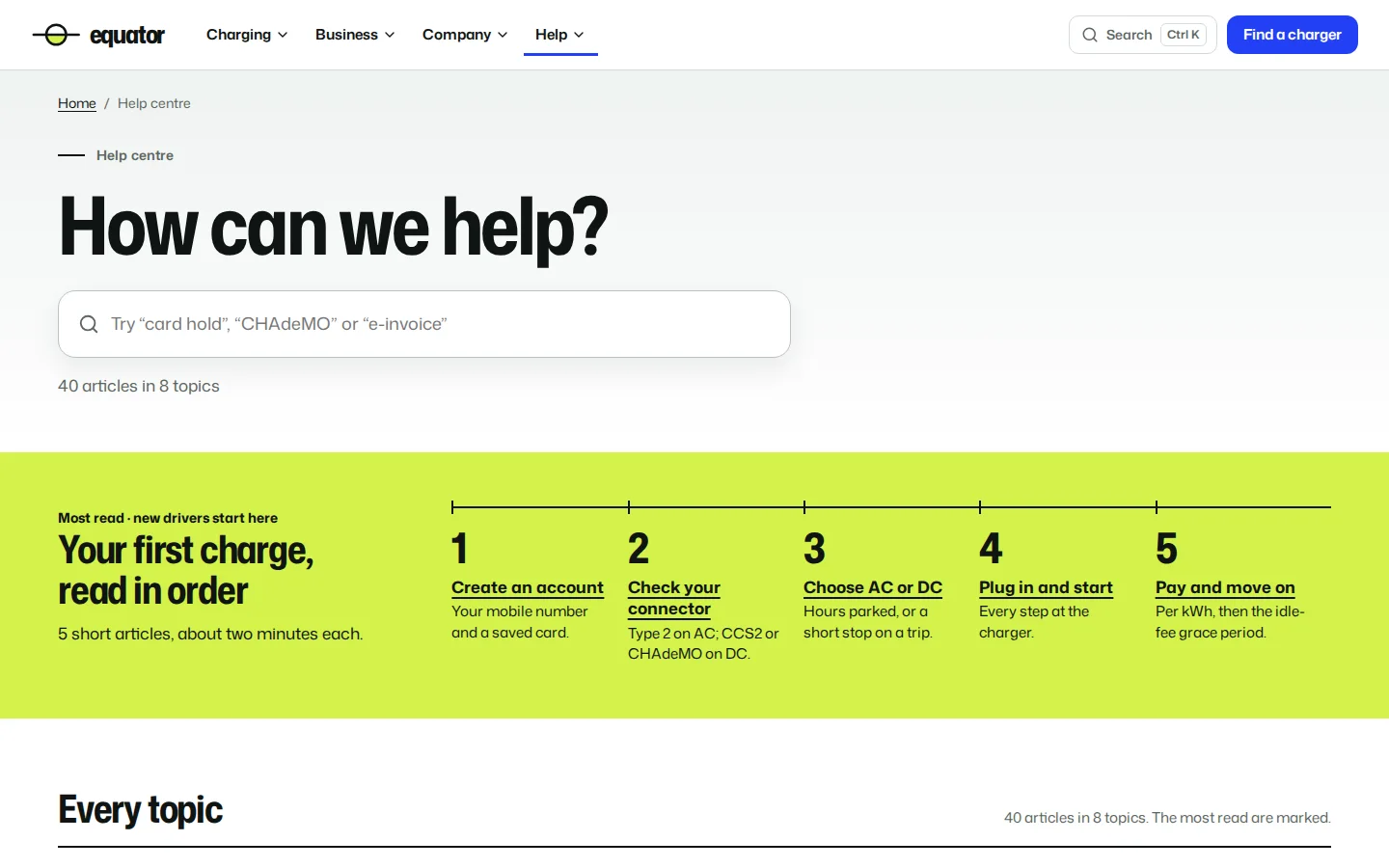
Help centre
Search first, then the first charge as five short reads in order, then every topic as an index row with its article count and the most-read articles marked.
- Forty original articles in eight topics
- Search across help, news, stations and jobs
- Requests routed to the right team and tracked by reference
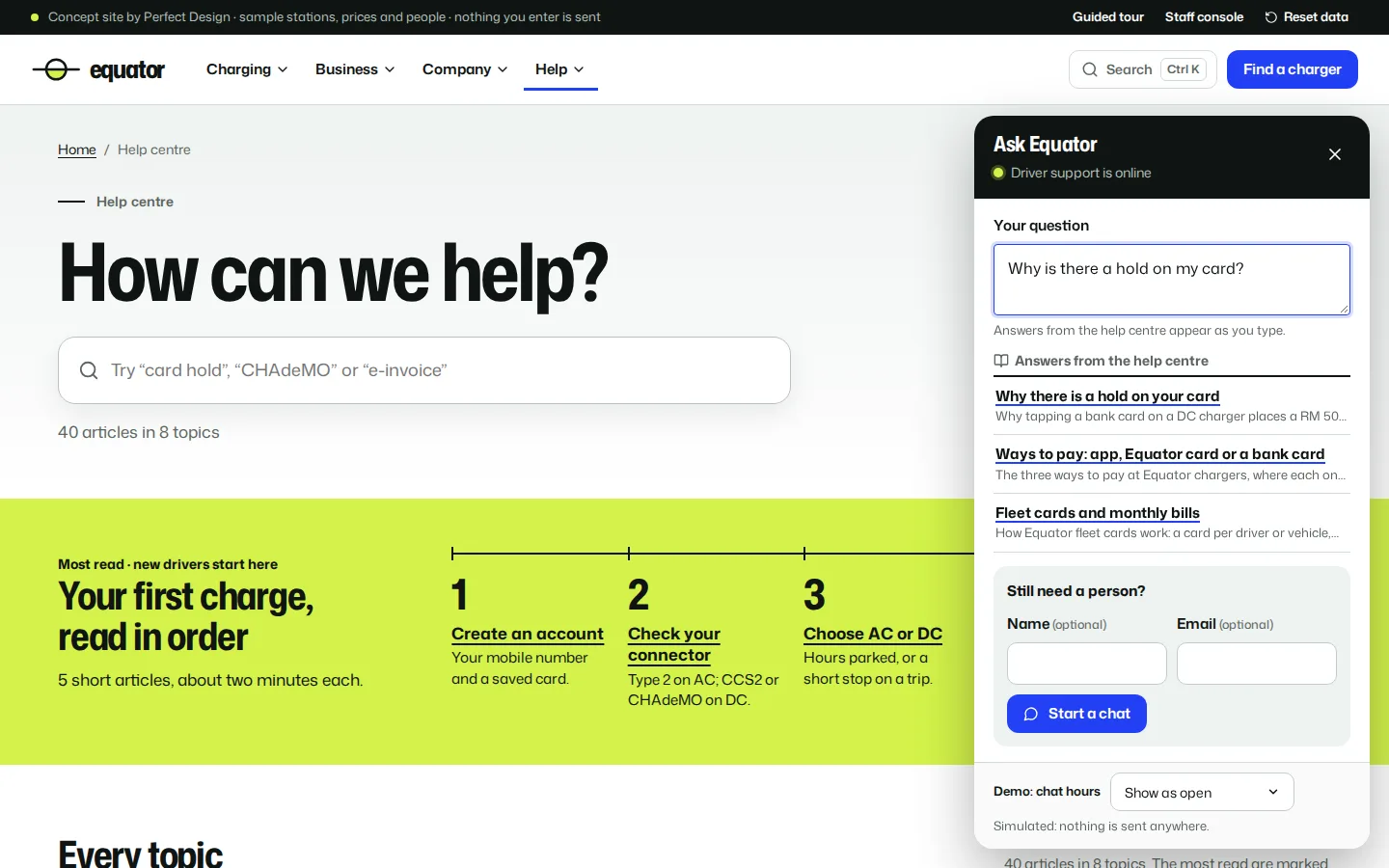
Live chat
A chat panel on every page that suggests help-centre answers while the driver types, then hands over to a person in office hours. Outside them, the message becomes a tracked request. Simulated: nothing is sent.
- Answers from the help centre as you type
- A person in office hours
- After-hours messages become requests
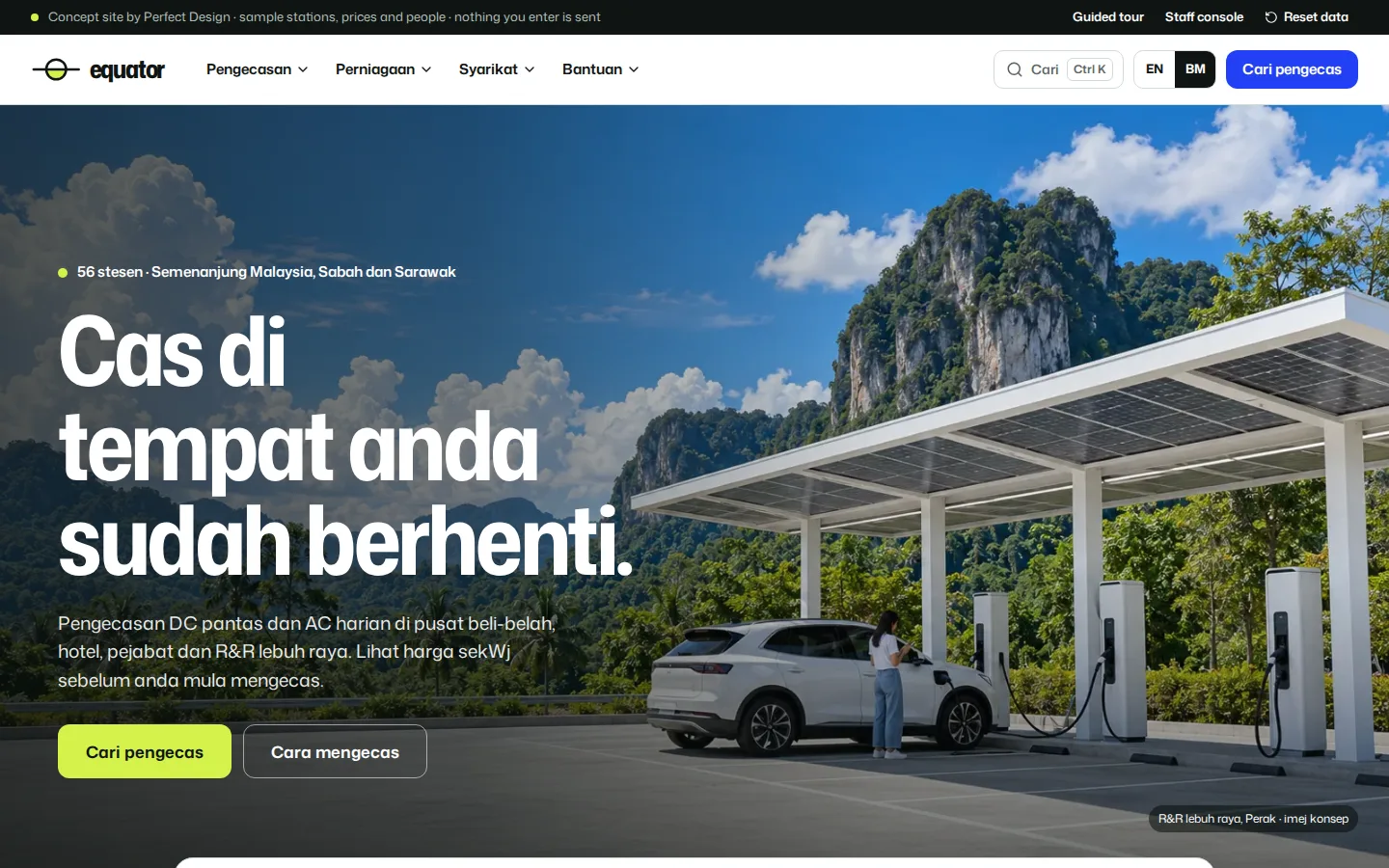
Bahasa Melayu pages
The home page, pricing and the how-to-charge guide in Bahasa Melayu, each at its own /ms address, with the menu, buttons and footer in Malay too.
- Own /ms addresses
- Menu and footer in Malay
- English-only links marked (BI)
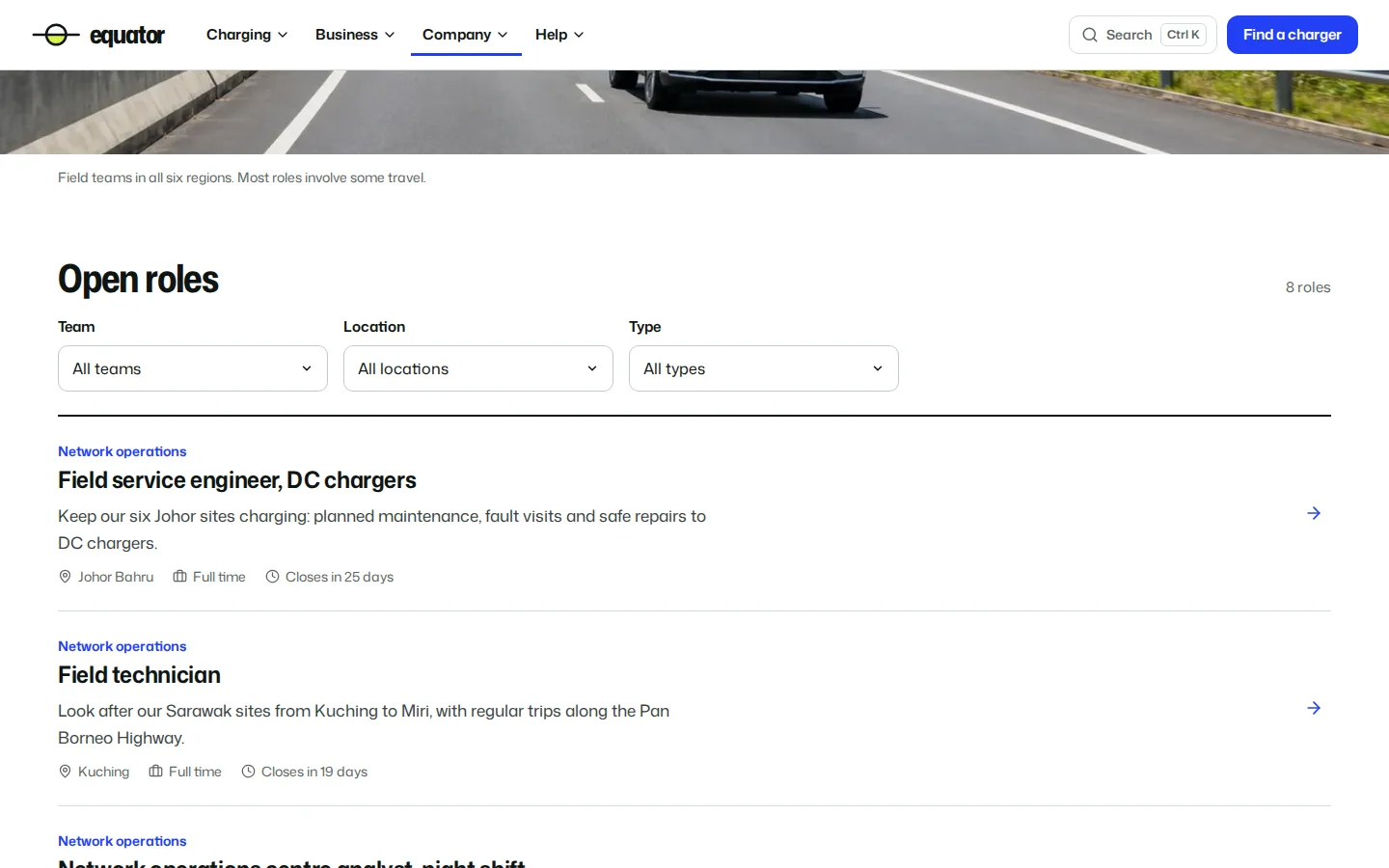
Careers
Open roles filtered by team, location and type, each with what the job involves and when it closes. Applications reach the staff studio.
- Eight sample roles
- Filters by team, location and type
- Closing date on every role
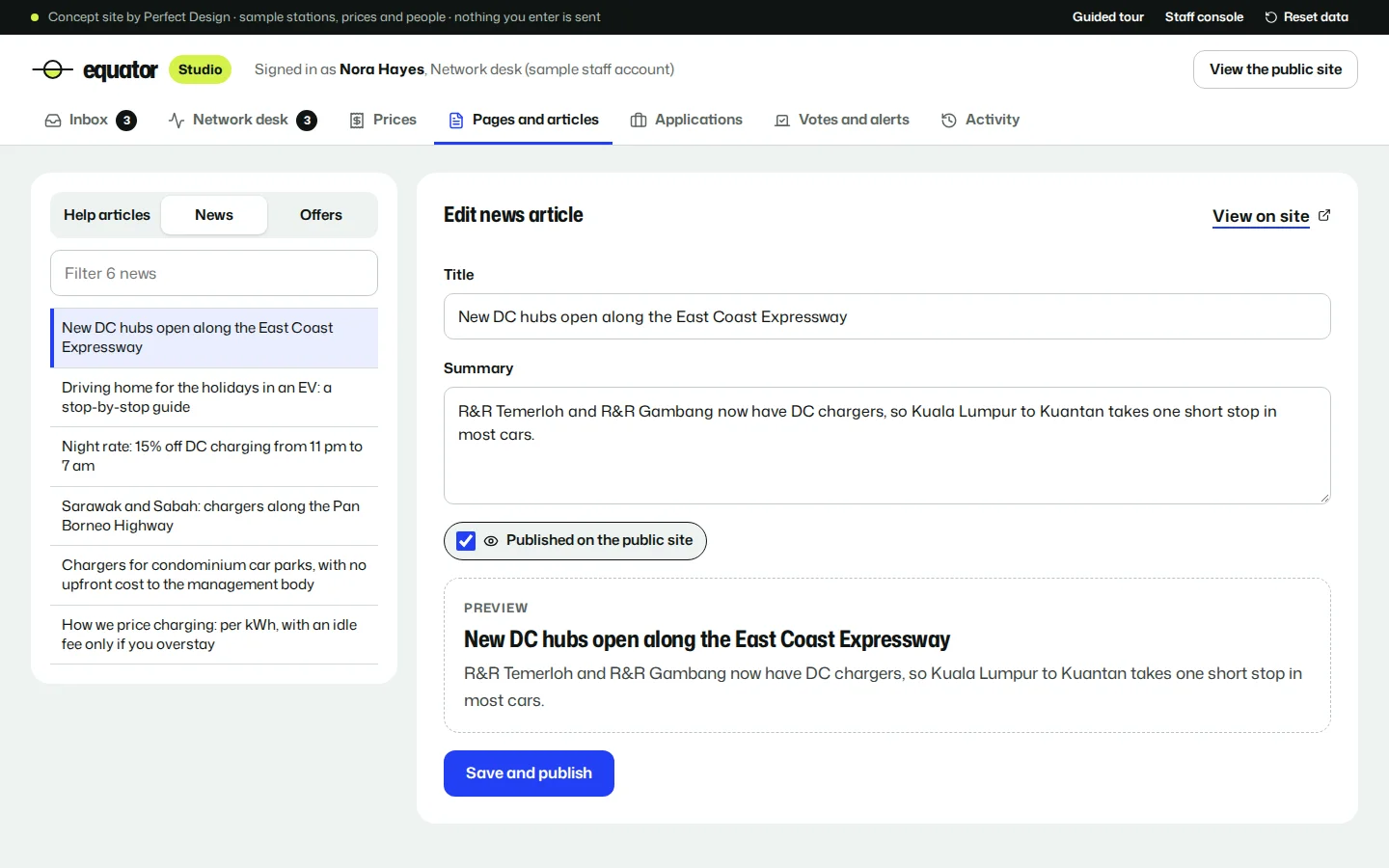
Staff studio
The console in the site’s own colours: an inbox routed by team, a network desk, prices, articles, applications and activity, with edits that change the public pages.
- Take a charger out of service
- Publish new prices
- Retitle or unpublish an article
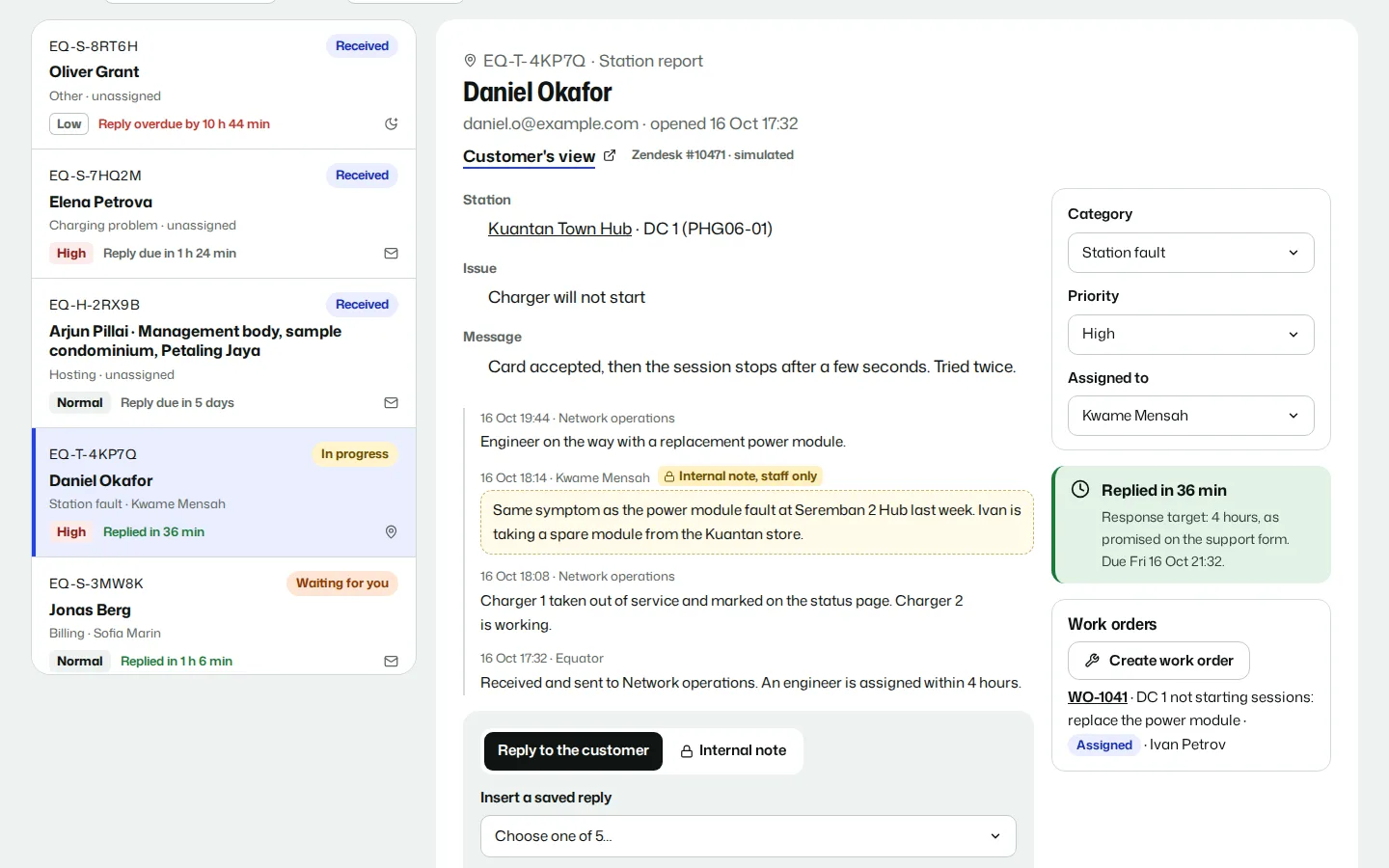
Help desk
Requests from the support form, station reports and the chat arrive as tickets with a category, priority, owner and a response target counting down. Internal notes stay with staff; each reply changes what the driver sees on Track a request.
- Response targets with time left
- Internal notes and saved replies
- A ticket becomes a work order
Fault work orders
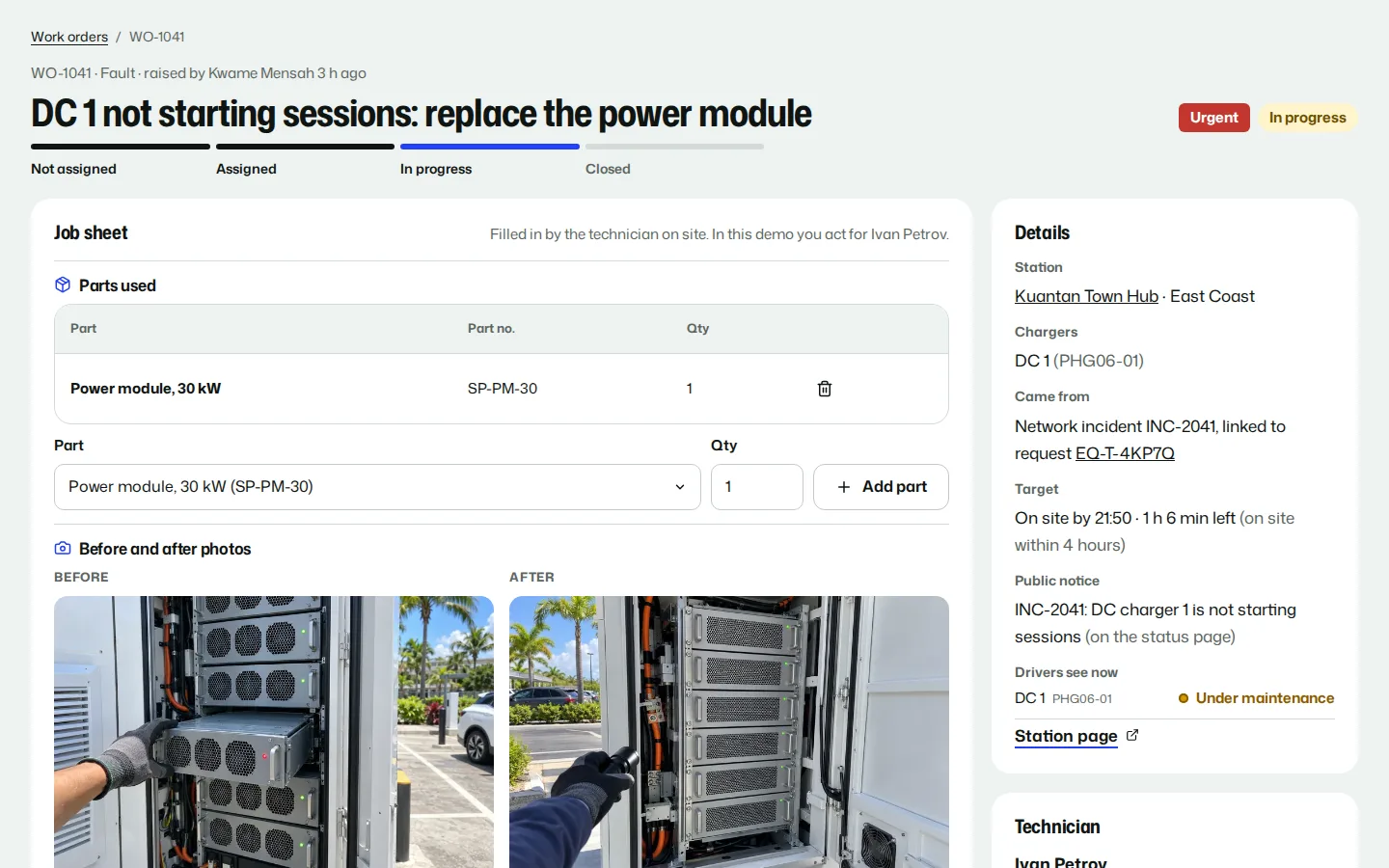
A fault from a ticket, a network incident or the desk becomes a work order with an on-site target. The technician records parts, before and after photos and a test charge; closing it puts the charger back in service on the public station page.
- Assigned with a priority and target
- Parts, photos and close-out checks
- Station pages follow the repair
Charger register
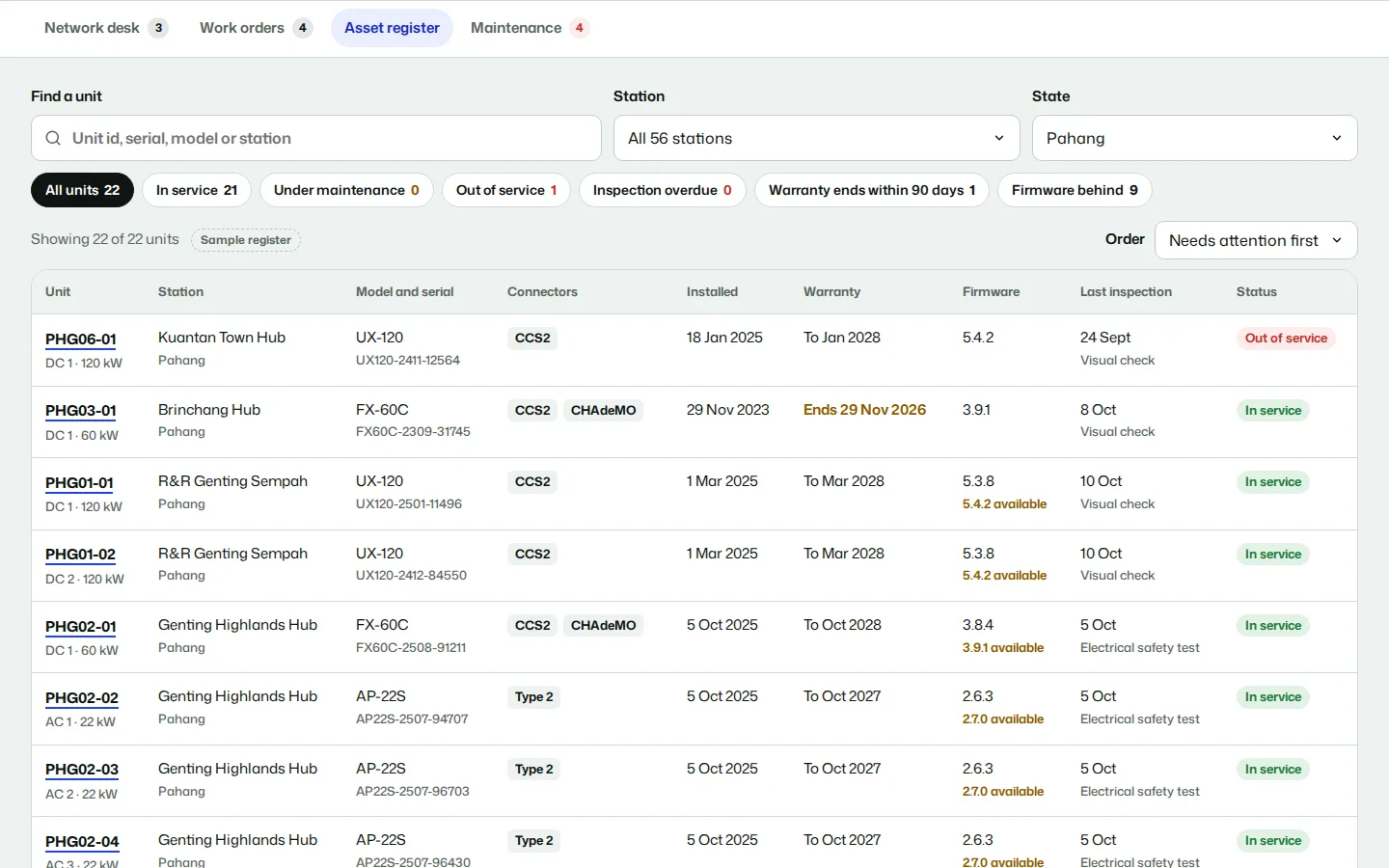
Every charger at 56 stations with its model, serial, connectors, installation date, warranty, firmware and last inspection, filtered by station, state and condition, with a history page for each unit.
- Warranty and firmware flags
- Filters by station, state and condition
- A history page for each charger
Preventive maintenance
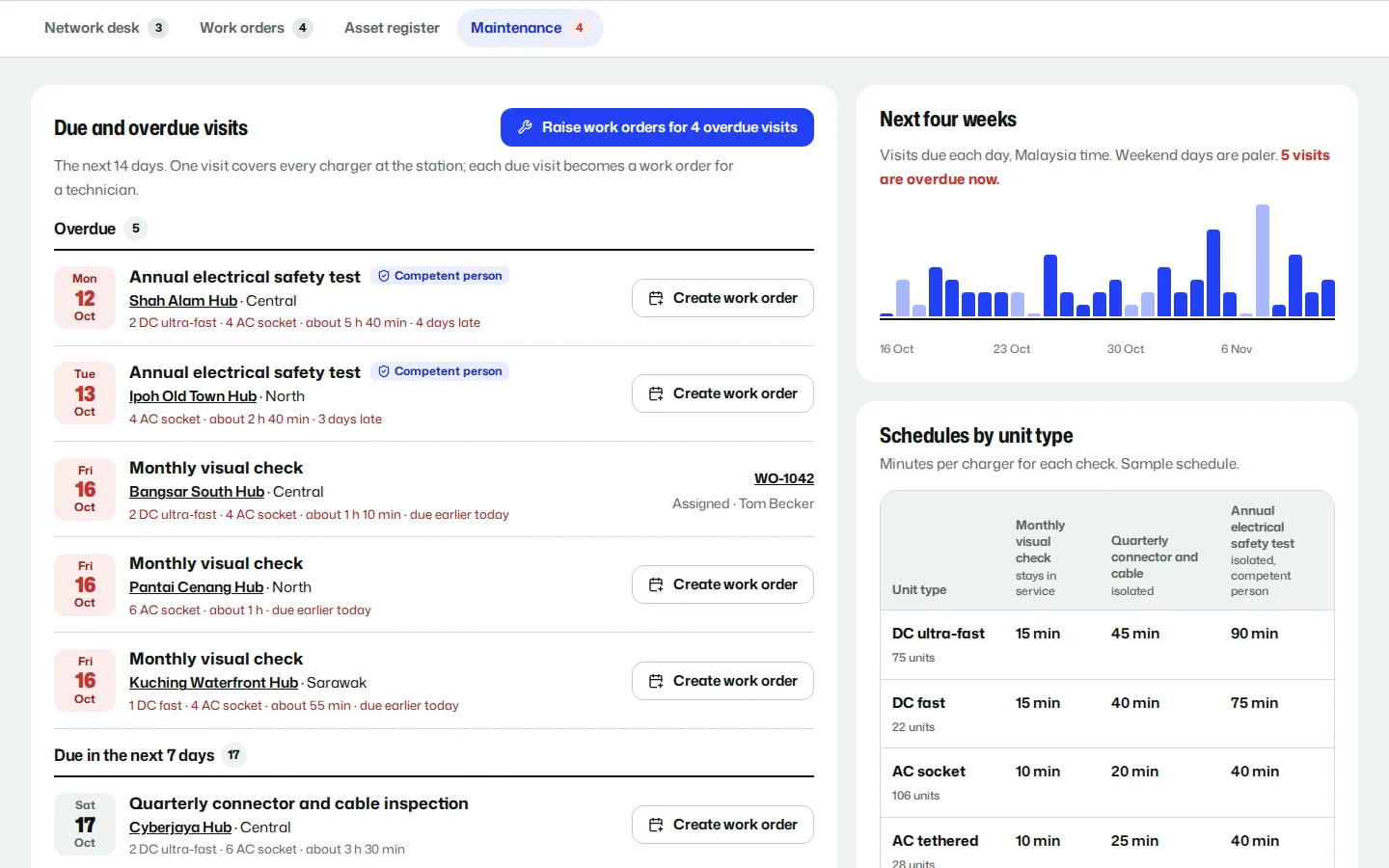
Monthly visual checks, quarterly connector and cable inspections and an annual electrical safety test by a competent person, scheduled by charger type. Due and overdue visits become work orders in one click.
- Due and overdue visits by date
- Safety tests only by a competent person
- A month of visits at a glance
Zendesk connection
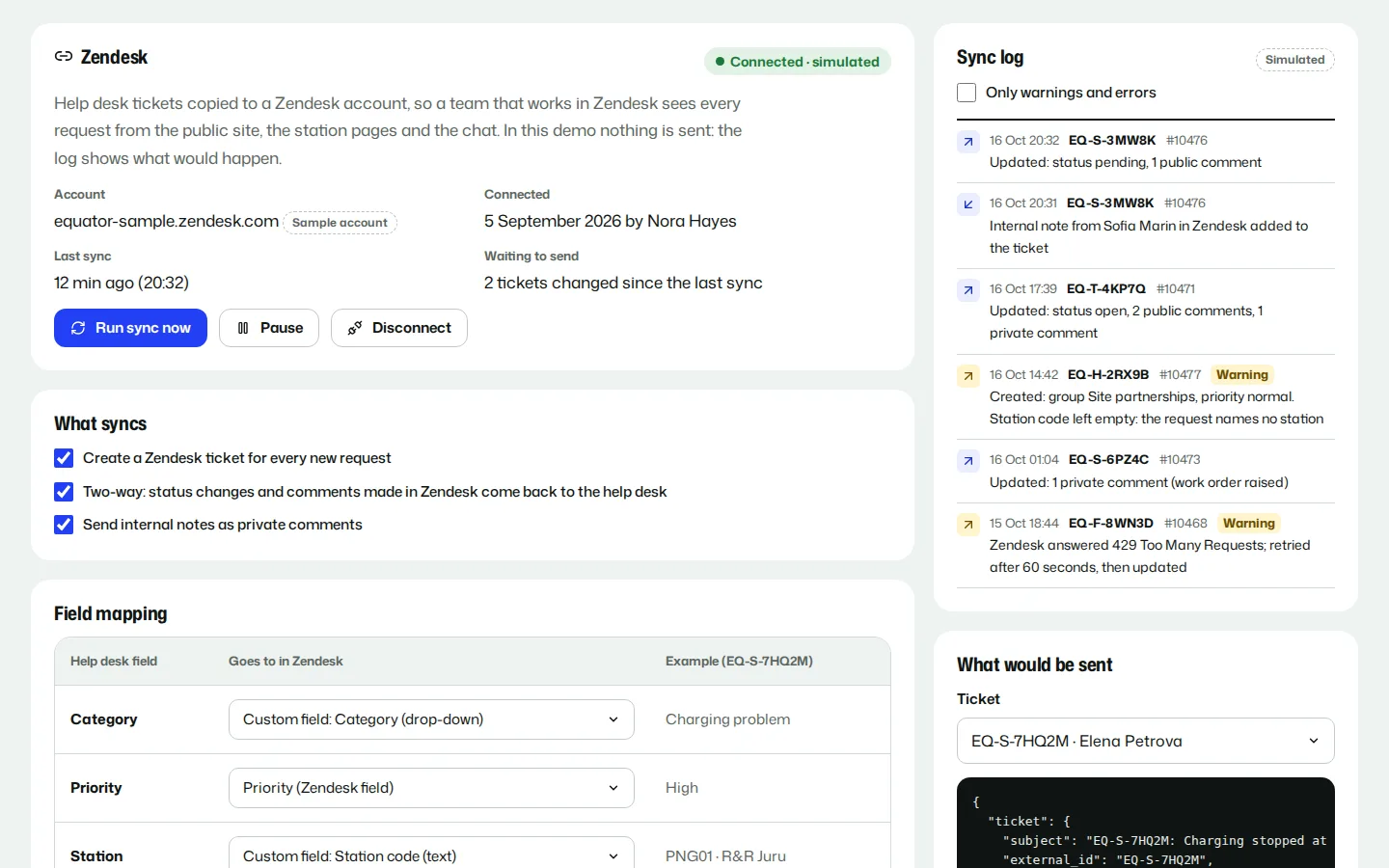
For a team that works in Zendesk: each request copied across as a ticket, status and comments synced both ways, fields mapped, and a sync log with warnings and retries. Simulated against a sample account.
- Category, priority and station mapped
- Two-way status and comments
- A sync log with retries
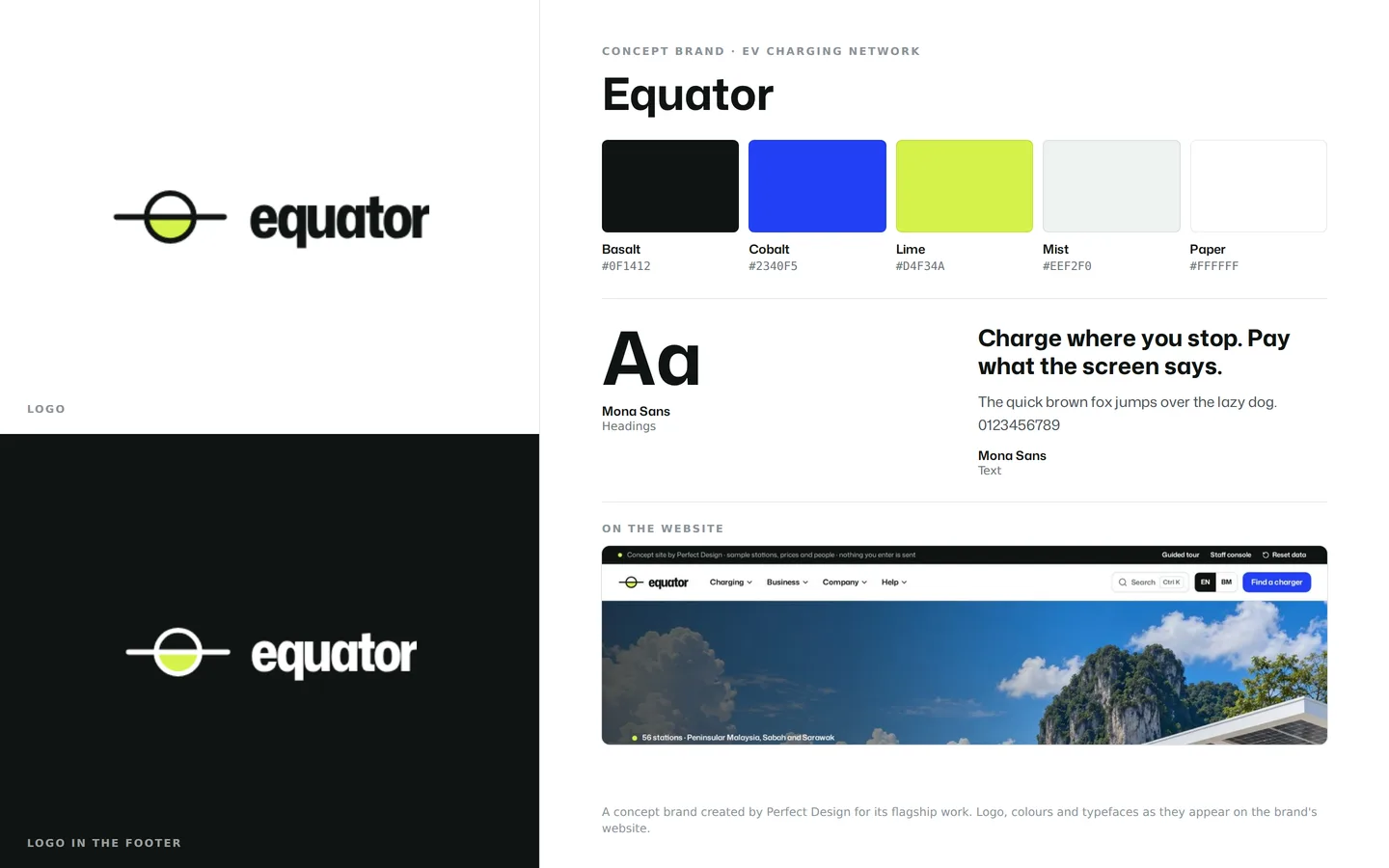
Brand identity
An EV network brand that has to read on a map pin and a charger screen: the equator mark, basalt and cobalt with a lime signal colour, all in Mona Sans.
- Logo on light and dark
- Basalt, cobalt and lime
- One typeface family
Click through it yourself
Every screen above is interactive. No sign-up, nothing to install.
Behind the build
Researched first, then built
Before designing anything, we studied 18 charging networks and route planners: five Malaysian operators, two in Singapore and Southeast Asia, one in Thailand and the strongest in Europe, the UK and the US. We used their planners and calculators rather than only looking at them. Nothing was copied. Each finding below changed a decision.
Studied (18)
- Gentari
- Shell Recharge Malaysia
- JomCharge
- ChargeSini
- DC Handal
- Charge+
- SP Mobility
- EA Anywhere
- IONITY
- Fastned
- GRIDSERVE
- Osprey Charging
- InstaVolt
- Zapmap
- Electrify America
- EVgo
- ChargePoint
- A Better Routeplanner
What we saw
What Equator does
What we saw
Three operators serving Malaysia show no prices online, and another gives only a range.
What Equator does
The per-kWh price on every station and charger, a price board, and a calculator with the billing rules and their sources.
What we saw
The one membership savings calculator we found never subtracts the monthly fee.
What Equator does
A break-even chart that includes the fee, and a plan choice that carries into the calculator and the planner.
What we saw
No Malaysian operator offers trip planning.
What Equator does
A trip planner over the network itself, with every result labelled an estimate.
What we saw
No site lets a driver follow up a fault, and only one directory takes reports from a station.
What Equator does
“Report a problem” on every station, a ticket reference, a request status page and a staff inbox.
What we saw
None publishes planned maintenance, and only five give a reliability figure.
What Equator does
A status page with uptime by region and dated maintenance, banners on affected stations, and a planner that skips chargers out of service.
What we saw
Idle fees and card holds are standard, but only two sites explain them.
What Equator does
The grace period, idle fee and cap on the price board and in the calculator, with help articles for both.
What we saw
Fourteen sites invite property owners to host chargers, but only five help them judge their site.
What Equator does
A four-step site check that recommends a charger mix and a host model, plus a programme for condominiums.
Feature checklist
57 of the 68 features the leading sites offer
We listed every feature we found in the research above. Equator has 57 of them, and 2 more in part; the 9 left out are listed with the reason.
Find and plan11
- Station map with search
- Filters for charger type, power and connector
- Live availability per charger
- A page for every station
- Amenities, photos and opening hours
- Directions from each station
- Trip planner
- Charge time calculator
- Cost and fleet savings calculators
- Network counts
- Votes for new sites
Price and pay9
- Prices on the website
- Per-kWh pricing
- Idle fee explained
- Card hold explained
- A membership plan
- Plans compared side by side
- Night rate
- Offer pages
- Receipts and e-invoices
Charge7
- Step-by-step charging guide
- Guide by payment method
- Guide by connector
- Bank card tap explained
- Charge card
- App page with phone screens
- Beginner guides
Help and support8
- Help centre
- 24-hour phone line
- Support form routed by topic
- Request status page
- Report a fault from the station
- Reliability figures
- Planned maintenance notices
- Live chat
Fleets and hosts11
- Fleet page
- Fleet card with one monthly bill
- Fleet reporting
- Depot charging
- Fleet cost estimate
- Host page
- Host models
- Host enquiry
- Site assessment
- Condominium programme
- Network data download
Company11
- About
- Leadership
- Sustainability page
- Renewable electricity explained with sources
- Newsroom
- Media desk and press kit
- Careers
- Job filters and applications
- Site search
- Bahasa Melayu pages
- Legal pages
Built in part
- Home charger installation: a help article covers charging at home; installing home chargers is another business.
- A newsletter: status emails by region stand in for one.
Left out, and why
- Loyalty points and a cheaper price in the app (2): points depend on retail or bank partners, and one price however you pay keeps every estimate true.
- Plug & Charge and roaming partners (2): Plug & Charge is not confirmed live in Malaysia, and naming real roaming networks would imply agreements.
- Host case studies, investor pages and awards (3): a concept network has none, and we do not invent outcomes or financials.
- Charger sales and station advertising (2): not this business or its audience.
Design research
How the leading sites look, and what we took
We measured the fonts, colours and layouts of the networks we studied, then applied what the best of them share in an original design, on the public site and in the staff studio.
Across the leading sites
In Equator
Across the leading sites
Sans-serif headings, with the biggest networks using a distinctive grotesk.
In Equator
Mona Sans, which none of the studied sites uses, semi-condensed for headings.
Across the leading sites
Hero headlines of 77 to 127 px, tightly set, over body text of 16 to 20 px.
In Equator
Headlines of about 100 px on desktop and 46 px on phones, with 17 px body text.
Across the leading sites
One saturated brand colour on a light base.
In Equator
Cobalt and lime on white and cool greys, a pair no Malaysian operator uses.
Across the leading sites
A photographic hero with finding a charger as the first task.
In Equator
A full-bleed daylight photo with the search line sitting on the equator rule.
Across the leading sites
The list and the map side by side.
In Equator
The same on desktop, with a list or map switch on phones.
Across the leading sites
Pop-ups and consent walls covering the map.
In Equator
No pop-ups, and map tiles that need no consent.
Across the leading sites
Prices hidden, or given as a range.
In Equator
The per-kWh price everywhere, a calculator and the billing rules with their sources.
Rules it follows
The business rules, built in
The prototype enforces each of these, so you can test them yourself.
Prices
- The final per-kWh price shown before every session, the same however you pay
- The idle fee, its grace period and its cap always stated
- No claim about service tax, which is unconfirmed for charging
Estimates
- Every trip, cost, time and fleet figure labelled an estimate, with its method
- The planner keeps a 10% reserve and warns about long last legs
- Chargers out of service are never planned as stops
Safety and licensing
- Connectors named as in the Energy Commission’s guidelines: Type 2 for AC, CCS2 and CHAdeMO for DC
- Charging from a household socket described as not allowed
- A licence reference on every station, marked as a sample
Personal data
- Location off by default
- A privacy notice covering retention, the data protection officer, data portability and breach notices, under the PDPA as amended in 2024
- Every demo form says nothing is sent
Content
- No real business named as a station site
- Sample data labelled throughout
- No invented awards, clients, testimonials or outcomes
Connected roles
One action, every screen
Every role works on the same records, so one person’s action shows up for the others.
- 1
A driver changes the map area on the home page, and the counts of stations, chargers and free chargers change with it.
- 2
A driver plans a trip, and the stops come from the same live network, skipping any charger that is out of service.
- 3
A driver reports a problem at a station, and gets a ticket to track while staff see it in their inbox.
- 4
Staff reply or change the status, and the driver’s request page shows it.
- 5
Staff take a charger out of service, and the station page, map, status page and trip planner all treat it as unavailable.
- 6
Staff publish new prices, and the price board, station pages, calculator and trip costs change at once.
- 7
Staff retitle or unpublish an article, and the newsroom, help centre, home page and search follow.
Services it proves
Where Equator is our example
Each of these service pages uses a part of Equator to show the work. Open one to see what we would build for you.
- Landing pagesShows: OffersA page for each offer with one action: start the night rate, try the plan free for a month, sign up a condominium or vote for the next hub, each with full terms.
- Field service & operations appsShows: Fault work ordersA charger technician’s work order: parts used, before and after photos and a test charge. Closing it puts the charger back in service on the public station page.
- Content & publication sitesShows: Help centreForty original help articles organised by what the reader is doing, with site search, and a staff studio where an edit changes the public pages.
- Corporate & governmentShows: Bahasa Melayu pagesBahasa Melayu pages at their own /ms addresses, with the menu, buttons and footer in Malay too.
- Branding & logoShows: Brand identityAn EV charging network’s bold mark and palette, built to read on a map pin and a charger screen.
- CopywritingShows: Bahasa Melayu pagesThe home page, pricing and how-to-charge guide in Bahasa Melayu, with the menu, buttons and footer in Malay too.
- Automotive & dealersShows: Cost and time calculatorAn EV charging network with a station finder and a cost and time calculator for drivers and fleets.
Core systems
What this build is made of
These are systems we build repeatedly — each links to every other project that contains it, so you can compare implementations before deciding what you need.
Industry: Automotive & dealers
Unique to this build
Built specifically for this project rather than assembled from the shelf.
Trip planner
Stops chosen from the network itself for a sample car, with charge time and cost, skipping chargers that are out of service.
Cost and time calculator
One charge priced line by line, with the idle fee after the grace period, the plan discount and the night rate.
Host site check
Property type, parking bays, spare power and typical stay become a charger mix and a host model, sent with the enquiry.



Want a build like this for your business?
Tell us what you have in mind and we'll put together a functional prototype of your project — free.