


In this section6 sections
The work we take off your team
When owners describe the manual work in their business, it is rarely exotic. Orders arrive on WhatsApp and someone retypes them into an invoice. The same customer details go into three different systems. Approvals are chased in a group chat. A weekly report is built by hand from spreadsheets. Stock is counted per branch and sent by message. Each one costs a few minutes, many times a day, and each retype is a chance to get something wrong.
Those are the jobs worth automating first: they repeat, they follow a pattern most of the time, and getting them wrong costs money or trust. The aim is not to remove people. It is to stop people doing what a system can do, so they spend their time on the cases that need judgement.
Retyping WhatsApp or email orders into an invoice
- What the system does instead
- Reads each message into a draft order, matched against your price list
- Where a person stays involved
- Staff confirm the draft before a price goes back
Typing the same sale into the accounting software
- What the system does instead
- Sends invoices and payments to SQL Account, AutoCount, Xero or Bukku
- Where a person stays involved
- Accounts review anything that does not match
Chasing approvals in a group chat
- What the system does instead
- Routes each request to the right approver and records the decision
- Where a person stays involved
- The approver decides; the system only routes and reminds
Reminding customers about bookings or payments
- What the system does instead
- Sends reminders by WhatsApp, SMS or email, and stops when the booking is cancelled or the invoice paid
- Where a person stays involved
- Replies go to a person
Building a weekly report from spreadsheets
- What the system does instead
- Prepares the figures and emails a summary on a set day
- Where a person stays involved
- Managers read it and act
Checking documents and expiry dates by hand
- What the system does instead
- Lists what expires soon and reminds the owner of each item
- Where a person stays involved
- The owner renews and uploads the new document
| Manual job today | What the system does instead | Where a person stays involved |
|---|---|---|
| Retyping WhatsApp or email orders into an invoice | Reads each message into a draft order, matched against your price list | Staff confirm the draft before a price goes back |
| Typing the same sale into the accounting software | Sends invoices and payments to SQL Account, AutoCount, Xero or Bukku | Accounts review anything that does not match |
| Chasing approvals in a group chat | Routes each request to the right approver and records the decision | The approver decides; the system only routes and reminds |
| Reminding customers about bookings or payments | Sends reminders by WhatsApp, SMS or email, and stops when the booking is cancelled or the invoice paid | Replies go to a person |
| Building a weekly report from spreadsheets | Prepares the figures and emails a summary on a set day | Managers read it and act |
| Checking documents and expiry dates by hand | Lists what expires soon and reminds the owner of each item | The owner renews and uploads the new document |
Automation first, AI where the input is messy
Plain rules are the backbone. When a payment arrives, mark the invoice paid. When stock falls below a level, raise a purchase request. When a form is complete, create the job. Rules like these are predictable, cheap to run and easy to check.
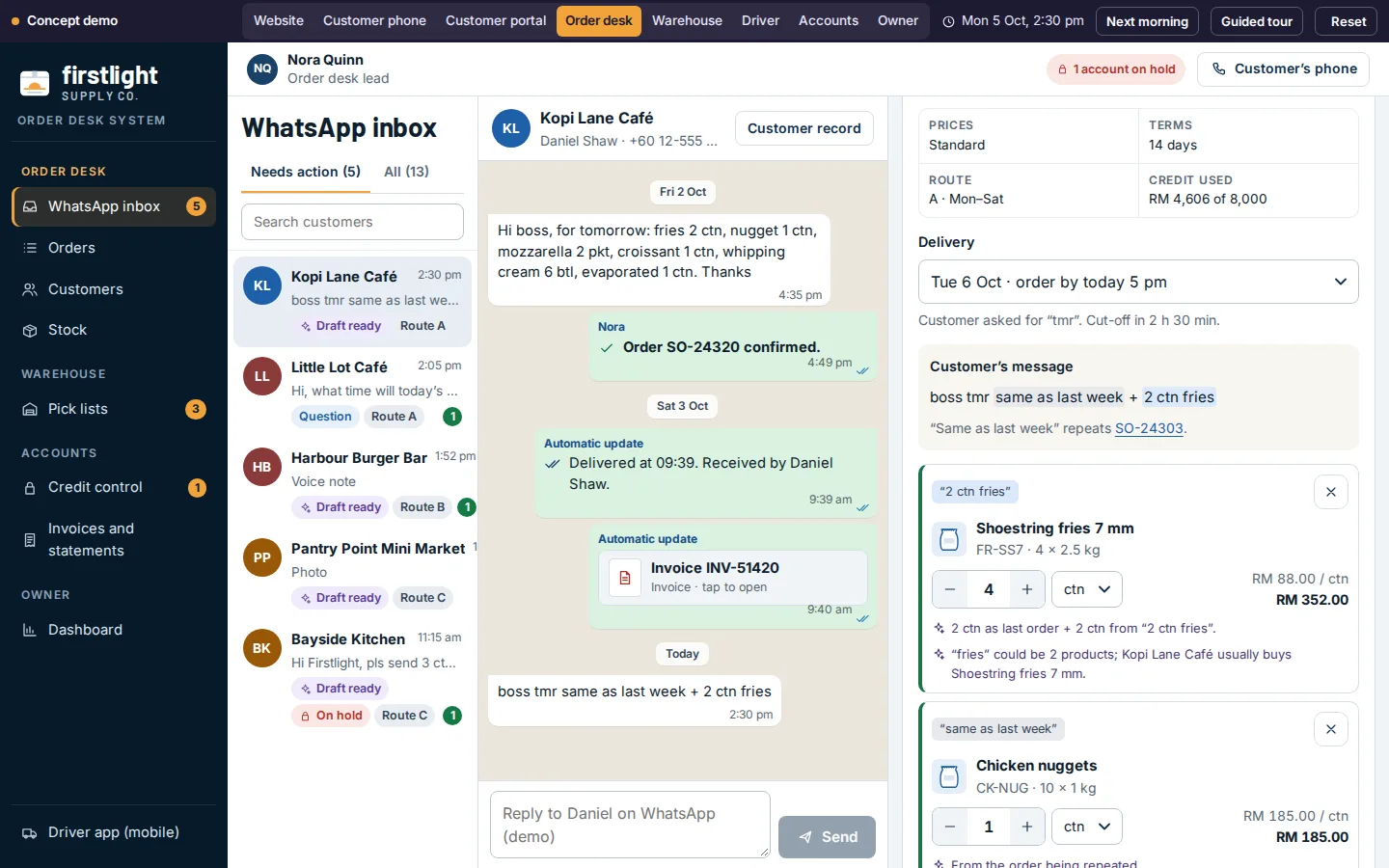
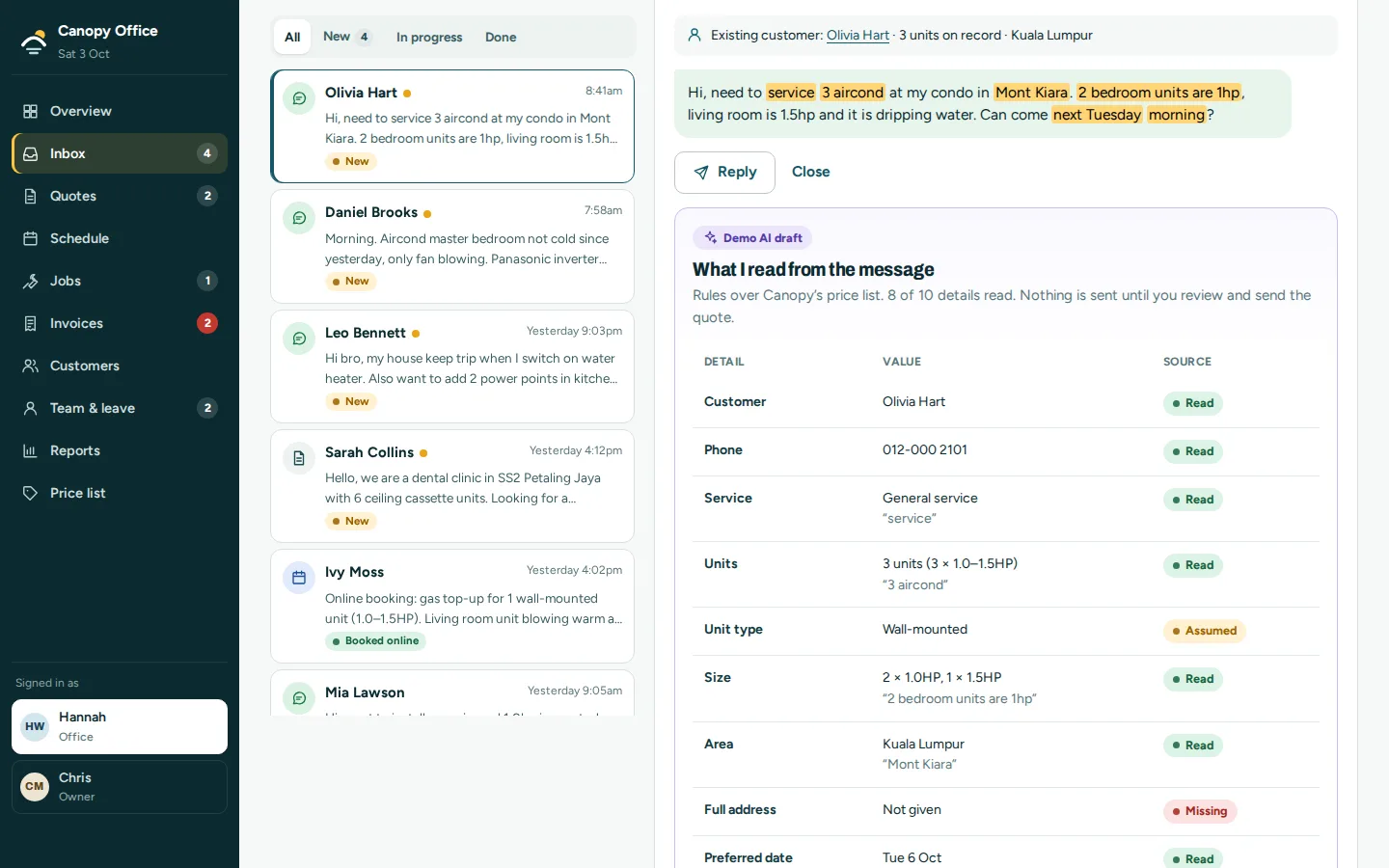
AI earns its place where people do things in their own way: an order typed as "2 ctn fries, 1 box patty as usual", a photo of a delivery note, a long email asking three questions at once. There, AI reads the input and prepares a draft, shows what it understood and what it assumed, and hands it to a person to confirm. Our Firstlight and Canopy concepts show the pattern: a WhatsApp message becomes a draft order or a draft quote, with every line linked to the words it came from, and nothing goes out until staff check it. In those prototypes, fixed rules stand in for the AI.
One job first, then the next
We start with one repeated job. We watch how it runs today, write down the steps and the awkward cases, and build the automation for that job alone. Once it has run for a few weeks and your team trusts it, the next job is usually obvious, and cheaper because the connections already exist.
The method for mapping a process, writing the rules and handling the exceptions is set out on workflow automation. The short version: decide what should happen when the normal path does not, before anything is built.
Connected to the software you already pay for
Most automation is really about connections. A sale recorded once should reach the accounting system, the courier and the customer without anyone typing it again. Common connections in Malaysia: SQL Account, AutoCount, Xero and Bukku for accounts; MyInvois for e-invoices; EasyParcel, J&T Express, Ninja Van and Lalamove for deliveries; StoreHub and Qashier for POS; Google Sheets, calendars and the WhatsApp Business API for everything in between.
We check each connection before we promise it: the access the other system allows, the state of the data, and who is responsible when that system changes. Often the first step is a clean export your team imports in one click, with a live link added once the volume justifies it. More detail on connections to your systems, e-invoicing and WhatsApp automation.
Your data, your accounts
Every service the system uses, including the AI model, runs on an account in your business’s name. We choose providers whose business terms keep your data out of their model training, send only the fields a step needs, and record what was sent and why. Customer data stays covered by your PDPA notice, with consent recorded where the law asks for it.
What to bring
One job your team repeats, the people who do it, the software it touches, a few real examples with personal details removed, and the cases that usually go wrong. Tell us the job and we will say whether it is worth automating, what we would build first, and what it would cost.