
Halden Polymers
A plastic resin distributor’s website built around how buyers order: a grade catalogue with live stock and datasheets, a grade finder and grade map, a 3D story where pellets become products, and a Sales Desk that turns quote requests into quotations.
The brief
A resin distributor sells by grade code, so buyers need to find the right grade, check its data and ask for a price quickly. Of the 13 distributor and producer websites we studied, seven have a grade search and eight publish datasheets or technical data, but only two let buyers request a quote online, and none showed what was in stock.
What we shipped
A distributor website with a film and a 3D story on the home page, a catalogue of 41 grades with live stock, a page and a printable datasheet for every grade, a grade finder and a grade map, industry pages with suggested grades, a quote list and a four-step enquiry form, and a Sales Desk where the team prices requests, sends quotations and keeps stock and grades up to date.
Built for: Resin, chemical and industrial distributors, and any trading company whose buyers order by product code and quantity and expect a price the same day.
Inside the build
Every part, and what it does
A closer look at what was actually built — screen by screen, so you can judge the depth for yourself.
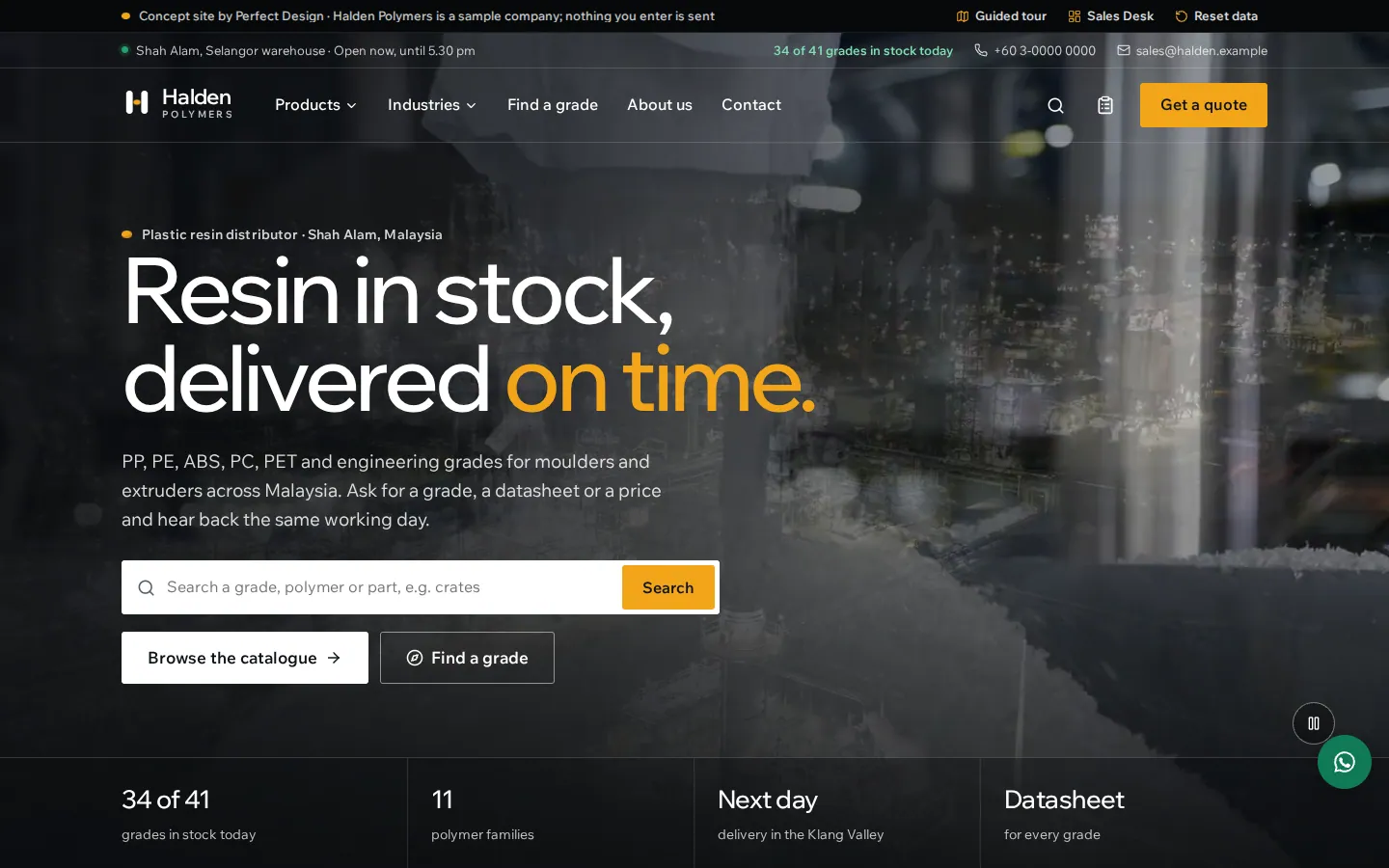
Home page
A film of resin from refinery to loading bay behind a plain promise, a grade search and the four facts buyers ask first.
- Grade search on the first screen
- A live count of the grades in stock
- The film pauses for reduced motion and has its own pause button
From pellet to product in 3D
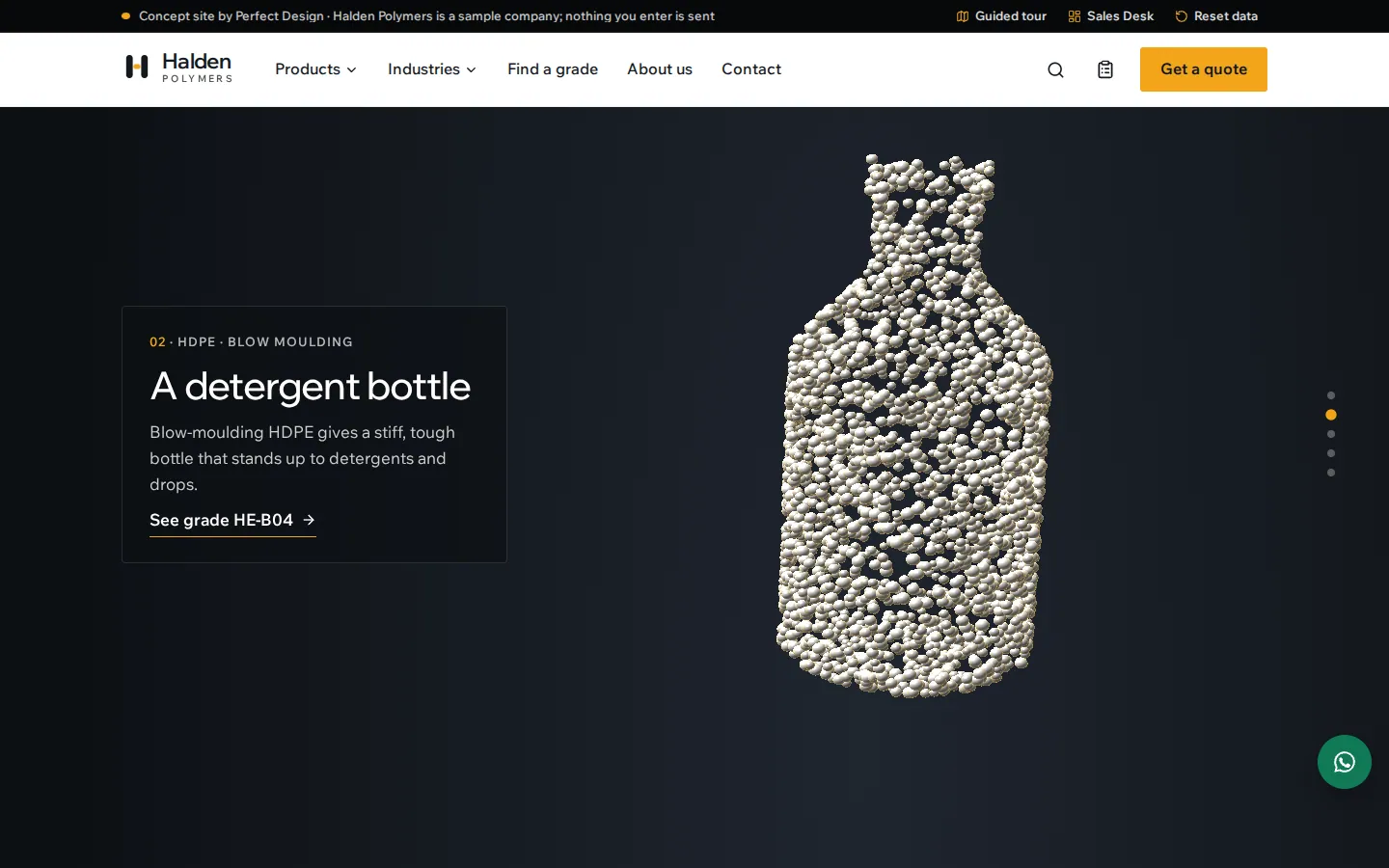
As the visitor scrolls, a few thousand pellets flow from a heap into a bottle, a crate, a pipe and a roll of film, each chapter linked to the grade that makes it.
- Drawn live in the browser with three.js
- Five chapters tied to grades in the catalogue
- A still version for reduced motion and older devices
Industries
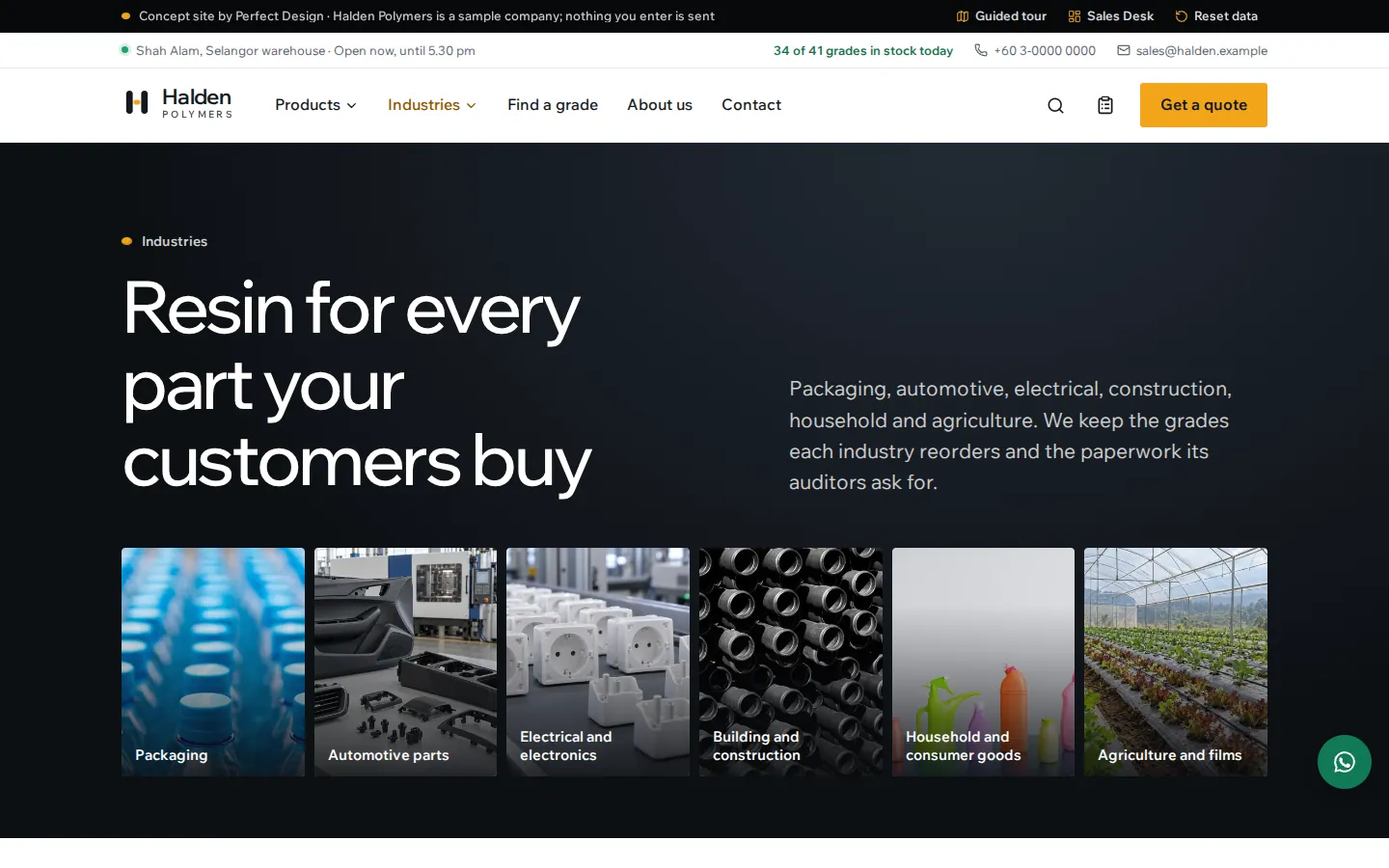
Six industries as photo tiles, then each one with its typical parts, polymers and suggested grades.
- Suggested grades go into the quote list in one click
- An enquiry link that fills in the industry
- Photographs generated for the concept
Grade catalogue
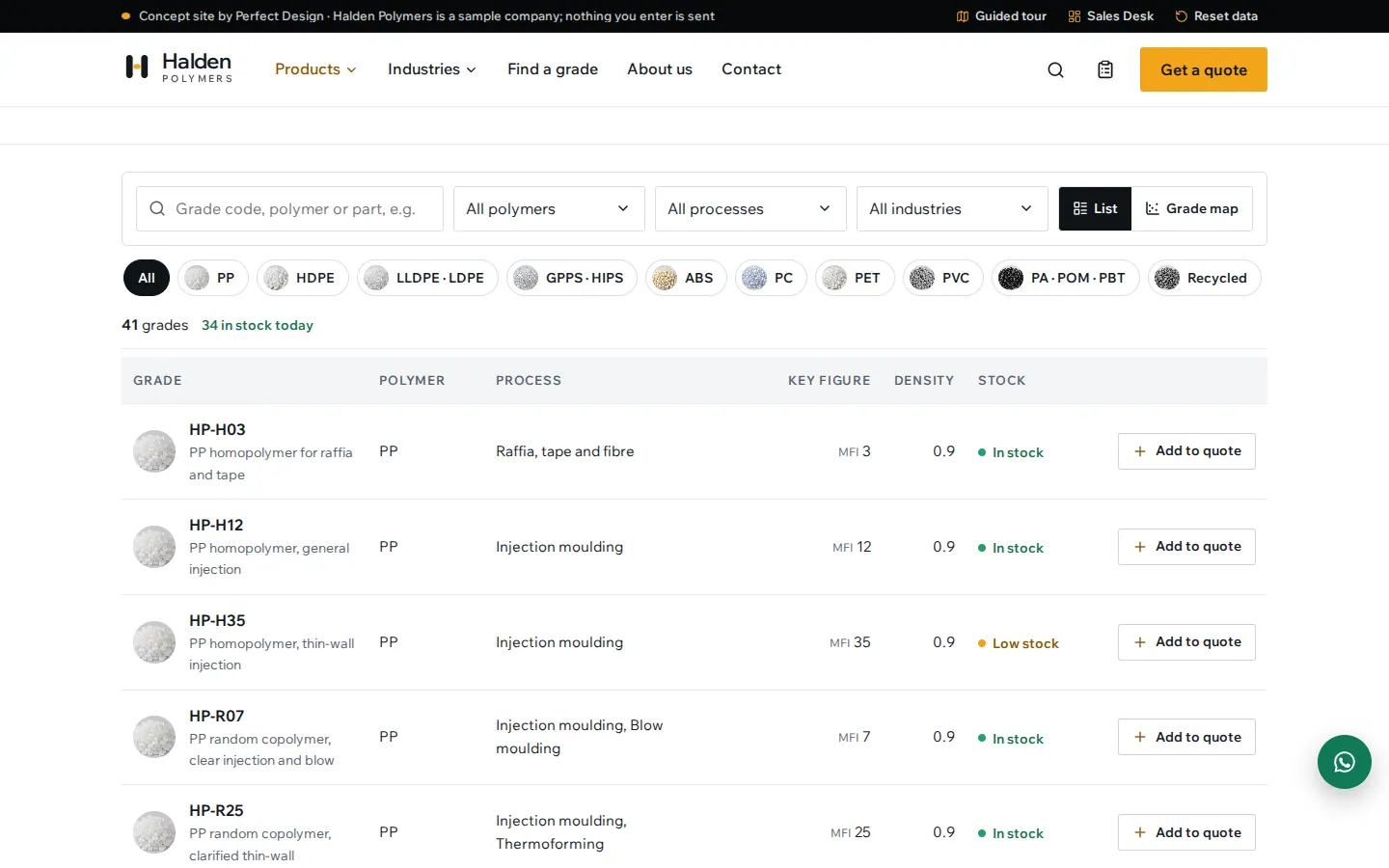
Forty-one sample grades across eleven polymer families, searchable by code, polymer or part, with live stock on every row.
- Filters by polymer, process and industry
- The key figure and density of each grade
- Cards instead of the table on phones
Grade map
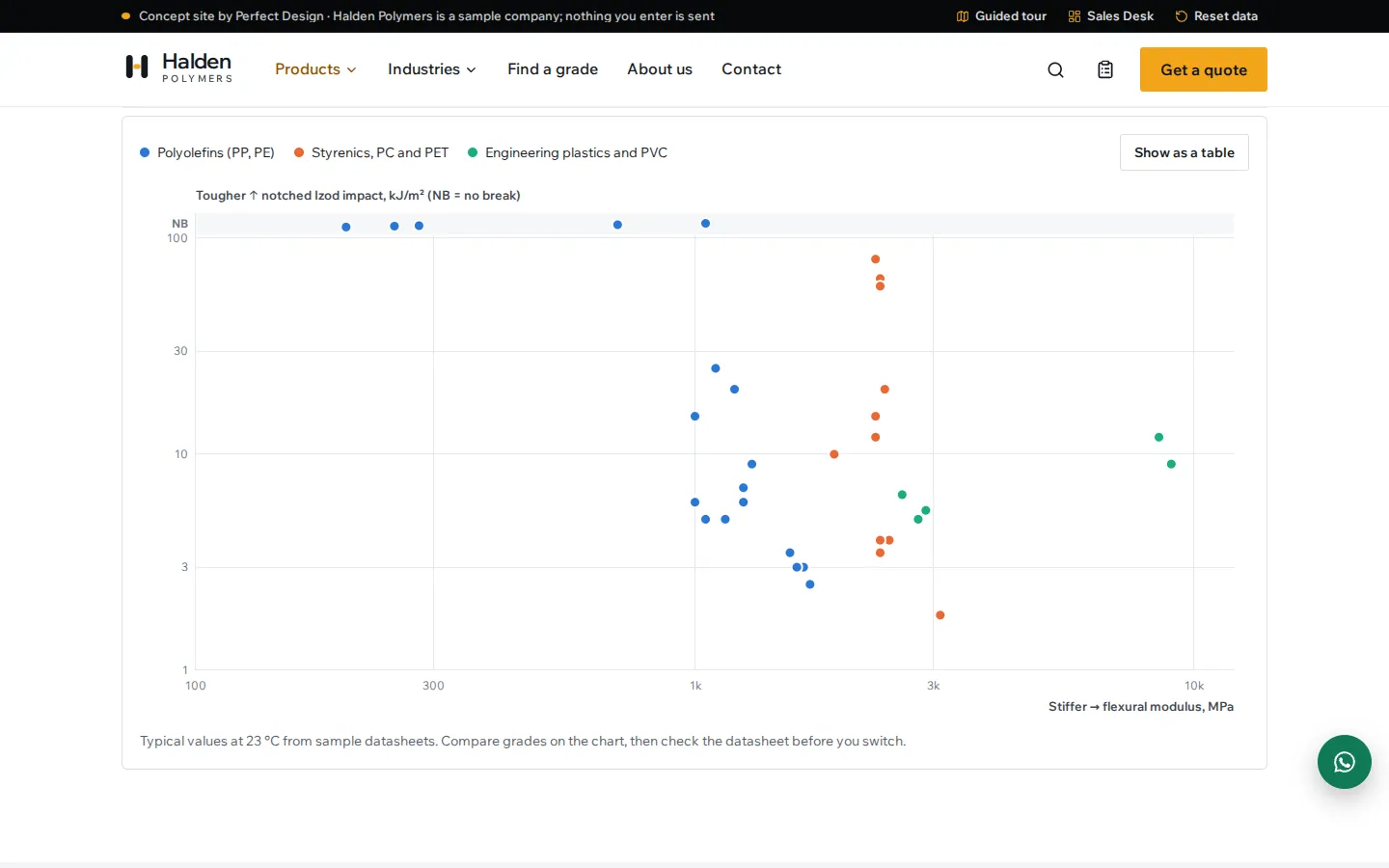
Every grade on one chart of stiffness against impact strength, so a buyer can see what to switch to.
- Focus one family to label its grades
- Figures on hover or keyboard focus
- A table view of the same data
A page for every grade
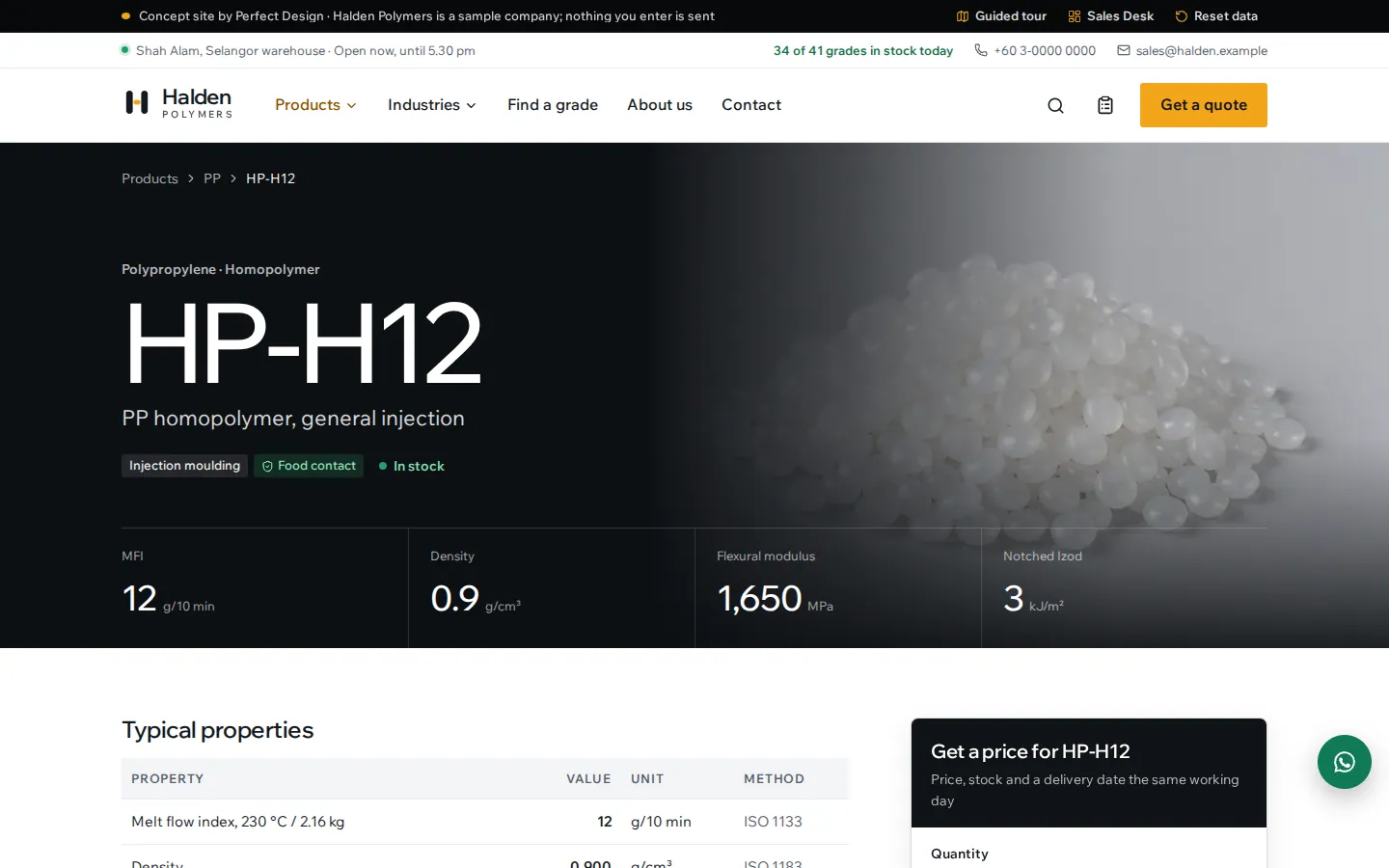
The grade code over a photograph of its pellets, then typical properties with test methods, processing temperatures, uses, packaging and documents.
- Live stock and arrival dates
- Pack sizes from a 25 kg bag to a container
- Ask about the grade on WhatsApp
Printable datasheet
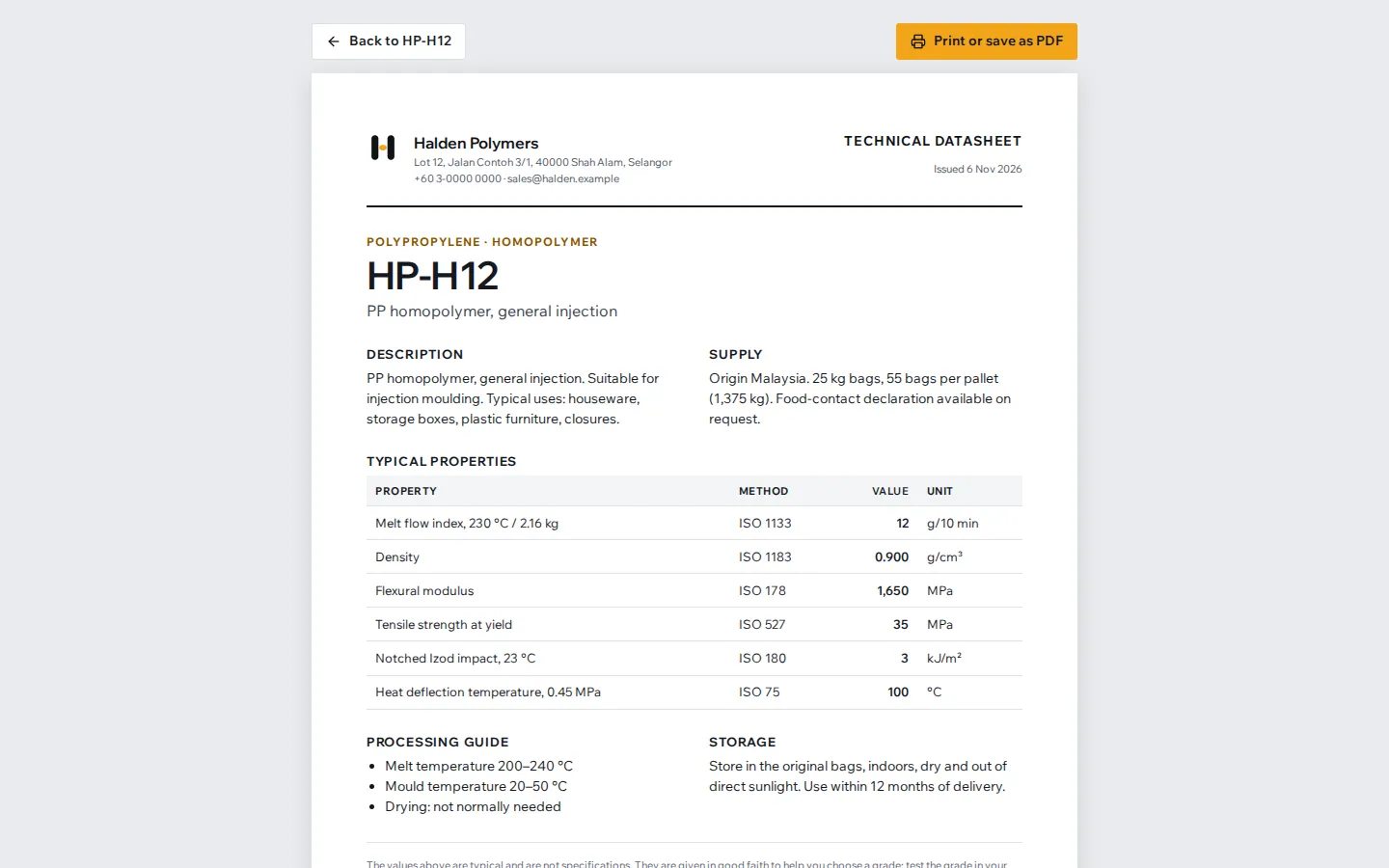
A technical datasheet for each grade, laid out for A4 paper, to print or save as a PDF for a quality file.
- Typical values with their ISO test methods
- Processing guide and storage
- Marked as typical values, not specifications
Grade finder
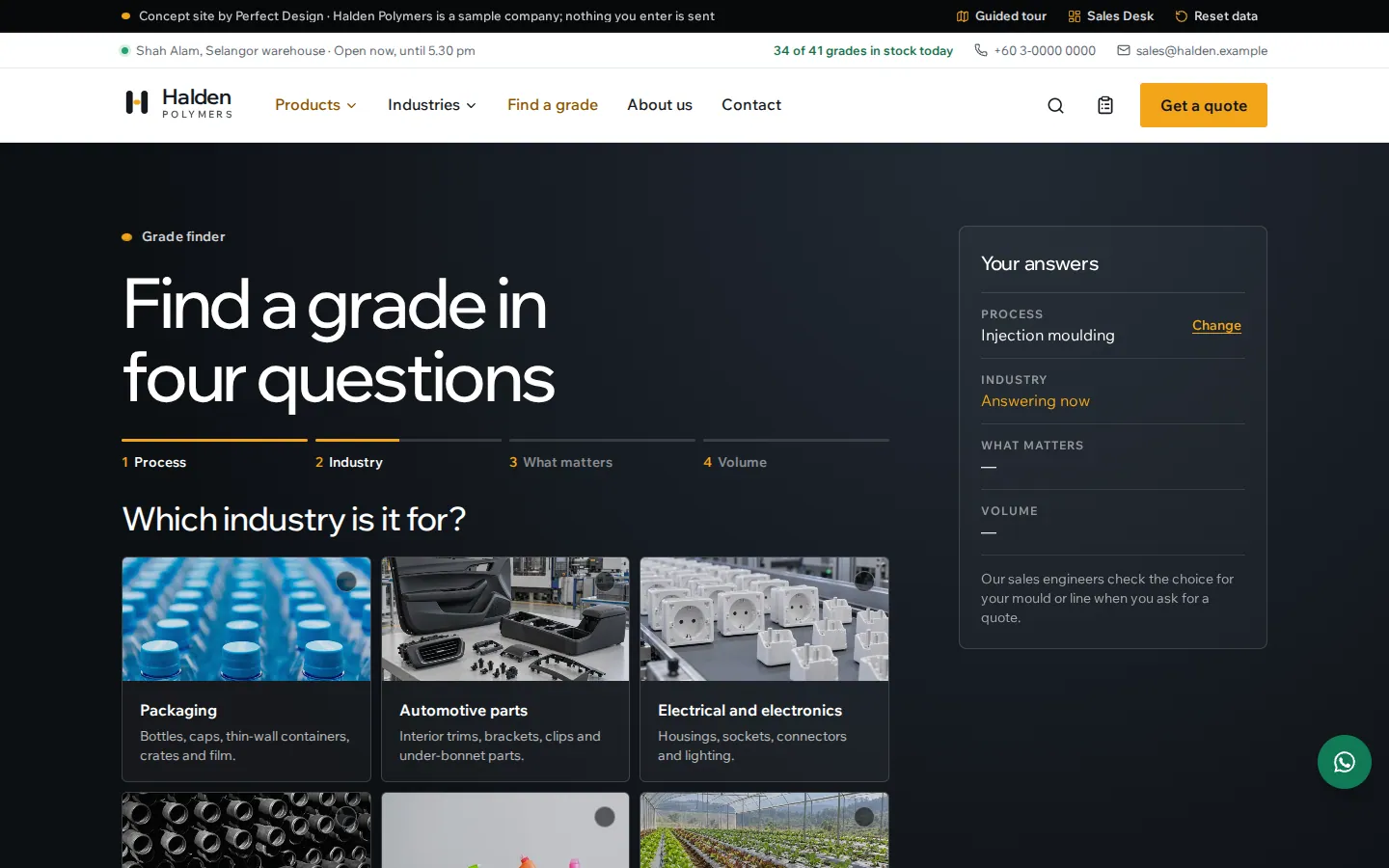
Four questions about how the part is made, the industry, what matters most and the monthly volume, with the answers so far kept beside them.
- A picture or an icon for every choice
- Any answer can be changed without starting again
- Works with a keyboard and a screen reader
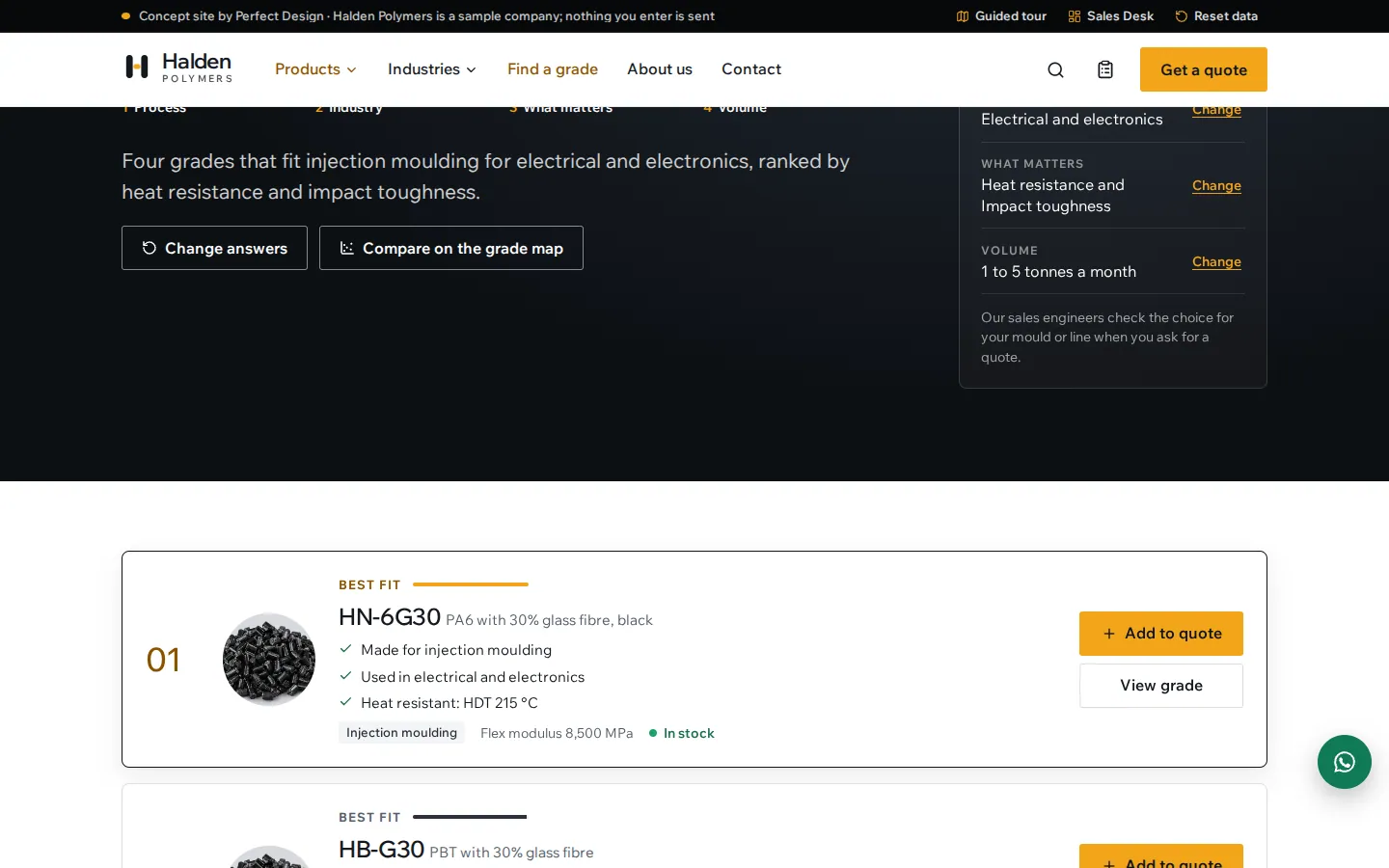
A shortlist with reasons
Four grades ranked for the answers, each with the reasons it fits, its key figure and its stock.
- Best fit, strong fit and good fit
- Add a grade to the quote list from the shortlist
- Compare the shortlist on the grade map
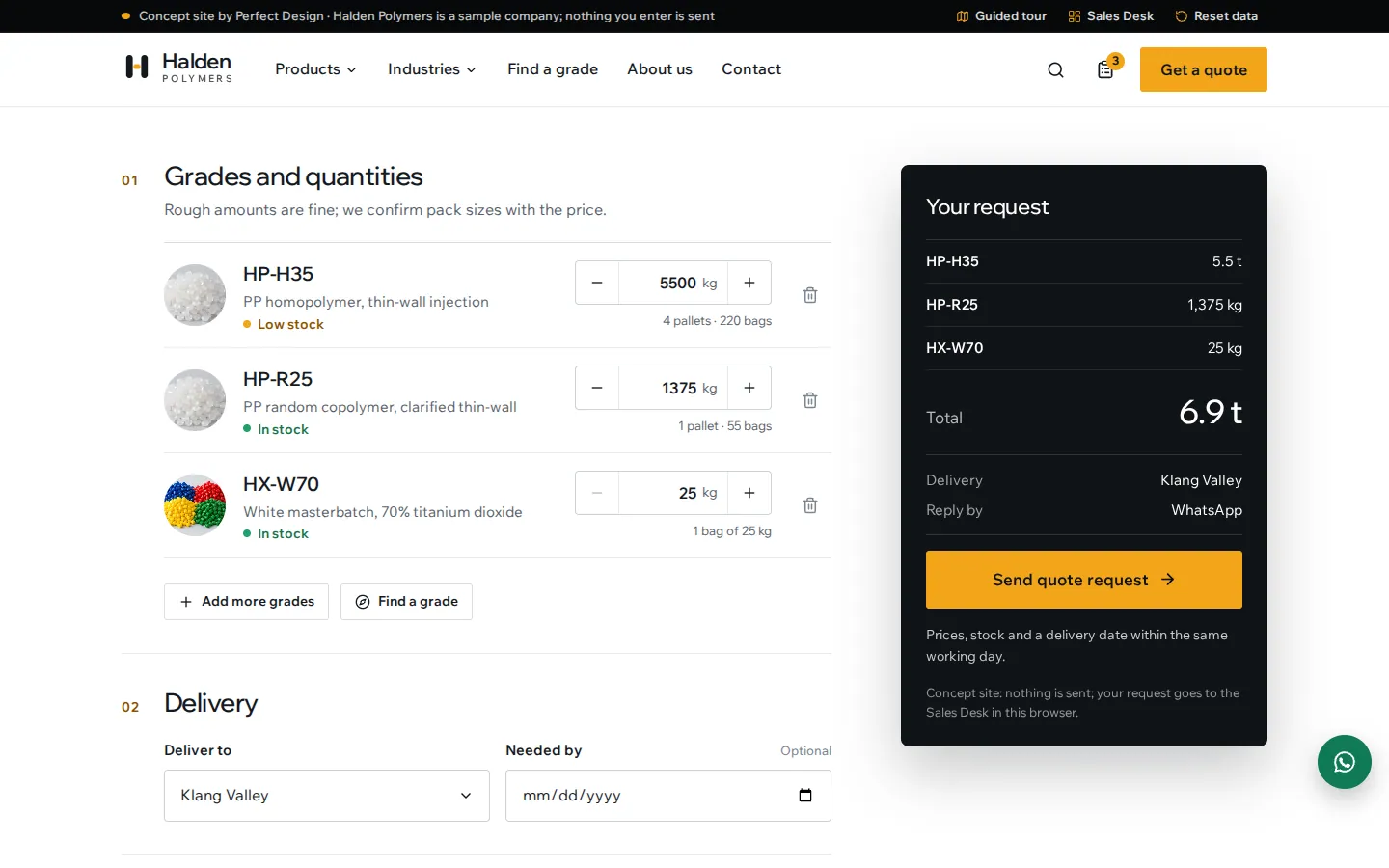
Quote list
Grades and quantities with the pack sizes worked out, then delivery and contact details, beside a summary that holds the send button.
- Steppers that move by the bag or the pallet
- Reply by email or WhatsApp
- A reference and a printable confirmation

Contact
WhatsApp, phone and email on the first screen, with the opening hours shown live.
- Open or closed, from the warehouse hours
- WhatsApp opens with a message ready
- The warehouse on a map and delivery runs by area
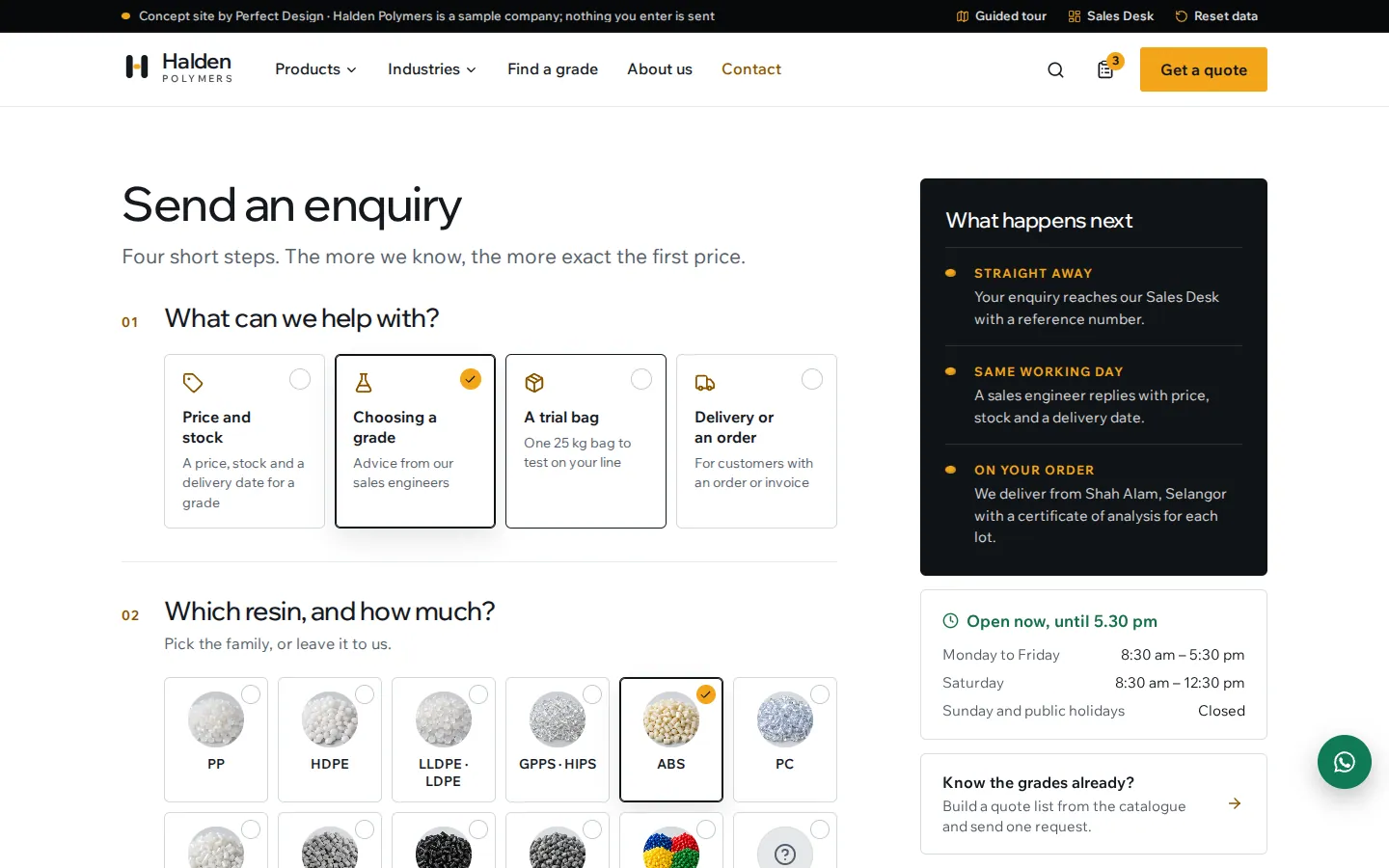
Enquiry in four steps
Topic, resin and quantity as tiles and pills, then details and a message. The enquiry reaches the Sales Desk with all of it.
- Resin families shown as pellet photographs
- Errors explained beside each field
- What happens next, beside the form
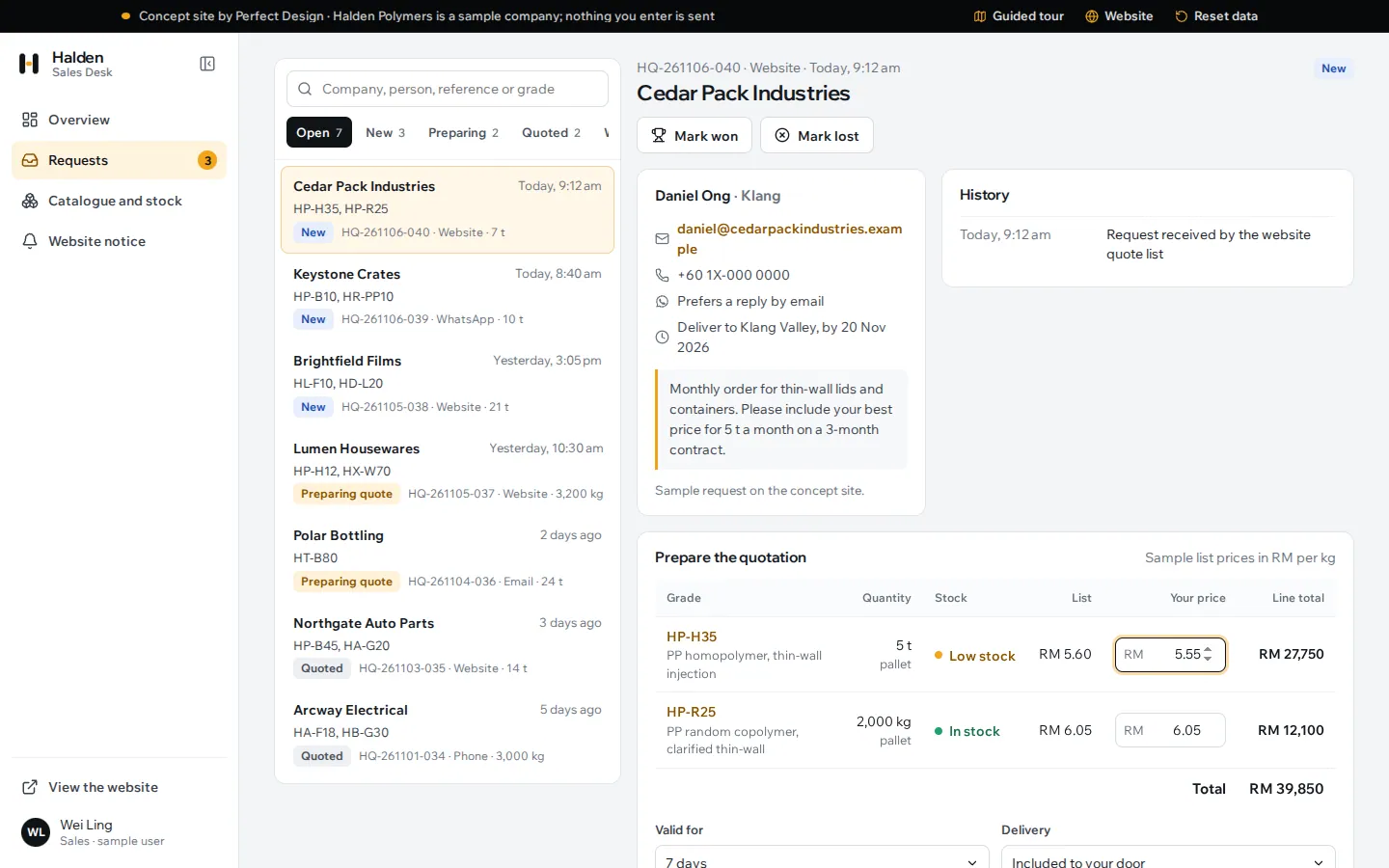
Pricing a request
Each request with the buyer, quantities and stock, a price per kilogram for each grade, line totals and terms, then a preview before it is sent.
- Sample list prices to start from
- Validity, delivery and payment terms
- Statuses from New to Won or Lost
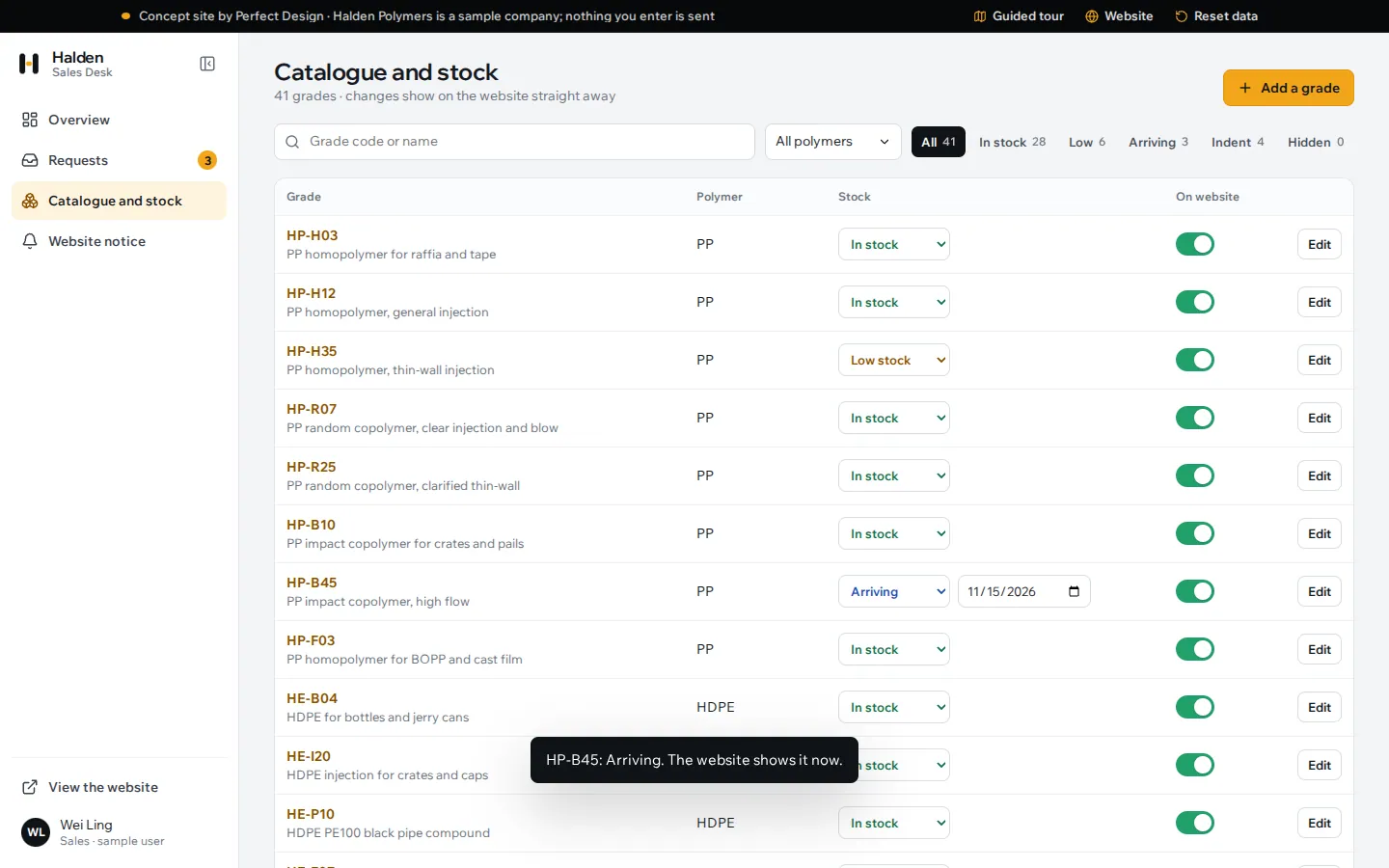
Catalogue and stock
The sales team sets stock and arrival dates, chooses which grades show on the website and adds new grades with their data.
- Changes show on the website at once
- A new grade gets its own page and datasheet
- Filters by polymer and stock
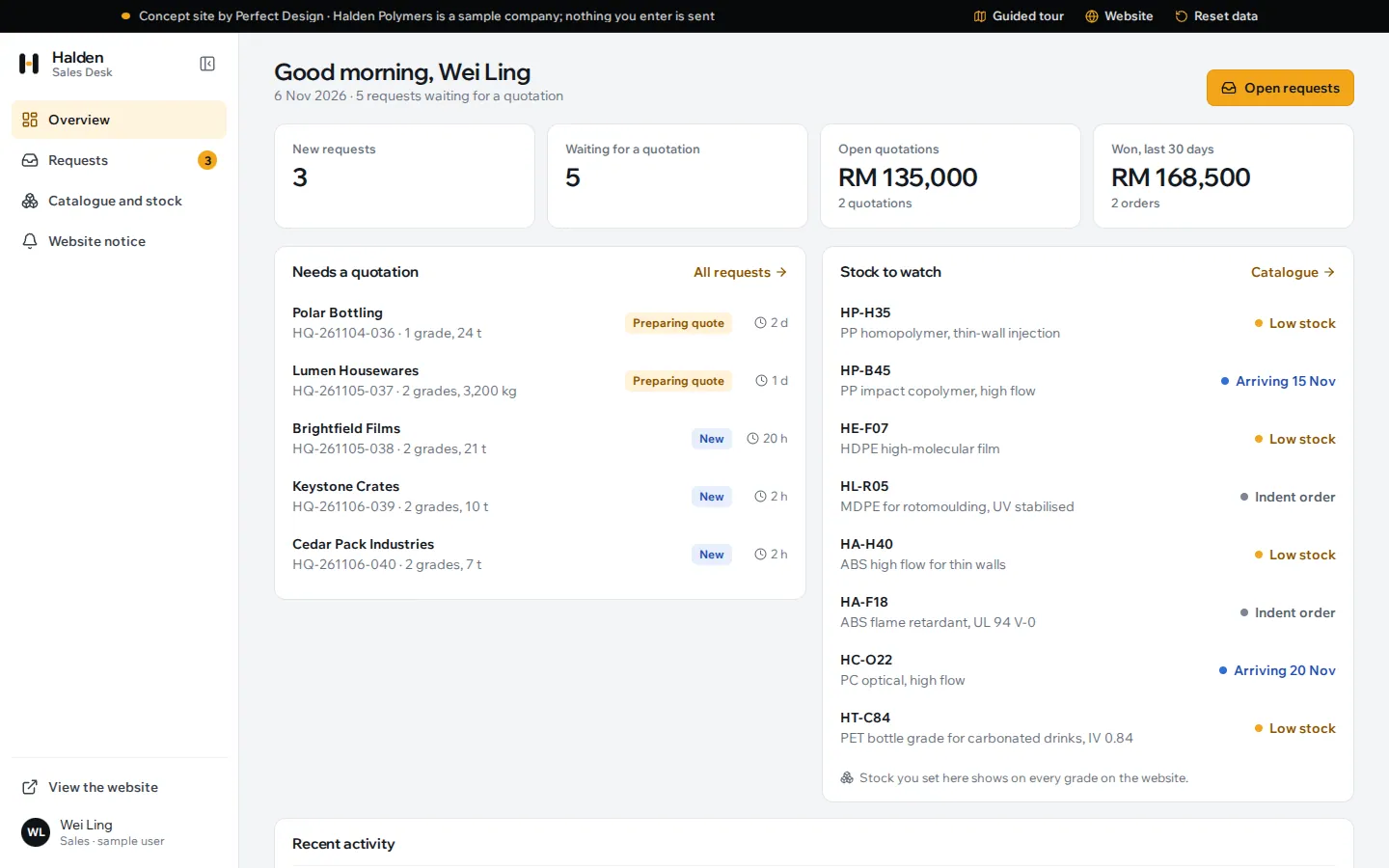
Sales Desk overview
New requests, quotations waiting, open value and the grades to watch, with recent activity.
- Requests that need a quotation first
- Low and arriving stock in one list
- The website’s palette and type
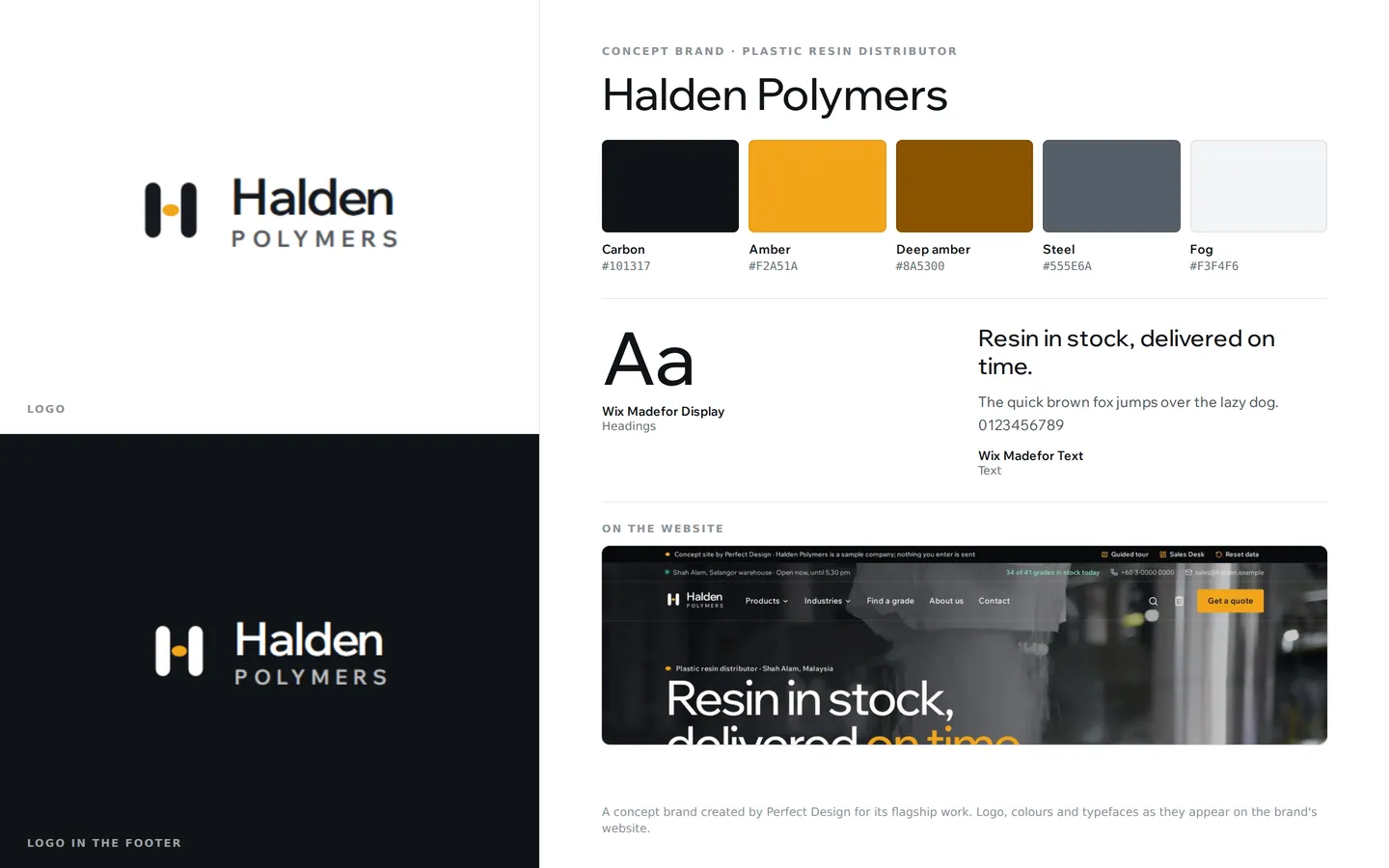
Brand identity
A concept resin distributor: an H drawn in code with a pellet for its crossbar, carbon and amber, all in Wix Madefor.
- Logo and a version on carbon
- Carbon and amber
- One typeface family
Click through it yourself
Every screen above is interactive. No sign-up, nothing to install.
Behind the build
Researched first, then built
Before designing anything, we studied 13 websites of plastic resin distributors and producers, at desktop and phone sizes, plus the premium end of the chemical industry for the look. Nothing was copied. Each finding below changed a decision.
Studied (13)
- M. Holland
- Chase Plastics
- Nexeo Plastics
- ALBIS
- Plastribution
- Vinmar
- Lotte Chemical Titan
- SCG Chemicals
- Covestro
- Borealis
- Braskem
- LyondellBasell
- Avient
What we saw
What Halden Polymers does
What we saw
Seven of the sites have a grade search or product finder, and eight publish datasheets or technical data.
What Halden Polymers does
A catalogue of 41 grades with search and filters, a page for every grade with its typical properties and test methods, and a datasheet laid out to print.
What we saw
Only two sites invite buyers to request a quote online; the rest give a phone number or an email address.
What Halden Polymers does
A quote list that collects grades and quantities from any page and sends them as one request, plus a four-step enquiry form. Both reach the Sales Desk with a reference.
What we saw
Nine of the sites organise their offer by industry or market as well as by product.
What Halden Polymers does
Industry pages with suggested grades, a grade finder that explains each pick, and a grade map that plots stiffness against impact for every grade.
What we saw
Delivery terms appear on two sites, and none showed what was in stock.
What Halden Polymers does
Live stock on every grade, set by the sales team, with arrival dates, and the delivery runs shown day by day for each area.
What we saw
Ten of the 13 sites talk about sustainability or recycled grades.
What Halden Polymers does
A recycled resins family, recycled content on each grade that has it, and recycled content as a choice in the grade finder.
What we saw
Three sites have a customer log-in, and only one lets customers upload a purchase order.
What Halden Polymers does
A Sales Desk for the distributor’s own team first, where every request is priced and tracked; a customer log-in is a later step.
Feature checklist
8 of the 14 features the leading sites offer
We listed every feature we found in the research above. Halden Polymers has 8 of them, and 2 more in part; the 4 left out are listed with the reason.
Products and grades4
- Products by polymer family
- Grade search and product finder
- Datasheets and technical data
- Recycled and sustainable grades
Buying4
- Industries and markets
- Request a quote online
- Delivery and logistics
- WhatsApp and phone on every page
Built in part
- Purchase order upload: the quote list takes grades and quantities instead of a file.
- Market and price insight: prices stay private; a notice from the Sales Desk announces price revisions.
Left out, and why
- Supplier line card: a concept distributor has no principals to name, so the About page lists source countries instead.
- Customer portal: the Sales Desk is the team’s side; a customer log-in is a later step.
- News and insights: a concept company has no news to publish.
- More than one language: the concept is in English only.
Design research
How the leading sites look, and what we took
We measured the type, colour and layout of the sites we studied, then applied what the best of them share in an original design, on the public site and in the Sales Desk.
Across the leading sites
In Halden Polymers
Across the leading sites
Distributors set headlines in one sturdy grotesque at 700; producers and premium corporates use one grotesque at light to regular weights with tight tracking.
In Halden Polymers
Wix Madefor Display at 500 with tight tracking for headings, Wix Madefor Text for reading.
Across the leading sites
No site uses a serif or a monospace face.
In Halden Polymers
One type family throughout, with tabular figures for grade codes and properties.
Across the leading sites
Producers lead with pellets in hands, plants and warehouses.
In Halden Polymers
A film of a refinery, pellets pouring and a lorry loading behind the home page, and one studio photograph of each family’s pellets on the same light grey.
Across the leading sites
Most of the sector is blue or green.
In Halden Polymers
Carbon and amber, a nod to natural resin. Amber is a fill on white, never small text.
Across the leading sites
Dark photographic heroes, hairlines and few elements per screen at the premium end.
In Halden Polymers
Dark bands for the film, the 3D story, the grade pages and the finder; white pages with hairlines for the catalogue and forms.
Rules it follows
The business rules, built in
The prototype enforces each of these, so you can test them yourself.
Quote list and requests
- Quantities in kilograms, with pack sizes worked out: 25 kg bags, 1,375 kg pallets and 24-tonne containers
- One request per list, with a reference
- A delivery area is required; a needed-by date can be no earlier than tomorrow
Stock
- Four stock states set in the Sales Desk: in stock, low, arriving on a date and indent order
- An arrival date shows on the grade page, in the catalogue and in the finder
- A hidden grade leaves the catalogue, search, finder and grade map at once
Grade data
- Typical values with their ISO test methods, never presented as specifications
- Food contact and recycled content shown on each grade
- Every grade has its own page and printable datasheet, including grades the team adds
Grade finder
- Four questions: process, industry, up to two needs and monthly volume
- Grades without food contact drop down the list when food contact matters
- Every grade on the shortlist says why it fits
Quotations
- A price per kilogram for each grade, with line totals and the request total
- Validity, delivery and payment terms chosen for each quotation
- Statuses from New to Quoted, then Won or Lost with a reason
Connected roles
One action, every screen
Every role works on the same records, so one person’s action shows up for the others.
- 1
A buyer adds grades to the quote list from the catalogue, a grade page, an industry or the finder, and the header counts them on every page.
- 2
The buyer sends the list, and the request appears at the top of the Sales Desk inbox as New, with its reference, quantities and delivery area.
- 3
Sales prices each grade, previews the message and sends the quotation; the request moves to Quoted, with its history.
- 4
An enquiry from the contact page arrives in the same inbox with its topic, resin, quantity and the way the buyer wants a reply.
- 5
Sales marks a grade as arriving on a date, and the grade page and the catalogue show that date at once.
- 6
Sales adds a grade, and it gets its own page, datasheet and place in search, the finder and the grade map.
- 7
Sales posts a notice about a holiday or a price change, and it shows above every page of the website until the visitor closes it.
Services it proves
Where Halden Polymers is our example
Each of these service pages uses a part of Halden Polymers to show the work. Open one to see what we would build for you.
- Business & corporate websitesA resin distributor’s website built around ordering: a grade catalogue with live stock and datasheets, a grade finder, a 3D story where pellets become products, and quote requests the sales team prices in a Sales Desk.
- Manufacturing & distributionShows: Grade catalogueA plastic resin distributor: a grade catalogue with live stock and datasheets, a grade finder, and quote requests priced in a Sales Desk.
Core systems
What this build is made of
These are systems we build repeatedly — each links to every other project that contains it, so you can compare implementations before deciding what you need.
Industry: Manufacturing & distribution
Unique to this build
Built specifically for this project rather than assembled from the shelf.
Pellets that become products
A 3D story drawn in the browser: a few thousand pellets flow from a heap into a bottle, a crate, a pipe and a roll of film as the visitor scrolls, each linked to the grade that makes it.
Grade finder with reasons
Four questions about the process, the industry, what matters most and the monthly volume, then a ranked shortlist that says why each grade fits.
Quote list to quotation
Grades and quantities from anywhere on the site go out as one request, which the sales team prices per kilogram and sends as a quotation from the Sales Desk.

Want a build like this for your business?
Tell us what you have in mind and we'll put together a functional prototype of your project — free.