

On this page7 sections
Three kinds of internal link, and what each one is for
Navigational links are the header, menu and footer links repeated on every page; they orient the reader. Contextual links sit inside body text and connect one task to the next, such as a guide pointing at the service it describes. Breadcrumbs show where a page sits in the hierarchy; Google's documentation says a breadcrumb trail indicates the page's position in the site hierarchy and that breadcrumb markup is used to categorise a page's information in search results. They are not interchangeable: a contextual link can explain why a reader would go somewhere in the surrounding sentence, and in our experience it is the kind most small-business sites lack.
Which pages need a useful prerequisite link?
Any page whose reader may arrive without the knowledge needed to act on it: a service page that assumes the reader knows they need the service, or a booking page reached from an advert. Each needs a link to the page that fills the gap, and a link back from it with a next step. Authors forget prerequisite links because they already know what the reader does not.
We plan links with four relationship labels (our planning vocabulary, not Google terms): a prerequisite is what to read first; a next step is what the reader does afterwards; evidence supports a decision, such as pricing or service areas; a sibling is a related option at the same level. A link that fits none of the four is usually one nobody needs.
The table is the plan for a hypothetical Penang aircon servicing company with eight pages below the home page; navigational links are omitted, and each row is one contextual link.
Guide: servicing frequency
- Target page
- Service: regular servicing
- Relationship
- Next step
- Anchor concept
- Book a regular service
- Placement
- End of schedule section
Guide: servicing frequency
- Target page
- Guide: chemical wash signs
- Relationship
- Sibling
- Anchor concept
- Weak cooling despite servicing
- Placement
- Paragraph on units still weak after service
Guide: chemical wash signs
- Target page
- Service: chemical wash
- Relationship
- Next step
- Anchor concept
- What a chemical wash is
- Placement
- After the signs list
Service: chemical wash
- Target page
- Guide: chemical wash signs
- Relationship
- Prerequisite
- Anchor concept
- Whether you need one
- Placement
- Opening paragraph
Service: chemical wash
- Target page
- Pricing
- Relationship
- Evidence
- Anchor concept
- Chemical wash prices
- Placement
- Beside the booking button
Service: installation
- Target page
- Service: regular servicing
- Relationship
- Next step
- Anchor concept
- Maintaining a new unit
- Placement
- After-installation section
Book a visit
- Target page
- Service areas
- Relationship
- Prerequisite
- Anchor concept
- Checking your area first
- Placement
- Above the booking form
| Source page | Target page | Relationship | Anchor concept | Placement |
|---|---|---|---|---|
| Guide: servicing frequency | Service: regular servicing | Next step | Book a regular service | End of schedule section |
| Guide: servicing frequency | Guide: chemical wash signs | Sibling | Weak cooling despite servicing | Paragraph on units still weak after service |
| Guide: chemical wash signs | Service: chemical wash | Next step | What a chemical wash is | After the signs list |
| Service: chemical wash | Guide: chemical wash signs | Prerequisite | Whether you need one | Opening paragraph |
| Service: chemical wash | Pricing | Evidence | Chemical wash prices | Beside the booking button |
| Service: installation | Service: regular servicing | Next step | Maintaining a new unit | After-installation section |
| Book a visit | Service areas | Prerequisite | Checking your area first | Above the booking form |
The chemical-wash guide and service link in both directions, so a reader can start with either the symptoms or the service. Apply the same check to other journeys rather than adding a reciprocal link by default.

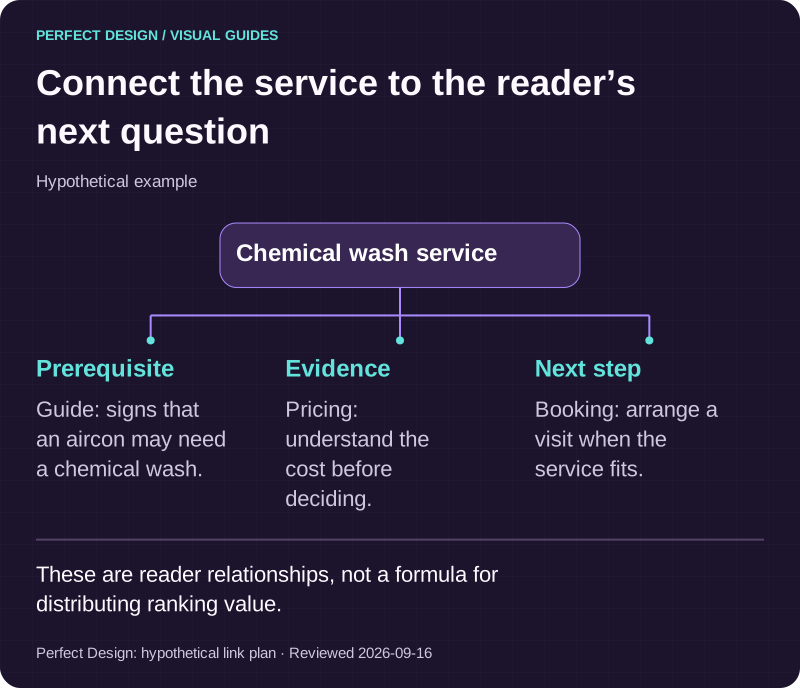
Connect the service to the reader’s next question
Hypothetical example. These are reader relationships, not a formula for distributing ranking value.
Basis: Perfect Design: hypothetical link plan. Reviewed .
Read the graphic as text
Chemical wash service
- Prerequisite. Guide: signs that an aircon may need a chemical wash.
- Evidence. Pricing: understand the cost before deciding.
- Next step. Booking: arrange a visit when the service fits.
Does anchor text describe the destination?
It does when a reader can predict the destination from the link and its sentence, without clicking. Google's link guidance says good anchor text is descriptive, reasonably concise and relevant both to the page it is on and to the page it links to, and that better anchor text helps people navigate and helps Google understand what the linked page is about. It warns against generic text such as "click here", excessively long anchors, and keyword-stuffed anchors, a spam-policy violation.
Anchor context is the whole sentence. Google's guidance says the words before and after a link matter, so the sentence should say what the destination is and when a reader would want it. "Click here for more information" says nothing; "book a chemical wash if the unit still smells musty after a standard service" says what the page is and who needs it.
Placement follows: put the link where the reader has the question it answers, pricing beside the booking button, the prerequisite guide in the opening paragraph. Google's guidance does not say one position on the page outweighs another; a link in context simply sits inside a sentence that describes the destination, unlike a footer link with no sentence at all. The on-page SEO checklist carries the per-page anchor check.

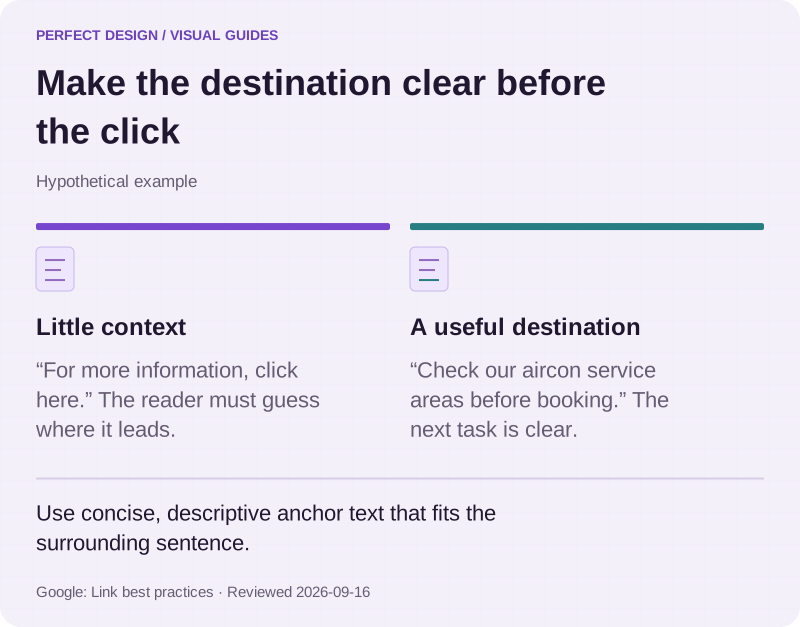
Make the destination clear before the click
Hypothetical example. Use concise, descriptive anchor text that fits the surrounding sentence.
Basis: Google: Link best practices. Reviewed .
Read the graphic as text
- Little context. “For more information, click here.” The reader must guess where it leads.
- A useful destination. “Check our aircon service areas before booking.” The next task is clear.
Can users and crawlers reach important pages?
They can when every page that matters is reachable by ordinary, unbroken links from the home page. Google's guidance: every page you care about should have a link from at least one other page on your site, and Google primarily finds pages through links from pages it has already crawled. A sitemap helps but does not guarantee that its URLs are crawled or indexed, and Google says a site of about 500 pages or fewer, with its important pages reachable by links from the home page, might not need one.
Crawlable links are standard anchor tags with an href that points at a real URL. Google states it cannot reliably follow a span used as a link, an anchor without an href, or a link whose href is a JavaScript call, and its pagination guidance says its crawlers do not click buttons or trigger functions that need a user action, so a "load more" control is invisible as a path.
Orphans are pages with no internal link pointing at them, and they are rarely deliberate: a blog index shows the ten latest posts, so the eleventh loses its only link; a redesign drops a section but leaves its pages live. A sitemap is not a repair: it says a URL exists, not why anyone would go there.
Broken links are the mirror problem: the link exists but its destination returns an error or arrives only after a chain of redirects. We fix these on the source page, pointing at the live URL rather than relying on a redirect.
Pagination matters because paginated lists are how most sites reach older content. Google's guidance: link from each page to the following page with ordinary anchor links; give each page its own URL, such as a ?page=2 parameter; do not make the first page the canonical URL for the rest; and do not put the page number after a # in the URL, which Google ignores. Google no longer uses the rel="next" and rel="prev" tags. Filtered and re-sorted lists are covered in the robots, noindex and canonical guide.

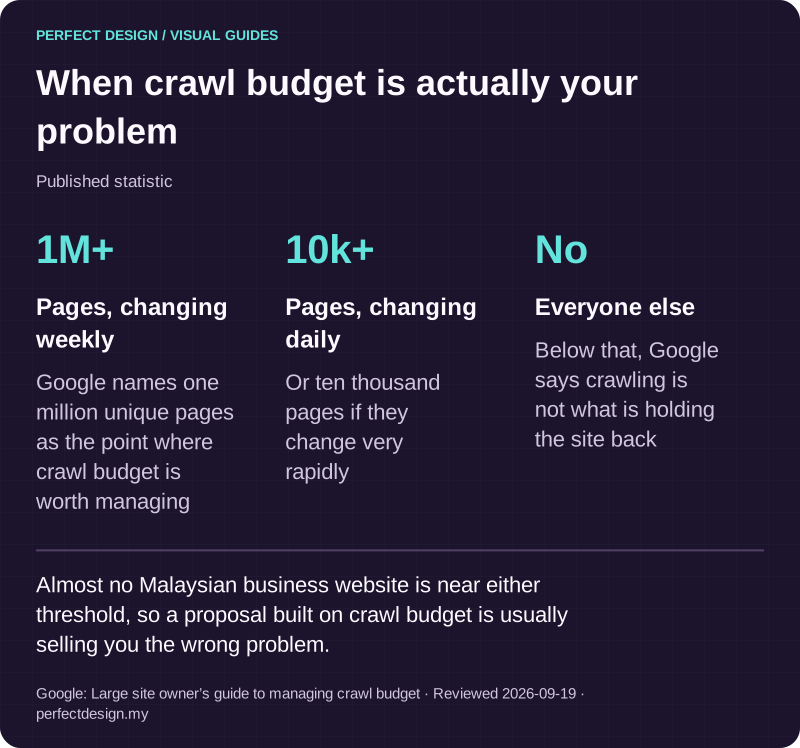
When crawl budget is actually your problem
Published statistic. Almost no Malaysian business website is near either threshold, so a proposal built on crawl budget is usually selling you the wrong problem.
Source: Google: Large site owner’s guide to managing crawl budget. Reviewed .
Read the graphic as text
- Pages, changing weekly: 1M+. Google names one million unique pages as the point where crawl budget is worth managing
- Pages, changing daily: 10k+. Or ten thousand pages if they change very rapidly
- Everyone else: No. Below that, Google says crawling is not what is holding the site back
Which older pages should link to new content?
The older pages whose readers are asking the question the new page answers, and those a reader of the new page needed first. The wrong question is "where can we fit a link?"; the right one is "which existing page has a sentence where the reader is already wondering about this?" Where no such sentence exists, do not force one.
The method is short: give the new page its four labels, then search your site for pages that already mention its concept; each mention is a candidate sentence. Link from that sentence with an anchor naming the concept, add the reverse links from the new page, and list it on its section index. A keyword research pass that gives each page one task settles which page owns which concept.
How to audit internal links
The link audit belongs inside a wider SEO audit, and its crawlability items also appear in the technical SEO audit checklist.
Crawl from the home page, following links only
Set the crawler to ignore the sitemap; export each URL's inbound links, click depth, inbound anchor text and HTTP status.
Compare with the sitemap and CMS, then fix broken links
Any URL the crawl did not reach is an orphan candidate: link, redirect or remove it. Point every broken or redirected internal link at the live URL, most important pages first.
Check the important-page set
For each page that owns a task, note inbound link count, source pages and click depth; a single footer link is reachable but hidden.
Read the anchors
Sort inbound anchor text by target page; flag generic anchors, keyword-repeated anchors, one anchor pointing at two pages, and links without a descriptive sentence.
Check pagination and breadcrumbs
Each list page needs its own URL and a plain link to the next page. Every page below the home page should show a breadcrumb trail matching its hierarchy, and any markup should match that trail, carrying the name, position and URL for each item (the last item needs no URL) that Google's breadcrumb documentation requires.
Record, change, re-crawl
Keep a sheet of inbound links and indexing status per important page, make the changes and crawl again; the indexing report over the following weeks shows whether it mattered.
What to do next
- Run a link-following crawl and count the pages it cannot reach; those orphans come first.
- Draw the graph for the eight to ten pages that own a real task; the prerequisite links are usually the missing ones.
- Rewrite every "click here" and "read more" anchor so the sentence names the destination.
- Check list pagination against Google's guidance: real URLs and a plain link to the next page, not a load-more button as the only path.
Where to go next
- How search visibility works →
Where internal links sit in the crawl, index and rank chain this guide is part of.
- Technical SEO audit checklist →
The crawlability and status-code checks a link audit depends on, in printable form.
- Robots, noindex and canonical guide →
What to do with paginated, filtered and duplicate URLs once the links themselves are right.
- Keyword research guide →
How to decide which task each page owns before you draw the link graph.
Rather have this handled?
Talk to us about seo programmes for your business, starting with the questions this guide helped you identify.
Sources and further reading
- Google Search Central — Link best practices for Google — read 15 September 2026
- Google Search Central — Search Engine Optimization (SEO) Starter Guide — read 15 September 2026
- Google Search Central — Learn about sitemaps — read 15 September 2026
- Google Search Central — Breadcrumb (BreadcrumbList) structured data — read 15 September 2026
- Google Search Central — Pagination best practices for Google — read 15 September 2026
- Search Console Help — Page indexing report — read 15 September 2026